Water cooling my new PC

May I also recommend a flow meter, as it saved my graphics cards from damage when the pump died, it indicated immediatly that the pump wasn't working :)

Another way of ensuring you do not cook anything is by connecting the speed monitoring sensor on the pump to the motherboard.
You can set it up so it monitors the speed of the pump & then shuts the computer off when it drops below a set speed.
 
piggin said:
Another way of ensuring you do not cook anything is by connecting the speed monitoring sensor on the pump to the motherboard.
You can set it up so it monitors the speed of the pump & then shuts the computer off when it drops below a set speed.

That sounds like a good plan. The pump will already have a cable/connection for this?
 
That sounds like a good plan. The pump will already have a cable/connection for this?

Yes, the pump has a molex cable for the power (red & black) & a single blue cable.
The blue cable has a three pin fan plug on it.
It will fit onto one of your fan headers on the motherboard.
Some people put it on the CPU fan header but it will fit on anyone.
You can then use your motherboard software to monitor the speed of the pump.
You can even set a profile in the BIOS so the speed is monitored & shut down your system when it drops below a given value.
 
Another way of ensuring you do not cook anything is by connecting the speed monitoring sensor on the pump to the motherboard.
You can set it up so it monitors the speed of the pump & then shuts the computer off when it drops below a set speed.

I had that facility on my pump and it was plugged in, however I noticed the flow meter before the computer finished posting, so I immediately shut it off and connected the offending pump to a 12v external bench supply, suspicions confirmed, dead pump.
 
Gregory Hicks said:
Get it working first ben :-)

That is certainly a problem at the moment lol. Been formatting all the drives. Bed time now though!
 
Quick question about fans...

For performance and low noise, are SCYTHE GENTLE TYPHOON FANS the best to go for?
They're twice the price of many others, not a problem if they're worth it, but are they?
 
Thanks a lot! Great article! Looks like I'll stick with the Scythe ones.

ORDERING ALL THE PARTS TONIGHT!:woot:
 
Last edited:
I am thinking about getting a fan controller and then I will check if I could go fan-less :) just water flow ;)

i7 runns really cold.
Would need to see how GPU warms water up and by how much :)

even if I reduce the number of fans from 3 to 1 would reduce noise pretty much to minimum

Im using arctic cool pwn12 fans. cheaper alternative to typhoons etc. they are quiet cant complain.
http://www.specialtech.co.uk/spshop/customer/Arctic-Cooling-Arctic-F12-PWM-120mm-Fan-pid-10772.html

They seem like a decent fan, like you said lots cheaper too!
Fan less!? What will cool the water effectively though?

Have you got a fan controller in mind? If not this one looks lovely!
Might be my next purchase after I'm all set up http://www.watercoolinguk.co.uk/p/Scythe-Kaze-Master-PRO-Single-Bay-525Inch-Black_1394.html
 
If space is a problem at the top of the case, then use these

http://www.specialtech.co.uk/spshop...im-Case-Fan-1350-RPM--D12SL-12C-pid-3780.html

If you can find that extra 5mm, I would have these

http://www.specialtech.co.uk/spshop...5mm-Case-Fan-1350-RPM--D12SL-12-pid-5755.html

They produce a good flow, which is ideal for water cooling.
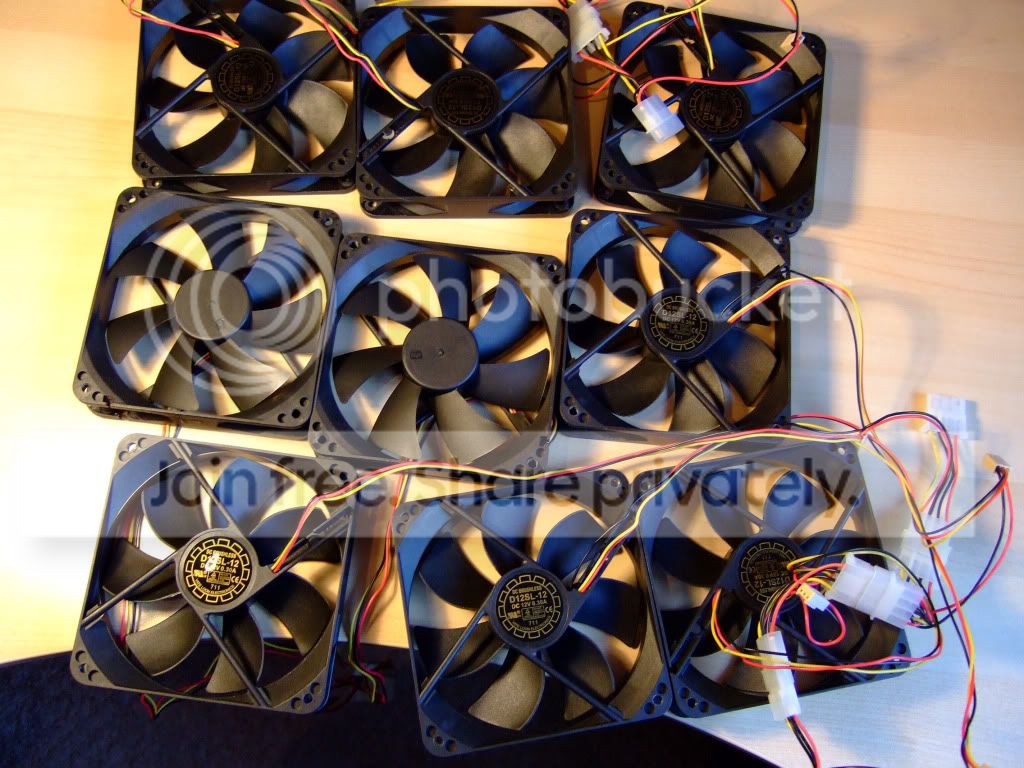
I have used a few in the past

DSCF1247.jpg
 
If space is a problem at the top of the case, then use these

http://www.specialtech.co.uk/spshop...im-Case-Fan-1350-RPM--D12SL-12C-pid-3780.html

If you can find that extra 5mm, I would have these

http://www.specialtech.co.uk/spshop...5mm-Case-Fan-1350-RPM--D12SL-12-pid-5755.html

They produce a good flow, which is ideal for water cooling.
I have used a few in the past

DSCF1247.jpg

Already ordered everything Paul!
Just checked and the Scythe fans are 25mm so I should 'just' have enough space :)
 
Back
Top