VM Superhub

srichards

Suspended / Banned
Messages
10,968
Name
Suz
Edit My Images
Yes
I'm going to get one of these little beggars within a couple of days.

If you set them to 5ghz wireless only are they reasonably reliable or are they just shocking regardless?

I don't really want to fork out £100 for an asus router if the SH can be ok on 5ghz as I only use the wireless for the ipad and phone. Both support dual band.

I don't think my old macbook supports 5ghz but it is in a coma anyway.

My main computer is wired so a gigabit switch is also going to turn up soon I hope.

My old wireless router is a dir-615 and it seems a bit of a waste to keep using that, especially as the switched ports are only 100mb so won't be probably up to the task.

Also can the sh be set into repeater mode for wireless? I think coverage may be an issue as the cable comes in at the back of the house and I have the wireless router upstairs and not right on a window sill.
 
not sure about the wireless performance but it does have gigabit lan ports already so you won't really need a switch unless you need more than 4 ports.

I use mine as a modem only as I already had a decent router.
 
Maybe they've improved but the firmware on the SH is notoriously unreliable with dropped WiFi, etc.

It does however come with a gigabit hub built in.

If you do have wireless issues, you can turn it into a cable modem only and add a separate wifi router. Unfortunately, that disables the ports on the SH acting as a switch so you can't use that anymore :(
 
Pity no one makes a cable wireless router you can just plug straight into the cable connection. Bypass VM's crappo hardware altogether!
 
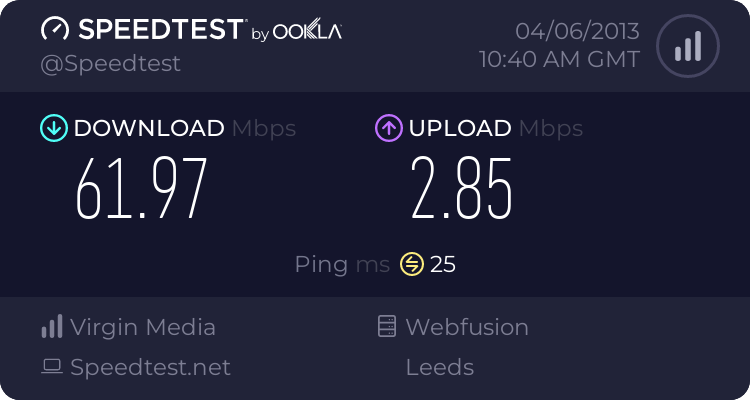
I've got one and haven't had any issues with it. Its currently sitting upstairs in the bedroom (desktop plugged in directly) and on the laptop in the kitchen I can get 62Mbps and on the phone I can get 22.5Mbps inthe same location, but that is more the phone having a worse modem than the laptop obviously.

 
Had one for a week or two days, wifi crapped itself.
Switched to Sky for a cheaper deal with phone line & free calls, and aside from the Sagem being as slow as treacle to admin changes (when it doesn't drop the connection!), it's a better wireless performer, than the VSH was, whilst it worked.
That said, the config of the VSH isn't anything to boast about either, even compared to the DLink used on the small blue Cisco routers Virgin used a while back, at our previous address.

So on that note, I'll echo the call to use your own preferred wireless router, patched to the freebie one, that's been enabled for nothing more than modem duty.
 
I've got one and haven't had any issues with it. Its currently sitting upstairs in the bedroom (desktop plugged in directly) and on the laptop in the kitchen I can get 62Mbps and on the phone I can get 22.5Mbps inthe same location, but that is more the phone having a worse modem than the laptop obviously.


I'm the same, I've had the VM superhub since it came out and never had any issues and the wireless range is better than the old DIR. I don't know anyone who's had issues with it apart from those on here.
 
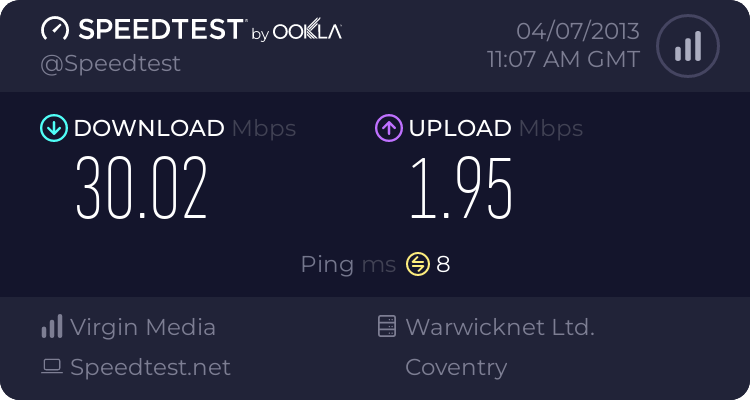
Just tried it,

2627881044.png
 
Yep, not sure where people get these issues, the net seems to be plagued with people complaining that the SH is rubbish, yet I've yet to meet anyone in real life who has had an issue.

C'est la vie:D
 
Vm community forums are full of threads about poor wireless. Doesn't seem to affect everyone.
 
i have a netgear 2000 hub , which i prefare to use , but it clashes with the super hub for some reason. so i just use the super hub as a modem. , most my computers are on a wire connection

the wired connections dont matter they are 100m on the spuer hub , so linking your existing router wont effect your wired speed.

Cheers Steve
 
Last edited:
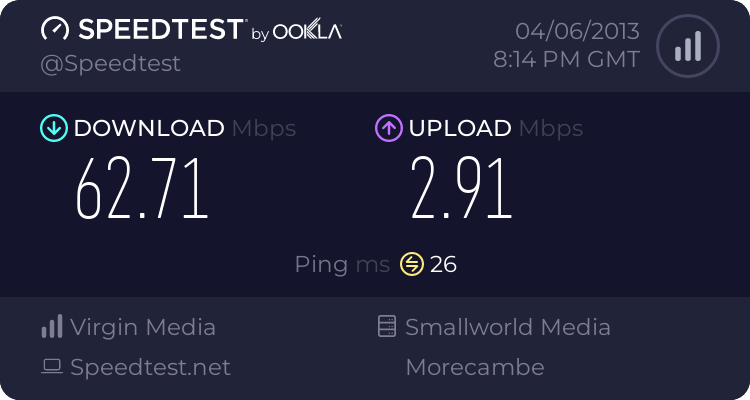
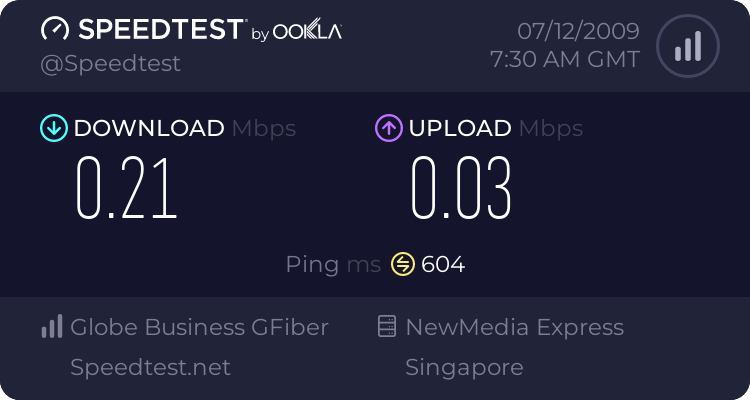
My 60meg connection yesterday.


514197411.png
 
the wired connections dont matter they are 100m on the spuer hub , so linking your existing router wont effect your wired speed.

Cheers Steve

My superhub is a gigabit wired?
 
yep thats me , read the manual is something i dont do maybe i should , i use a dnr200o as a hub , and it works great , its never let me down yet.

cheers Steve
 
SH wifi is a real pain. It is sort of OK signal in the lounge where the hub is, but go upstairs and only Mac can properly connect, with some dropouts. I think another router is needed
 
SH wifi is a real pain. It is sort of OK signal in the lounge where the hub is, but go upstairs and only Mac can properly connect, with some dropouts. I think another router is needed

Have you tried adjusting any of the settings? ie; Changing the wireless channel?
 
I have a vague memory that if you put it on 'auto' for the channel it'll jump channels too often.

The lack of coverage has been mentioned by a lot of users and also reviewers. VM are supposed to be doing a firmware update to fix it.

When all said and done it is a very cheap netgear router in there that other isps have used and they're having users report the same issues.
 
was that wired or wireless

Wireless.

This is my 3rd superhub. The last one dropped wireless completely every 3 minutes, the one before that every 5 minutes.
I'm now running a belkin router and just using the superhub as a modem.

Trouble is, as soon as my wife goes on the net it seemed to get capped and the speeds plummet.

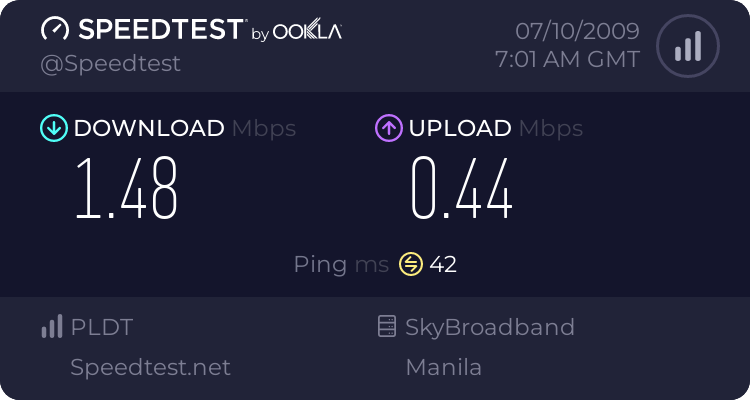
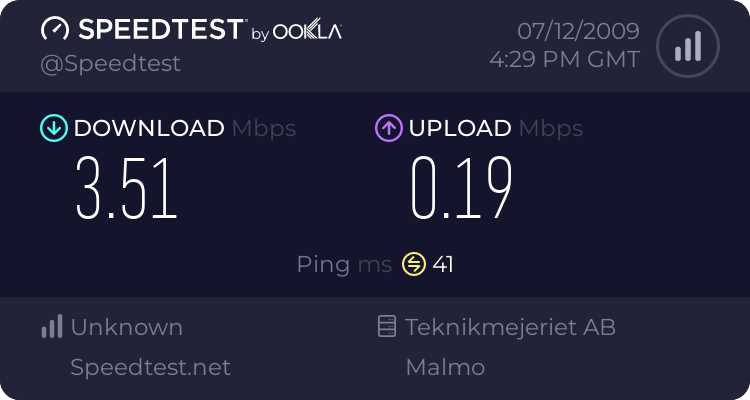
This is my current speed on my iPad, without wife on the Internet

515480576.png


Virgin say they don't cap speeds, yet without fail, as soon as my wife connects her WOW game the speeds drop to around 3meg on both wired and wireless.
 
Last edited:
I haven't had many issues with my VM SH.
Wireless signal has been great for me, more than adequate.
Only issue is it does sometimes like to reset itself, not often though.
Internet has dropped twice for a few minutes in the 6 months I've had it, but that isn't too bad.

I've only got the 30meg student package, but it is consistently 30 meg.

 
If your wife's WoW is being deemed a torrent/P2P (which it shouldn't) then you might be wise to change the DNS settings on your devices.
 
If your wife's WoW is being deemed a torrent/P2P (which it shouldn't) then you might be wise to change the DNS settings on your devices.
How does that help?
 
Wireless.

This is my 3rd superhub. The last one dropped wireless completely every 3 minutes, the one before that every 5 minutes.
I'm now running a belkin router and just using the superhub as a modem.

Trouble is, as soon as my wife goes on the net it seemed to get capped and the speeds plummet.

This is my current speed on my iPad, without wife on the Internet

515480576.png


Virgin say they don't cap speeds, yet without fail, as soon as my wife connects her WOW game the speeds drop to around 3meg on both wired and wireless.

I only get 1/3 of the speed on the Ipad app that I get on the PC
 
How does that help?

Speed throttling by their ISP, although it may be invoked by the port being used.
Still, if the ISP only see the proxy IP address, they have less likelihood of applying their traffic shaping policy.
 
Speed throttling by their ISP, although it may be invoked by the port being used.
Still, if the ISP only see the proxy IP address, they have less likelihood of applying their traffic shaping policy.
But the DNS is only used to perform name->IP lookups (i.e. translate www.talkphotography.co.uk->176.56.58.46 for example) so changing DNS will just ask a different machine to do the lookups. It won't change any traffic in or out of your system and it certainly doesn't act as any form of proxy.
 
This

Speed throttling by their ISP, although it may be invoked by the port being used.
Still, if the ISP only see the proxy IP address, they have less likelihood of applying their traffic shaping policy.

and this (Your previous post)

"If your wife's WoW is being deemed a torrent/P2P (which it shouldn't) then you might be wise to change the DNS settings on your devices. "

have no connection.

Do you have any idea what you are talking about at all?
 
oops, beaten to it while I was making a cup of tea.
 
Have you tried adjusting any of the settings? ie; Changing the wireless channel?

I've tried them all, and different speed modes too. No difference at all. It seems that you can't polish turd
 
unless youre using an encrypted VPN to mask your traffic (the easy way to stop your ISP seeing your activity) changing a DNS setting isn't going to do squat to the way traffic is filtered/shaped.

virgin always used to gets loads of complaints from gamers regarding high ping/lag/latency/speed issues. might be worth looking on their forums.
 
unless youre using an encrypted VPN to mask your traffic (the easy way to stop your ISP seeing your activity) changing a DNS setting isn't going to do squat to the way traffic is filtered/shaped.

virgin always used to gets loads of complaints from gamers regarding high ping/lag/latency/speed issues. might be worth looking on their forums.


I've spent half my life on their forums and on the phone to them.. They insist there is no problem, and they can't guarantee wireless speeds, despite when i bought the package it was sold almost entirely as a wireless package, with only the small print mentioning wired connections they also insist they don't cap users.

Just funny that I can get upto 15meg on my iPad one minute, then as soon as my wife turns on WOW, it drops to about 3meg. Or as I registered this morning, a whopping 0.5meg.

515574950.png
 
Strange, don't have any issues with download speed, often pulling around 105mb on my 100mb link, but ill be happy when the latest upgrade comes around and they change my upload speed to 10mb from 5mb.

My son runs a minecraft server for his friends without issues and plays lots of other games whilst I'm browsing etc.

How thick is your cable? When we had hd issues they rewired the entire house and ran a new much thicker cable into the house from the local connection point, plus ensued we were on the top tap, on it's own, not shared.
 
No idea on the thickness. An engineer replaced the tap out on the street, the old one was full of water. They also put a new junction box inside the house. They also fitted an attenuator to the superhub.

When I ring up And complain, it miraculously starts working fine for a few weeks, then gets worse and worse until I ring up again.

Its definitely something they are doing, or not doing. I think this area is massively over subscribed and they can't cope with the demand, so they are capping certain people at certain times.
My Internet is usually unusable from about 6pm to 8pm most weeknights. I can just about surf forums, but youtube or anything like that is a nogo. However mid afternoon it is usually alright.

I would ditch them and switch to infinity, but the have estimated it won't be here until April 2014, even though they said December 2012 last time I checked.

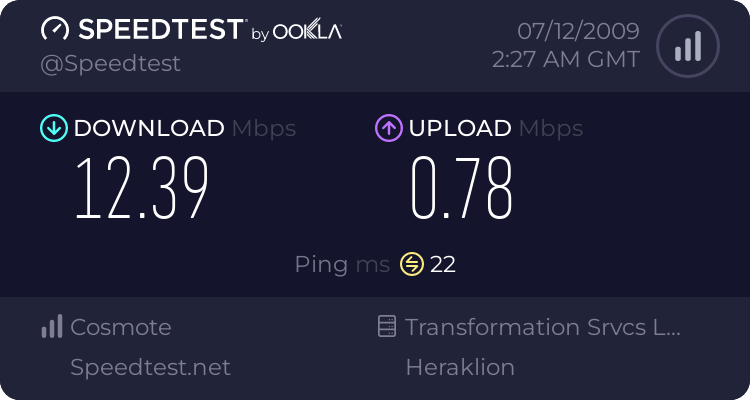
This is how varied it is, nothing's changed, but just got this..


515809924.png
 
Last edited:
if face book is being used or just logged in , it can zap your speeds

how? I don't particularly like the site ;) due to tracking activity but what does it have to do with speed?
 
SH is pretty poor it has to be said. I've had no end of issues with wireless dropping. That's using same channels as dlink 615 which is rock solid.

Think wireless will be turned off and I'll be returning to the dlink...while I save up for an Asus jobbie.

At least you can turn off wireless but leave router mode on so you can use all the front ports.

Not sure whether I can set the dlink to be a wireless repeater or not for the SH. It's definitely missing the 1T in it's name...

Taken most of the afternoon to get internet working again as the activation wouldn't work as it was whining about safari on a mac. Wouldn't do it from an ipad either. Or a lion desktop. Eventually started to do something just as I had rang their activation line again.
 
Back
Top