Vignetting with Canon 5D MK IV + Canon 100-400 MK II

Paul Buchroeder

Suspended / Banned
Messages
10
Edit My Images
Yes
Dear community,

I would need your technical expertise for the following question/Issue.
I started to move from a Canon 7D MK I to a Canon 5D MK IV.
Now working with a full frame camera I expected more vignetting around 200 to 400mm focal length.
However the type of vignetting I discovered appears a bit odd to me.

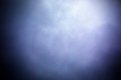
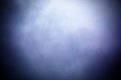
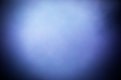
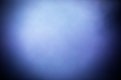
I have attached 2x2 example pictures.

The first picture shows the equalised raw picture without any lens correction.
View media item 13130
View media item 13132

The second picture shows the equalised raw picture with lens profile correction applied (adobe camera raw 10.3)
View media item 13129
View media item 13131

My questions in that context are the following:
1) Is it okay to have the vignetting ring not centred (here the shadow at the bottom is bigger than the one on top)

2) Is it a usual behaviour that the vignetting circle has a slightly different position in every picture?

3) It seems that the lens correction profile is not working entirely properly (big shadow bottom right). How can I improve the result of the vignetting correction adobe camera raw?

I really would appreciate your input.

Thank you very much indeed.

Paul
 
Hi & welcome to TP

Vignetting?

I have that lens and did use it on my 7D and now my 5D3 and have never had vignetting problem

Have you used the supplied lenshood?

Have you attached anything to the front of the lens?

In other words you should not be seeing any vignetting. Therefore sounds like you have a problem with the internals of that lens :(
 
Hi,

Thank you for your quick response.

Having a bit of vignetting is okay for me and the lens profile in LR or camera raw should be able to remove the shadows.

I have used the original lens hood (ET-83D) and no filter has been applied at all times.

I have just taken these two pictures to check whether the Peripheral Illumination Correction (PIC) would change something but it doesn't look so.

without PIC (equalised):
5U1A4274.jpg

with PIC (equalised):
5U1A4273.jpg

Yet again the shadows are in different positions in both pictures.
Shouldn't the shadow stay in the same location?
 
If it's not a process issue then I suspect that the IS group of elements is not doing what it should be doing. Try switching off the IS and take a few shots to see if the vignette stays in the same place.
 
Hi Bob,

I have just taken a series of 4 pictures without IS (usually I use mode 2).

There are slight movements visible in the equalised versions:

5U1A4282.jpg

5U1A4281.jpg

5U1A4280.jpg

5U1A4279.jpg

When you look at the pictures you can see that the ring is not centred (open to the top and slightly too far left) is that the same for you guys?

Cheers
 
The IS group/module is just behind the front group of lens elements. If you take the lens off and look through from the front, is the light path circular or oval (the rear baffle shape may be obvious so try to look in as far as the aperture)
 
You would definitely rule out the camera here?

I'm pretty certain that it's the lens. It may be a long term problem but the smaller image circle captured by the 7D meant that the vignetting was not seen.
 
The EF mount lenses are designed for FF sensors, as opposed to ef-s which are designed for smaller sensors, so you shouldn't get vignette on this lens, you might see slight vignette with a WA lens. I would definitely suspect a lens issue. If you have looked down the lens at full open aperture off camera then perhaps something is happening during the taking process, try looking down the lens when mounted and use a long exposure.
Do you have any filters fitted, or anything else, if so remove it and try again. Perhaps try it on another FF body, maybe someone local to you could help, where do you live.
Do the shots look like this on the rear screen of the camera, do they look like this when viewed through Canon software?
 
Last edited:
the MkII has about a stop of vignetting at 400mm but it's nowhere near as bad as this although it is noticeable.
 
Last edited:
Something is definitely not right.
 
You're shooting at f8 so any lens vignette shouldn't really be that noticeable. Even wide open it shouldn't look like this, how are you processing this. It's not some dodgy lightroom preset?!
 
Do you qualify for CPS support? Take it in for repair - most definitely something very wrong.
 
easiest way is to try the lens on another camera and cross check.

Of course you could get a Nikon camera and lens instead ;):nikon:
 
Last edited:
Thank you for your helpful comments.

Troubleshooting was a bit tricky since I neither had another tele lens nor another full frame body.

I have tested the 5D with a EF 24-105 at 105 mm where I couldn't see much of vignetting.
Due to the crop factor I couldn't seen much vignetting with the 7D (and EF 100-400) at 400 mm either but I spotted some shadowy areas which matched the darker areas in the FF pictures.

I eventually wrapped it up and prepared the lens for getting it shipped to CPS.

I will update this thread once I have got the lens back from the shop.

Cheers
 
Hi Paul, not quite sure what you have done to these images to make them look like that but I have a 5dmk3 and a 100-400mk2 and never seen anything like this.

Figures for vignetting for this lens look quite good compared to other Canon offerings

https://www.the-digital-picture.com...APIComp=0&LensComp=0&CameraComp=0&FLI=0&API=0

I even have some almost identical pictures


https://www.flickr.com/photos/25857109@N08/albums/72157665596166809" Heathrow 09L 29.10.17

I hope this turns out OK for you in the end as this is a fantastic lens - expensive but worth every penny :)

D
 
Last edited:
Where are you located? If near me you can try mine .
 
Hi Willi,

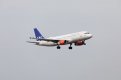
My original output (quickly developed from RAW and saved in JPEG) looks like the following:
View attachment 123946

I just over manipulated the pictures via Photoshop: Image->Adjustments->Equalize to underline the strength and pattern of vignetting.

What?! To be clear, is this the image straight out of the camera, before you messed about with it?
 
Hi Willi,

My original output (quickly developed from RAW and saved in JPEG) looks like the following:
View attachment 123946

I just over manipulated the pictures via Photoshop: Image->Adjustments->Equalize to underline the strength and pattern of vignetting.
i cant see anything wrong in this pic at all, what did you do to the 1st pics to cause the mess on them and why if it looks fine without messing about with the pp?
 
I've gone from thinking something is very wrong to being slightly baffled but with a smile on my face :D
 
Appreciate it sureshot.

That would be Northamptonshire.
Its all packed and ready for CPS.
Lets wait and see what they are going to do with it.
I think we are all confused here - this looks like you still think you have a problem.

When you say equalised raw picture what do you mean? When you say you over manipulated the picture to underline the vignetting - you mean you have processed them? I think we need to see them unadulterated - just converted to jpeg, no processing.

I also have this lens and camera combination and have never had any vignetting like this.
 
I've gone from thinking something is very wrong to being slightly baffled but with a smile on my face :D

I think we are all confused here - this looks like you still think you have a problem.

When you say equalised raw picture what do you mean? When you say you over manipulated the picture to underline the vignetting - you mean you have processed them? I think we need to see them unadulterated - just converted to jpeg, no processing.

I also have this lens and camera combination and have never had any vignetting like this.

It has made me wonder if this is 'an issue without an actual problem' i.e. in real world usage does the potential to vignette even show up in properly PP'ed images??? More a technical issue only revealed by specific post processing.

PS as Bebop says ~ let us see what a normally(?) limited to zero PP jpeg looks like?

PPS I have no idea what @Paul Buchroeder has done but cannot replicate it in LR on any of my recent images that include a lot of sky (to reveal any such marked vignetting). FWIW by using "Auto" on the Tone panel there is a hint of darkening at the extreme edges but it would never reveal itself IMO with normal processing.
 
Last edited:
Troll?
 
@Paul Buchroeder

Paul, I do wonder why with an L series lens you thought vignetting with a tele zoom as OK and even acceptable....................as you can see no-one appears to have seen anything like that. I for one would have sent the lens straight back to the seller if had such an issue.

In that regard was it a brand new lens or secondhand when you bought it?
 
Morning all,

I will try to get this clarified as good as I can.

The original picture (without any post processing - opened in ACR 10.3 / PS, reduced size to 1600x1067px and saved as JPEG) looks like this one:

5U1A3532o.jpg

You can already see the vignetting in the preview but to better visualise the locations I have over-manipulated the picture (which I thought made clear from the very beginning) via Photoshop: Image->Adjustments->Equalize

5U1A3532e.jpg

Then I applied the lens corrections based on the lens profile in Adobe Camera RAW which removed parts of the vignetting but its still visible even without any manipulation:

5U1A3532-2.jpg

The over-manipulated picture shows that the lower part still shows stronger shadows and that's simple not a proper result of a lens correction.

5U1A3532-2ce.jpg

I don't consider the issue as a purely technical and indeed something which is visible and affecting my work.
That's why I came forward and asked for your opinion on this.

If you have further questions I am happy to clarify.

The lens was purchased in November 2017 as new from a trustworthy seller.
 
Can I suggest you apply lens correction in Canon s/w then take into PS or LR, perhaps the lens correction profile isnt quite right in the non Canon s/w, but tbh the un-manipulated images look fine to me, maybe your eyes see more wrong than mine?
 
From your unadjusted image, there doesn't appear to be anything wrong with the lens on the vignetting front. I don't think anybody understood what 'equalising' in Photoshop actually meant - it's not a commonly used photographic tool. The vignetting looks normal and well within acceptable bounds - most wide-angle zooms would show double or three times that amount and would commonly be corrected using Adobe lens profiles where Lightroom also features a slider for more/less effect.

In your image, the darkening is slightly more visible towards the bottom, probably because the sky isn't an even tone. If you want to check that properly, you need a perfectly evenly illuminated plain target, focus set at infinity. See the vignetting tests in this review, page 5. Click Vignetting at the top of the graphic and adjust the sliders:
https://www.dpreview.com/reviews/up...n-100-400mm-f4-5-5-6l-is-usm-mark-ii-review/5
 
Last edited:
@Paul Buchroeder - I think you have spotted the slight vignette and are now concentrating on it too much, for the vast majority of viewers on this thread, see no issue with your un-edited examples. As Hoppy has pointed out above the 'vignetting looks normal and well within acceptable bounds' You could always apply a slight white vignette to 'balance out' if so required, other than that perhaps don't be so aggressive in your processing. The unedited samples look fine to me, and the darker areas in your images could simply be down to the non uniformity of light in the scene.
 
Last edited by a moderator:
It's the subject that's the real 'problem' here - large areas of even tone are unusual in general pictorial photography but they do show up things like vignetting that would otherwise be invisible. When vignetting does show, perhaps with a wide-angle image with a lot of clear sky, it often looks attractive and is left uncorrected, but it's not a fault.

All lenses have at least some vignetting, including the best and most expensive - wide-angles and fast primes are worst affected, particularly at lower f/numbers. Vignetting cleans up quickly at higher f/numbers.
 
Thank you for you input, that was very helpful indeed.

I think multiple things came together here. Having a FF camera for the first time (being used to vignetting from a APS-C sensor) , the actual light condition that day and being over concerned due some real lens issues I recently had (with another lens).
I will not send it to CPS for now. Instead I will give it another try with different light situations and then make my final decision.
 
I have to say that I don't understand this vignetting issue at all. I have had my Canon 100-400mm L II for several years and used it regularly on a crop-sensor 7D Mark II and a full-frame 5D Mark IV (the same combo as you). I have also regularly mounted a Canon x1.4 III Extender and still have never seen any vignetting issues. Shooting this lens physically set to 400mm (with or without the Extender) is my most often use.

In fact I occasionally, but not often, add some subtle vignetting in post-processing!

The lens was purchased in November 2017 as new from a trustworthy seller.

...."as new"? Do you mean advertised as new or advertised as in an 'as new' condition?

Is the "trustworthy seller" a private individual or an approved Canon retailer?

I'm curious to read how this is finally resolved and how the issue was caused.
 
Back
Top