

Brian Sayle
Suspended / Banned
- Messages
- 586
- Edit My Images
- Yes
Anyone help me on this, i tried to get this shot on Monday but it didn't work at all. The road below is too dark to get along with any kind of sky, said to myself come back tomorrow with ND grad filters and it might work out but still no joy, so i did a HDR of it.
This is what i cant work out, I've not done HDR for ages, not really my thing, fiddled about loads with the cars on the road but just cant seen to get it to work with traffic in, so i cloned them all out and went for a empty road
The bottom shot crop is all i seem to be able to get with cars in, tried just having cars in one shot but no good, anyone got any ideas on how i may be able to do it with the traffic in ? i did think maybe just clone them from a jpeg but it looks silly having none HDR cars
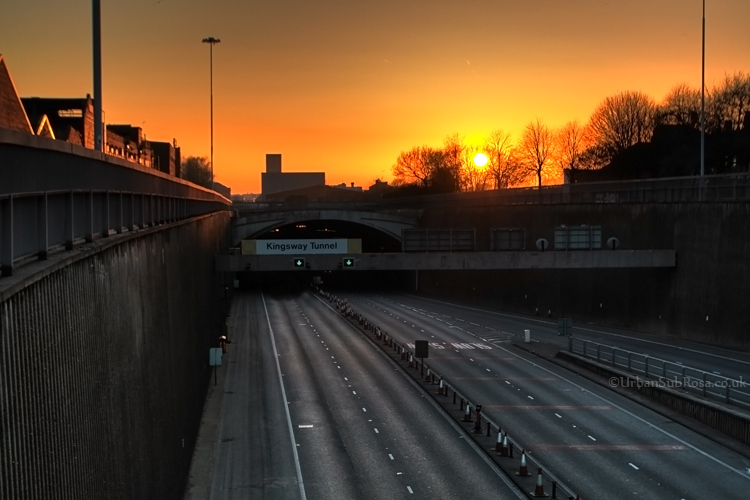
Kingsway Tunnel by 4737 carlin, on Flickr
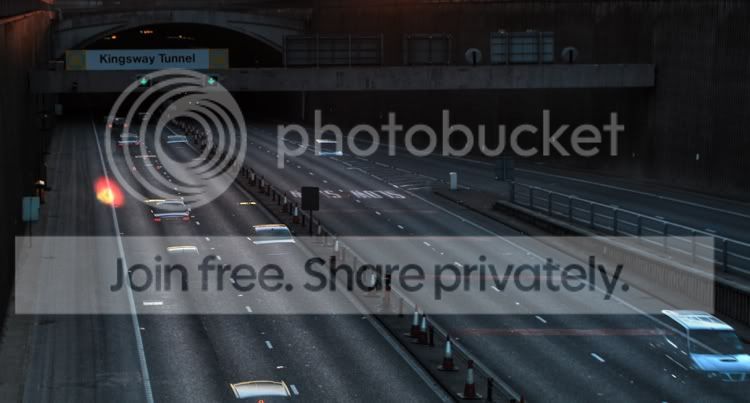
This is what i cant work out, I've not done HDR for ages, not really my thing, fiddled about loads with the cars on the road but just cant seen to get it to work with traffic in, so i cloned them all out and went for a empty road
The bottom shot crop is all i seem to be able to get with cars in, tried just having cars in one shot but no good, anyone got any ideas on how i may be able to do it with the traffic in ? i did think maybe just clone them from a jpeg but it looks silly having none HDR cars
Kingsway Tunnel by 4737 carlin, on Flickr

