UAC locked

Weldingblues

Suspended / Banned
Messages
491
Name
Colin
Edit My Images
Yes
For some reason my windows 7 computer, has locked the uac control into the NO setting so unable to install or update.

Any ideas as to how to remove the lock?

I have tried regedit but it reports a problem with administrator settings.

Any help gratefully appreciated.
 
Have you changed the account to a non-administrative account?
 
Thanks for the replies, I have just returned home, I tried to get a screen shot of the message but unable to do so.

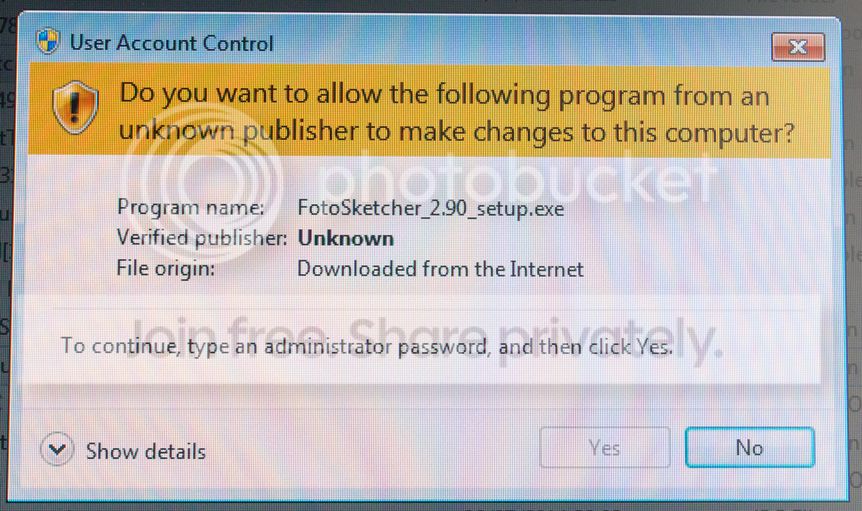
Took a photo not very good but it does show the message;

UACmessage_zpsbbc14598.jpg


It is possible that I have reset my account but no idea how.
 
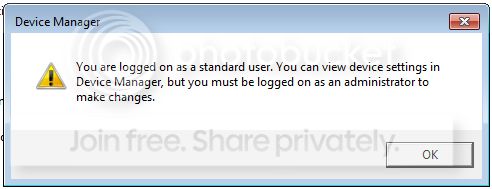
The popup isquite descriptive ;)

You are logged in as a standard user who cannot make changes to your system. Right click the thing you are trying to install and Run as Administrator. You will have to enter the administrators password (or provide the credentials of an admin).
 
Hi Andy,

Where do you enter the password?

Hi Shaun,

I have tried that but the message from "User Account Control" just appears and I cannot proceed.

Regards
 
Hi Andy,

Where do you enter the password?
You are logged in as a standard user who cannot make changes to your system. Right click the thing you are trying to install and Run as Administrator. You will have to enter the administrators password (or provide the credentials of an admin).
 
Every time I try to access anything that requires changes made to the computer the popup as above (the first picture) appears.

I cannot get the computer into safe mode but I think that's because I have a wireless keyboard and windows does not see this until the computer has started?
 
You need to log on as an Administrator, do you know another account on the PC?
 
If you go to control panel - users, is there definitely only 1 account listed?
 
Maybe going into Restore and selecting a date before this Fotosketcher doodah would be the quickest way back to normal service?
 
It happens to anything that requires access to the computer system.
 
It happens to anything that requires access to the computer system.
Has this happened from day 1? If not has anything changed?

If you go into manage (right click Computer) and look in local users you should have an Administrator account but it may be disabled by default. If it'll let you enable and set the password, log in as admin and change you account to a standard user from guest

Essentially somehow your account is a guest which has naff all permission.
 
To be honest if you can't do anything regarding changing settings, enabling users, restore etc you're probably looking at a wipe and reinstall.

One of the rare occasions I'd suggest a reinstall when the system is locked out to any changes :D
 
Try the following and see if it helps

1) Reboot into Safe mode

2) Start elevated command prompt and run this command which enables administrator account.

Code:
net user administrator /active:yes

3) Reset the administrator password.

Code:
net user administrator password

4) Rebooted and log on as 'Administrator'

5) Start another elevated command prompt and add your account to the 'administrators' group

Code:
net localgroup Administrator [YOURUSERID] /add

6) Reboot and login as your normal user and hopefully everything should be good to go.
 
Last edited:
which essentially does what i said (minus the safe mode bit) :D

i cant remember whether safe mode runs in an elevated account though, so may still get prompted for credentials.
 
Thanks all, I will try some of the things later and update with the results.

It has only just started this, so its got corrupted /changed some how.

I did install an app on my tablet for access to my PC, so problems there maybe.
 
Hi All,
Many thanks for the suggestions, I started in safe mode, then restored my system back 9 days, restarted and all back to normal.

Lesson learnt, will pay more attention in the future.
 
Back
Top