Tips needed Low Key Shoot

oblivion

Suspended / Banned
Messages
235
Name
Richard
Edit My Images
Yes
I'm looking to take some low key head/shoulders portraits shortly. I have two studio lights to hand but possibly may only use the one as I'm looking at side lighting only.

I don't yet have a black muslin cloth to hand so options available to me at present are some brown curtains currently hanging in a double window bay, or I have in the past been using an old cine-projector stand which is black on one side. I'm doing this in quite a short spaced living room in a 3 bed-semi so position of my subject is going to be crucial to stop light overspill. Is there a recommended distance from subject to backdrop to make sure the spill doesn't catch it too much?

I wish to shoot approx 7 people individually and then link the post processed pics together and frame entirely in one rectangular frame. I'm no wizz on PS yet so youtube is handy but I'm sure LR 5.2 can achieve this look. Examples I'm yet to google to establish how. Ohh, and any ideas on where best to get a frame to complete the picture when done?
 
Literally any colour/tone of background will photograph as black, as long as no light reaches it, so the trick is to have as much distance as possible between subject and background, and to use a non-reflective background that won't pick up and reflect the lights aimed at the subject.

Because of this, your brown curtains will probably be OK and the black back of your old black cine projector screen will probably be too reflective.

Having enough distance between subject and background works because of the effect of the inverse square law, which dictates that light loses power to the square of the distance. And the closer the lighting is to the subject, the greater the fall off of light reaching the background, obviously.
 
Why do you need a black background?

Choose settings that create a black background, say ISO 100, f/16, 1/250, then add light to just the subject. Use blackwrap to control the light.

There's a Glyn Dewis tutorial showing him do it outside in daylight. It's on Youtube somewhere.

[EDIT] Found it:
http://glyndewis.com/the-invisible-black-backdrop-photography-technique/
 
Last edited:
I know this is an old thread but rather than create a new one for the same subject........

I have seen many of these videos, including Glyn Dewis, Gavin Hoey and Mark Wallace on Adorama. A lot of the time these guys manage to get the black background from only a couple of feet away from a wall using a softbox and speedlight. I tried to replicate this last night and failed miserably.

I was a couple of feet away from my back wall, which is actually gray. I had already set up the aperture and shutter speed to give me a pure black exposure (f8 and 1/200 max flash sync speed). I used my flash and 32" softbox, positioned a couple of inches from my shoulder, metered at f8 and took the picture and there was nothing even close to black or even a darker gray in the exposure. This was done in my livingroom, pretty standard size room.

I tried several times to nail this and the only way I could reduce the exposure of the background was to reduce the power on the flash, metering at around f4 was the closest I got to anything dark which as you would expect meant my face was totally under exposed as a result. Any thoughts on how this is not working?
 
I know this is an old thread but rather than create a new one for the same subject........

I have seen many of these videos, including Glyn Dewis, Gavin Hoey and Mark Wallace on Adorama. A lot of the time these guys manage to get the black background from only a couple of feet away from a wall using a softbox and speedlight. I tried to replicate this last night and failed miserably.

I was a couple of feet away from my back wall, which is actually gray. I had already set up the aperture and shutter speed to give me a pure black exposure (f8 and 1/200 max flash sync speed). I used my flash and 32" softbox, positioned a couple of inches from my shoulder, metered at f8 and took the picture and there was nothing even close to black or even a darker gray in the exposure. This was done in my livingroom, pretty standard size room.

I tried several times to nail this and the only way I could reduce the exposure of the background was to reduce the power on the flash, metering at around f4 was the closest I got to anything dark which as you would expect meant my face was totally under exposed as a result. Any thoughts on how this is not working?
Are you using a grid on the softbox?
I was able to get a light blue wall to show as black, but I used a single studio light with a snoot fitted.
 
Last edited:
I know this is an old thread but rather than create a new one for the same subject........

I have seen many of these videos, including Glyn Dewis, Gavin Hoey and Mark Wallace on Adorama. A lot of the time these guys manage to get the black background from only a couple of feet away from a wall using a softbox and speedlight. I tried to replicate this last night and failed miserably.

I was a couple of feet away from my back wall, which is actually gray. I had already set up the aperture and shutter speed to give me a pure black exposure (f8 and 1/200 max flash sync speed). I used my flash and 32" softbox, positioned a couple of inches from my shoulder, metered at f8 and took the picture and there was nothing even close to black or even a darker gray in the exposure. This was done in my livingroom, pretty standard size room.

I tried several times to nail this and the only way I could reduce the exposure of the background was to reduce the power on the flash, metering at around f4 was the closest I got to anything dark which as you would expect meant my face was totally under exposed as a result. Any thoughts on how this is not working?
Too much light bouncing around. Try using something more directional, like a snoot.
 
Last edited:
I know this is an old thread but rather than create a new one for the same subject........

I have seen many of these videos, including Glyn Dewis, Gavin Hoey and Mark Wallace on Adorama. A lot of the time these guys manage to get the black background from only a couple of feet away from a wall using a softbox and speedlight. I tried to replicate this last night and failed miserably.

I was a couple of feet away from my back wall, which is actually gray. I had already set up the aperture and shutter speed to give me a pure black exposure (f8 and 1/200 max flash sync speed). I used my flash and 32" softbox, positioned a couple of inches from my shoulder, metered at f8 and took the picture and there was nothing even close to black or even a darker gray in the exposure. This was done in my livingroom, pretty standard size room.

I tried several times to nail this and the only way I could reduce the exposure of the background was to reduce the power on the flash, metering at around f4 was the closest I got to anything dark which as you would expect meant my face was totally under exposed as a result. Any thoughts on how this is not working?

In the video above (Glyn Dewis) the camera has been set to dramatically under-expose the ambient light level - max x-sync speed, lowest ISO and high f/number. The background is effectively black, and then the flash is positioned so no light from that falls on the background and it remains black..

When the background is unavoidably close, start with a dark material - black velvet is favourite. Then to minimise the brightness of the flash that is inevitably falling on it, use the inverse square law that says brighness falls off rapidly with distance, ie double the distance reduces brightness to one quarter*. In other words, move the light as close to the subject as possible, and keep the background as far away as possible to maximise ISL fall-off.

*ISL strictly applies to a point light source. A bare speedlite is similar, but softboxes don't fall-off quite so rapidly when used close.
 
I know this is an old thread but rather than create a new one for the same subject........

I have seen many of these videos, including Glyn Dewis, Gavin Hoey and Mark Wallace on Adorama. A lot of the time these guys manage to get the black background from only a couple of feet away from a wall using a softbox and speedlight. I tried to replicate this last night and failed miserably.

I was a couple of feet away from my back wall, which is actually gray. I had already set up the aperture and shutter speed to give me a pure black exposure (f8 and 1/200 max flash sync speed). I used my flash and 32" softbox, positioned a couple of inches from my shoulder, metered at f8 and took the picture and there was nothing even close to black or even a darker gray in the exposure. This was done in my livingroom, pretty standard size room.

I tried several times to nail this and the only way I could reduce the exposure of the background was to reduce the power on the flash, metering at around f4 was the closest I got to anything dark which as you would expect meant my face was totally under exposed as a result. Any thoughts on how this is not working?
I'm probably the worst person to answer because I tend not to watch these videos - the reason that I don't watch them isn't because I know everything - far from it. The reason is that most of the ones I watch are deceptive at best, fraudulent at worst. I know, as an experienced photographer, that the example photos they show cannot have been produced using the methods shown in their video. They achieve most, if not all, of their lighting effects in PP.

Why they set out to deceive people in this way is another question entirely, and on a related subject it's always a mystery to me why Profoto make videos showing how someone was lit with their products when it's obvious to everyone that they didn't actually use those products.

Rant over, back to the question. I'm not actually sure what the question is, because I'm not sure whether it's about low key lighting or getting a black background. A black background is a shot where the background photographs as black and a low key shot is a shot where there are no tones that photograph lighter than 50% grey, which isn't the same thing at all. I'm assuming here that this is a black background shot, not a low key shot.

You need to make use of the inverse square law which (in strict terms) means that each time the distance from light to subject is doubled, only a quarter of the light reaches the subject. Newton's Inverse Square Law pre-dates photography of course, and actually refers to astro physics, so it doesn't completely hold true - it assumes that the light is a point source, which never happens, it assumes that we're using the light in a vacuum, which never happens and it assumes that there is absolutely no light reflected from any walls, ceiling etc, which very rarely happens, but it's a starting point that sort of works unless you're using a large modifier such as your 32" softbox.

With this size of softbox, at the very limited distance that you have from subject to background, you're on a loser unless your softbox is so close to your subject that it's blocking your camera's view of your subject.
There are only two ways of making it work, one method is the one that Richard (Hoppy) suggested, using a genuine velvet background (only reflects about 5% of the light) and the other is to make sure that no light goes past your subject and hits the background, i.e. make sure that the light is coming from the side or the rear only.
blackisbeautiful.jpg

This is what I did in this very old photo, where the almost black background was in fact an almost white wall.
Using a honeycomb grid on the softbox won't help if the light from it is still hitting the background BTW

Edit. Example photo not showing, will try to sort that out later
Edit. Not the photo I had in mind, but this one is similar, no light reached the background, ergo it photographed as black
DSC_4957.jpg
 
Last edited:
I'm probably the worst person to answer because I tend not to watch these videos - the reason that I don't watch them isn't because I know everything - far from it. The reason is that most of the ones I watch are deceptive at best, fraudulent at worst. I know, as an experienced photographer, that the example photos they show cannot have been produced using the methods shown in their video. They achieve most, if not all, of their lighting effects in PP.

Why they set out to deceive people in this way is another question entirely, and on a related subject it's always a mystery to me why Profoto make videos showing how someone was lit with their products when it's obvious to everyone that they didn't actually use those products.

Rant over, back to the question. I'm not actually sure what the question is, because I'm not sure whether it's about low key lighting or getting a black background. A black background is a shot where the background photographs as black and a low key shot is a shot where there are no tones that photograph lighter than 50% grey, which isn't the same thing at all. I'm assuming here that this is a black background shot, not a low key shot.

You need to make use of the inverse square law which (in strict terms) means that each time the distance from light to subject is doubled, only a quarter of the light reaches the subject. Newton's Inverse Square Law pre-dates photography of course, and actually refers to astro physics, so it doesn't completely hold true - it assumes that the light is a point source, which never happens, it assumes that we're using the light in a vacuum, which never happens and it assumes that there is absolutely no light reflected from any walls, ceiling etc, which very rarely happens, but it's a starting point that sort of works unless you're using a large modifier such as your 32" softbox.

With this size of softbox, at the very limited distance that you have from subject to background, you're on a loser unless your softbox is so close to your subject that it's blocking your camera's view of your subject.
There are only two ways of making it work, one method is the one that Richard (Hoppy) suggested, using a genuine velvet background (only reflects about 5% of the light) and the other is to make sure that no light goes past your subject and hits the background, i.e. make sure that the light is coming from the side or the rear only.
blackisbeautiful.jpg

This is what I did in this very old photo, where the almost black background was in fact an almost white wall.
Using a honeycomb grid on the softbox won't help if the light from it is still hitting the background BTW

Edit. Example photo not showing, will try to sort that out later
Edit. Not the photo I had in mind, but this one is similar, no light reached the background, ergo it photographed as black
DSC_4957.jpg


It was a split lighting pattern that I was attempting so the softbox was 90 degrees to me, close up and not facing in the direction of the rear wall. I actually had a grid on as well to further direct the light. I was trying to reproduce the method these videos explain, the result in terms of the lighting pattern would have also produced a low key shot would it not?

I am also unsure as to why multiple professional photographers producing these videos would conspire to deceive us? surely if what you say is correct they would all be found out pretty sharpish and the comments and reviews would reflect this?
 
Last edited:
Yes I had a grid on the softbox as well
Must be light bouncing around and hitting the wall. I tried with a softbox, and even with the grid, it still bounced too much light about. I couldn't increase the distance to background, so used a smaller,more directional light source with little light spill
 
Must be light bouncing around and hitting the wall. I tried with a softbox, and even with the grid, it still bounced too much light about. I couldn't increase the distance to background, so used a smaller,more directional light source with little light spill

Unfortunately i only have one speedlight and a softbox, no other light modifiers to hand at this time
 
The thing is, the instructions usually miss half the equation.

If you can only get your subject 3ft from the background, that's far enough, providing:

You keep the light 18" from the subject
You absolutely don't point your light even remotely at the background.
 
It was a split lighting pattern that I was attempting so the softbox was 90 degrees to me, close up and not facing in the direction of the rear wall. I actually had a grid on as well to further direct the light. I was trying to reproduce the method these videos explain, the result in terms of the lighting pattern would have also produced a low key shot would it not?

I am also unsure as to why multiple professional photographers producing these videos would conspire to deceive us? surely if what you say is correct they would all be found out pretty sharpish and the comments and reviews would reflect this?
I don't know what a split lighting pattern is but yes, if your light source was at 90 degrees to the subject then theoretically no light would reach the background and the background, regardless of its actual shade, would photograph as black. I say theoretically because if there's a white wall or ceiling in the way then light may well bounce off it and spoil the effect. Whether the result is low key as well as being a black background shot depends on how bright the lit parts of the subject are.

As for that video, I've watched it and I can tell you with absolute certainty that with that quite distinct, albeit underexposed image without flash, closing down the lens aperture one stop would not have produced the totally black image claimed.

Comments and reviews on youtube videos don't often come from people who know anything at all - experienced people rarely bother, the ones who do comment usually comment because they're impressed, whther they should be or not.
I don't know why some people clearly set out to deceive, maybe they're trying to impress people with their "skills", maybe it's to con people into buying their "expertise" which seems to me to be possible, as most of these "experts" sell courses.
 
Black is 5 stops of "underexposure" and white is 5 stops over (above/below mid grey/metering). If the BG is white then the BG needs to be ~ 1000x farther away from the light than the subject is (10 stops). If the BG is mid tone (grey) then black is 5 stops under that so the BG needs to be 32x farther. And if the BG is black, it can be at the same distance.

That's worse case scenario with a subject and BG of equal reflectivity and having the same angle of incidence, which is atypical. But as you can see, using distance alone is a loosing proposition. You need to select the BG appropriately and then control the light/angles. Starting with a medium brown fabric BG it probably needs dropped ~2stops, ~4x the distance. The black projector screen is probably more reflective than dry skin is. If put at an angle so as to reflect light away from the camera it could probably be used with less/little separation. But if the room is small and light colored the spill it adds may be problematic.

In a small/light space spill is a killer... you can't just flag the light or shine it in a direction so that it doesn't fall on the BG. Because the excess light will bounce around the room lowering the lighting ratio/contrast and it is about impossible to fix... if you increase the flash power to increase the ratio it adds more spill to the "ambient," and around it goes. Positioning your subject nearer one corner so that the spill has to travel all the way around the room can help a lot. If that's not enough, then the only other option is to absorb it with something darker... or maybe take it outside where spill isn't much of a problem.
 
Thanks to all who have shared their experience.......ultimately what i'm looking at here if I want to achieve a completely black background in a small studio environment (by that I mean my living room lol) I have 2 options - get a black background and add as much distance between the subject and background as possible, while also flagging the hell out of the light to stop bounce or go as dark as I can with the background (my lightish gray walls) and post process the crap out of it?

I feel cheated by all these tutorials as I am self learning and a lot of what I have learned comes from such sources as youtube and other websites :(
 
Thanks to all who have shared their experience.......ultimately what i'm looking at here if I want to achieve a completely black background in a small studio environment (by that I mean my living room lol) I have 2 options - get a black background and add as much distance between the subject and background as possible, while also flagging the hell out of the light to stop bounce or go as dark as I can with the background (my lightish gray walls) and post process the crap out of it?

I feel cheated by all these tutorials as I am self learning and a lot of what I have learned comes from such sources as youtube and other websites :(

if you re examine those tutorials in light of this thread, and re-watch some of them, you'll see that what's going on isn't always what the tutor is describing. I don't think they all set out to deceive, they just might emphasise the wrong bits.
 
if you re examine those tutorials in light of this thread, and re-watch some of them, you'll see that what's going on isn't always what the tutor is describing. I don't think they all set out to deceive, they just might emphasise the wrong bits.


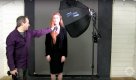
View: https://www.youtube.com/watch?v=PIoWwx-elCE&index=15&list=PL821B7D720DEA39FA


Watch from 3 mins 25 sec.....looking at his set up, he has a medium gray background, white walls all around and the models steps forward from the wall about 4 - 5 ft i'd say and the image produced is a black background, he is also very specific about the point....."let's see if it goes black....yes it does". He is also using a 32" softbox with a grid, his grid looks smaller than mines but other than that pretty similar set up to what I had at home

If these images really come out of camera like that i'd like to see a video where they shoot tethered so we can see the image as it's shot rather than it be added PP
 
Thanks to all who have shared their experience.......ultimately what i'm looking at here if I want to achieve a completely black background in a small studio environment (by that I mean my living room lol) I have 2 options - get a black background and add as much distance between the subject and background as possible, while also flagging the hell out of the light to stop bounce or go as dark as I can with the background (my lightish gray walls) and post process the crap out of it?

I feel cheated by all these tutorials as I am self learning and a lot of what I have learned comes from such sources as youtube and other websites :(

Not necessarily... because there is probably some combination of BG color, distances, angles, control that will work with "less" of each. The key here is to start with a dark image (camera settings) and add as little power as possible from as short a distance as possible to get your desired result.
 
View: https://www.youtube.com/watch?v=PIoWwx-elCE&index=15&list=PL821B7D720DEA39FA


Watch from 3 mins 25 sec.....looking at his set up, he has a medium gray background, white walls all around and the models steps forward from the wall about 4 - 5 ft i'd say and the image produced is a black background, he is also very specific about the point....."let's see if it goes black....yes it does". He is also using a 32" softbox with a grid, his grid looks smaller than mines but other than that pretty similar set up to what I had at home

If these images really come out of camera like that i'd like to see a video where they shoot tethered so we can see the image as it's shot rather than it be added PP
As above. Claiming that he got a totally black background from that lighting setup is just plain nonsense. Even if no light reached the background from the softbox, light from it would have reflected from the white wall and hit the background.

As for being selt taught, we are in fact all self taught. I did a 5 year training programme with a large firm, but there was no real, structured training really, it was all just a case of "sitting by Nellie" and trying to pick things up from co- workers, who didn't usually want to help train someone who could take over their job - a typical response to a question such as "why do you put the light there?" might be something like "when you've been doing it as long as I have you know where to put it".
Later, I had a number of what were essentially training jobs, but again there was no real teaching, and no room for experiment either, we just had to do what was known to work adequately.
On my degree course, we were taught be pro photographers who couldn't teach, but my guess is that if they were good pros then they would have been out there doing photography, not teaching at a crap uni. Now, the tutors can teach, but they tend to be art tutors who don't know much about photography and know nothing about lighting - although of course there may be exceptions to this.

So, to a very large extent I was self taught too. I practiced at home. Everything was film based then and I couldn't afford polaroids, so I used to stick bromide paper into the plate camera to get almost instant, albeit a negative result.
I also learned a lot from reading books, and years later I wrote some too. Books have their limitations but only good photographers with a proven track record can find a publisher for them, unlike today when anyone can claim to be an expert and self-publish on t'internet:(
 
View: https://www.youtube.com/watch?v=PIoWwx-elCE&index=15&list=PL821B7D720DEA39FA


Watch from 3 mins 25 sec.....looking at his set up, he has a medium gray background, white walls all around and the models steps forward from the wall about 4 - 5 ft i'd say and the image produced is a black background, he is also very specific about the point....."let's see if it goes black....yes it does". He is also using a 32" softbox with a grid, his grid looks smaller than mines but other than that pretty similar set up to what I had at home

If these images really come out of camera like that i'd like to see a video where they shoot tethered so we can see the image as it's shot rather than it be added PP

Video looks fine to me on that point at 3.25. Though the background may not be 100% black, it's near enough.

- The sofbox is very close to the model, like 1ft-ish. Background say 5ft, so just using ISL fall-off and a bit of guestimation, I'd expect that to be about three stops darker in reality.
- Perhaps more to the point, he has a softbox with a grid that is not pointing at the background at all. I'd expect very little light to come from that directly, if any, so all he's got is whatever is bouncing around the walls.
 
Video looks fine to me on that point at 3.25. Though the background may not be 100% black, it's near enough.

- The sofbox is very close to the model, like 1ft-ish. Background say 5ft, so just using ISL fall-off and a bit of guestimation, I'd expect that to be about three stops darker in reality.
- Perhaps more to the point, he has a softbox with a grid that is not pointing at the background at all. I'd expect very little light to come from that directly, if any, so all he's got is whatever is bouncing around the walls.


I also used a 32" softbox, I side lit, I had a grid and 3 of my walls are flat gray in colour albeit a little lighter than the gray backdrop he is using. The only consistent white surface in my livingroom is the ceiling. As far as I can see the only surface in his studio that isn't white is the gray backdrop. I metered exactly the same as he does, I tried metering for different power on my flash and setting the camera's aperture to match (light was metered with a sekonic flashmate 308s) I just can't get it, i'm going to give up on this soon I think, it's ruining me lol....seriously it has been on my mind from morning to night for the last 3 days!!
 
Video looks fine to me on that point at 3.25. Though the background may not be 100% black, it's near enough.

- The sofbox is very close to the model, like 1ft-ish. Background say 5ft, so just using ISL fall-off and a bit of guestimation, I'd expect that to be about three stops darker in reality.
- Perhaps more to the point, he has a softbox with a grid that is not pointing at the background at all. I'd expect very little light to come from that directly, if any, so all he's got is whatever is bouncing around the walls.
I agree with that, however a lot of that light will reflect straight off the wall onto the background, more than enough to make it impossible for him to achieve the claimed effect without a lot of PP work.
 
Or he got a couple of bods to hold up a large black cloth against the left hand wall so nothing would be reflected off it.
 
Video looks fine to me on that point at 3.25. Though the background may not be 100% black, it's near enough.
I doubt he was able to drop the BG more than 2 stops... ~ dark grey like the other BG. IMO, the only way he could record the BG as black in that situation is to take a very dark image with the light inches away (i.e. highlights only).
 
Last edited:
Or he got a couple of bods to hold up a large black cloth against the left hand wall so nothing would be reflected off it.
I noticed that the amount of light from the flash when metered seemed to be a lot more than when the image was taken... but I can't explain why...
 
Last edited:
Here's the image "as lit." Her forehead/face is 5 stops above the BG and 8-9 stops above her black clothing which is at about 1-2 stops above black where lit. There's also a slight gradient to the BG. The only way to change this ratio as recorded would be to increase the SS significantly. I suppose there's a chance that this is not the absolute peak of the flash, but it is almost certainly w/in a stop.

Screen-Shot-2016-09-14-at-9.29.17-AM.jpg

And this is the "resulting image." Portions of the dress remain ~ 1stop above black, yet portions closer to the light are not. The highlights on her face are still ~ 8 stops above black. There is a bit of fill bouncing back on her hair camera left but it shows nowhere else (or it's ambient). And somehow the BG was dropped 5 stops?
Yeah she shifted the pose a little between shots, but unless I am mistaken this just doesn't add up.

Screen-Shot-2016-09-14-at-10.00.30-AM.jpg
 
Last edited:
View: https://www.youtube.com/watch?v=PIoWwx-elCE&index=15&list=PL821B7D720DEA39FA


Watch from 3 mins 25 sec.....looking at his set up, he has a medium gray background, white walls all around and the models steps forward from the wall about 4 - 5 ft i'd say and the image produced is a black background, he is also very specific about the point....."let's see if it goes black....yes it does". He is also using a 32" softbox with a grid, his grid looks smaller than mines but other than that pretty similar set up to what I had at home

If these images really come out of camera like that i'd like to see a video where they shoot tethered so we can see the image as it's shot rather than it be added PP
You missed the 'really specific' part...

The sofbox is very close to the model, like 1ft-ish.
Or like someone else said...
You keep the light 18" from the subject
You absolutely don't point your light even remotely at the background.
 
Some people seem to think that Gavin Hoey is being dishonest. I don't think he is. The method he's demonstrating is perfectly feasible and is a common studio technique.

There is no doubt that the final image shown is not the one taken in the video. All the actual pics will have been shot separately, it's just the way these things are done, and in any case the video lights would have screwed things up. That doesn't mean they're fake, even if the exact distances were maybe a little different, they're near enough to work as shown - and the video guy may well have dictated those things to get everything neatly in shot.

Steven are you seriously trying to make accurate exposure estimates from video screen-grabs?! There's a lot of rubbish on the internet unfortunately, in fact most of it, but I wouldn't point the finger in this case.
 
Some people seem to think that Gavin Hoey is being dishonest. I don't think he is. The method he's demonstrating is perfectly feasible and is a common studio technique.

There is no doubt that the final image shown is not the one taken in the video. All the actual pics will have been shot separately, it's just the way these things are done, and in any case the video lights would have screwed things up. That doesn't mean they're fake, even if the exact distances were maybe a little different, they're near enough to work as shown - and the video guy may well have dictated those things to get everything neatly in shot.

Steven are you seriously trying to make accurate exposure estimates from video screen-grabs?! There's a lot of rubbish on the internet unfortunately, in fact most of it, but I wouldn't point the finger in this case.
I do exactly the same myself, i.e. I shoot the still images first, then I shoot the video to suit the images that are then shown in the video, that's an efficient and productive way of doing it.
However, I don't edit those images in any way, because I want anyone who follows my guidance to be able to achieve exactly the same results that I achieve.

The technique set out in this video is valid and very useful, but personally I think it's deceptive (whether accidentally or intentionally I can't say) to show images that are obviously edited without even mentioning that they have been edited.

Here's one of my videos showing how to get a black background
And here's another, shot at exactly the same time, but which then goes on to explain how to light the background in various ways. None of the images have been edited, unless you count cropping....
You will see that in each video, the reason why the grey background ended up black is that no light was reaching the background - the lights were all pointing away from the background to some extent.

With me, it's all about showing the technique that will achieve the results, and the thinking behind the techniques used. I feel that this is more important than the actual results. I'm not saying that my approach is superior to others, it's just the way that I like to do things. In my defence, I would say that nobody who has watched any of my videos and attempted a technique for themselves will ever say
"I feel cheated by all these tutorials as I am self learning and a lot of what I have learned comes from such sources as youtube and other websites :("
 
Steven are you seriously trying to make accurate exposure estimates from video screen-grabs?! There's a lot of rubbish on the internet unfortunately, in fact most of it, but I wouldn't point the finger in this case.
I wouldn't say "absolutely accurate" estimates, but close enough. Fact is, unless you change SS in order to change the ambient contribution, or change flash power, then the lighting ratio is the lighting ratio. All you can do is push it up or down together. And neither of those things were done supposedly. As far as the camera is concerned, that screen grab is pretty much what it would see. The only question is how bright those levels will be recorded.
My best guess is that the BG (and everything else) recorded ~1-2 stops lower than the screen grab. Which is mostly what the final image shows, but it would/should put the BG at dark grey. Being that she's pale skinned w/ light hair, it's an easy edit.

The technique in general is of course valid. But I'm not at all certain that image could be achieved in that space, and I'm fairly certain not as configured/shown. The dark dress makes it particularly difficult...
The video is an Adorama TV educational video and the tiny white space was almost certainly chosen to show "what you can accomplish in your home" and I think it's kind of misleading. Trying to properly expose a pale skinned model and her black dress while also dropping a mid BG in that space seems like an exercise in futility... unless you accept that it can be a fairly easy edit to correct in post.

You're probably right that the images and video were shot separately... My assumption was that he start with a "black exposure" killing/minimizing the video lights, and the images would be as shown/shot.
 
Getting a bit off-topic here, but trying to read accurate lighting ratios off a screen grab just doesn't work. We have no idea of how the dynamic range of the actual scene has been pushed and shoved multiple times through the camera, contrast settings, output process and web publishing compression software. If that wasn't enough, the movie image is overlaid with bright ambient lighting for the video.

I would also guess that the model has been moved so we can see her face while he takes a meter reading, so she's not as close to the light as in the still photo. But listen to what he says, and read the captions about getting the model very close and away from the background. The only thing that may be misleading is while he mentions the grid, he doesn't emphasise the critical fact that the light isn't actually pointing at the background but off to the side. But when you combine the effects of, a) the inverse square law with model close to and background a long way from the light, b) the grid, that cuts out pretty much all off-axis light, and c) softbox pointed away from the background... I think that's a legitimate demo vid. YMMV :)
 
c) softbox pointed away from the background... I think that's a legitimate demo vid. YMMV :)
This is a number one thing with me. When you first get a softbox and if like me "Slow on the uptake" :-( You just aim the thing, middle on straight at your subject and never seem to get the results you have seen on the web.
I have watched many of this guys videos and normally at the end of each video he takes one of the images and retouches it which is a good idea.
Maybe thats a recent thing though.

Gaz
 
This is a number one thing with me. When you first get a softbox and if like me "Slow on the uptake" :-( You just aim the thing, middle on straight at your subject and never seem to get the results you have seen on the web.
I have watched many of this guys videos and normally at the end of each video he takes one of the images and retouches it which is a good idea.
Maybe thats a recent thing though.

Gaz
Yes, this to me is where the problem lies.
Lighting isn't complicated, it's just a mixture of understanding the principles and practice - the greater the level of understanding, the lesser the need for practice.
It's all about the inverse square law, relative size and angle - that's it.

But videos that use the true principles but then show false results, don't help. What's wrong with showing honest results, SOOC, and then saying something like "And here's the final version, after a bit of adjustment on t/computer" ?
 
I think that's a legitimate demo vid. YMMV :)
I imagine Marc might disagree...
He was doing everything "the same" in a somewhat less demanding environment (flat grey walls and probably a bit bigger space) and couldn't get the results no matter what he tried. That has to be frustrating/confusing...

Personally, my main problem w/ the video is that they (Adorama) purposely set up that tiny white space to show "what you can do at home," using their Flashpoint360 (Godox) w/ a modifier and grey BG. It is a "subliminal marketing" video... not really pushing anything obvious, but it's all there. And it is at least a bit misleading IMO.
 
Back
Top