and the site receives a small commission
You are using an out of date browser. It may not display this or other websites correctly.
You should upgrade or use an alternative browser.
You should upgrade or use an alternative browser.
THE PP GAME!
- Thread starter Phil Young
- Start date

OP

Phil Young
Suspended / Banned
- Messages
- 6,584
- Name
- Phil
- Edit My Images
- Yes

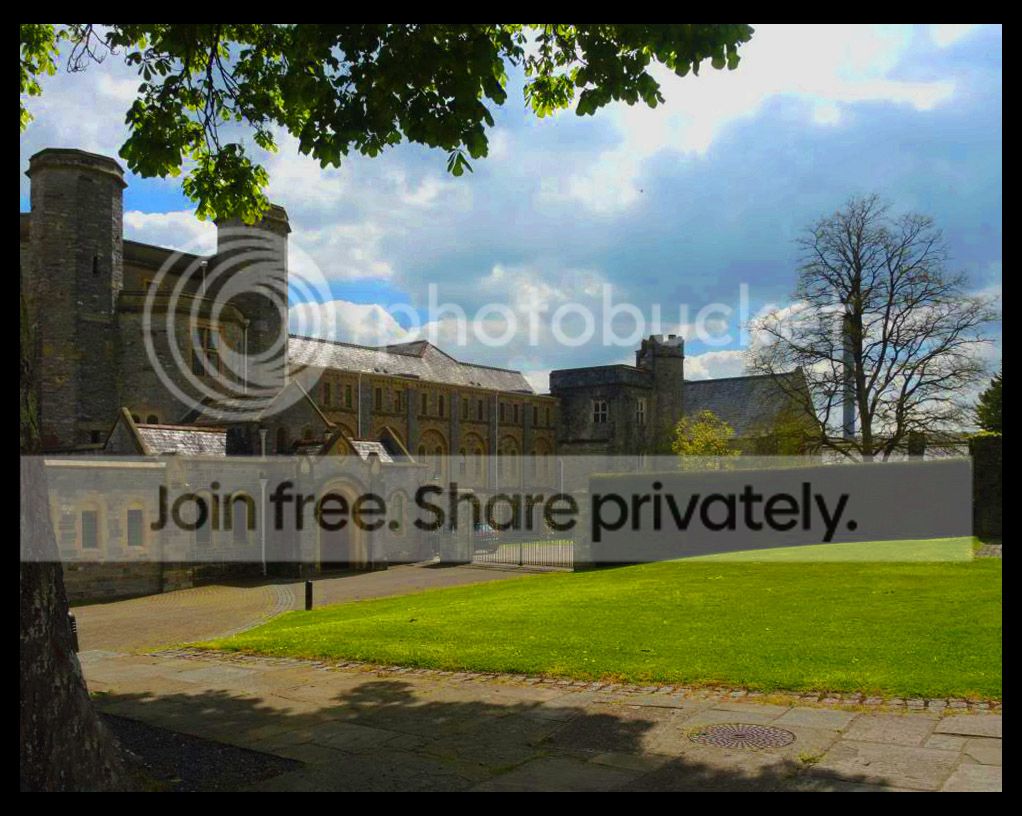
Opened in ACR;
Decreased saturation.
Dropped EV a bit.
Increased contrast.
Decreased whites & highlights.
Increased Blacks.
Increased clarity.
Added post crop vignette.
Then did some adjustment brushing to the clouds to decrease EV and drop the EV of the tree sign.
Opened in PS:
Used my own preset in Color efex which brings out loads of detail - used the erasure tool to erase the sky and tree so to just give detail to the building and pavement (and grass).
Done.
10mins, feedback welcome.
Last edited:

DayDreamer
Suspended / Banned
- Messages
- 3,739
- Name
- John
- Edit My Images
- Yes
Hi Phil a 'dark & atmospheric' take on this one. I was looking to see if I could spot the 'bats', or even 'vampires', flying around the sky  But I little too dark for my own personal tastes but thanks for the edit
But I little too dark for my own personal tastes but thanks for the edit
DayDreamer
Suspended / Banned
- Messages
- 3,739
- Name
- John
- Edit My Images
- Yes
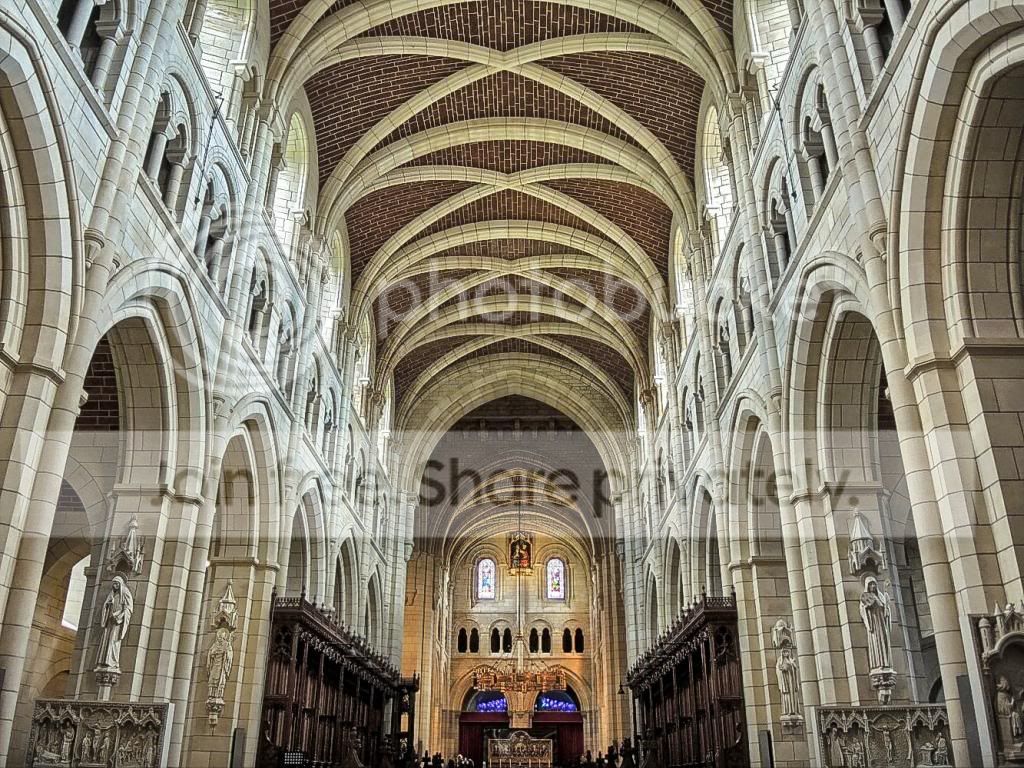
Thanks for the entries & my shortlist for the winning entry is Neil - Flying Giraffe, Graham - Overbez & Sponner all for their 'inside' edits.
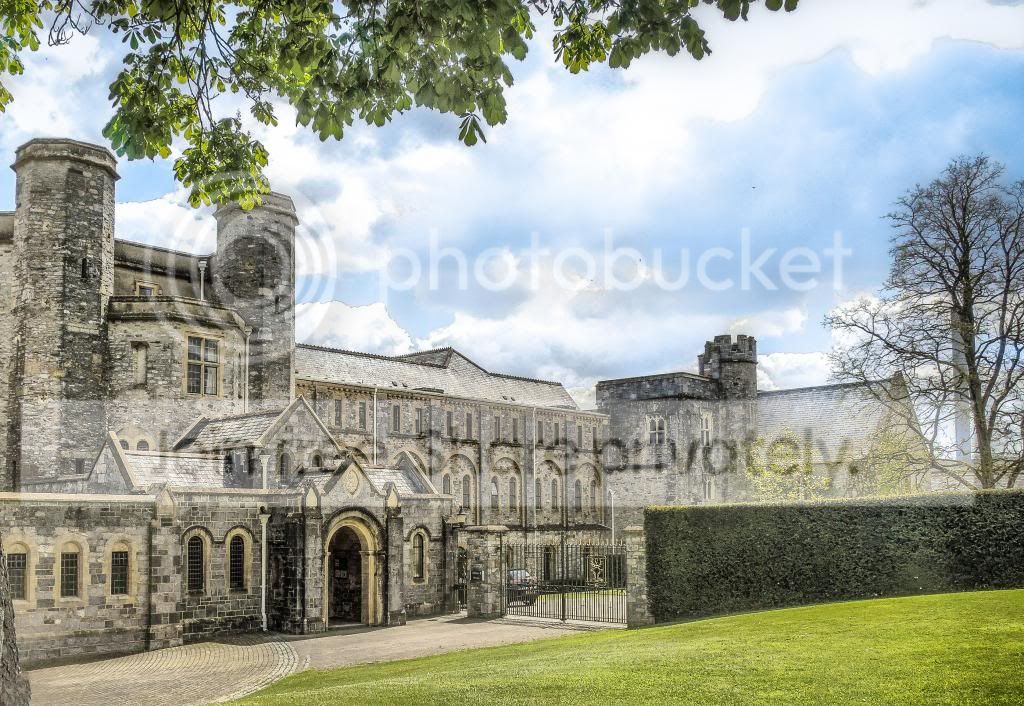
On the outside, whilst it was a difficult one, I was hoping to get the sky sorted, a better crop & get some details out of what is not a very sharp shot. I do like Rhodese's crop which matches my own edit.
But from my shortlist of three the winner & runner up were once again very very very close with Neil edging it, as I felt a little bit of colour was needed, but I do like Grahams B&W & with Sponner a good third.
So well done Neil The Winner - & over to you.
& my shortlist for the winning entry is Neil - Flying Giraffe, Graham - Overbez & Sponner all for their 'inside' edits. On the outside, whilst it was a difficult one, I was hoping to get the sky sorted, a better crop & get some details out of what is not a very sharp shot. I do like Rhodese's crop which matches my own edit.
But from my shortlist of three the winner & runner up were once again very very very close with Neil edging it, as I felt a little bit of colour was needed, but I do like Grahams B&W & with Sponner a good third.
So well done Neil The Winner - & over to you.
DayDreamer
Suspended / Banned
- Messages
- 3,739
- Name
- John
- Edit My Images
- Yes
My Edits the inside was a bit of HDR, a bit of warming & a medium amount of sharpening. The outside shot was a fiddle in CS2, PE10&LR4 trying desperately to do what was in my mind but I failed as the basic shot is not good


OP
Phil Young
Suspended / Banned
- Messages
- 6,584
- Name
- Phil
- Edit My Images
- Yes
Neil you had the best edit, well done!

Flying giraffe
Suspended / Banned
- Messages
- 1,189
- Name
- Neil
- Edit My Images
- No
cheers john enjoy the hobnobs
here`s a tricky one, bad light and a dirty sensor, anything goes here by that i mean adding themes like the bike last time, have fun with it, also John im into fig rolls at the mo
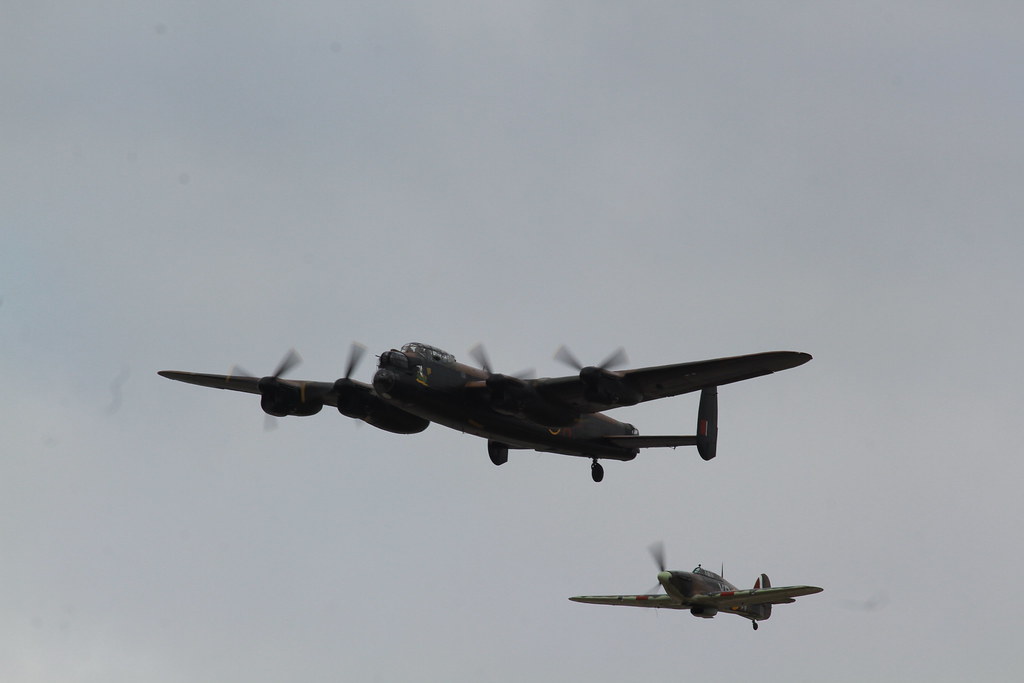
IMG_2738 by flying giraffe, on Flickr
raw
http://www.mediafire.com/?026doksq9ovkdi2
ill call it thurs evening
here`s a tricky one, bad light and a dirty sensor, anything goes here by that i mean adding themes like the bike last time, have fun with it, also John im into fig rolls at the mo
IMG_2738 by flying giraffe, on Flickr
raw
http://www.mediafire.com/?026doksq9ovkdi2
ill call it thurs evening

symmetricalOCD
Suspended / Banned
- Messages
- 478
- Name
- Ben
- Edit My Images
- Yes
I'm always amazed at how much detail you seen to get out of photos neil! you must have eagle vision well done.
p.s I found a poor mans hobnob called 'oaties biscuits' by tesco nowhere near as good but for now I shall try them for tea dunking, they are firmer and therefore less prone to breakage on first dips.
p.s I found a poor mans hobnob called 'oaties biscuits' by tesco nowhere near as good but for now I shall try them for tea dunking, they are firmer and therefore less prone to breakage on first dips.

DayDreamer
Suspended / Banned
- Messages
- 3,739
- Name
- John
- Edit My Images
- Yes
Anyone else not able to get to the RAW file?????
Google chrome and IE so not a browser issue.
https://www.dropbox.com/s/2jgf750fojmmeo4/IMG_2738.CR2
Graham just uploaded to my dropbox for you so you should get from there

Flying giraffe
Suspended / Banned
- Messages
- 1,189
- Name
- Neil
- Edit My Images
- No
I'm always amazed at how much detail you seen to get out of photos neil! you must have eagle vision well done.
p.s I found a poor mans hobnob called 'oaties biscuits' by tesco nowhere near as good but for now I shall try them for tea dunking, they are firmer and therefore less prone to breakage on first dips.
The clarity slider in raw is a great place to start I find, some can take more than others

overbez
Suspended / Banned
- Messages
- 4,088
- Name
- Graham
- Edit My Images
- Yes
Hmmmm Neil, I was actually hoping you might give up one of your airshow pictures.... Not quite sure this is the one I'd have picked though.. 
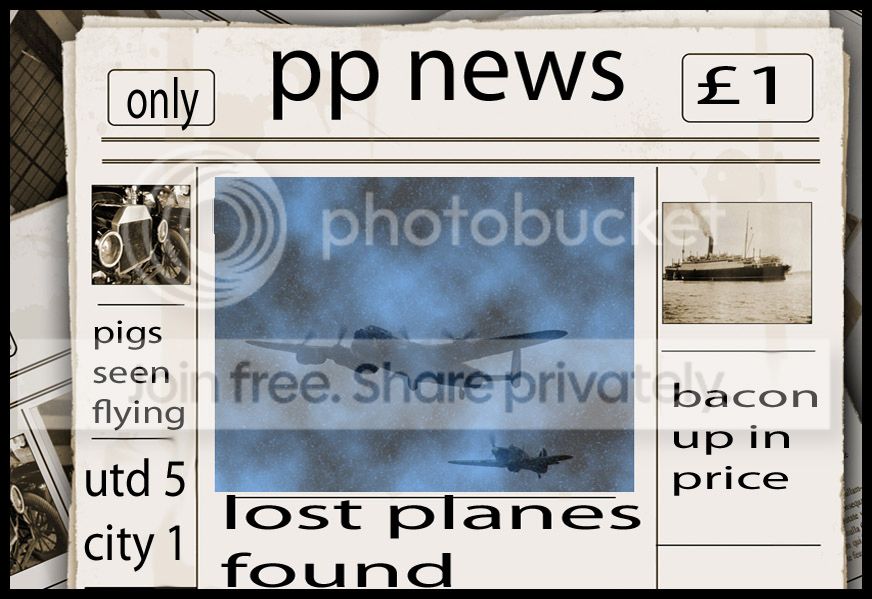
Couldn't find anything in the sky... except dust spots and smears. so took inspiration from an Airfix set, having recently built a Spitfire one with my boy.
So, processed your plane images first, to bring out as much detail and colour as poss,
admittedly at the expense of a bit of noise
Created a new layer
filled with blue colour
Used Filter > Render > Clouds to make me some clouds
Overlayed Lancaster and Spitfire seperately using Darken blend mode to avoid too much cutting out. Resizing and trasnforming to suit.
Cut out picture from box
Removed (by cloning) references to HAWKER HURRICANE as you didn't photograph one of those
Inserted my image into the box (using layer mask over red areas).

Not sure how long, but less than 45 minutes altogether.
Feedback more than welcome. (Doesn;t have to be 15 minutes worth. :nuts:
Couldn't find anything in the sky... except dust spots and smears.
so took inspiration from an Airfix set, having recently built a Spitfire one with my boy.So, processed your plane images first, to bring out as much detail and colour as poss,
admittedly at the expense of a bit of noise
Created a new layer
filled with blue colour
Used Filter > Render > Clouds to make me some clouds
Overlayed Lancaster and Spitfire seperately using Darken blend mode to avoid too much cutting out. Resizing and trasnforming to suit.
Cut out picture from box
Removed (by cloning) references to HAWKER HURRICANE as you didn't photograph one of those
Inserted my image into the box (using layer mask over red areas).

Not sure how long, but less than 45 minutes altogether.
Feedback more than welcome.
(Doesn;t have to be 15 minutes worth. :nuts:
symmetricalOCD
Suspended / Banned
- Messages
- 478
- Name
- Ben
- Edit My Images
- Yes
that's amazing graham, superb photoshop skills there!
anyway here's mine, going for the vintage sepia worn look:

2_RAF_planes_sepia-1 by btyreman, on Flickr
cropped in LR 5 to a 16:10 (my favourite) ratio,
cloned out all of the sensor marks and cleaned up background using the healing brush,
then here's the rest of the description using screenshots

2planes LR+PS settings by btyreman, on Flickr
adding to that in PSE10 I used a paper texture layer set to 60% soft light,
then another adjustment layer to decrease contrast and merged to one layer.
saved to jpeg with sharpening.
anyway here's mine, going for the vintage sepia worn look:
2_RAF_planes_sepia-1 by btyreman, on Flickr
cropped in LR 5 to a 16:10 (my favourite) ratio,
cloned out all of the sensor marks and cleaned up background using the healing brush,
then here's the rest of the description using screenshots
2planes LR+PS settings by btyreman, on Flickr
adding to that in PSE10 I used a paper texture layer set to 60% soft light,
then another adjustment layer to decrease contrast and merged to one layer.
saved to jpeg with sharpening.
Last edited:
DayDreamer
Suspended / Banned
- Messages
- 3,739
- Name
- John
- Edit My Images
- Yes
Ben a good edit but Graham - wow - makes me want to throw the towel in
Flying giraffe
Suspended / Banned
- Messages
- 1,189
- Name
- Neil
- Edit My Images
- No
Ben a good edit but Graham - wow - makes me want to throw the towel in
2 great edits so far, John you have to try, its the taking part that counts, im sure you can think of something, remember anything goes here so add what you like (no dragons though
)
DayDreamer
Suspended / Banned
- Messages
- 3,739
- Name
- John
- Edit My Images
- Yes
2 great edits so far, John you have to try, its the taking part that counts, im sure you can think of something, remember anything goes here so add what you like (no dragons though
I know it's the taking part but not sure if I add a couple of fig rolls in in may help my cause


Seajay
Suspended / Banned
- Messages
- 1,493
- Name
- Cathy
- Edit My Images
- Yes
NO pressure then! gosh i think i need to add the biscuit bride too lol!
Adjust shadows,contrast and highlight in raw.
new layer to sharpen and enhance planes
new cloud layer slipped in at Multiply erase out planes to highlight them.
Brighten image slightly sharpen and flatten

Adjust shadows,contrast and highlight in raw.
new layer to sharpen and enhance planes
new cloud layer slipped in at Multiply erase out planes to highlight them.
Brighten image slightly sharpen and flatten
Last edited:

DayDreamer
Suspended / Banned
- Messages
- 3,739
- Name
- John
- Edit My Images
- Yes
Cathy yet another good edit for the two planes 
Neil why couldn't they have been jet planes??? In other words no bloody propellers
Neil why couldn't they have been jet planes??? In other words no bloody propellers
Flying giraffe
Suspended / Banned
- Messages
- 1,189
- Name
- Neil
- Edit My Images
- No
Really glad I set this and dont have to edit it, they are all fantastic

andrewp
Suspended / Banned
- Messages
- 150
- Name
- Andrew
- Edit My Images
- Yes
Open the image in PS camera raw and make some basic modifications.
Mask out background.
Drop in a sky picture I took about 3-4 weeks ago and reposition.
Ran thro Fotosketcher to give a painted look.
Back into PS. Add frame and the other 2 planes.

Mask out background.
Drop in a sky picture I took about 3-4 weeks ago and reposition.
Ran thro Fotosketcher to give a painted look.
Back into PS. Add frame and the other 2 planes.
Flying giraffe
Suspended / Banned
- Messages
- 1,189
- Name
- Neil
- Edit My Images
- No
Going to do this a bit different as all the edits are so good, I would like everyone to pm there choice and the one with the most votes wins, I'll call it 8 o'clock and give my opinion where asked for
Flying giraffe
Suspended / Banned
- Messages
- 1,189
- Name
- Neil
- Edit My Images
- No
Just to add anyone can vote regardless of whether they have entered or not, I will also add my vote to the list
Flying giraffe
Suspended / Banned
- Messages
- 1,189
- Name
- Neil
- Edit My Images
- No
can only say wow, i never expected anything as good as these edits, they are exactly what i was looking for and you have spoilt me, grahams edit was first, and to be honest it would have put me off too, a true corker, ben was next, noe feedback req so just have to say another great edit, Cathys didn't req feedback but i have to say your work on the planes is awesome, truly atmospheric if that's the word, Walter, again no feedback, but have to say well done for a very original edit, Andrew, a beautifull edit, almost gives a sense of what it was like for the poor airmen, crackin.
well i did every thing different in this one to liven it up, it truly succeeded with everyone great for different reasons, i put it to the vote as i personally thought they where all winner's, the votes where counted and verified and i have to say the winner is, Graham, great work, a truly stunning edit, now can we have a nice esay one for us to do please
well i did every thing different in this one to liven it up, it truly succeeded with everyone great for different reasons, i put it to the vote as i personally thought they where all winner's, the votes where counted and verified and i have to say the winner is, Graham, great work, a truly stunning edit, now can we have a nice esay one for us to do please
DayDreamer
Suspended / Banned
- Messages
- 3,739
- Name
- John
- Edit My Images
- Yes
A good 'un' Graham amongst many really good edits - make it easier as we have limits you know Well I do
Well I do
overbez
Suspended / Banned
- Messages
- 4,088
- Name
- Graham
- Edit My Images
- Yes
Cheers everyone - a fine challenge set by Neil, but I think we will all agree it can be quite exhausting a) coming up with an idea, and then b) actually finding a way to translate it into a finished image. But I echo what a top job everyone did and also would have found it hard to judge that round.
An easy one you ask for eh?? from me?
Oh ok.....

http://speedy.sh/DEdmQ/DSC-2206.NEF
Working both days this weekend so will probably be Monday morning bright and early.
Back to normal, only use what's already there, feedback to those who request it.
An easy one you ask for eh?? from me?
Oh ok.....
http://speedy.sh/DEdmQ/DSC-2206.NEF
Working both days this weekend so will probably be Monday morning bright and early.
Back to normal, only use what's already there, feedback to those who request it.

Rhodese
Suspended / Banned
- Messages
- 1,154
- Edit My Images
- Yes
Open in ACR, auto, open in PS, copy layer,
Convert to mono. Clone out sticks and stuff.
SAVE.
New layer.
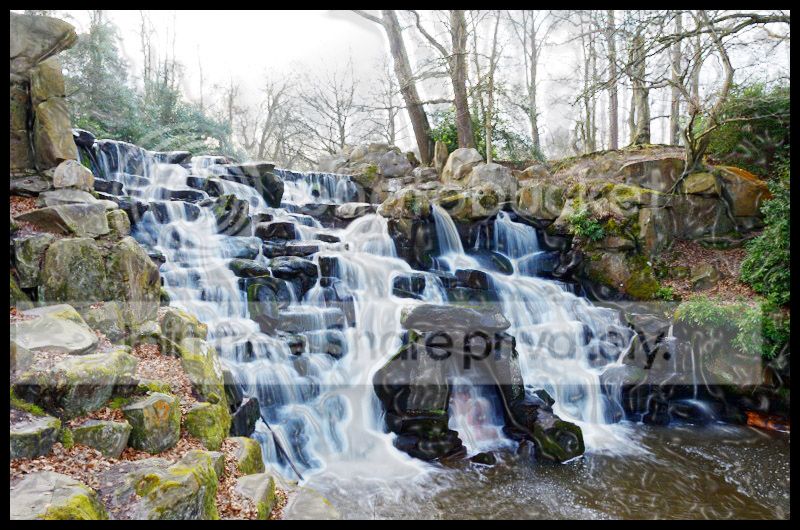
Add grads, top to top of fall at 50%, bottom to a third of the way up the fall at 60%.
On picture layer, dodge and burn. (Saving at regular intervals)
Flatten.
Add a border using the stroke command.
SAVE.
Save for web.
FEEDBACK OK.

Rhodese.
Convert to mono. Clone out sticks and stuff.
SAVE.
New layer.
Add grads, top to top of fall at 50%, bottom to a third of the way up the fall at 60%.
On picture layer, dodge and burn. (Saving at regular intervals)
Flatten.
Add a border using the stroke command.
SAVE.
Save for web.
FEEDBACK OK.
Rhodese.
Last edited:
OP
Phil Young
Suspended / Banned
- Messages
- 6,584
- Name
- Phil
- Edit My Images
- Yes
My entry:

Here's what I did in ACR:


To get the detail in the rocks, I opened in PS - made a new layer and added my own preset of color efex.
From this I duplicated the layer, added contrast and increased the blacks in the black and neutral channel of selective color adjustment layer. I then erased the water and the sky, effectively just applying the above to the rocks.
Time taken; 15mins. Feedback - OK.
Here's what I did in ACR:
To get the detail in the rocks, I opened in PS - made a new layer and added my own preset of color efex.
From this I duplicated the layer, added contrast and increased the blacks in the black and neutral channel of selective color adjustment layer. I then erased the water and the sky, effectively just applying the above to the rocks.
Time taken; 15mins. Feedback - OK.
Seajay
Suspended / Banned
- Messages
- 1,493
- Name
- Cathy
- Edit My Images
- Yes
Oh Gosh!
No way could i get the sky but here is my effort and honestly did a hundred layers with contrast vibrance sharpen delete start again etc
So got lost but mostly vibrance sharpen dodge and burn.Sorry but got carried away.

No way could i get the sky
but here is my effort and honestly did a hundred layers with contrast vibrance sharpen delete start again etcSo got lost but mostly vibrance sharpen dodge and burn.Sorry but got carried away.
symmetricalOCD
Suspended / Banned
- Messages
- 478
- Name
- Ben
- Edit My Images
- Yes

DSC_2206-1 by btyreman, on Flickr
edited in LR5:
here's how:

rock_stream_LRsettings ALL by btyreman, on Flickr
then I added a clarity brush on the rocks and saved to jpeg.
feedback is O.K.