THE PP GAME!

Slight (& I mean slight :) ) bit of HDR with Redynamix plug in within PE10. Then in LR4 a bit of brushing to get the foreground less in your face. I must admit cropping to get rid of the foreground was a 'toss the coin' to decide what I should do :lol:

10 minutes then a wasted 'gawd' knows how long with trying to do more & 'overcooking' it but if I had stopped when sensible to do so it would have just been the 10 minutes :gag:

Critique fine..

 
Last edited:
well done everyone, nice variety of edits, couldn;t decide myself between B&W and colour....

welcome (back) Walter.... tad small to see what's really going on there but I like the colours in the church and the sky

Neil, now I do love a nice heavy sky, and HDR. Very nice. :thumbs:

Sponner - really rather great B&W conversion, good work correcting the verticals,, did these myself. Although not sure if it works just as well without doing this. Regards the crop, I ummed and ahhed a lot about removing the foreground cables.....

AndrewP - again, nice B&W, for me maybe a yellow rather than orange tint to the highlights, and I find the vignette a little too darkening. Minor point, and personal preferences too. :thumbs:

Cathy - super nice B&W. Well presented too with the border - works well. Got the clarity on the church, the contrast between the walls and the roof. great sky too. :thumbs:

John - lovely work - steering away from the B&W has worked well here, glad you chose to keep the foreground cable - and you have lessened its impact well. It looks like the sort of edit I'd have done myself.

Torn between Cathy's B&W and John's colour edit....

But as I've been in a bit of a mono phase the past month or so, and it was a lovely sunny day, I think the colour takes my preference this time.

So, Well done to John (Daydreamer not that there are any other Johns in here!!). Take it away sir! :clap:

Here's mine.


Can't remember the details much....
lower exposure, up shadows, pulled back highlights in ViewNX2
(Did try an HDR blend of exposures but found it didn;t add much)
PS
Corrected verticals, cloned some cloud over the blown patches of sky above the arch
got rid of the cones and the pesky workmen's van through the arch
 
John very well done! :)

Graham thank you for your very kind comments! I loved it! :)

Can't wait to see what John gives us
 
Thanks for that Graham :)

And thank you Cathy but sounds like you nearly won :clap:

I will get one up later as I am 'out of action' this afternoon :gag:
 
Two pictures the first is the Dartmoor Pony sorry no RAW but keep clicking through for full sized Jpeg.

The other is The Waterside Bistro in Totnes where I often visit for my daily caffeine fix click through for full sized Jpeg but RAW is also available from Dropbox link.
https://www.dropbox.com/s/blkl7z006ydl6ay/DSCN0507.NRW

I will call it Friday at 8.00 p.m. with my deliberations complete soon after.
Have a go with either, or both, but I will only judge based on your first entry.

Good luck :clap:


Last edited:
:thinking: :sulk: Surely I am going to get some entries otherwise when I put my edits in I will end as the winner of the round :lol:
 
John did my best but lost track a bit:)

PS BW
burn and dodge add gradient Sharpen
and Frame


horse.jpg
 
Hi John... wanted to do both to see which I preferred......

Started with the coffee shop - but couldn't really make a massive difference to this, so tried the donkey, which is my submission.....

Created three exposures using the adjustments . exposure tool in CS2
loaded these into SNS
adjusted for the sky mainly using contrast, microcontrast and midtone contrast sliders
upped saturation, dropped green, slightly upped reds
selected the red bracken behind the horse
darkened this
selected horse and played with contrast and highlights sliders
Picasa for crop, border and drop shadow.


Here's the coffee shop for interest. Seeing as I did it. :lol:


PP Game Horse by dTEA Photography, on Flickr

Couldnt use the Raw as it wasnt compatible with my LR as its so old! So Horse jpg it was.

Tweaked in LR 3 with my own preset that lowers exposure, boosts fill light, contrast and brightness tweaks as well as colour sliders and adds a simple clarity and contrast grad filter. Added some additional dodge and burn on the horse itself. 3-4 minutes taken. Oh and a crop...the sharpening balance was the hardest so as not to add noise.

Feedback welcome:thumbs:
 
Thanks for the entries so far but I am missing Ben & Neil :thinking:
 
Had a go at the cafe
played with clarity verticals and shadows in LR4
aged filter in topaz inc vignette
did a bit of panelling.
feedback ok

cafe.jpg
 
Hi everybody :wave: just a quickie to say I’m back on the scene, (been on holiday).
I’ve entered an image, though not as a contender, as I have used the two images and I think that that’s against the rules.
Anyway opened both in ACR, hit auto on both and opened in PS, the café on top.
Opened a mask on the café layer and hid the window content.
Removed the hoodie.
Resized the horse layer and repositioned.
Tided up and flattened, dodged highlights and removed spot lights, bit of selective sharpening and saturation .
Crop, added border using stroke.
Save for web.

Feedback. :thumbs:

TP-CAFE-WEB2.jpg


Rhodese.
 
Last edited:
I’ve entered an image, though not as a contender, as I have used the two images and I think that that’s against the rules.

FWIW that's fine by me, the two images were there - for us all to have used if we wished.......

:thumbs:

it's a donkey isn't it anyway... not a horse... :naughty:
 
Last edited:
FWIW that's fine by me, the two images were there - for us all to have used if we wished.......

:thumbs:

it's a donkey isn't it anyway... not a horse... :naughty:


No not a horse, but not a donkey, but a Dartmoor Pony :lol:
 
First many thanks for all the entries :thumbs:

Second for those of you who’ve asked for feedback I’m NO expert & can only give feedback on what I like which may not (or should I say will not) have any technical basis other than my eyes - & they are dodgy. So I feel awkward & inexpert in giving feedback :gag:

Anyway my edit on the cafe was done in LR soon after taking it but I really can’t remember what I did an hour ago let alone a month, or two, ago but my usual ‘twiddling & tweaking’ with absolutely no set formula – no idea really :nuts: I know that I wanted to bring out the shadows, perhaps a touch of HDR & clone out one of my walking sticks – the grey thing bottom just along from right side. I couldn’t clone so I did a crop to remove it. I also tried to clone out the chair in the middle but found that one challenge too many.

I did the Dartmoor Pony a long time ago but what do you know I can’t find it unless I have lost it but will update as soon as I do find it. This was a very beautiful scene &reminds me when I was able to wander around Dartmoor on my feet which is no longer possible due to my mode of transport being a wheelchair. The sky was a soft blue, the pony a dirty white but nevertheless it was white & green wild grass interspersed with a few heathers.

So my comments in order of the entries.

Sorry Cathy but I’m not sure it was right for a B&W but who’s to say that I’m right :)

Phil I just felt your edit lacked a bit of oomph or better known perhaps as ‘punch’. I hesitated using this last word after reading your bio :lol:

Graham – ooops – you’ve not said you wanted feedback so I will stop :bonk:

dTEA I feel the colours are to strong & would of liked to seen an edit like some on your Flicker where you have some really great soft edits :clap:

Sponner I liked the extra panelling & feel but not too keen on vignette even though I often use vignette myself :thumbs:

Rhodese your edit really caught my eye as I thought how did you get such detail, through the window, which was blown out then the penny dropped that you were using by the two pictures. I applaud you for using your creativity but I’m not too sure about the end result :thinking:

Neil I like the overall feel but think some of the warmth in the wood has been lost & become a bit bleached out :clap:

So I have it between SPONNER & NEIL with a smidgeon between them but am giving it to NEIL with SPONNER a close runner up!!!!!

So NEIL over to you & don’t keep us waiting :thumbs::thumbs:

 
Last edited:
Well done Neil :)

John thanks for the feedback, it's nice to see things through others eyes (I hate the thought of giving feedback too ;) )
 
didnt expect that john


Well you did offer to cross my palm with silver - I'll PM my bank details :lol:


Well done Neil :)

John thanks for the feedback, it's nice to see things through others eyes (I hate the thought of giving feedback too ;) )

I hesitate to give feedback on the critique section as sometimes the poster argues with those that do so & I is simple - I like it, or I like it not so much so :clap:


Well done Neil - very clever implementation of the two.

John - 100% agree... wasn't feeling the inspiration on this one so was a pretty pathetic entry for myself I think lol.

Phil it really is the taking part whereas your other hobbies are definitely a question of winning. So always good to see you on here either as an entrant, or the thread cop :police: (I just love using this emoticon).
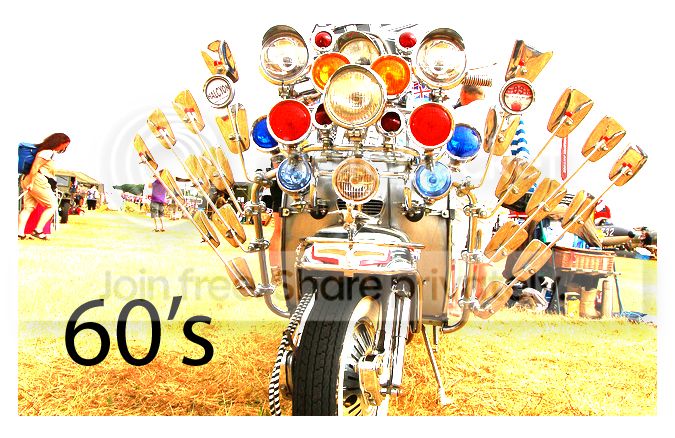
 
No one likes this on then?

I also will be putting an entry in. What I'd like to do would take a long time so may be my second choice which is mapped out in sketch form :suspect:
 
good work chaps, i don't expect to see you again until its finished, even if you have to work all through the night, now go off and do your magic:lol:
 
Last edited:
is anyone else finding that the file is dead slow downloading i got 60mb connection and its saying 25min to download :bonk:
 

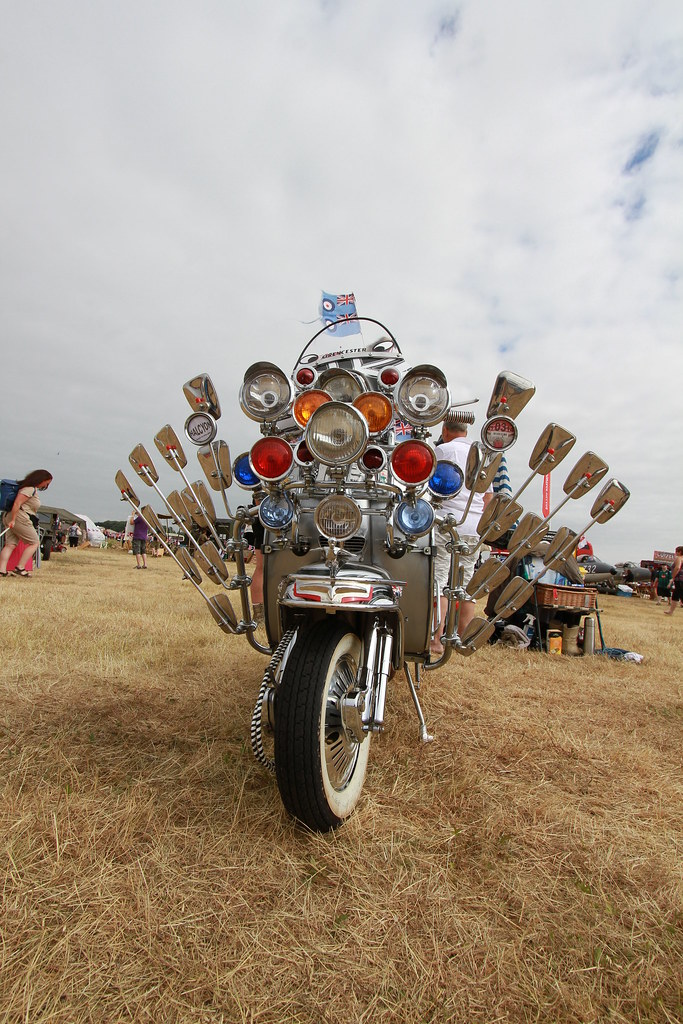
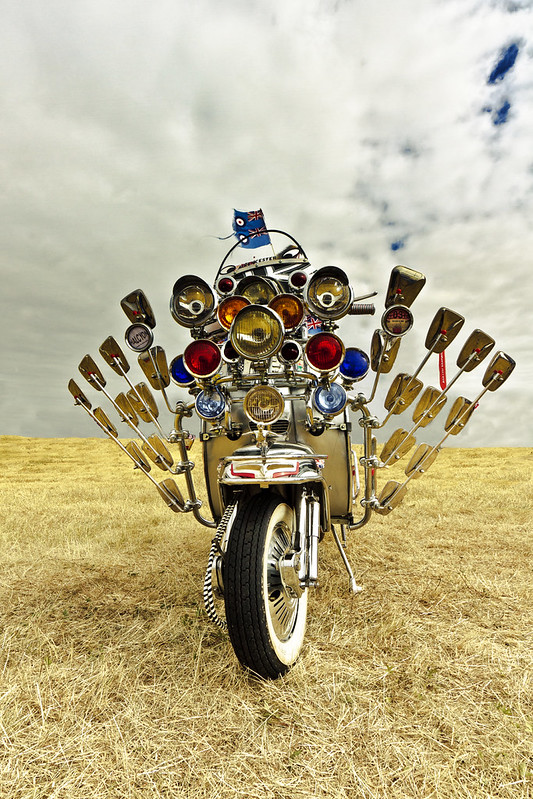
Bike for PP Game (Original by Flying Giraffe) by dTEA Photography, on Flickr

Edited in LR3 initally. Exposure/ Recovery/Fill Light/ Contrast/ Saturation and sharpening done.

In CS2 a LOT of cloning (created 3 layers; one layer was used as a threshold to create a mask and then the cloning on the second layer...bits of cut out then done to the middle level.) used the to rid the clutter from around the bike and an extra lift with the curve levels. 30 mins (took some time to remember how to cut out with cloned pieces below!!!):thinking:

Feedback welcome
 
(Clicking on the image will make it bigger. ;))


5 exposures made in DPP,
merged with sliders mostly either fully to the left opr fully to the right
lights saturation increased
overall saturation decreased to compensate
cloned over dust spots(?) visible in the sky
thought about cloning out all the background, but felt it set the scene and left it in
(and it was easier to do it that way)
added a greater shadow to the left side of the shot, simply by painting 50% opacity black on a new layer, having selected along the side of the bike, and then reducing opacity to suit.
slight straighten and crop

15 mins, feedback welcome as always
 
Last edited:
bike.jpg


Two layers top one black and white
Rubbed out to reveal colour,flatten sharpen.
New layer adjust shadows to help show clouds.
Dodge highlights on bike
Burn parts of ground to enhance a little.
Flatten.
 
My first thought was as dTEA but what a lot of work that would of been so settled for my plan B :lol:

In CS2 & PE10 to get the grass greener then put in a new sky but low opacity leaving in existing sky as it was easier.

A fiddle with levels & contrast.

Increased saturation on the bikes lights.

High pass sharpen.

That's it about 30 minutes.

Feedback fine.

 
Last edited:

IMG_1433-1 by btyreman, on Flickr

LR5:

changed WB,
decreased highlights,
boosted shadows,
decreased blacks,

Tone Curve:
Boosted Highlights.

Split Tone applied with red and blue,

Lens Correction + Chromatic Aberration,

post crop vignette then another radial brush for even greater vignette,

brush tool: changed the colour of the woman on the left, she's now green,
lightened the two tax disk displays and altered colour slightly,
altered the two flags with a slight red tint,

cloned out some rubbish near the right of the bike on the floor,

gradient filter added to the sky with a blue shift in the white balance and darker exposure,

sharpened a lot then exported as jpeg.

critique is welcome
 
Last edited:
all i can say is wow, what fantastic edits, i like everyone of them which makes this harf for me but here goes

dTEA the cloning is fantastic it must have taken ages, if the sky was a bit more exciting it would be even better, thats my fault, lol, i just feel it needs something else, not sure what though

wallyboy, you didnt ask for feedback so all i can say is brilliant idea, a real 601s mod feel to it, well done.

overbez another great edit, there wasnt much detail to be played with in the sky, but you did the best you could, maybe a bit brighter?

seejay again no feedback req so all i can say is youve done your homework, i love selective colour, and i think it suits this one fine.

john, just the right amount of editing here, even got the dry grass back to green, you would have been in with a chance but the biscuits you sent were plain chocolate, you should know i prefer milk, sorry:nono:

ben, another quality edit, i love the vignette, really gives it a moody feel, it just seems right

Alz_D, again no feedback, but as above i think the vignette is great and great crop

tough call it really is
but i think im going with my first instict of walleyboy, maybe less crop but i just love it, well done, over to you
 
Last edited:
Back
Top