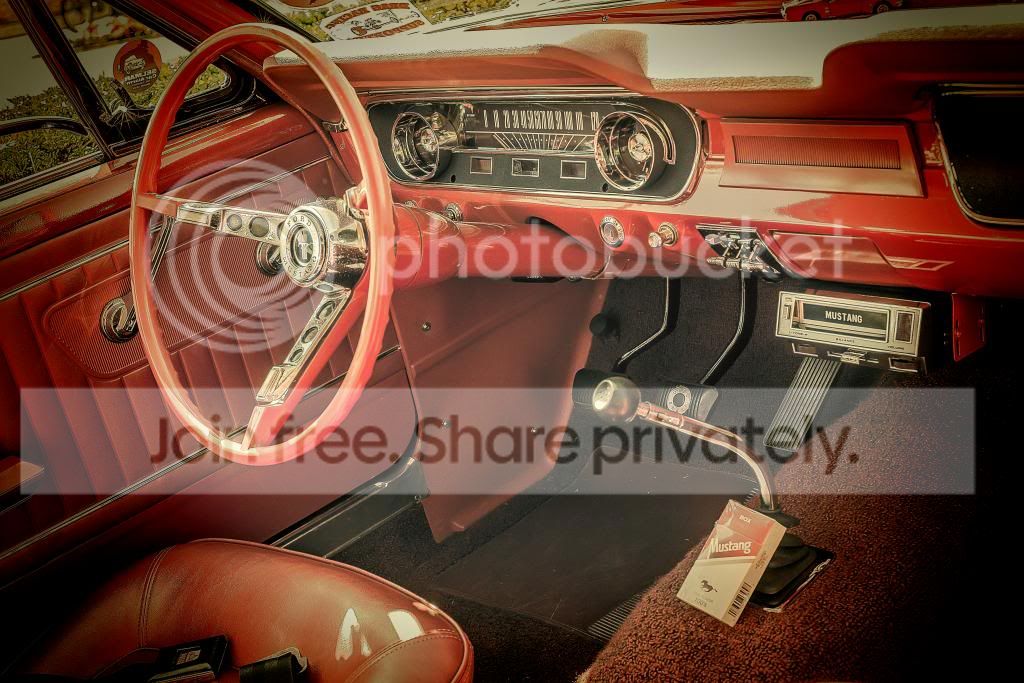
THE PP GAME!

Neil what time this evening are you calling it. I would like to try and get an edit in for each but running out of 'able to' time. John

 
Is 9 Ok, hopefully some more will come in too

Thanks Neil & I will get stuck in but they in each of their own ways are really quite difficult. Usually in my Paint Shop Pro version 3 I click the 'one button' fixes all & submit my edit. (latter only joking) John
 
Second one:

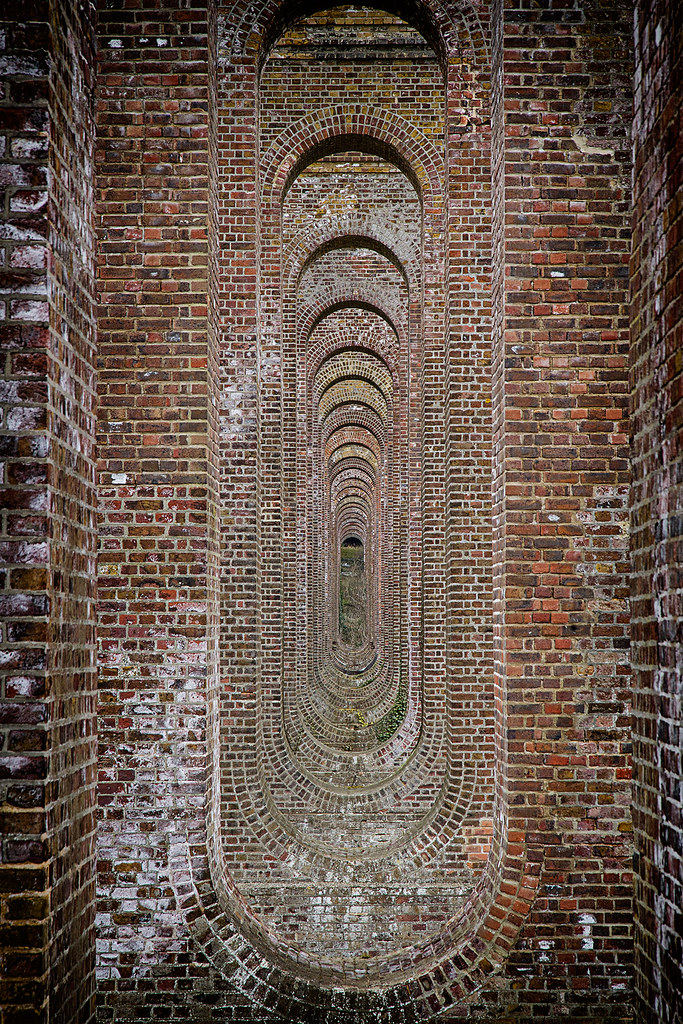
Crop and rotate to get symmetry.
black and white filtered to red and yellow to differentiate the various brick colours.
slight detail enhancement
curves to add contrast
Exported to Photoshop as a B&W TIFF
Added the colour version over the top as a layer, and set blend to color.
Added saturation adjustment layer, set to green.... enhanced green to bring out the ivy.

5 mins.

Click for bigger version
 
Struggled with this one, I didn't have a clear idea where I was going with it.

ACR:
Upped exposure
Pulled shadow slider to right
Decreased vibrancy
Lowered saturation
Clarity Boost
Slight contrast boost
Lens correction to straighten

CS6:
Massive high pass filter to sharpen
Duplicate screen layer, to lighten
Cropped

Took about 10 minutes


IMG_0717
 
For the second one:

ACR:
Adjustment to shadows, clarity and contrast
Straigthen

CS6:
Sharpen
Added a vignette

Took about 5-10 minutes.


IMG_0611
 
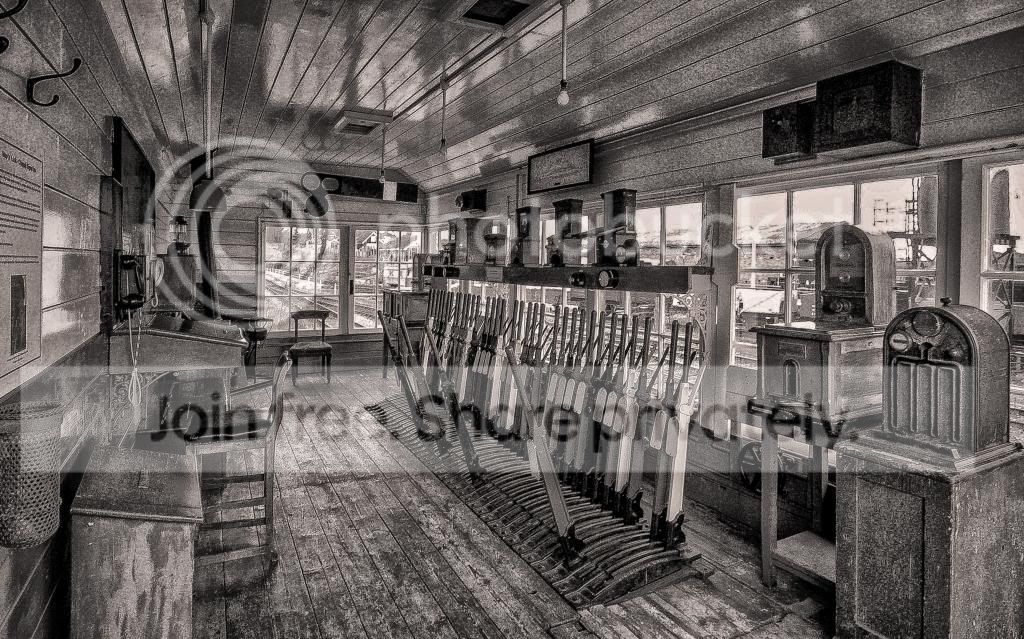
Here's mine but no time to expand on how I did it & will have to later.

But did correct verticals & cropped to (what to me :nuts: ) is a better composition.

TPSignalBoxMono_zps2bdfd2ef.jpg
 
Last edited:
My edit done in Lightroom 4....
I cropped and rotated....and then turned it upside down....
I adjusted the temp and tint up(as I originally opted for B&W), then converted it back to colour
I decreased the whites, blacks, highlights, contrast, shadows, vibrance and saturation
I increased clarity, and adjusted red, orange, yellow and green
And, then I dodged, and burned...a lot....

 
Wow, thanks for all the entries, still time to enter as I'm calling it at 9 tonight, good luck all
 
Wait for meeeeeeeeee.............

img07172hdr3.jpg


3 exposures taken from RAW file (-2, 0, +2)
Merged, with slightly more "HDR" effect than I'd normally use
increase midtone contrast to bring out detail in floor
PS to pull top corners in to correct perspective distortion
crop
resize
sharpen.
 
Last edited:
thanks for all the entries, there is something in them all that i lke, theurbanclown`s film look worked well, and sandys too for the same reason, great idea to flip the image from pookeyhead, tough call.......
for the brickwork, which if your interested is looking through a viaduct, im giving to pookeyhead
and the points room is hard but my final choice is going to be overbez, this has been really difficult as i said there all very good, the overall winner is pookeyhead, because overall for both edits i think he did a great job, over to you sir

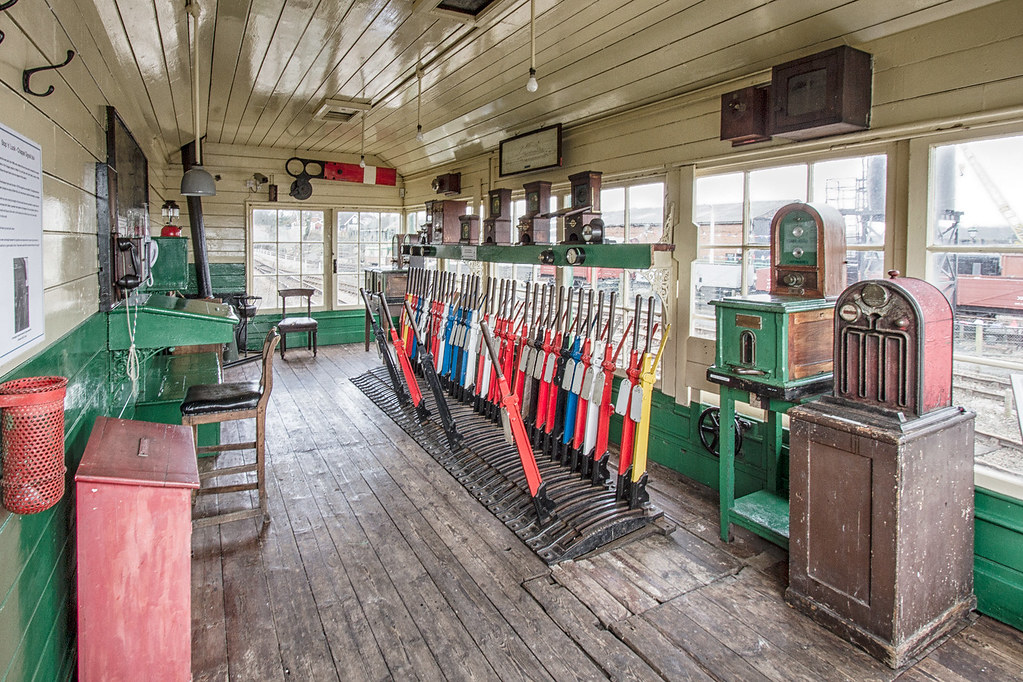
here`s mine


Last edited:
and the points room is hard but my final choice is going to be overbez,

Cheers Neil - We only got back from a weekend away at about 8pm last night - I liked the points room shot - and would probably have had a go at it myself even if you'd already called the result. :)

Well done David... :thumbs:
 
Good one David & for Gawds sake give us an easy one as these tough ones are doing my head in :cuckoo:

And well done Graham for the Points Room as (joking aside) I found this one of the more challenging ones. I had tried a number of ways and binned them until I banged one in which I didn't really like :'(
 
Thank you :)

Ok... off to rummage through my archive... back in a bit.
 
Ok.. this one grabbed my attention.


Off you go....

7zvIBKo.jpg


RAW FILE - Click HERE.


A bit challenging this one.... huge dynamic range problems (exceeding it) being the main reason. Not that I'm teaching people to correct problems with PP :) ...but will be interesting to see what happens.
 
Last edited:
Another 5 minute job in Lightroom, then a minute in Photoshop

Added vignette.
Played with curves.
Reduced highlights a fair bit.
Added some grain.
Sharpened slightly.

In Photoshop:

Cloned bottom two bits of light out towards the right.
Selective colour in the blacks.

EDIT-POOKEY.jpg
 
Tougher one this. I originally was going for a fairly extreme HDR effect but changed my mind half way through and went in the opposite direction.

Ramped blacks, whites and contrast to fairly extreme levels
Cropped to bring in a bit
adjustment brush on all the chrome to bring down the highlights and raise the clarity
Yellow/Blue split tone

PP-game-9-4-13.jpg
 
dsc0102copydev2hdr6edit.jpg


Merge of 5 exposures capturing the details in shadow and highlight areas
straighten and crop slightly, keeping steering wheel and cigarette packet intact
sharpened steering wheel boss, speedo area, radio and cigarette packet
added 1960's effect filter in Picasa :D
resize
sharpen
post

about 20 minutes... half of that was simply developing and processing time....
 
Last edited:
David when are you calling this - day & time if you would :thumbs:
 
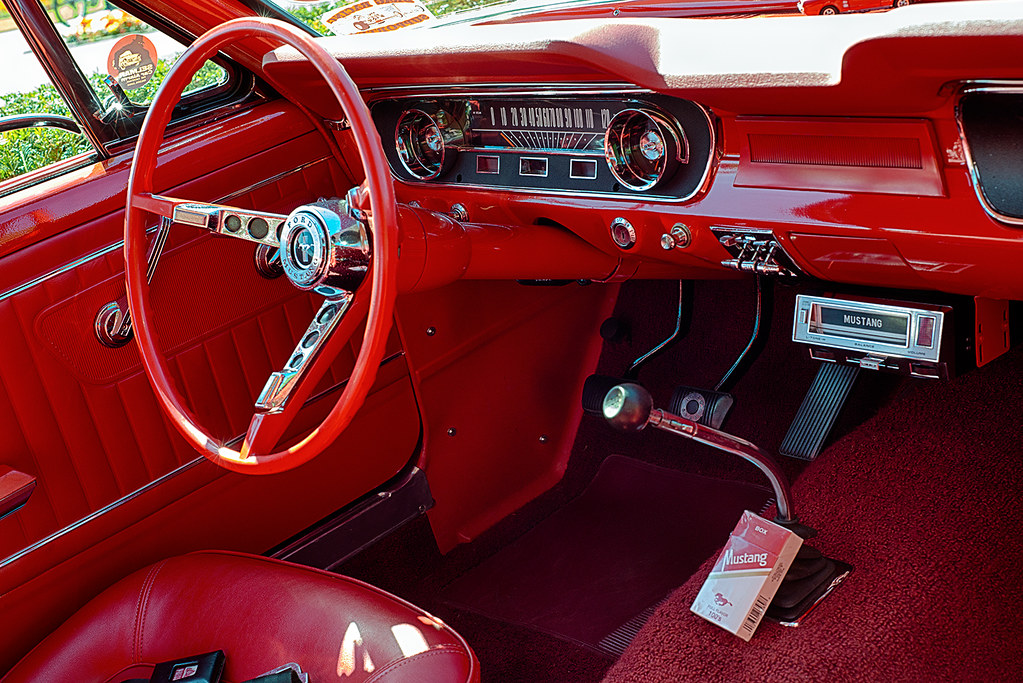
That's a lot of red!...
My edit, done in Lightroom 4.... it was a difficult one to edit
I cropped it...
I adjusted the contrast, shadows and highlights down
I increased the clarity, vibrance, blacks and saturation
I adjusted the tone curve, and the red slider...
I used the adjustment brush and added some colour to the dashboard, did some contrast on the black stuff, added saturation, did some highlight adjustment generally
Time taken... a fair bit, in between drinking coffee, and reading a book seeing as Lightroom is on a go slow....

 
First of all, time spent: ages!

I've not done any HDR processing before and I thought this might be a candidate, faffed around for ages getting 4 x tiff files of varying exposures.

I couldn't work out what the WB should be, but I thought the cigarette packet should be whiter so adjusted until it was. It still has a pink tinge but guessing is a reflection of the interior.

Merged into CS6 (which looked terrible), played around with the toning curves in the HDR conversion box till it looked better.

Cloned out some of the marks on the mats, bright spots on the door.

Ran a high pass filter, slight crop, finished. (finally!)


mustang
 
Okay here's my attempt.

Touch of temperature and tint change.
Lowered overall exposure and introduced a touch of contrast into the image.
Reduced overall highlights and shadows, and whites and put a touch of black into the image.
Raised the clarity and vibrance but lowered the saturation.
Then lowered overall red saturation a touch.
Edited the curves.
Overall sharpness and noise reduction.

Then brush exposure lowered on dashboard.
Brush exposure and contrast in the window sections.
Lowered exposure on cig packet and that centre bit.
Brush sharpness on dials, steering wheel, cassette deck, gear stick and pedals.
Lowered tint on the cig packet to get rid of some of the pink tint.

Photoshop
Slight crop, and clone tool to remove the seat belt buckle.
And cloned some dirt out of the mat.


_DSC0102 - Copy1 by mjogreen, on Flickr

edit; let me know if you can't see this image. I'm not sure if I uploaded it to Flickr correctly.
 
Last edited:
sliders in raw, sharpen, reduce red slightly
high pass sharpen and hard overlay
as its an old car i went for a retro filter and vignette

finish
10 min for the edit, and 20 working out i had to update ps for .nef files lol

_DSC0102-Copy1_zpsb336e59f.jpg
 
Last edited:


I'm new to PP so don't really have an exact list of what I did.. :shrug:

Played with some lightroom sliders - then used silver efex2 and played till I liked the result.

I think posts like this are a great way to learn. Some amazing edits over the last 80 odd pages.
 
After trying various ways of getting a decent end look in colour I chose to go Mono.

Si in LR4
Exp up a bit
Contrast up a fair bit
Highlights all the way to the left
Shadows all the way to the right
Whites all the way to the left
Clarity all the way to the right
Chose B&W & fiddled with each colour's slider until I was happy
Considerably sharpened in LR
Lot of different brushes working on different areas to try & get floor out of shadows & blown highlights back.
Brushed clarity & more sharpening to get steering wheel & instrument panel to show more detail.

After lots of false starts, now & again, over last day or two, I just 'went for it' & spent no more than 15 minutes (forgetting the faffing that took a lot more than this :gag:)


I need to go to bed early.... I feel like poo... so I'm calling this now.. hour early... sorry.

Interesting collection. Everyone's gone for the vintage theme on one way or another.. except Rob.... which I suppose makes sense given the subject matter.

Very tough choices to be made here.


I've narrowed it down to two, for two different reasons.

theurbanclown: Extremely nice looking colour grading that really does look like a slightly faded colour print from film... not too over the top... elegantly done. Being picky, I'd say the shadows are a little blocked up.

RobL: The only one that avoided the vintage temptation. A proper HDR this... not aggressive tone mapping, very precise and controlled dynamic range. It doesn't look like a HDR... which a how a good HDR should look.

Really tough....

Gotta be RobL though. Precise, polished, sharp.


Well done Rob.


Over you RobL then....
 
Well done Rob.... you did a great edit....:thumbs:
 
Last edited:
I need to go to bed early.... I feel like poo... so I'm calling this now.. hour early... sorry.

I've narrowed it down to two, for two different reasons.

theurbanclown: Extremely nice looking colour grading that really does look like a slightly faded colour print from film... not too over the top... elegantly done. Being picky, I'd say the shadows are a little blocked up.


Cheers David. Yeah, took the edge off the blacks with curves which probably lost a bit of the shadow detail too. Obviously too much.

Hope a bit of sleep does some good. And well done Rob.
 
Cheers David. Yeah, took the edge off the blacks with curves which probably lost a bit of the shadow detail too. Obviously too much.

Hope a bit of sleep does some good. And well done Rob.

I really, really liked your edit.. It really looked like a print from Agfa Astia film.. a look I remember well :)
 
RobL a very well done with what was a tough edit :clap:

Neil I was looking forward to seeing your edits of the Signal Box & the Viaduct?
 
Back
Top