THE PP GAME!

Not been on for a while due to family lergy.

Thought I'd try this one, but never used speedy share, where's the download link hiding?

I can't find the bit that says 'download file' not that my ridiculously slow Internet will let me download it, but worth a try!
 
Last edited:
Not been on for a while due to family lergy.

Thought I'd try this one, but never used speedy share, where's the download link hiding?

Hover your arrow over the DSC 2428.NEF bit ..... and then click it... that's how I downloaded it.
 
Ok Cheers, I'll try again once I've evicted my husband off the pc!

Absolutely no hesitation --- PC or husband --- PC wins every time :lol:
 
Sorted.

Although I'm not sure on this saying how long it takes, as it just makes me feel inadequate that I take so long :coat:

Na never takes that long -- not the edit you/we/me put up. BUT it's the one's that end up in the recycle bin that take the real time :nuts:
 
Na never takes that long -- not the edit you/we/me put up. BUT it's the one's that end up in the recycle bin that take the real time :nuts:

True!

Anyhow, here's mine, I wanted to do a B&W as soon as I saw this but got beaten to it. Anyhow, here's my attempt. Not sure how you all get so much detail in yours. especially in the front grill and head lights :thinking:

DSC_2428_zpsddf35b0a.jpg


Started in ACR just twiddled the sliders until I liked it!
Exp 0.00
Recover 19
Fill 72
Blacks 5
Brightness +55
Contrast +46.
Clarity +38

Custom Curve, Input 69 output 49

Sharpening
Amount 50
Radius 1.0
Detail 50
Masking 55
Luminance 43
luminance detail 50
Luminance contrast 0
Colour 25
Colour detail 50

Converted to grayscale and used the selection tool in image and dragging around in each area!
Reds -10
Oranges -19
Yellows +2
Greens -15
Aquas -91
Blues -62
Purples +16
Magentas +4

Enabled lens profile correction and opened in CS 5

Straightened horizon a bit to half in between which cropped the guy out on the right.
Faded gradient added to the sky to darken it a bit using a layer mask.
Levels tweaked ever so slightly Black 9, mid tones 1.18 and whites 244
Flattened
Hard pass sharpen with hard light and opacity at 60%.

No idea how long as had to check on poorly child in between!

I am always wanting to learn how to do better mono conversions, any tips welcome.
 
Last edited:
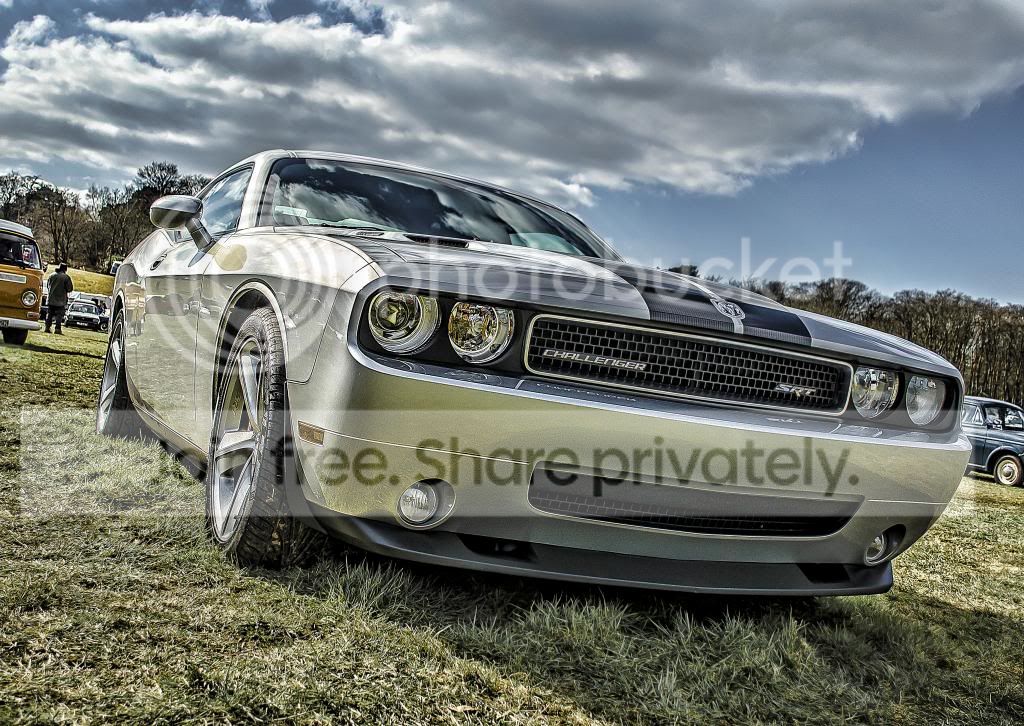
exposure -0.15
contrast -29
highlights -100
shadow +85
whites +27
clarity +100
vibrance +73
Lens correction
reduce green and blues slightly
crop, sharpen and levels
duplicate layer
run through a topaz adjust
erase on 50% for sky only
high pass filter, vivid light on certain parts of the car only
finish


ppgamecar_zpsc8132b5f.jpg
 
Last edited:
I think it's close enough to evening to call an end to this one.... great number and varity and quality of edits flooded in for this. Well done to all. :thumbs:

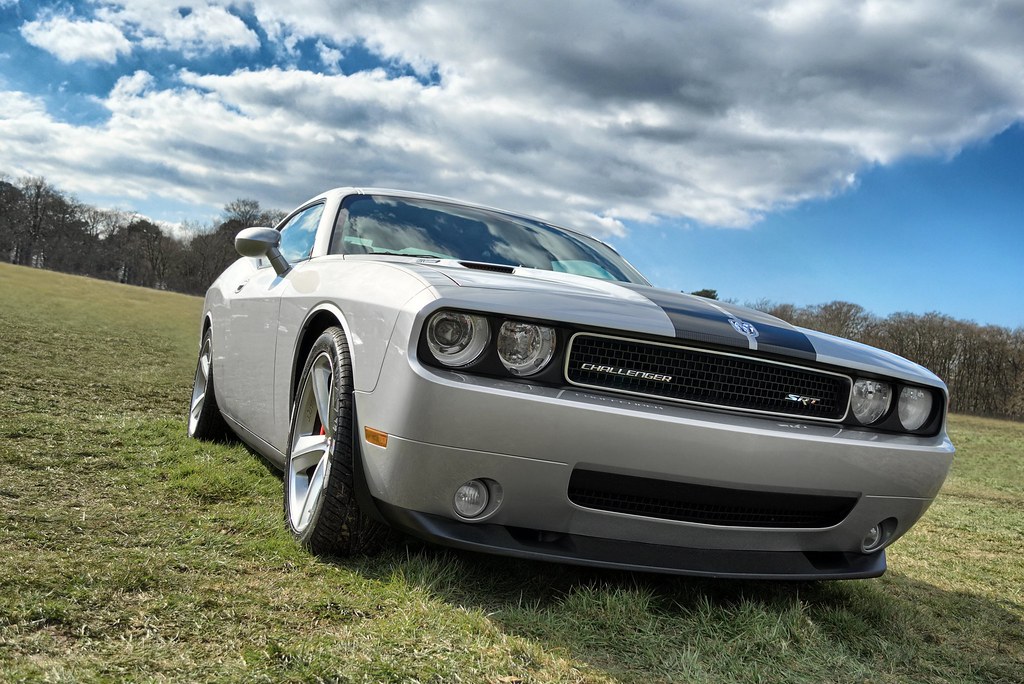
Here's my edit.....
8610554030_877d381795_b.jpg


5 exposures, usual +2, 0 and -2, plus two extras with the shadow and highlight recovery sliders increased
merged with HDR software
Then into CS2 for some cloning
Background distractions
reflections of VW bus in rear wheel arch and cars in door
number plate holes and few stone chips in front bumper
decreased saturation of yellows in the grass
decreased saturation of reflected grass on the car.

All in nearly an hour spent on this for me!!

The winning edit for me had good clouds, a really great crop, fantastic detail in the grills and headlights, a real shine to the car and perfect colour in the grass and the sky (for me).

That edit was from SMAM - great job, right to be impressed with yourself. :thumbs:

Very close 2nd to Pookeyhead, and 3rd to Lee (Solo Man), bit more saturation in either of these, and detail in the lower grills could have taken the win.

Look forward to your image please SMAM. Post up in you're unsure of what you need to do next!!
 
Thanks Graham!
cant believe i won this edit between the great edits that was entered :)

Will post an image tonight
 
Thanks Graham!
cant believe i won this edit between the great edits that was entered :)

Will post an image tonight

Excellent Smam :thumbs:

I bet you're now finding it a very difficult choice for the image you are thinking of putting up :eek:
 
OK, lets talk Business now ;)
hard choice to make but lets try something a bit different, Was testing a few shots with the subject and here it is :

DSC0450.jpg


And here is the RAW version:
http://speedy.sh/DrkyQ/DSC0450.NEF

looking forward to see what you come up with...

will call this on Thursday.
 
Thanks John
And your right, too many images that want them to be edited :)
 
Nice clean image so I went with a nice clean edit.

From ACR, adjusted sliders to boost EV, make whites brighter with sliders, reduced saturation and added a touch of clarity.

PS: crop & straighten, added black border, unsharp mask.

5mins.

45285_10152735639830305_872270474_n.jpg
 
dsc0450devedit.jpg


opened with ViewNX2
set WB by sampling off the hat
Expoure up
contrast up
sharpening up

Into PS,
lightened the shadows around hat and shoulders
removed shadows around hat and shoulder completely
cloned a few white specks off the suit
burned highlight on nose
dodged shadows inside of hands
tiny rotate
crop
border
drop shadow
then had to go back to jpg, and copy his left ear across to the right as I inadvertantly selected it when cloning over shadows doh!
And had deleted the layers by then - double doh!


still took about 30 mins + another 5 for the ear! ...... :thumbs:
 
Last edited:
The photo is a bit like Question of Sport - guess who is the celebrity - then he looks up and it is ---- Lewis Hamilton :lol:

Phil are we allowed to joke on your thread ;) :love:
 
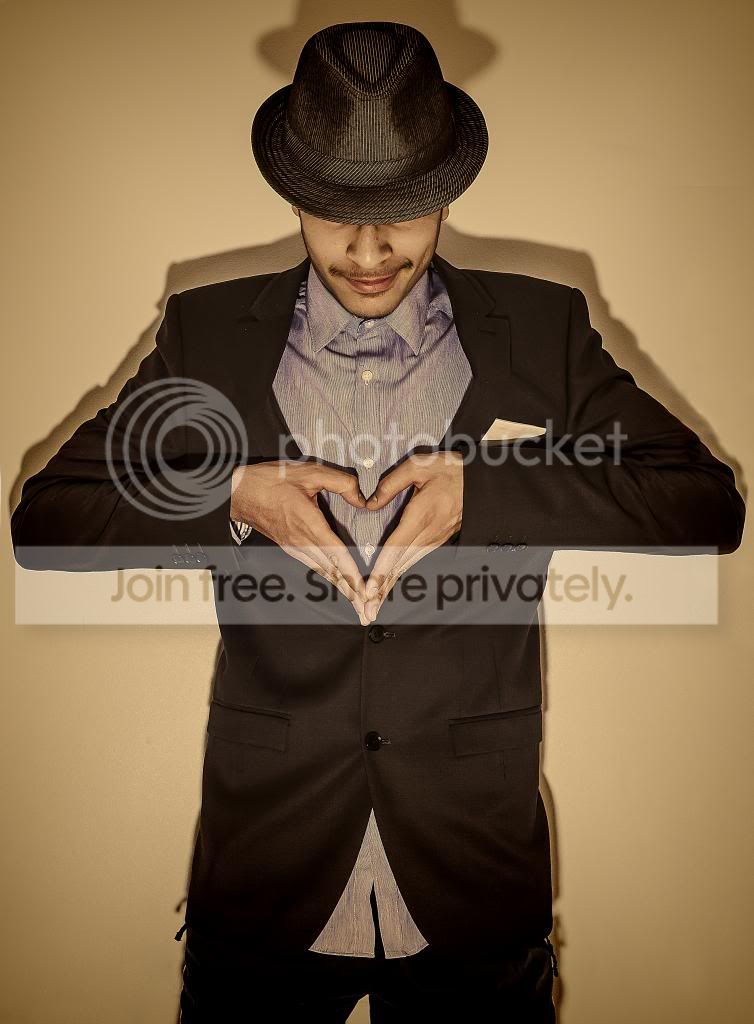
vibe +31
clarity +48
whites -32
shadow +42
highlights +40
contrast +19
exp +0.35
temp 2900
tint +24
sharpen
ps open, flip and erase through for the right side arm
clone background in empty screen when i enlarged area for arm
clone shadow to suit arm
run through a colour sepia filter
added vignette
high pass on 2.6 sharpen, vivid overlay
done!
3/4 of an hour

_DSC0450_zpsf1917412.jpg
 
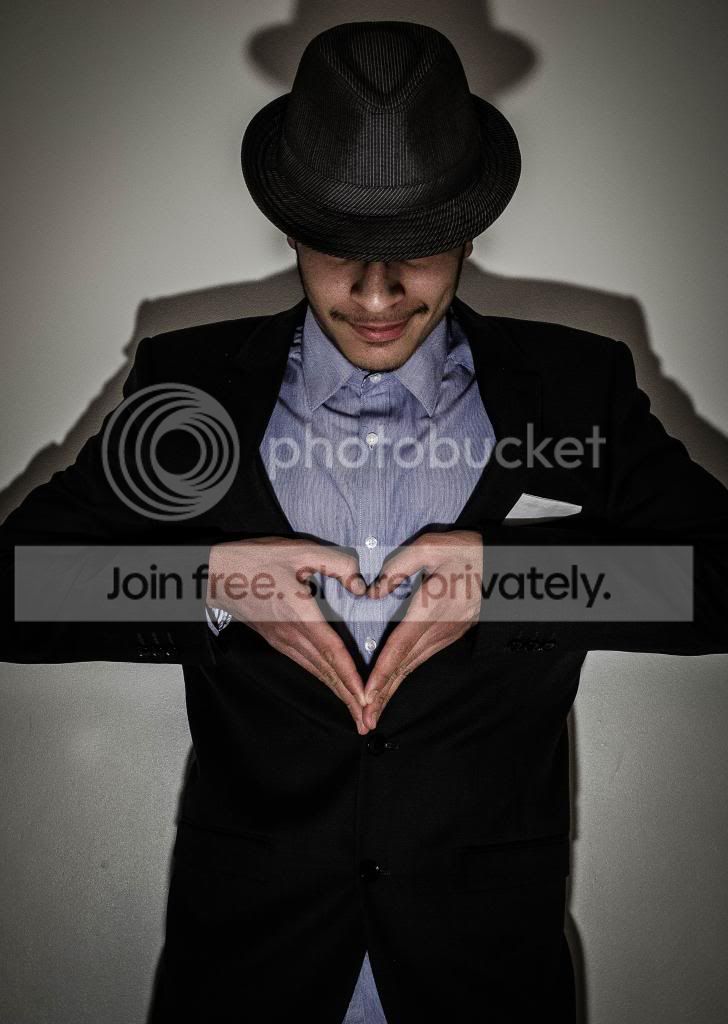
I tried going for a more sinister look here. A contrast between the loveheart shape hand gesture, and the hidden eyes - hiding the gateway to the soul.

I hope the following isn't too much information!

Solely lightroom edit.

Temp 2833
tint +24
contrast +52
highlights -24
shadows +12
whites +12
blacks +17
clarity +64
saturation -40
sharpening amount 134
sharpening radius 1.8
sharpening detail 37
sharpening masking 21
post-crop vignetting -31

brush 1 (just under hat line)
exposure -0.78
clarity 36

brush 2 (arms and shirt)
exposure 0.23

JPEG1-0450_zps48ee1200.jpg
 
Heres my attempt.
Cropped
duplicated layer set to overlay
gausine blur that layer
flatten then lower saturation.

8616213714_fa5e4f4fa5_b.jpg


White balance.
facial retouch
slight shadow recovery
warm up filter in PS
slight high pass filter, and layer blend to luminosity
Curves

That's it

6 mins or so.

The simplicity of the image doesn't really demand anything more IMO.
 
First skewed around to give it an edgy look.

Then in PE10 to enable me to make selections to remove shadows.

Then to LR4 contrast up, highlights right down, shadows right up, whites up, blacks down, clarity way up, looking a little HDR'ed now - more edge to it still,, all colours sliders right off, brought up red & orange sliders to get a bit of saturation, brush to get shiny nose toned down a little.

Sharpened a lot & finished with vignette

About 20 minutes doing what had taken me a lot more time to work out (planning) what I was going to do - phew.

TPSuitedMan_zps7138096b.jpg
 
OK, i think its time to make a decision :)

Here is mine :

DSC0450_001.jpg


In LR4 :
decreased the Temperature
Increased the Exposure and Contrast
Decreased the blacks to the end
brushed the face and the hand for clarity
and the coat to increase the shadows
Added the effect for the corners
Done!

It took me about 30-45 min to decide and edit.

Thanks for the enteries :)
They were great edits and i had a hard time choosing a winner:
The winner (for me) is Neil (Flying giraffe) because of The hands and the filter used , Great work :thumbs:

In second place I would choose Pookeyhead and DayDreamer as i liked the details of the image

So Well done Neil and over to you :clap:
 
Neil aren't you fed up with winning :lol:

Seriously well done :thumbs:

And SMAM thanks for the mention for me & I am in the good company of Pookeyhead :wave:
 
cheers smam, great photo, i just thought it needed the other arm lol, cheers John, like yourself im just an amateur at pp and love learning from everyone else, we all have different ways of doing, none of which are right or wrong, just gonna have a look through my pics for you all
 
I like two :thumbs:

When will you be calling this one Neil ?
 
Corrected perspective

highlight recover

crop

black and white adjustment layer biased to red and yellow, then blended back with luminance

layered with a scan of a blank piece of Kodak 160VC to add the colour of the mask and grain, then white corrected back in photoshop to get the same colour bias.

then warmed it up considerably with 85B photo filter

levels and curves

Done. about 10 mins.. ish.. forgot to check :)

 
Last edited:
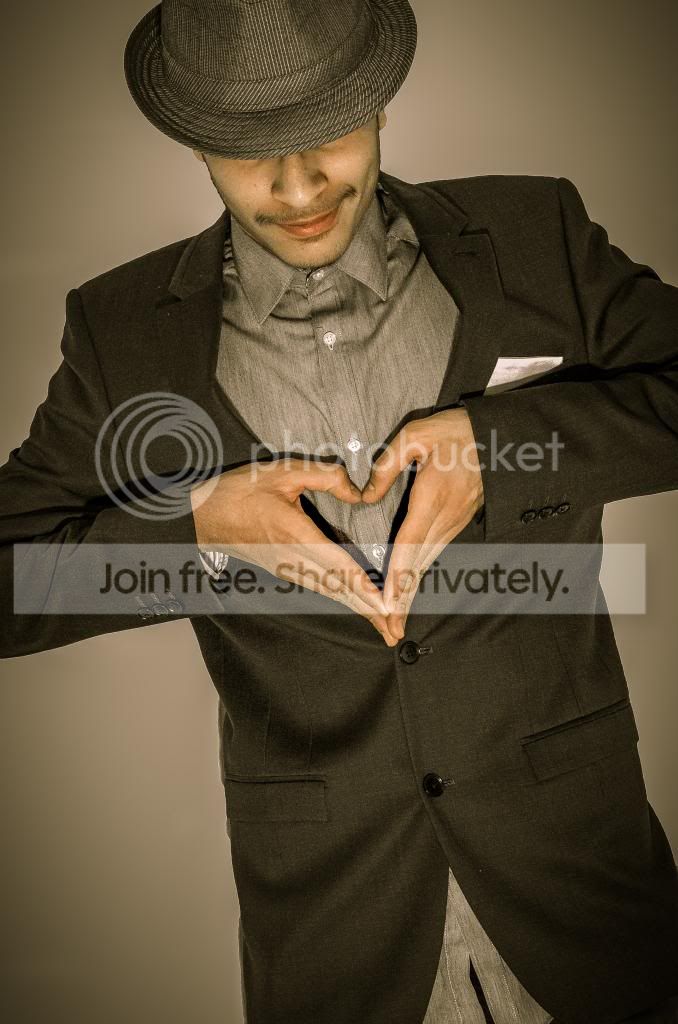
Temperature to 5400
Tint +8
Exposure +1.15
Contrast +13
Highlights -100
Shadows +100
Clarity +100
Vibrancy +57
Saturation +21
Run though detail extractor in color fxpro then Converted to black n white to give it a older look
Time around 8min
8623353469_ab7fde78b8_b.jpg
 
I downloaded both RAWs.. just not had time to do the other yet.
 
Back
Top