THE PP GAME!

Sorry, just realised how off the wall that sounds out of context!

There is a scene in the film that looks like it was shot here. It's quite long and I was staring at the screen thinking "where have i seen that wier before?" then I had an OMG moment, I was thinking about this photo. Then I couldn't work out if my mind had imagined it all:lol:

The story is really good, but be warned it's singing from beginning to end (unlike say, mama mia which has lots of spoken dialogue). At 2½ hours it was a bit too long for me - and most *** I have spoken to actually. Visually it's quite good, or at least I thought so.
 
John where is the picture taken?

Edit I've just seen the file named bath river Dohhhh!
 
Last edited:
Hi Wayne

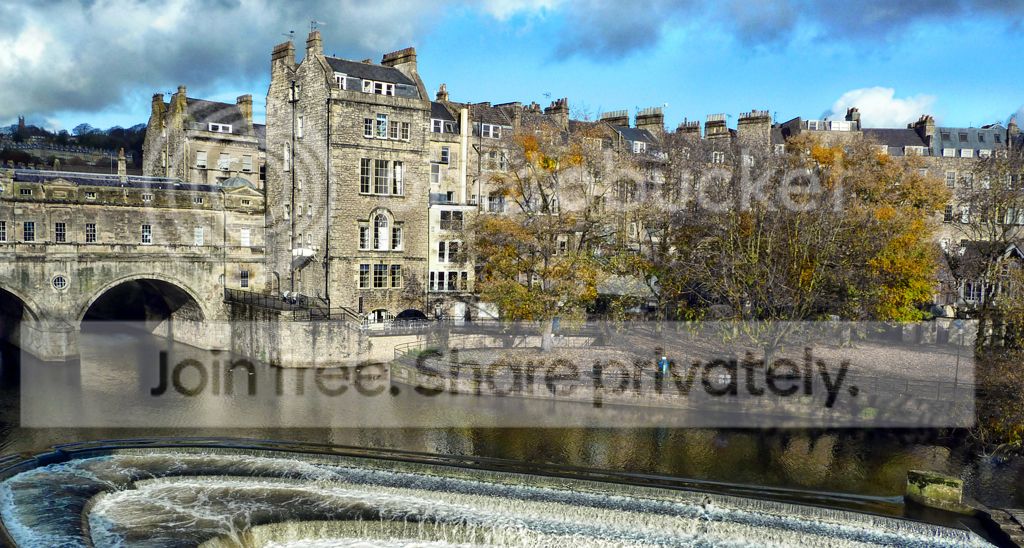
Taken from Grand Parade towards, and including, Pulteney Bridge in Bath. Every time I went to Bath it was seriously overcast & I hadn't a decent camera - poor excuse for my poor skills :)
 
Who's the idiot that put up this last photo as they've not put a finishing time and date :nono:


Ooops it was me :lol:

Let's say Sunday at 9.00 p.m. but let's have a few more entries - or is it too hard :p
 
Ooh if we have till Sunday I stand a chance of getting an entry in. I've just been so busy with my 52.
 
Hi Wayne

Taken from Grand Parade towards, and including, Pulteney Bridge in Bath. Every time I went to Bath it was seriously overcast & I hadn't a decent camera - poor excuse for my poor skills :)

Thanks John, thought it looked familar.
 

Bath by Brian of Bozeat, on Flickr

Cropped & Straightened.

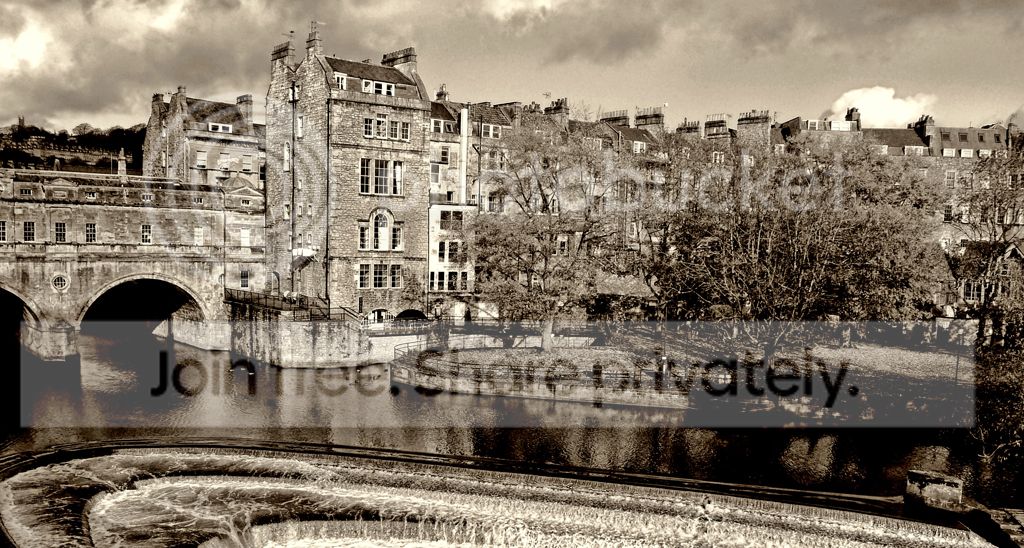
Converted to B&W duotone: Blend of Lavender Shadows & warm Grey Highlights

Silver effex "High Stucture" for the sky only

Convert for web - jpeg
 
I will be choosing the winner at 9.00 p.m. this evening and thought to give it a bump I would put my edits up now. As I often say some of the shots put up are hard and this one is no exception as there are so many things that need attention :eek:

As often with me cropping was the first thing & I was keen to keep the 'water feature'- well at least some of it. Also wanted to try (and failed) to correct distortion generally & gave up. Then to bring out the texture in the stone but without going OTT, then to mix up the spread of colours as it was looking a bit boring without much variation.

So did the colour version in PE10 with fiddling with the usual sliders for levels, shadows/highlights & lastly colour with the, as always at the end, sharpening.

Not happy with it so opened as a Jpeg in CS4 and converted to greyscale & fiddled with individual colour sliders until I stopped.

Generally bloody hard to try and select roofline because of all the ruddy chimneys :lol:

TPBathMyColourEditx.jpg


TPBathMyMonoEditx.jpg


More edits would be very welcome though :thumbs:
 
TP_Bath_River_Buildings_Edit.jpg


I used Nik Software's Color FX Plugin for Photoshop.
1st I added a tonal contrast filter to bring the details of the buildings out.
2nd added a bleach bypass filter and masked for the water and sky and reduced the opacity to 70%.
 
And the winner is - 20 second wait - just like X Factor?

Brian of Bozeat - so well done Brian :clap:

The reason/s - I guess that B&W just brings out the detail that bit better ion this specific piccy. But Orbik - Chris deserves a mention as this was my second choice.

But thanks to all that entered.
 
:woot: Thank you John.

:thankyou: and thanks Wayne.

Here's my challenge, worthy I hope of a little of your time.


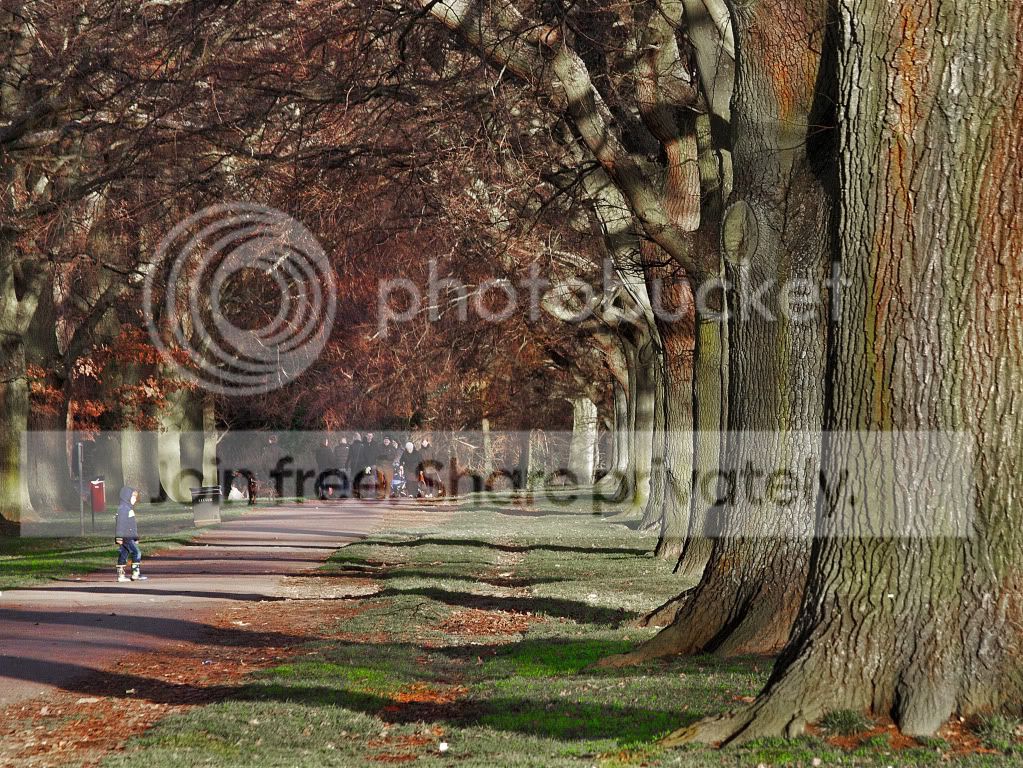
Park Life.jpg by Brian of Bozeat, on Flickr

and here's the RAW

Note: I've just tested this from my work machine... if you get a quicktime thing pop up, just back out and right click the word RAW above and "save link as"

I will call this on Thursday evening at about 10pm to allow the new winner time to give us all something for the weekend :naughty: :lol:
 
Last edited:
TPParkLifeMyEditColour.jpg


Cropped to get rid of tree to the right which I felt was blown and impossible to retrieve successfully.

Lots of playing with individual colour sliders in saturation as well as lightness/darkness slider.

Selective saturation & desaturation with brush.

High pass sharpening in soft overlay mode.

Some burning to lighter areas to give them more body.

That's it & this time all in PE10 - no Picasa :clap:

P.S. Nice image to work on :thumbs:
 
I might change this and update this post but I fancied trying something different here. Not sure if this is against the rules but I haven't added anything in.

Cropped it.
Loads of cloning.
Some spot healing.
Moved the boy.
Decreased the saturation.
Upped the contrast.
Bit of dodging and burning.


Park life by PSPDan, on Flickr
 
Last edited:
That's a great start.

John and Dan have set the bar pretty high I think. I'm looking forward to seeing the other edits, but not the judging!
 
Mostly done in camera raw, pulled up midtone contrast a bit in photoshop with high pass (high setting) black and wihite, then added some gausine blur with some masking.

8423416449_857774dfcf_c.jpg
 
Ok is it me or are there some weird like 'ghosts' in the latest image? Bottom left down by the bench it looks like the top half of a man coming up through the floor. Then in the crowd on the left there looks like heads on the bottom of the legs :help::eek:

Here's my go:

Parklife_zps4487a9f2.jpg


Basic tweaks in ACR (clicked default and strong curves)
Anyhow I've had a quick go. Cloned out the bins, the sign post on the left and the weird ghosts!

Cropped it and converted it to B&W with Florabella colorplay set, clean base and organic overlay added. Given a high pass sharpen and uploaded.

A bit rushed, but no time lately to do much!
 
I did get a bit carried away with this at one point, and the boy was being "beamed up" in a stream of light from above...... So had to rewind a bit. :lol:

First job - get rid of the foreground tree,
then re-construct the second tree's RHS
extended the path down into the corner
cloned out the bins and the yellow glove
desaturated yellows and greens
sharpened
vignette

parklifecopy.jpg
 

park_life_4_lyfe_kodak_elite_chrome_ISO_100_film_edit_ by btyreman, on Flickr

Opened RAW in LR 4.3

first thing was I changed it to 2012 adobe camera mode then reset it, I also took off lens correction because I preferred it without.


added filter on the right side to darken the tree on the right,
tried cropping but didn't like it,
decreased highlights,
decreased blacks,
increased clarity slightly,
changed contrast mode in tone-curve to 'strong contrast' and slightly boosted highlights,
then played with the individual colours concentrating on desaturating the green and yellows whilst saturating pinks and oranges. Although it looks un-natural I preferred the weird hue it gives. I then boosted the luminance of certain colours because they were too dark.
used split tone to boost blues in the highlights just slightly to give a cross processed look,
sharpened until it looked natural,

the final stage was then passing it through colour fx pro using the 'film modern preset' and selected Kodak Elite Chrome 100 film,

this really boosted the saturation and gave the colours a good boost which is after all what I was going for a 'vintage' 70s like film look.

I tried loads different modes and levels of sharpening as a jpeg export and none of them looked right (there was too much banding) so ended up with no output sharpening saved as a TIFF file.
 
Well thanks everyone, I've really enjoyed looking at your edits. Hope you had fun, I'd like to say a little bit about each if thats ok.

John - I Love what you did to the trees, especially the overhead branches. Bravo

Dan - Super stuff; looks to me like something from little red riding hood. 2nd place!

Wayne - That's certainly something different... isolating the texture on the big tree was not something I had thought of.

Marsha - hey you found the ghosts! and cloned them out - you're the exorcist!

Ben - you turned January 2013 into November 1976! Bravo!

But someone has to be the winner and I think it has to be Graham. He went to the trouble of reconstucting the hidden side of the big tree! it simply blew me away how much it improved the image. Cloning out the bins helped too Well done Graham, nice work.

Here's my edit. I cloned out the bins, the benches, the ghosts and the crowd. I also removed the shadow from the tree oposite the boy. added shadows to the unrealistic looking trees on the left - that's how they were lit :shrug: - Tuned the colours a bit and as you have probably spotted I changed the colour of his coat:

Now I'm off to try and reconstruct that tree!


LRRH.jpg by Brian of Bozeat, on Flickr
 
Last edited:
:woot: cheers Brian, think that isolating the boy in yours by removing the crowd and picking out his jacket in red was a top idea. As always any of them could have won for me.

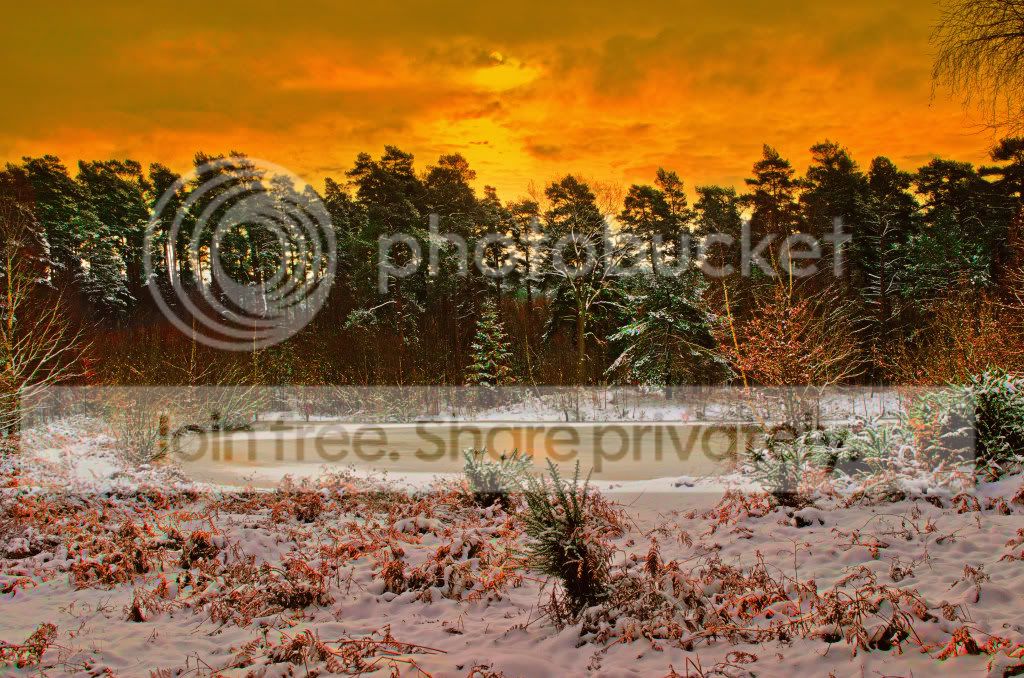
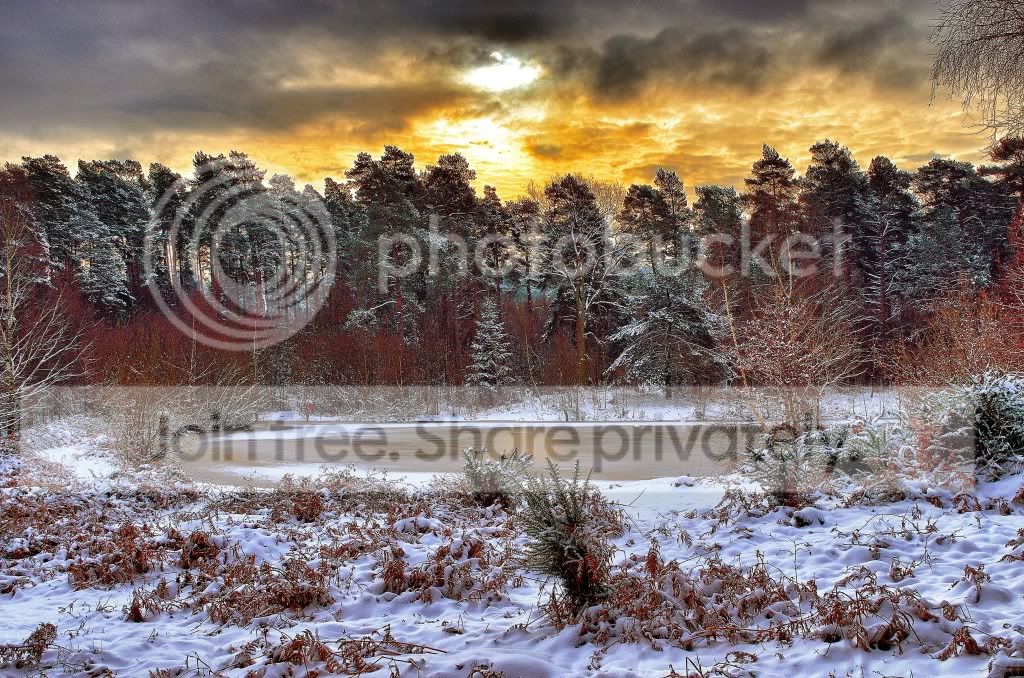
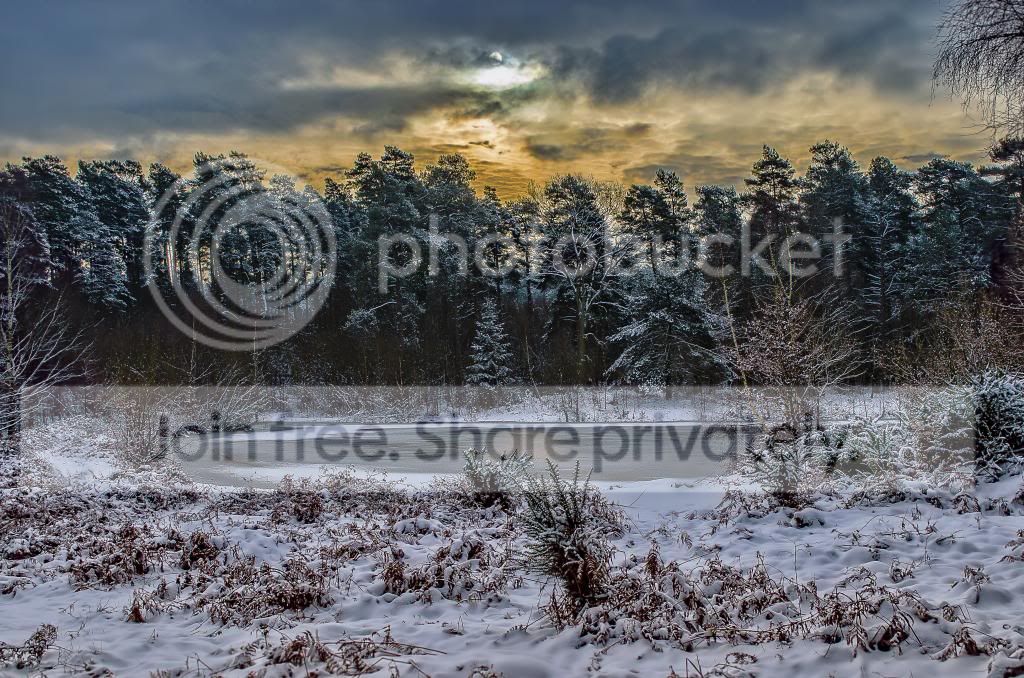
Okay - have until Monday lunchtime on this one (if anyone needs a day extension please shout - all reasonable requests accommodated ;)). It's a frozen reservoir in a small forest a half-hour's walk from me, another semi-sunrise :lol: from a week or so back.

dsc0888f.jpg


and the .NEF file should be here. (May need to be patient and give it a few seconds to come up).

Really looking forward to seeing what comes out of this. :thumbs:
 
Nice one Graham - your winning edit that is :clap:

Not sure about everybody else but I have been finding myself less creative as time has gone by despite telling myself to widen my creative thinking. Equivalent of 'Writers Cramp' :lol: I must see if I can find new ways of editing rather than sticking to the same old safe ways. :thinking:
 
Nice one Graham - your winning edit that is :clap:

Not sure about everybody else but I have been finding myself less creative as time has gone by despite telling myself to widen my creative thinking. Equivalent of 'Writers Cramp' :lol: I must see if I can find new ways of editing rather than sticking to the same old safe ways. :thinking:

I know what you mean - I tend to go round in circles a bit, but I console myself that I'm gaining experience. Every now and then I do something that I'm really pleased with, that's the goal for me.

Sometimes I go through video's on PP techniques I already know, I usually find there's options there I've never used, or read the help files and push buttons and see what happens. It's nice when you find new ways of doing things! When I have more tools in the toolbox I see more opportunities for pictures when I'm out shooting.

Sometimes I just need a break, that can help too.
 
I know what you mean - I tend to go round in circles a bit, but I console myself that I'm gaining experience. Every now and then I do something that I'm really pleased with, that's the goal for me.

Sometimes I go through video's on PP techniques I already know, I usually find there's options there I've never used, or read the help files and push buttons and see what happens. It's nice when you find new ways of doing things! When I have more tools in the toolbox I see more opportunities for pictures when I'm out shooting.

Sometimes I just need a break, that can help too.

I think I am my own worst enemy in that I keep going from one programme to another and download so many free trials. In the last few days I thought I should stick to one or two. So my main one is PE10 and I've been working my way through every single menu and option. AND finding stuff I never knew was there :clap:
 
I think I am my own worst enemy in that I keep going from one programme to another and download so many free trials. In the last few days I thought I should stick to one or two. So my main one is PE10 and I've been working my way through every single menu and option. AND finding stuff I never knew was there :clap:

Ahhhh.... bad news... version 11 is out now. :exit:
 
TPfrozenlake_zps65a052c5.jpg


Let me be first (not sure if it better to wait to pinch ideas from earlier entries!!!)

Wanted 'red skies' sunset with reflections on frozen lake & foreground snow, to bring out more variation in individual colours & get some details from the trees.

So in PE10 played with shadows/highlight sliders, individual colour sliders, used brush to saturate/paint various areas to get the colour variation.

Cloned out red bin & yellow sign.

High pass sharpen with soft overlay.

Gradients at top then bottom to give the look I sought. A bit wild but why not :lol:

That's it.
 
Last edited:
Ahhhh.... bad news... version 11 is out now. :exit:

Already trialled it & don't like it as interface very 'childlike' & couldn't see any options to change it so wait until September and see what version 12 is like.
 
TPFrozenLakeMoreSubtle_zps17eb94cc.jpg


Hope you don't mind but I have done a second edit. The second one doesn't need sunglasses to view it :D

All similar steps to the first one but started off with a slight overall HDR.

P.S. This one is more me :clap:
 
increased clarity
sharpened
increased contrast
reduced noise
used a filter to whiten snow
slight blur for sky only
finish
ppsnowy_zpsbaeab95d.jpg
 

DSC_0888 by Brian of Bozeat, on Flickr

Shot for the natural look:

Cloned out the rubber ring & sign. Fixed the colours & the whites. Tweaked the contrast. Not a lot else I could think of to do after that :shrug: Lacking in imagination today!
 
Last edited:
Glad I'm not the one to have to choose this week, theres some great pics up.
 

White Oasis by PSPDan, on Flickr

Cloned out the sign and life ring, then went on the clone out the branch in the top right corner.
Converted to monochrome.
Downed the contrast to bring out more detail in the trees.
Added a small black border.
Cropped some of the foreground and sky, and made the tree on the opposite side of the lake dead centre.
 
Quite an easy decision for me..... The three main parts of this image for me was the hint of a sun-rise, the trees beyond the reservoir, and the snow in the foreground.

The only one to mix these three ingredients together to make the shot become what I anted it to be, was Neil, (AKA Flying Giraffe) well done sir.

John - you were on the right track with your second edit, and Brian's was almost there but missed out the sun.

I do have a question though.... When you want to pull down the highlights (in the sky here) and also increase the highlights (in the foreground snow), how can you do it without making two copies and merging them somehow???

Anyway - here's what I ended up with...

dsc0888graduatedbright.jpg


Three exposures merged in Dynamic Photo HDR (-2, 0 and +2)
(Although I did get a very similar result putting the sky from the -2 over the rest of the +2
cloned out only the red lifering,
reduced the saturation on the other sign
Cropped out the branches top right,
cloned some clouds over the blown sky

Well done all, I'd have to think about a runner up spot if Neil doesn't appear. :lol:
 
To answer your question, you could could use the local ajustment brush or gradient in lightroom /camera raw, you can have more than one gradient, one for foreground, and another for sky say.
Or in photoshop proper you could use selections or masks to ajust various parts of the image.
 
Thanks Wayne - It's always tricky when there's jaggedy shapes sticking into the sky - I (sort of) managed by taking a really dark version of the trees, and using that as a mask in my second try.

Normally it's a case of pulling down the highlights - and lifting the shadows, but here the foreground is highlights too!
 
Back
Top