THE PP GAME!

here's mine! I know what you mean about flickr and photobucket, I may even stop using photobucket because of the horrible colour cast.


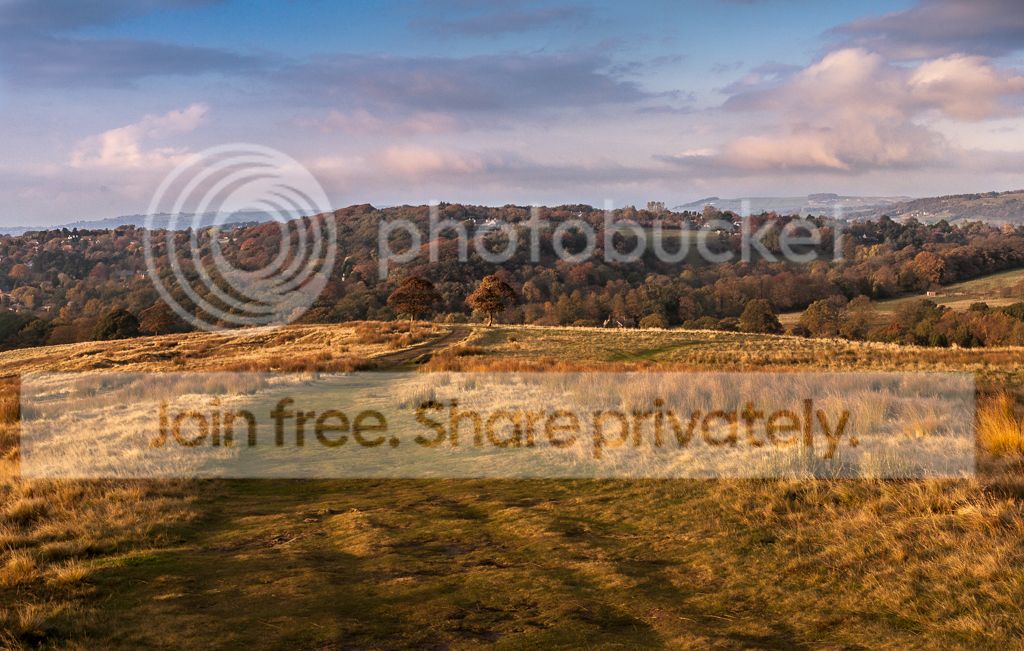
TP_LP_lyme_finaledit by btyreman, on Flickr

here's what I did using LR4:

cropped out the top part of the sky
white balance changed to 'daylight' pre-set
tonecurve +57 highlights
added orange at +12 back into the shadows using slpit tone
detail: slight sharpen +14 and +10 colour noise reduction
lens correction profile zeiss 50,1.4

then added loads of dodging and burning using brushes,
added clarity brush to emphasise contrast in parts,
used some filters both in sky and the bottom of the image to darken,
saved to jpeg.

amazingly this is supposed to be the same photo but using photobucket...to my eyes the colours are very 'off' from the 1st photo...
TP_LP_lyme_finaledit.jpg


some very creative edits, it's close again! thanks to everyone who entered.

and last but not least the winner is.....

'spillage' or simon, it was very close between yours, marsha and also Mr G.

Well done and a warm welcome to the forum :thumbs:
 
Last edited:
Simon - Welcome to the club with an excellent winning entry :clap:
 
Ben

Looking like I need to get into Specsavers as your two shots look like the same as each other? So I am really puzzled by your comments on the colour cast :shrug:
 
Ben

Looking like I need to get into Specsavers as your two shots look like the same as each other? So I am really puzzled by your comments on the colour cast :shrug:

I can't see any difference either, I'll meet you at Specsavers, if I can find it..... ;)
 
here's mine! I know what you mean about flickr and photobucket, I may even stop using photobucket because of the horrible colour cast.


TP_LP_lyme_finaledit by btyreman, on Flickr

here's what I did using LR4:

cropped out the top part of the sky
white balance changed to 'daylight' pre-set
tonecurve +57 highlights
added orange at +12 back into the shadows using slpit tone
detail: slight sharpen +14 and +10 colour noise reduction
lens correction profile zeiss 50,1.4

then added loads of dodging and burning using brushes,
added clarity brush to emphasise contrast in parts,
used some filters both in sky and the bottom of the image to darken,
saved to jpeg.

amazingly this is supposed to be the same photo but using photobucket...to my eyes the colours are very 'off' from the 1st photo...

TP_LP_lyme_finaledit.jpg


some very creative edits, it's close again! thanks to everyone who entered.

and last but not least the winner is.....

'spillage' or simon, it was very close between yours, marsha and also Mr G.

Well done and a warm welcome to the forum :thumbs:

I think this may be to do with your colour space the 1st one is rgb the 2nd one has no assigned colour space..

My exif gives this WARNING: No color-space metadata and no embedded color profile: Windows and Mac web browsers treat colors randomly.

Maybe this is why you can see a cast and others can't?

Id maybe ensure you embed an sRGB colour space if its going on the web
 
lol I don't even know if you can see this, but hopefully this will show you what I'm seeing! it's interesting because I've used the same file with the same SRGB colour space and it looks different on two sites. It will also help if your screen has been calibrated.


what I'm seeing by btyreman, on Flickr

also to marsha this is how you share it using flickr: you need to click 'share' and then copy and paste the BBCode into here and it should just work ; )


how to share @1024 size by btyreman, on Flickr
 
Last edited:
The 1st image looks more red, its more pronounced in your view than mine (mac safari) ..i think this might be a browser colour space thing as per my last post.

Try embedding an sRGB colour-space and re-upload to both sites then check the difference

Not really an expert on this area but might be worth a try?
 
symmetricalOCD said:
and last but not least the winner is.....

'spillage' or simon, it was very close between yours, marsha and also Mr G.

Well done and a warm welcome to the forum :thumbs:

wow thanks! Didn't expect that. Well done to other entries. I've learnt some editing skills from all of you. I will post new competition later today but out at the moment. Half term entertaining children!

Simon
 
The 1st image looks more red, its more pronounced in your view than mine (mac safari) ..i think this might be a browser colour space thing as per my last post.

Try embedding an sRGB colour-space and re-upload to both sites then check the difference

Not really an expert on this area but might be worth a try?

the 1st more red image is exactly how I want the colours to look, by the way I'm using Google Chrome on Windows 7...

I just presumed that when using Lightroom I export a file as a jpeg and chose 'sRGB' as the colour profile it will always look the same on all internet sites... I thought the colour profile is embedded into the jpeg? so it must be a browser/OS issue then.
 
the 1st more red image is exactly how I want the colours to look, by the way I'm using Google Chrome on Windows 7...

I just presumed that when using Lightroom I export a file as a jpeg and chose 'sRGB' as the colour profile it will always look the same on all internet sites... I thought the colour profile is embedded into the jpeg? so it must be a browser/OS issue then.

Not sure what happened but only 1 image has a colour profile embedded..the other doesn't???...at least according to my exif viewer??

cspace.jpg


My guess...and i am by no means certain!! is that image 1 has the colours you want and has embedded sRGB the 2nd picture that has a different colour to the one you intended has no embedded colour space...my guess is the lack of embedded colour space in the 2nd picture is making the colours seem off, but different browsers deal with the lack of colour space differently, so some will see more pronounced changes than others (some might not see any?).

Please treat this more as guesswork than fact!! but it seems to make sense to me?
 
Last edited:
Ben I can see a difference in the screencap you posted, but it's not showing up in firefox that I use, as said it's a colour profile issue by the look of it.
 
Shaun what the wotsit are you trying to do the more nervous dis-positioned members of TP.

Cropping it to make it look like it belongs in a horror film :eek: :p
 
Well it is Halloween :)

OMG I had forgotten.

No Trick or Treaters round here otherwise they get a bucket of water out the upstairs windows.
 
Like the edits so far. Sorry the image isn't particularly inspiring but I didn't have access to my supply of raw files. I am interested to see what can be done with it though. Keep them coming.
 
As not much action so far thought I would post my effort. My original edit was very similar to the last so thought I would go for a sinister halloween edit all be it one day late

IMG_5684-Edit2.jpg


Did basic adjustments in LR3 to raw file. Edited in PSE 10.

Cropped image
Desaturated image to make B&W
Levels adjustment to increase tonal range
Inverted image so web black
Cloned out dark spots that were out of focus highlights originally
Sharpened
Added solid black fill layer with radial gradient layer mask to give spotlight effect on spider (75% opacity)
Added patterned fill layer to give some slight texture to background so as to obscure some unwanted backround detail (60% opacity)
Finally altered brightness/contrast
 
Basics in camera raw, plus a clarity increase, then cropped and rotated, finally a selective sharpen on just the spider.
8144976971_40c19a86a0_b.jpg
 
I immediatley thought 'square' when first seeing this so went for the medium format look here:

edited from RAW in Lightroom 4.

1:1 ratio crop,
blacks decrease,
clarity increase,
tonecurve: highlights increased, shadows decrease,
changed to B&W then altered individual colours,
Lens Correction applied canon 100mm,
Sharpened and added loads of noise,
then finally added a vignette to darken edges & exported.

Spyder_Halloween_LR42_edit01.jpg
 
Last edited:
symmetricalOCD said:
I immediatley thought 'square' when first seeing this so went for the medium format look here:

edited from RAW in Lightroom 4.

1:1 ratio crop,
blacks decrease,
clarity increase,
tonecurve: highlights increased, shadows decrease,
changed to B&W then altered individual colours,
Lens Correction applied canon 100mm,
Sharpened and added loads of noise,
then finally added a vignette to darken edges & exported.

The winner is Ben for this b&w square crop. 2nd is Wayne - a close thing. I liked the rotation of the image. Something I hadn't thought of and will remember to try. I liked the other 2 as well. They were similar to how I had developed the raw file originally.
 
well done Ben, just come back off my jollies so have lots of new material if i win again.
 
I 'take my hat off' to all that did an edit and especially to Ben the winner :clap:

I tried a number of different approaches but just didn't like any so no entry from me this time so sorry Simon.

Neil are you touting to be made the winner next time? On the basis you have some good shots from your 'jollies' :eek: ....... :p
 
here`s mine
tweeks in raw
increased colors/saturation etc
de noise
added oil paint filter to get the leaves some texture
finish!
Local_Autumnal_Tree.jpg
 
Mainly done in Raw again reduce the exposure & increase the fill light slightly then in PSE I have tried to bring the colours out of the leaves more and the trunk on the left using the saturation & hue on the different colours. To finish As you may have noticed I lean towards a darker image, so increased the contrast and added a slight vignette.
But I don't know how dark this looks to everyone else as I haven't Calibrated my screen so could you let me if it looks too much.
 
here's my final edit:

increased contrast and vibrance,
added filter to the very top giving a slightly pink colour to further saturate the leaves.
added letterboxing using lightrooms 'print' mode, printed to jpeg file.


final_edit_letterbox by btyreman, on Flickr

it was a close call between Livewires71 and Kerioak...

but there can only be one winner

:1st: it's over to you Livewires71

well done to all who entered! some great entries.
 
Back
Top