THE PP GAME!

Well done Robert :thumbs:

Can I make a suggestion? At one time the thread was for enhancing the photo, as taken, and not swapping parts - like the skies. Perhaps the winner should specify if it can be a 'swapped' type of edit or merely the enhancement of the shot as taken.

Anywhere that's my two pennies worth - not sure what others think and where is the thread starter for his his opinion :D
 
Where is the last winners (Robert's) photo for us to get started with our editing attempts :sulk:
 
Perhaps leave it for today, but if he doesn't reply by tomorrow I can choose the runner up if needed.
 
Perhaps leave it for today, but if he doesn't reply by tomorrow I can choose the runner up if needed.

Ben why not just get on with it and choose now because it ain't fair keeping us eager 'editors' waiting :nono:
 
Ok then. Seeing as Robert hasn't responded, I'm now going to choose Ben as the winner. :) I liked the B+W gritty feel.
 
Sorry for not posting, computer in for repair working from phone
 
o.k thankyou Ben for choosing me! sorry it's a bit late, do what ever you want with this one :gag:, It'll be interesting to see what you all come up with.
I'm going to choose the winner on Sunday evening :thumbs:

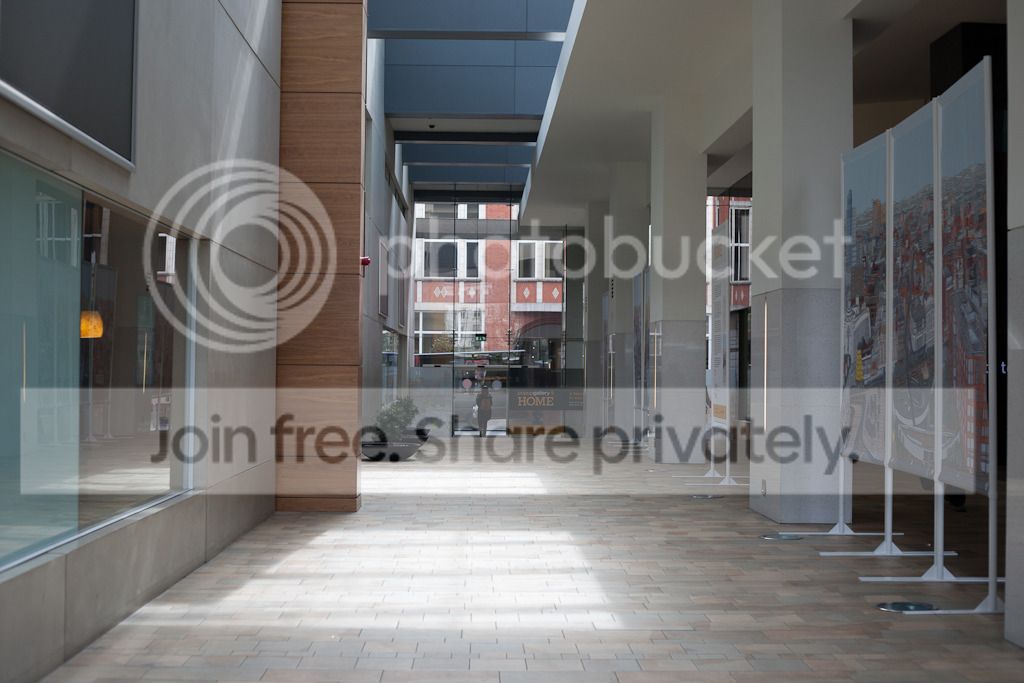
here is the jpeg preview:

inside_of_building.jpg


download link to the DNG file:
https://www.dropbox.com/s/kqsotnaiic2rmky/inside_of_building.DNG
 
Last edited:
mmm, tough one
basic edits in raw
single image hdr`d grungy look
added texture filter
more adjustments in cs to taste
finish
inside_of_building.jpg
 
look_whos_back.jpg


:D

Topaz lens effect - tilt applied quite heavily
used photoshop to create the funnel of light and comp in arnie - then used a streak filter from somewhere in PS on the funnel
vignette applied in Topaz as well.
 
symmetricalOCD said:
come on slackers :gag:

Sorry, I've been so busy at work lately I've not been able to play.

Haakon, that's a great edit but this is the wrong thread for that style. This one is more about working with what is available, not adding items that don't belong.
 
This one is more about working with what is available, not adding items that don't belong.

I so do agree as said a few of my posts ago. That includes not adding new skies but working only with what's there. But I am not trying to be the forum cop :bat::D
 
I think if nothing can be done with the sky then its ok to change, just like cloning out items that detract from the finished pic
 
The rules taken from the original post!

Yep which I feel were the right rules.

I think if nothing can be done with the sky then its ok to change, just like cloning out items that detract from the finished pic

I guess we beg to differ but it has put me off 'having a go' as I think part of the fun was to do the best with what is supplied. There is another thread where folks add all sorts and to me it is a great shame this is going the same way. Sky one day and what next :(

Maybe there should be yet another thread started for those who want to make changes, or should those who don't want changes start another thread. But re the latter that is what this thread was about :thinking:
 
Last edited:
Yep which I feel were the right rules.


I guess we beg to differ but it has put me off 'having a go' as I think part of the fun was to do the best with what is supplied. There is another thread where folks add all sorts and to me it is a great shame this is going the same way. Sky one day and what next :(

Maybe there should be yet another thread started for those who want to make changes, or should those who don't want changes start another thread. But re the latter that is what this thread was about :thinking:

I agree with you there,

but please don't let it put you off entering.
 
After some though I agree that it should be based off what the picture is. Even with adding skys, should probably work around a nice sky and make the most of what is supplied as said above.

Perhaps Phil can edit the original post.:thumbs: My entry will be up at some point this week. :bat:
 
Well here's my go.

I did look, and look, at the shot thinking what on earth could I do unless I put Costa and Starbucks signs in but that would be going against my recent 'moaning' posts :lol:

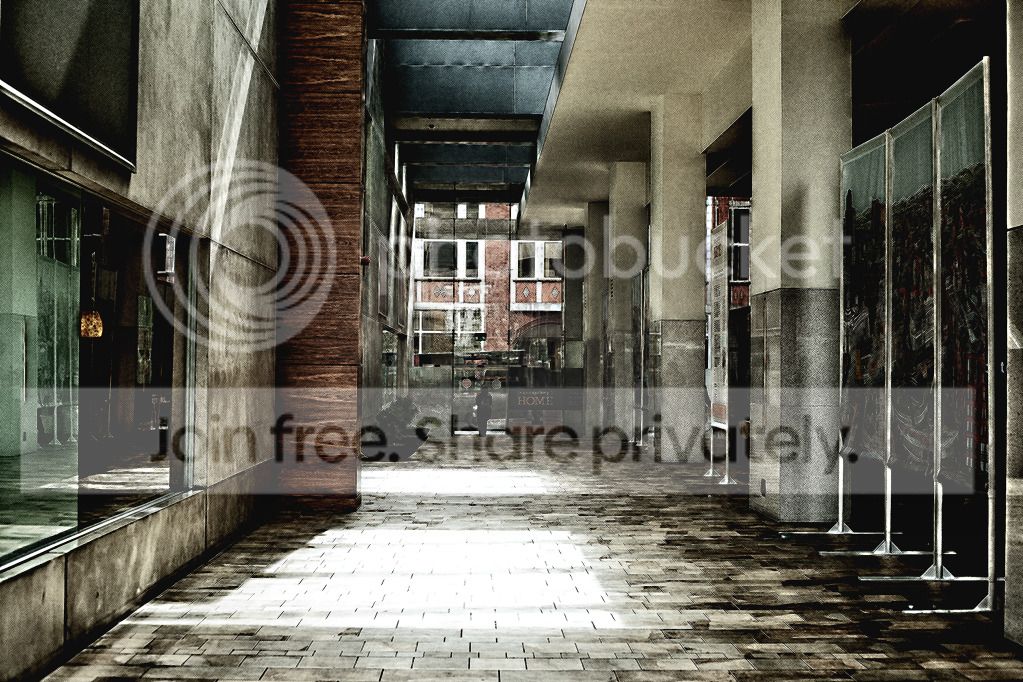
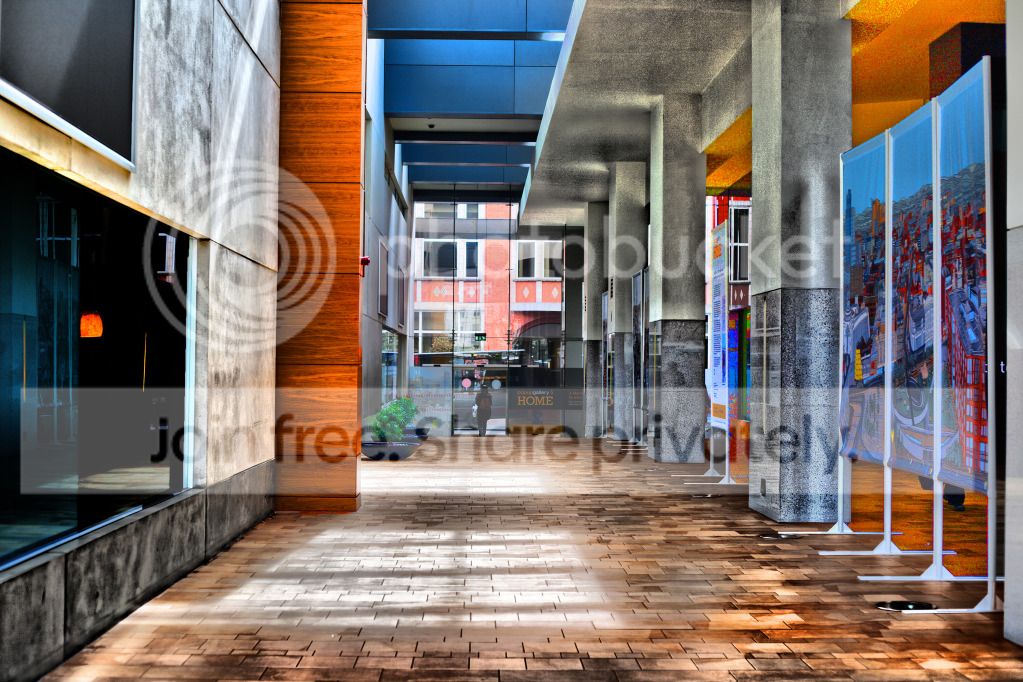
So I selected individually 8 or 9 different parts and went wild - some HDR - some heavy slider work to the right (far right) with the saturation - some burning - some dodging - some sharpening. In other words just a twiddle here and there as usual with me. Then just a final sharpen. So we have a colourful 'work of art' :clap::clap::clap:

TPInsidebuilding.jpg
 
inside_of_building.jpg


Warmed it up a bit
Added contrast
Removed highlights
Removed shadows
Added whites
Removed blacks
Added post-crop vignetting
 
Here's mine:

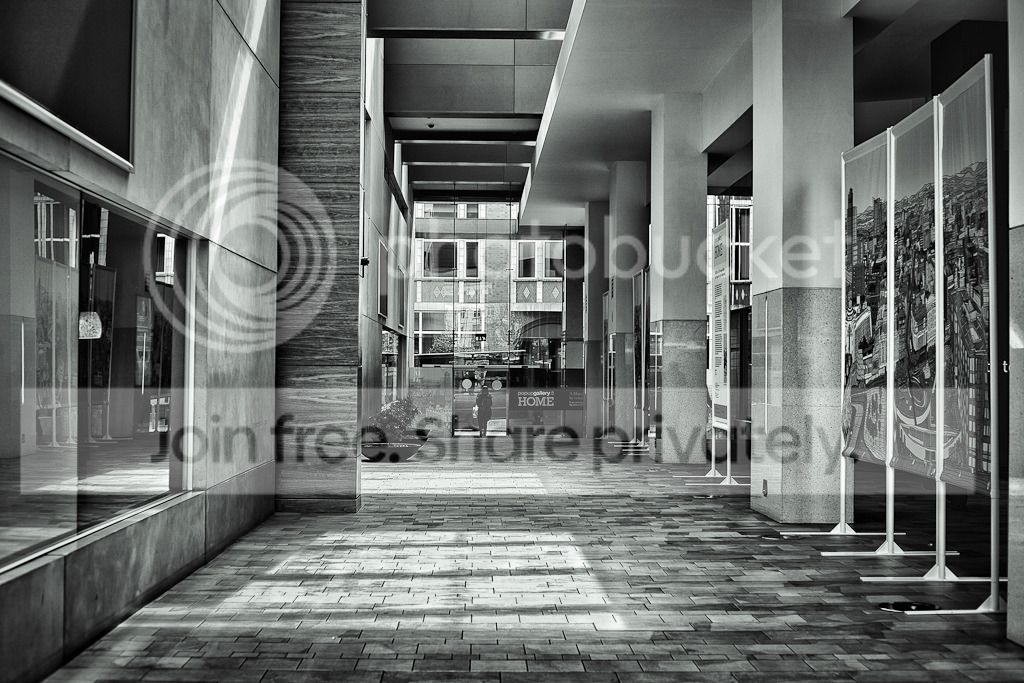
20120503-inside_of_building.jpg


LR4:
Lens corrections
B/W conversion and adjusting certain hues
Extra clarity
More exposure and contrast
Crop
 
inside_of_building-HD.jpg


ok a more sensible edit...

Hi,

I understand you are new to the thread and indeed the forum but please read the rules on page one.

Please do not post alien objects with your edit and also let others know how you did it - the thread is to help and learn and should people want to know how you have processed an image, it is there for them.

Thanks,
Phil.
 
here's my thrash at it...


inside_of_building by leftcurl, on Flickr

just trial and error really along the following lines;

1. de-saturate
2. select the window area - add noise (mono, gaussian)
3. add motion blur then reduce opacity to approx 60%
4. select inverse from the window - new layer from selection
5. change blend mode to color burn - reduce opacity to 55%

that's it :thumbs:
 
well done Daydreamer/John! you've won!

there is just something I like more about yours, the colours look really good and I like the way you've brought out the details in the textures,

here is my edit:

IMG_5257-Edit.jpg


opened in Photoshop Elements:

converted to Black and white,
copied a layer and added high pass filter then set to 'soft light' overlay,
adjusted opacity to 30% then duplicated layer x3,
then used a highlight brush on the overexposed floor parts,
added slight green tint to the overall image,
adjusted tonecurve, increasing highlights a bit and decrease in shadows,
saved as jpeg
 
I agree, don't really like HDR but it definetely works in this image. Look forward to the next one! :)
 
Thanks Ben (Manchester):thumbs:

I am surprised because I thought what I did was, well, a little OTT but that's where I found myself going when I hit the sliders = whoosh:lol:

I agree with (the other) Ben that HDR is not for me but occasionally when all other ideas fail.......... However I do feel a little 'light HDR' and used selectively can help bring out details like no other way. Well no other way I have yet discovered. But some HDR is, to me, very ugly.

So here's my shot. Sorry no RAW as I rarely shoot in it and in fact in recent months I have been rarely shooting at all and with my number one camera spending a month at Fuji repair centre for a sensor upgrade and then to fix the rubber pad at the rear which they had taken off and not fitted back properly. Then the rain, rain, rain, rain and more rain :(

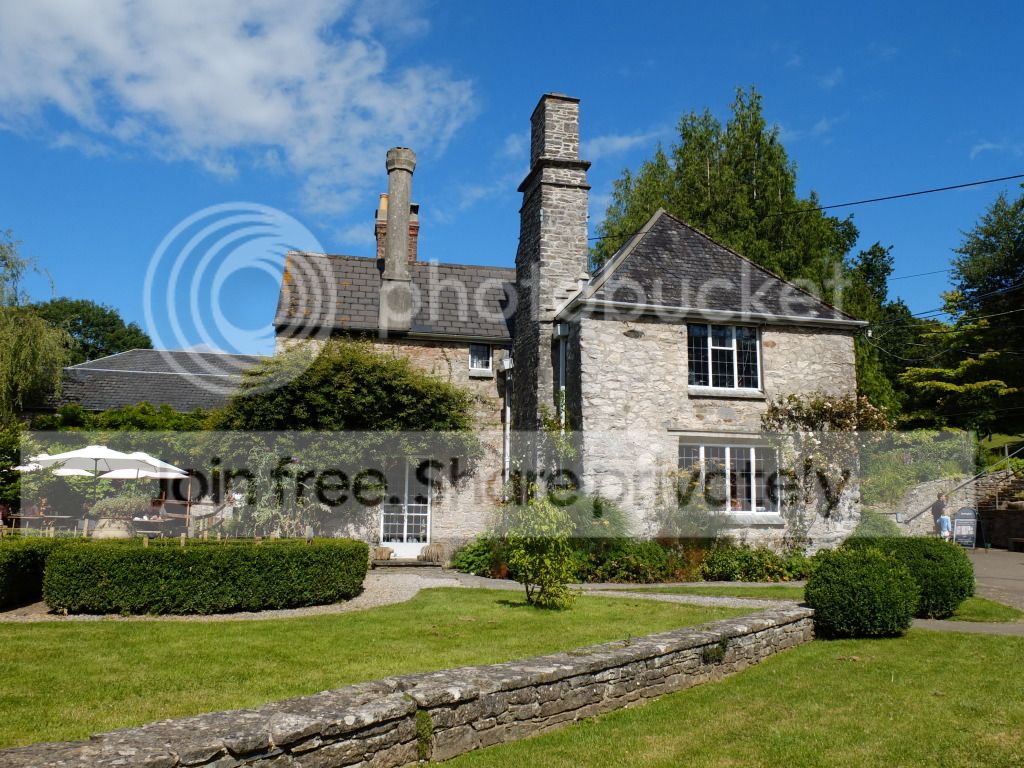
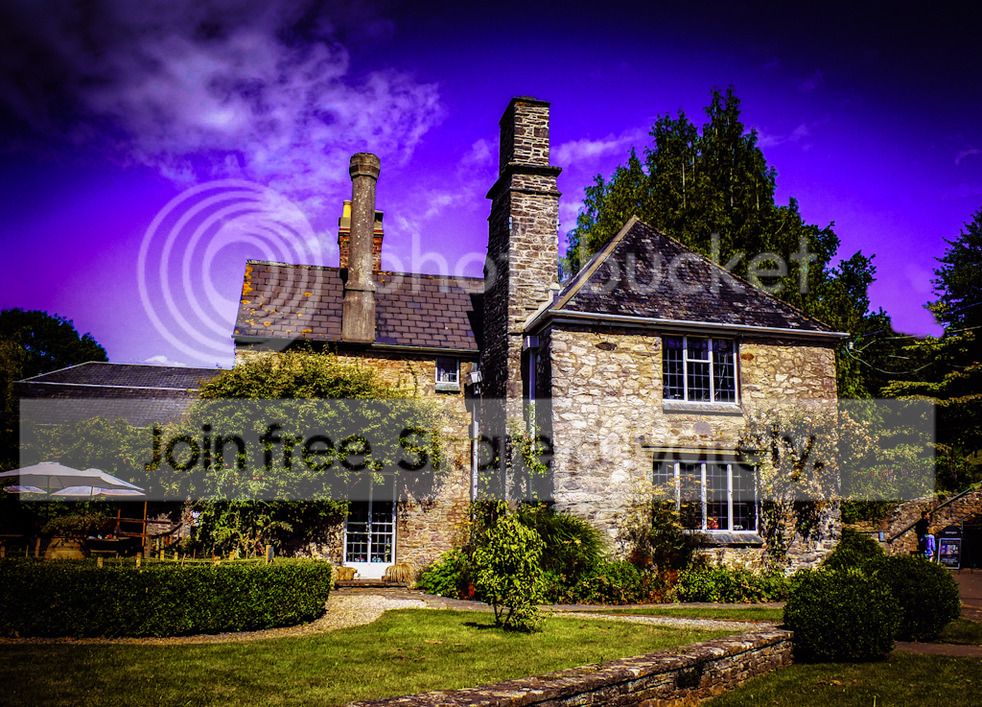
The shot is from 'Dartington Cider Press' recently renamed 'Shops at Dartington' and taken from a bench on which I often sit, drinking coffees, when visiting the place which is usually most weeks as it is less than a mile from my home.

In real life the building looks a lot nicer so I am hoping to get more definition and a lot more 'pop'. I also wonder if it looks a little distorted as I was too close and should of got further away and zoomed in more but over to you guys. I will decide the 'Gold Medal' winner at 8.00 p.m. on Thursday.

Here's the Jpeg small size with hopefully the full size in a few minutes if I have mastered DropBox.

TPDartingtonCiderPress.jpg


Please let the full size Jpeg be here:-
https://dl.dropbox.com/u/96257452/TP Dartington Cider Press.JPG
 
Last edited:
Yep which I feel were the right rules.


I guess we beg to differ but it has put me off 'having a go' as I think part of the fun was to do the best with what is supplied. There is another thread where folks add all sorts and to me it is a great shame this is going the same way. Sky one day and what next :(

Maybe there should be yet another thread started for those who want to make changes, or should those who don't want changes start another thread. But re the latter that is what this thread was about :thinking:

I'm afraid I argree with John, this thread was about working with whats given, theres another thread where "anything goes"
The whole point of having this thread was to see what different people could do with the same image, anybody can bung in a dragon or two, Wow! they can cut and paste, but it's actually much more difficult to improve some images without getting silly, and it also helps the newer member see and understand what can be done to a nomal image.
 
TP%20Dartington%20Cider%20Press.jpg


+50 contrast
-30 blacks
+17 clarity
-51 highlights
-15 light
grad filter
cropped
 
Ok I went for a retro look, tone mapped the image in photoshop/redynamic, cloned out the wirers signs etc, sepia in photoshop hue/saturation, then vignette the corners, then added 2 layers of dust sctatches with d/s brushes I found somewhere.
7724937436_0ae73fc57d_b.jpg
 
Is anyone there - wonderful challenge to 'have a go' :wave:
 
here's mine:
Ciderowse_tyremanedit3.jpg


opened the larger size jpeg in LR4:

cropped,
messed around with hue, saturation and luminance on all colours,
adjusted mostly the blues, purples, yellows, orange and greens,
clarity at +20 ish and sharpness a tiny amount,
used tonecurve to boost highlights and make the colours 'pop'
cloned out some of the powerlines in the sky on the right side,
made a graduated filter for the sky,
added a bit of filmgrain
made a vignette,
ate 12.7% of a pack of chocolate coated hobnobs,
posted on here.
 
Three great edits and the amazing thing about this thread is the diverse creative skills :thumbs:

One word of advice to Manchester Ben STOP eating so many hobnobs or your belly will get in the way of the keyboard :lol::lol::lol:
 
Three great edits and the amazing thing about this thread is the diverse creative skills :thumbs:

One word of advice to Manchester Ben STOP eating so many hobnobs or your belly will get in the way of the keyboard :lol::lol::lol:

Shhhhhh we are all on our way around his house to help him eat them.....:lol:
 
Come on surely we will have more than three entries :shake:

Perhaps those who have put up an edit could put up an alternative edit each to bulk up the numbers ;)

Perhaps I could speak to the powers 'up above' and ban all members that don't enter. That would only leave about 4 members of TP --- is that a bit radical :clap:
 
Back
Top