
and the site receives a small commission
You are using an out of date browser. It may not display this or other websites correctly.
You should upgrade or use an alternative browser.
You should upgrade or use an alternative browser.
THE PP GAME!
- Thread starter Phil Young
- Start date
Well done commjo- not too bad at PP after all!
The dust bunny is a nice touch
Beginner's luck perhaps!
I hate dust bunnies - I took over 1000 photos on that trip - each with a dust bunny :bang:



Dr_O
Suspended / Banned
- Messages
- 1,517
- Name
- Dr Ozone
- Edit My Images
- Yes
Good grief- quick off the mark as always Walter
Quick one from me as I'm meant to be doing something else
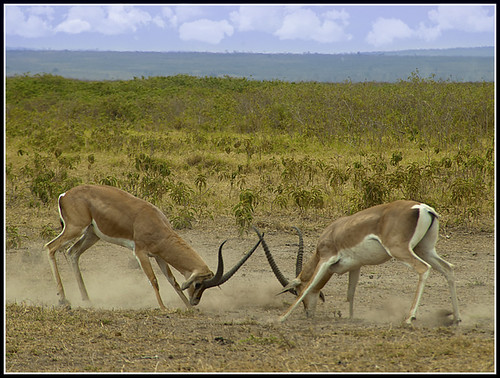
Edit14 by Dr_Ozone, on Flickr
Duplicate background
Created adjustment layer for levels, hue/saturation and vibrancy. Tweaked to suit.
Painted the sky a deeper blue but with high opacity to make it slightly stronger and then created a new layer and added some clouds playing about with brush opacity and eraser.
Sharpened with unsharp mask and then smart sharpened later- mainly as I have no idea on unsharp mask so probably didn't turn it up enough
Cropped
Added white border (which I should have made larger) then black one
Edit
Quick one from me as I'm meant to be doing something else
Edit14 by Dr_Ozone, on Flickr
Duplicate background
Created adjustment layer for levels, hue/saturation and vibrancy. Tweaked to suit.
Painted the sky a deeper blue but with high opacity to make it slightly stronger and then created a new layer and added some clouds playing about with brush opacity and eraser.
Sharpened with unsharp mask and then smart sharpened later- mainly as I have no idea on unsharp mask so probably didn't turn it up enough
Cropped
Added white border (which I should have made larger) then black one
Edit
Last edited:

antihero
Suspended / Banned
- Messages
- 4,274
- Name
- Paul
- Edit My Images
- Yes
i'll have a go

fight_border by dobinio, on Flickr
did a bit of cheating to get the effect I wanted (but it's still pp I suppose!!)
1:Level adjustment
2:Convert to black and white (not adjusting anything)
3:Opened in Dynamic Photo HDR and reduced dramatic light strength
4:Opened in Chrome's TiltShiftMaker extension to get the narrower DOF effect.
5:Border added...
Dust bunny left in for effect
fight_border by dobinio, on Flickr
did a bit of cheating to get the effect I wanted (but it's still pp I suppose!!)
1:Level adjustment
2:Convert to black and white (not adjusting anything)
3:Opened in Dynamic Photo HDR and reduced dramatic light strength
4:Opened in Chrome's TiltShiftMaker extension to get the narrower DOF effect.
5:Border added...
Dust bunny left in for effect
Last edited:

swanseamale47
Suspended / Banned
- Messages
- 10,876
- Name
- wayne clarke
- Edit My Images
- Yes
Well done Commodo 
photoimaging
Suspended / Banned
- Messages
- 330
- Name
- Joan West ARPS
- Edit My Images
- Yes
Ooops, missed deadline on the last one....too busy celebrating the Welsh rugby win
Well done commjo.
Joan
Well done commjo.
Joan
OP

Phil Young
Suspended / Banned
- Messages
- 6,584
- Name
- Phil
- Edit My Images
- Yes
photoimaging said:Ooops, missed deadline on the last one....too busy celebrating the Welsh rugby win
Well done commjo.
Joan
Lol good for us!!!
photoimaging
Suspended / Banned
- Messages
- 330
- Name
- Joan West ARPS
- Edit My Images
- Yes
Here's a go

and layers

Joan
and layers
Joan

leftcurl
Suspended / Banned
- Messages
- 4,085
- Name
- Leigh
- Edit My Images
- Yes
here goes...

Umar_Memon_Photography_080815_DSC_2210 by leftcurl, on Flickr
more of a play with blending modes here than anything else.
- Tweaked in ACR (more black, daylight WB, slight de-sat, +1 exposure)
- opened in elements 9
- vintage photo filter (hard light blend i think :bonk
- add noise/scratches filter
- tweak levels
- made selection for border and blended the selection with screen blend (i reckon :nuts
Umar_Memon_Photography_080815_DSC_2210 by leftcurl, on Flickr
more of a play with blending modes here than anything else.
- Tweaked in ACR (more black, daylight WB, slight de-sat, +1 exposure)
- opened in elements 9
- vintage photo filter (hard light blend i think :bonk
- add noise/scratches filter
- tweak levels
- made selection for border and blended the selection with screen blend (i reckon :nuts


photoimaging
Suspended / Banned
- Messages
- 330
- Name
- Joan West ARPS
- Edit My Images
- Yes
i can't believe i just clicked the scrolling down arrow in your screen shot :bonk:
Nice work as usual Joan
thankyou
Scottie68
Suspended / Banned
- Messages
- 1,828
- Name
- Scott
- Edit My Images
- Yes
Un sharpen mask, increased saturation, blurred the sky and added a little contrast then a slight adjustment with curves

Umar_Memon_Photography_080815_DSC_2210 by surfinscottie, on Flickr
Umar_Memon_Photography_080815_DSC_2210 by surfinscottie, on Flickr

s162216
Suspended / Banned
- Messages
- 2,105
- Name
- Samuel
- Edit My Images
- Yes

Green channel conversion layer, contrast increased, then layered behind original, 50% transparency applied to top layer. This gives a 'bleach bypass' effect like if you leave the bleach stage out of developing colour negative film as the black and white image is on top of the colour (think of the films Minority Report or 1984, thats how they got their distinct washed out, contrasty look)
Then applied a 'solarisation' effect to it in curves by dragging both sides of the curve down and dragging the middle right to the top. This gives an effect like re-exposing a B&W negative to light again part way through development and is also the reason for the black 'mackie' lines around the edge of the objects. 66% red channel, 33% green channel conversion and a little contrast added. Cropped to a 3:1 ratio.
(I don't do much digital image editing as I shoot almost entirely film!)
Last edited:

Flying giraffe
Suspended / Banned
- Messages
- 1,189
- Name
- Neil
- Edit My Images
- No
thought id try something different with this one. Made 2 copies, overlayed and selective coulored the animals, sharpened a little, removed spec etc


Congrats to leftcurl - a very nice interpretation - reminds me of the prints we used to have on the wall.
here goes...
Umar_Memon_Photography_080815_DSC_2210 by leftcurl, on Flickr
more of a play with blending modes here than anything else.
- Tweaked in ACR (more black, daylight WB, slight de-sat, +1 exposure)
- opened in elements 9
- vintage photo filter (hard light blend i think :bonk
- add noise/scratches filter
- tweak levels
- made selection for border and blended the selection with screen blend (i reckon :nuts
Flying giraffe
Suspended / Banned
- Messages
- 1,189
- Name
- Neil
- Edit My Images
- No
well done, nice edit

leftcurl
Suspended / Banned
- Messages
- 4,085
- Name
- Leigh
- Edit My Images
- Yes
ok people... purposely picked this because there's loads of life left in it - just needs you guys to bring it out! So you can get the RAW file here: https://www.yousendit.com/download/T2dkQndPcTIwVW1FQk1UQw

Leftcurl by leftcurl, on Flickr
RAW file here (in case you missed the link above) https://www.yousendit.com/download/T2dkQndPcTIwVW1FQk1UQw
we'll go for a Friday 8pm finish
Leftcurl by leftcurl, on Flickr
RAW file here (in case you missed the link above
) https://www.yousendit.com/download/T2dkQndPcTIwVW1FQk1UQwwe'll go for a Friday 8pm finish
Flying giraffe
Suspended / Banned
- Messages
- 1,189
- Name
- Neil
- Edit My Images
- No
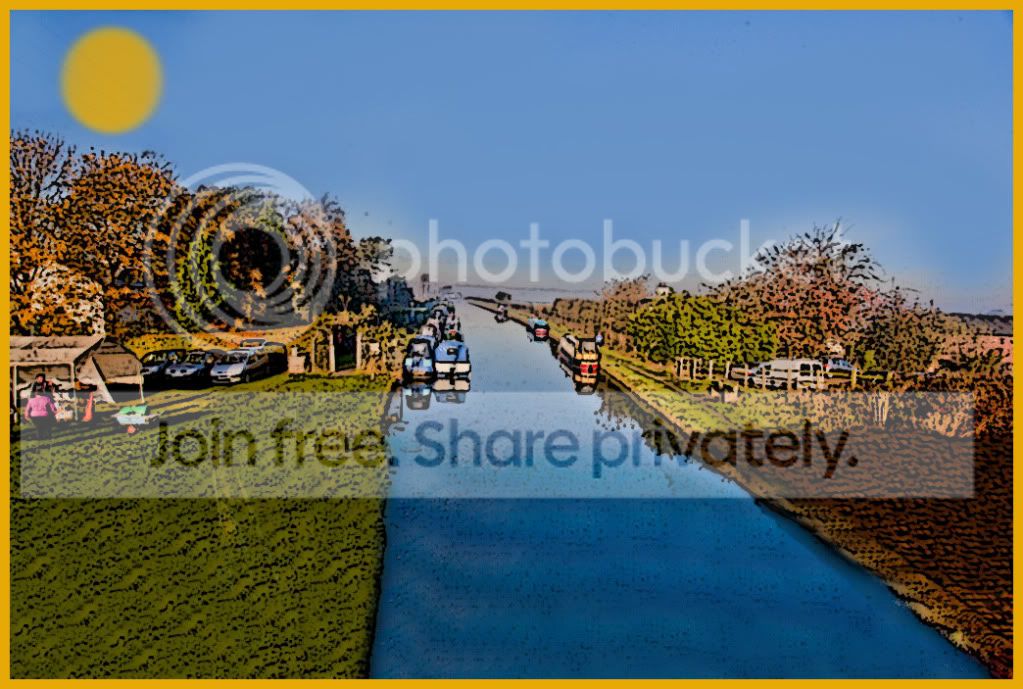
cloned out cars etc, colour adjustments, then watercolour filter applied

Scottie68
Suspended / Banned
- Messages
- 1,828
- Name
- Scott
- Edit My Images
- Yes

Leftcurl by surfinscottie, on Flickr

LeighsEdit by surfinscottie, on Flickr
Also used the blur tool to slightly blur the image and added the frame

squishy
Suspended / Banned
- Messages
- 1,902
- Name
- Adam
- Edit My Images
- No
Hi all 
My attempt at recovering all the shadow areas:
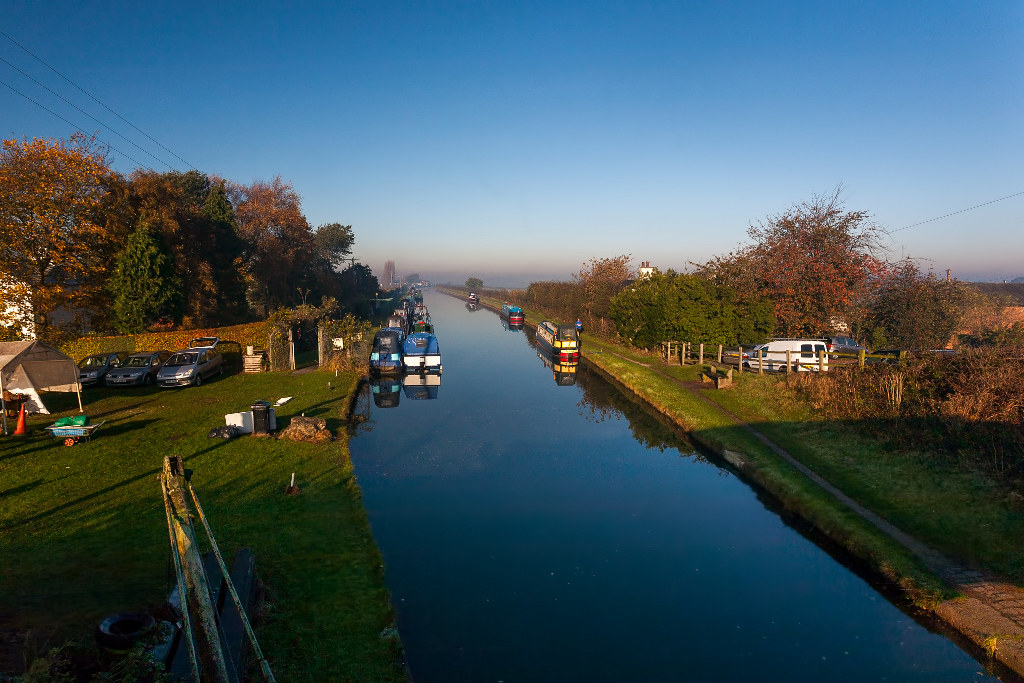
I pulled the exposure up in lightroom and did a slight crop, then selectively denoised in topaz denoise at different levels on different layers (one light detail sensitive for the slightly grainy mid tones, one strong with debanding for the nasty shadows). Also straightened the horizon slightly.
It won't stand up to close scrutiny dragging the shadows up that much, but if you don't actively inspect the shadows, it's acceptable to my eyes.
My attempt at recovering all the shadow areas:
I pulled the exposure up in lightroom and did a slight crop, then selectively denoised in topaz denoise at different levels on different layers (one light detail sensitive for the slightly grainy mid tones, one strong with debanding for the nasty shadows). Also straightened the horizon slightly.
It won't stand up to close scrutiny dragging the shadows up that much, but if you don't actively inspect the shadows, it's acceptable to my eyes.
Last edited:
Dr_O
Suspended / Banned
- Messages
- 1,517
- Name
- Dr Ozone
- Edit My Images
- Yes
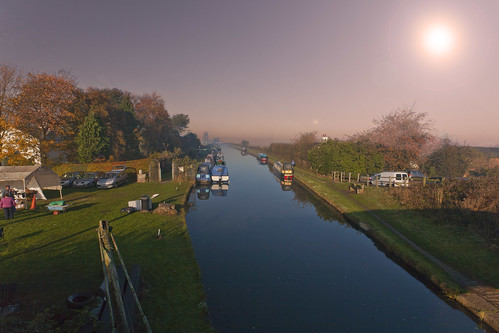
Edit16 by Dr_Ozone, on Flickr
Spent a bit of time removing dust bunnies
in ACRSharpened a bit and lifted vignette a bit to brighten corners
Removed power lines then tried some dodge tool to blend although that didn't really work that well
Tried new found method of quick selection and highlighted sky the created layer with mask and then adjustment photofilter of orange and played about with strength to give warm look to sky.
Replicated for ground and adjustment layer for vibrance for ground- tweaked vibrance and saturation a bit to bring out some colour
Attempted to remove chair and litter but didn't work for some reason- too many layers or what I don't know.
Good place to stop...
Well, one idea left- added lens flare
Stop now, job done

St-ephen
Suspended / Banned
- Messages
- 1,101
- Name
- Stephen
- Edit My Images
- No
OK, despite everything I thought I'd give this a go.
Briefly,
In lightroom:
tweak colour temp (4850)
tweak exposure + 1.4
spot removal on floating debris and bunnies
In PS:
Replace colour a couple of times to reduce noise (that was introduced in shadow area when increasing exposure) on canal then blur water 2px
Remove bins, mound, sign, cone, barrow, cars, wires, pylons etc
copy bottom lh 1/4 and put on new layer in screen mode to further increase detail in that area.
Oh, forgot to mention small crop.

Briefly,
In lightroom:
tweak colour temp (4850)
tweak exposure + 1.4
spot removal on floating debris and bunnies
In PS:
Replace colour a couple of times to reduce noise (that was introduced in shadow area when increasing exposure) on canal then blur water 2px
Remove bins, mound, sign, cone, barrow, cars, wires, pylons etc
copy bottom lh 1/4 and put on new layer in screen mode to further increase detail in that area.
Oh, forgot to mention small crop.
Last edited:
St-ephen
Suspended / Banned
- Messages
- 1,101
- Name
- Stephen
- Edit My Images
- No
Stephen- nice colours you've brought out there and impressed with the car removal from behind the fence
Thank you. I've just noticed that saving for web didn't do the canal colours any favours. There's noise in the middle of the pic..

OP
Phil Young
Suspended / Banned
- Messages
- 6,584
- Name
- Phil
- Edit My Images
- Yes
Here's Phil's!
Opened in camera RAW, reduced saturation, increased contrast and blacks and a slight step up in exposure. Cropped.
Then opened in photoshop, added noise & grain...

Opened in camera RAW, reduced saturation, increased contrast and blacks and a slight step up in exposure. Cropped.
Then opened in photoshop, added noise & grain...
Dr_O
Suspended / Banned
- Messages
- 1,517
- Name
- Dr Ozone
- Edit My Images
- Yes
Like the effect Phil- makes it look very old which I guess is why you had to ditch the cars
There seems to be some dark marks in the canal though- around the same area where Stephen mentioned the noise- personally I think it's a duff lens at work
- makes it look very old which I guess is why you had to ditch the carsThere seems to be some dark marks in the canal though- around the same area where Stephen mentioned the noise- personally I think it's a duff lens at work
OP
Phil Young
Suspended / Banned
- Messages
- 6,584
- Name
- Phil
- Edit My Images
- Yes
Dr_O said:Like the effect Phil
There seems to be some dark marks in the canal though- around the same area where Stephen mentioned the noise- personally I think it's a duff lens at work
It's a dead body lol!!!
leftcurl
Suspended / Banned
- Messages
- 4,085
- Name
- Leigh
- Edit My Images
- Yes
Like the effect Phil
There seems to be some dark marks in the canal though- around the same area where Stephen mentioned the noise- personally I think it's a duff lens at work
.....and in last place.... Dr_O
Dr_O
Suspended / Banned
- Messages
- 1,517
- Name
- Dr Ozone
- Edit My Images
- Yes