Hi Dave, will be watching your replies, to be honest I only take the cap off when shooting and put it back on asp, guess with any filter it can degrade the image I gave up using them with my other cameras unless I was on a windy beach etc. Might like a polariser though.


You are using an out of date browser. It may not display this or other websites correctly.
You should upgrade or use an alternative browser.
You should upgrade or use an alternative browser.
The Official Fuji X10/X20/X30/XF1/XQ1 Thread
- Thread starter DuncanDisorderly
- Start date

- Messages
- 8,852
- Name
- Tom
- Edit My Images
- Yes
I have that exact uv on mine at the moment. On DSLRs I won't use them, as they do degrade IQ and cause flare and the rest, but on the x10, its much more likely to be knocked into things as I carry it everywhere and with the super close focus, I often find myself touching the lens on the subject.
So far with my very limited experience, the UV doesn't appear to cause to much of an impact, although I did notice quite a bit of contrast loss and flare when the sun was encroaching on the frame. Whether this was down to the filter, or just how the lens behaves, I'm not yet sure, as I haven't tested it properly.
Looking at some shots I took yesterday at 100%, the images are still ridiculously sharp even with the filter.
So far with my very limited experience, the UV doesn't appear to cause to much of an impact, although I did notice quite a bit of contrast loss and flare when the sun was encroaching on the frame. Whether this was down to the filter, or just how the lens behaves, I'm not yet sure, as I haven't tested it properly.
Looking at some shots I took yesterday at 100%, the images are still ridiculously sharp even with the filter.
I have that exact uv on mine at the moment. On DSLRs I won't use them, as they do degrade IQ and cause flare and the rest, but on the x10, its much more likely to be knocked into things as I carry it everywhere and with the super close focus, I often find myself touching the lens on the subject.
So far with my very limited experience, the UV doesn't appear to cause to much of an impact, although I did notice quite a bit of contrast loss and flare when the sun was encroaching on the frame. Whether this was down to the filter, or just how the lens behaves, I'm not yet sure, as I haven't tested it properly.
Looking at some shots I took yesterday at 100%, the images are still ridiculously sharp even with the filter.
That's great, thank you. I don't use a UV filter on my DSLR, but then I have a lens hood permantly attached. For the sake of £15 I don't think I want to risk scratching the lens.
Does anyone have any info on which polariser is good? On my DSLR I use a Hoya Pro1 which I'm very pleased with but they don't do it in 40mm.
Piscator Pete
Suspended / Banned
- Messages
- 227
- Name
- Pete
- Edit My Images
- Yes
Does anyone have any info on which polariser is good? On my DSLR I use a Hoya Pro1 which I'm very pleased with but they don't do it in 40mm.
Dave, I'm not sure there is an awful lot of choice in 40mm, but the one I've used with the X10 is the Marumi DHG Circular PL(D). I'm not experienced enough to comment on how good it is, but it did what I wanted in a couple of shots I posted here a few weeks ago.
Pete

robenroute
Suspended / Banned
- Messages
- 306
- Name
- Rob
- Edit My Images
- Yes
I'm loving the IQ of this camera even though I haven't really got out with it to really test it's potential. One thing I'm a bit concerned about is scratching the lens - is this the filter everyone seems to be using:
http://www.ebay.co.uk/itm/260993504412?_trksid=p5197.c0.m619
Also can anyone recommend a polariser for this camera?
Cheers
I've got this one (UV, not a polarizing filter): http://www.ebay.co.uk/itm/Genuine-H...es_CameraLensesFilters_JN&hash=item45fe99d640 , together with a 40-52mm step-up ring. I'm not using any lenscaps and I'm very happy with it. That Hoya HD filter even took a swing of my X10 against an iron railing. Not a scratch. I also haven't noticed any degradation of image quality, using the Hoya UV filter.
Last edited:

norrisphysio
Suspended / Banned
- Messages
- 220
- Name
- Chris
- Edit My Images
- Yes
Playing with my X10 at the local farmers market

Last edited:
robenroute
Suspended / Banned
- Messages
- 306
- Name
- Rob
- Edit My Images
- Yes
Thanks for the info, I think I will try the Marumi CPL.
Am I right in thinking the EXR mode can be activated in P.A.S.M? If so how can I set DR to 1600% in aperture priority?
There are two EXR modes: one software and the other hardware. By switching to M-size photos and have RAW+JPG enabled, the X10 automatically enables hardware EXR technology. Hardware EXR only goes to DR400; DR800 and DR1600 require additional software processing. I haven't got a clue as to how to enable this, as I never use those high DR settings.
The camera's EXR mode (turning the top dial to EXR) is in fact a different kettle of fish, as it allows different EXR-like processing to be done automatically in-camera.
Max Metz has put together a very useful chart that gives an overview of the X10's modes: http://www.dpreview.com/forums/post/40219067
You may also want to read Kim Letkeman's blog about shooting EXR cameras (sorry, can't be ar5ed to paste the link here --too late, want to hit the ole beanbag...)
Kettlebell
Suspended / Banned
- Messages
- 5
- Edit My Images
- Yes
Had my X10 for a bout a month now, took some fantastic pics in Florence (will post a few, but not sure how to) and getting used to it quickly.
All been fine up until recently when i keep getting Read Error message on screen when i am reviewing pictures.
I have formatted the card (didnt do this on installation) and will see how it goes.
Anyone else had this issue?
All been fine up until recently when i keep getting Read Error message on screen when i am reviewing pictures.
I have formatted the card (didnt do this on installation) and will see how it goes.
Anyone else had this issue?
Hi, glad you are enjoying yours as well as I am, regarding the card issues I have had similar problems with other cameras and some times a format has not fixed the issue. I have read that when transferring images to a PC its best to not delete any at that point via the PC screen, just move the lot to a file then remove the card and reformat in the camera, I ruined a card by not doing that. Also cards do break and its better to replace them with a good card, I use an SDHC class 10 for my X10 which seems to work faster. If in doubt about the card get another one rather than risk it, very much doubt its anything to do with the camera itself. Regards.
robenroute
Suspended / Banned
- Messages
- 306
- Name
- Rob
- Edit My Images
- Yes
Had my X10 for a bout a month now, took some fantastic pics in Florence (will post a few, but not sure how to) and getting used to it quickly.
All been fine up until recently when i keep getting Read Error message on screen when i am reviewing pictures.
I have formatted the card (didnt do this on installation) and will see how it goes.
Anyone else had this issue?
1. You could upload your pictures to any web-based photo album (Flickr, etc.) and link to them here.
2. I had a cheap-ish and slow (class 6) SD card the first few weeks: nothing but trouble. Since then switched to Sandisk Extreme (class 10) and not a cloud in the storage sky.
Looking forward to your Florence photos.
1. You could upload your pictures to any web-based photo album (Flickr, etc.) and link to them here.
2. I had a cheap-ish and slow (class 6) SD card the first few weeks: nothing but trouble. Since then switched to Sandisk Extreme (class 10) and not a cloud in the storage sky.
Looking forward to your Florence photos.
Just to add the good advice above, I have just recently been through the same uploading issues, once they are on a flickr account, click on the photo, then click on share, choose the image size you require, then copy the BB code (not the HTML code) then paste into your post, hope that helps others will be able to explain it better than me no doubt. PS also looking forward to seeing some photos from your trip. Regards.
Kettlebell
Suspended / Banned
- Messages
- 5
- Edit My Images
- Yes
Just to add the good advice above, I have just recently been through the same uploading issues, once they are on a flickr account, click on the photo, then click on share, choose the image size you require, then copy the BB code (not the HTML code) then paste into your post, hope that helps others will be able to explain it better than me no doubt. PS also looking forward to seeing some photos from your trip. Regards.
Thanks for the advice.
Just checked the card, its only a Class 4, which explains a few things maybe!!
Will invest in a better card.
Going to open a Flikr account and see how we go and get some of Florence up here.
Will be interested in your thoughts.
Kettlebell
Suspended / Banned
- Messages
- 5
- Edit My Images
- Yes
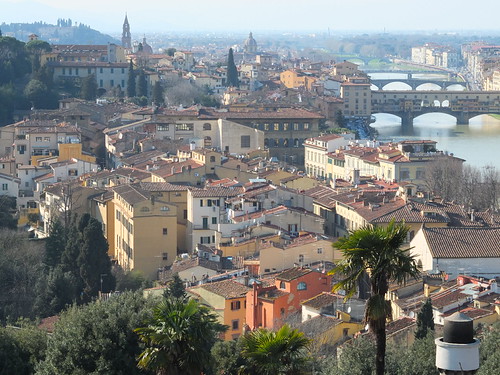
DSCF0404 by Kettlebell68, on Flickr
Right, getting there...
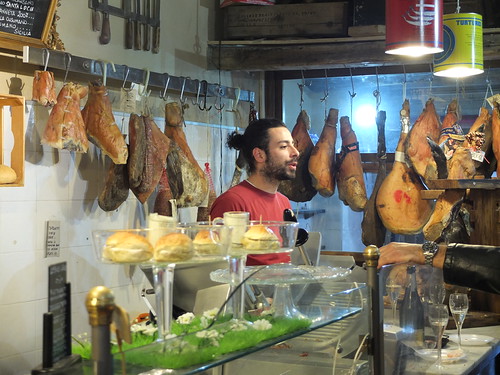
DSCF0421 by Kettlebell68, on Flickr
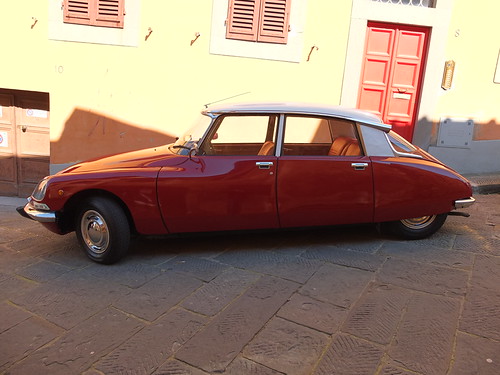
DSCF0402 by Kettlebell68, on Flickr
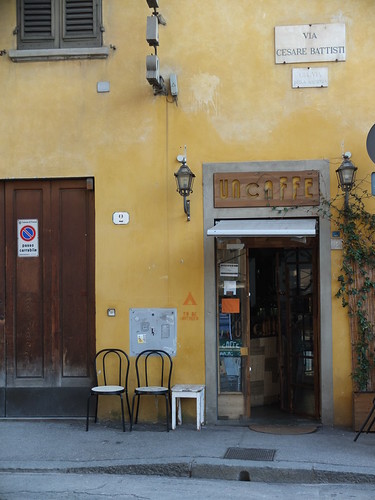
DSCF0356 by Kettlebell68, on Flickr
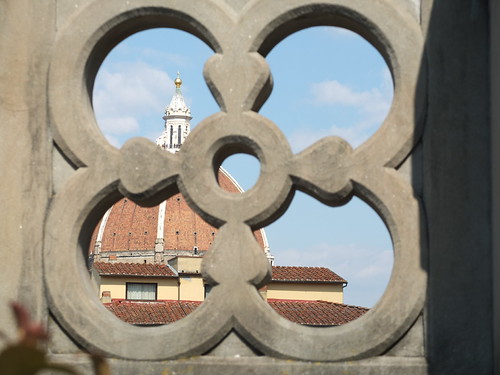
DSCF0398 by Kettlebell68, on Flickr
Last edited:
norrisphysio
Suspended / Banned
- Messages
- 220
- Name
- Chris
- Edit My Images
- Yes
DSCF0404 by Kettlebell68, on Flickr
Right, getting there...
DSCF0421 by Kettlebell68, on Flickr
DSCF0402 by Kettlebell68, on Flickr
DSCF0356 by Kettlebell68, on Flickr
DSCF0398 by Kettlebell68, on Flickr
Great to see that you posted some images, I really like those first 3 great place it seems not having been, love the cafe shot and the car, well done.
Very tasty!
robenroute
Suspended / Banned
- Messages
- 306
- Name
- Rob
- Edit My Images
- Yes
Thanks for the advice.
Just checked the card, its only a Class 4, which explains a few things maybe!!
Will invest in a better card.
Going to open a Flikr account and see how we go and get some of Florence up here.
Will be interested in your thoughts.
Hi Kettlebell,
Indeed, nice to see your images. The car shot is nice. Personally, I wouldn't have tilted the camera. The "horizon" is off. I think the shot would have been even more interesting with a picture showing the car parked down a sloping street. But then again, that's just my opinion :shrug:
Let us know how you fare with a better memory card...
Kettlebell
Suspended / Banned
- Messages
- 5
- Edit My Images
- Yes
Hi Kettlebell,
Indeed, nice to see your images. The car shot is nice. Personally, I wouldn't have tilted the camera. The "horizon" is off. I think the shot would have been even more interesting with a picture showing the car parked down a sloping street. But then again, that's just my opinion :shrug:
Let us know how you fare with a better memory card...
Funny thing is, thats exactly what i thought when i got home and downloaded to my PC.
Sloping street, more like a 1 in 10 hill!
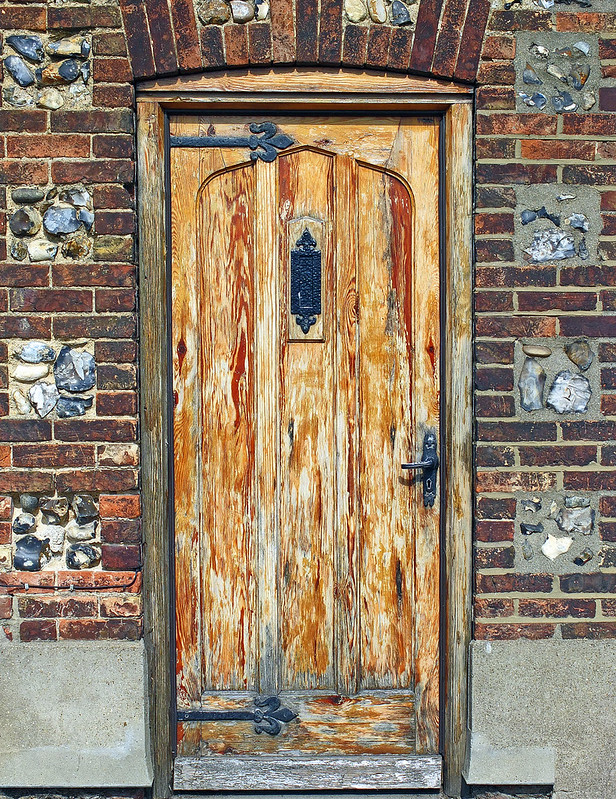
I also took a load of photos of various doors, and want to build them into a collage, built it on Photobox, look pretty good.

purplbutrfly
Suspended / Banned
- Messages
- 132
- Name
- Chie
- Edit My Images
- No
Chris, those pies got me all hungry for spring rolls! I like the colors you captured in that image!
norrisphysio
Suspended / Banned
- Messages
- 220
- Name
- Chris
- Edit My Images
- Yes
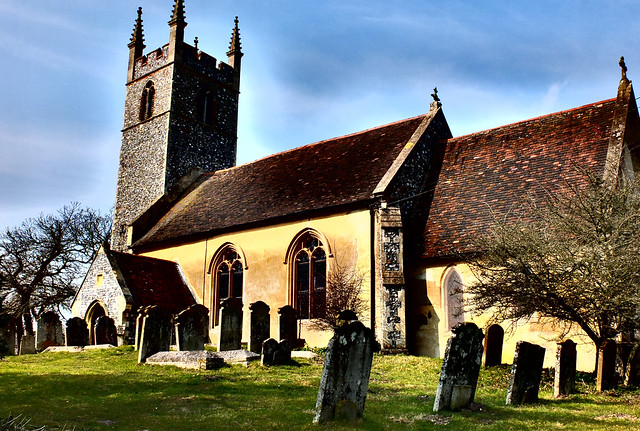
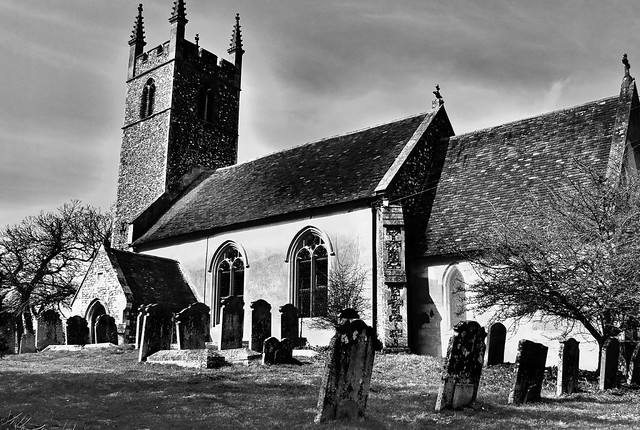
JPEGS straight out of the X10 - its a little belter!!
robenroute
Suspended / Banned
- Messages
- 306
- Name
- Rob
- Edit My Images
- Yes
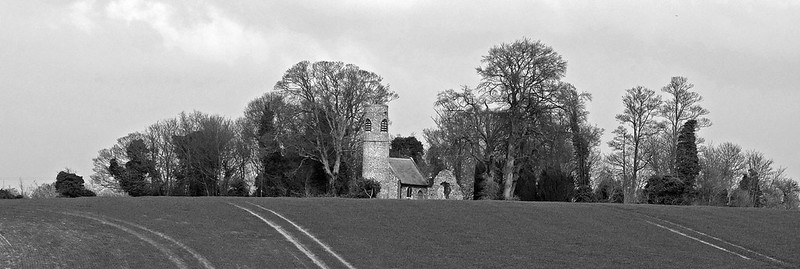
Simon, I do like that contrasty colour version of the church and graveyard. Colourful yet ominous...
robenroute
Suspended / Banned
- Messages
- 306
- Name
- Rob
- Edit My Images
- Yes
Thanks Rob I appreciate it might be a tad overdone hence the bw version, at least I had a go at something new which was fun, have you any recent ones to share? regards.
I don't think it's overdone, really. I would have darkened the sky a bit, though. But then again, there's an interesting contrast between the darkish building and the clear sunny sky now.
Caught up in loads of things at the moment, and no time (no peace, really) to go out and enjoy the X10.
Last edited:
Piscator Pete
Suspended / Banned
- Messages
- 227
- Name
- Pete
- Edit My Images
- Yes
Simon,
The B&W version is impressive, but the colours in the original image are, on my monitor, arresting. I really do like the impression of cold they convey, but it seems, relying on contrasty clarity rather than 'blue' for the effect: another image I keep coming back to - my sort of photo.
Pete

Rhodese
Suspended / Banned
- Messages
- 1,154
- Edit My Images
- Yes
Hi Simon, I pretty much go along with Pete's comments. In addition, I would like to have seen the tip of the spire in shot and the verticals corrected, both could be achieved in PS.
Simon have you done something with the sky? There seems to be an aura around the upper parts of the church and above the trees.
Rhodese.
Simon have you done something with the sky? There seems to be an aura around the upper parts of the church and above the trees.
Rhodese.
Hi Simon, I pretty much go along with Pete's comments. In addition, I would like to have seen the tip of the spire in shot and the verticals corrected, both could be achieved in PS.
Simon have you done something with the sky? There seems to be an aura around the upper parts of the church and above the trees.
Rhodese.
Nothing that I intended, it was an in camera HDR, I did try to tone it down a tad and that was the result, I agree with the spire comment, i was backed into a bush as it was and that was the best I could do, also agree with the verticals although my skills are limited with that, might have a go to see how it looks or feel free with edits etc, regards.
Rhodese
Suspended / Banned
- Messages
- 1,154
- Edit My Images
- Yes
The way that I approached it was to extend the canvas on the top and down the right hand side. I then made a selection of the new space at the top overlapping the original ever so slightly then filled it using content aware. Then using the transform - skew I corrected the verticals, the right hand side straying into the new canvas area. When it seemed ok to me I accepted the transform and then cropped to size, this left a small area on the bottom right that had to be filled.
Have a go on a copy, you then cant do any harm.

Rhodese.
Have a go on a copy, you then cant do any harm.
Rhodese.

- Messages
- 11,730
- Name
- Chris
- Edit My Images
- Yes
Simon, there's a lot to like about your image, but there's some strange haloing around the church that suggests that the PP might have been a bit heavy-handed... but it appears in the B&W conversion too. Was that done after PP or before?
Hi Chris, have looked at some others of that shoot, all have that halo some not so much, might have been whiter clouds behind the church?, was bright direct sunlight which may have caused it or more likely caused in camera due to HDR, its not altogether unpleasant to my eyes considering the setting. Just experimenting really since not had the x10 long. Regards.

Gary_Macleod
Suspended / Banned
- Messages
- 510
- Name
- Gary
- Edit My Images
- No
panorama shot today at work using 120 deg setting


AESamuel
Suspended / Banned
- Messages
- 443
- Name
- Asa
- Edit My Images
- Yes
panorama shot today at work using 120 deg setting
I don't seem to be able to view it any larger but I like it a lot!
Gary_Macleod
Suspended / Banned
- Messages
- 510
- Name
- Gary
- Edit My Images
- No
not sure how to make it available larger as i was restricted on size of upload maybe someone can advise...thanks for compliment tho
Heck Gary that is great, hope to find out how to access the 120/180 settings? but that manual does my head in especially after a glass or two of wine, well done I like that image...........what do you mean while at work? love to hear what it is you do, regards.
Gary_Macleod
Suspended / Banned
- Messages
- 510
- Name
- Gary
- Edit My Images
- No
hi simo, once in the pano setting press the control dial down wards and it opens up your different options for pano.
i work on Eriboll Estate on the North west coast of Scotland as Estate maintenance (or Dogs body for the layman haha) was out here today helping the shepherd get a sheep out of a bog, which we did successfully with a bit of lasso work from mysel lol
i work on Eriboll Estate on the North west coast of Scotland as Estate maintenance (or Dogs body for the layman haha) was out here today helping the shepherd get a sheep out of a bog, which we did successfully with a bit of lasso work from mysel lol