The Official Fuji X10/X20/X30/XF1/XQ1 Thread

Over the last year she's got more interested and now has a good understanding of stuff like aperture, shutter speed etc, and the effects that they have and will use the 5DIII without much guidance. Autofocus is normally her downfall as she prefers to switch it to all points etc, where as I'm more inclined to use single point, single point expanded or zonal, depending on what I'm doing. What is the Autofocus like on the X10? I prefer the look of the X10 to the XF-1.
 
Over the last year she's got more interested and now has a good understanding of stuff like aperture, shutter speed etc, and the effects that they have and will use the 5DIII without much guidance. Autofocus is normally her downfall as she prefers to switch it to all points etc, where as I'm more inclined to use single point, single point expanded or zonal, depending on what I'm doing. What is the Autofocus like on the X10? I prefer the look of the X10 to the XF-1.

Hi, Andy. Sounds like she knows her stuff then. The X10 has several AF options, including manually selecting one from a 7x7 grid (49 AF points). AF can be a little slow, compared to a DSLR. But in general, I'm not complaining about its AF performance; you'll just have to get used to it I suppose.

All in all, the X10 sounds like a choice you both could be happy with.
 
Last edited:
Hi all - just wondering about the X10 raw files. Earlier this week it was suggested that I should use LIghtroom 4 to convert RAW files whilst I ponder buying one of these cameras whilst I get past a shoulder injury... I have just googled Lightroom 4 and found a forum saying that this software is poor at FUJI! I just ordered a book about it too which arrived today [very big book]! Getting a bit confused - I have a MAC - if the jpegs are wonderful, maybe RAW [which I use with my DSLRs] isn't as necessary?
 
Andy: I'd echo the X10/20 as a good choice for someone learning how to handle a camera properly, easily accessible manual features, OVF and a form factor that confirms you are handling a decent camera rather than a slippery bad smelling bar of soap that you have to hold at arms length (aka small factor compact!).

Linda: I have no real issues processing the RAWs from camera in LR4, in LR you use the same process to manipulate the jpegs which respond well to treatment (barring degrading issues with multiple saves).
 
Last edited:
Bit of advice from you X10 owners if you don't mind.

I've been looking for a camera for my wife. She likes playing with my DSLRs but finds them a bit big, especially when she's out on her own with the kids. I've been looking at the X10 as it seems to be a 'compact' that I wouldn't mind using (my main cameras are 5DIII and 1D series cameras) when we are both out and about with the kids etc as the results seem very pleasing to the eye. I normally am a RAW shooter, she normally prefers jpg so she doesn't have to process etc. What are the RAWs like?

Do you think that the X10 is suitable?
While I'm thoroughly enjoying this thread, can I suggest the LX5 if you're counting the pennies? They're available for £219 and offer very similar performance & controls - no viewfinder but the wide angle range goes down to 24mm equivalent and they're quite a bit smaller. I'm half tempted by the Fuji myself but am not sure it'll give me anything more than I have already (and I'm broke).
 
While I'm thoroughly enjoying this thread, can I suggest the LX5 if you're counting the pennies? They're available for £219 and offer very similar performance & controls - no viewfinder but the wide angle range goes down to 24mm equivalent and they're quite a bit smaller. I'm half tempted by the Fuji myself but am not sure it'll give me anything more than I have already (and I'm broke).

I think they are two very different cameras. The presence of an OVF and the manual zoom lens are rather unique features. I actually tried the LX5 and although it's a very capable camera (and a tad smaller/more pocketable than the X10), it didn't feel as right in my hands as the X10. Mind you, I was used to Nikons (FM2, FE2, and F-801) and I was immediately "at home" holding the X10. People buy cameras based on specs, without actually holding them, trying them out. That's not the way to go, in my opinion. They ought to physically try them, before deciding on something that should act as an extension of their hands and eyes.

Fair enough, an X10 is a bit more expensive, but I do think that a second-hand one should be as affordable as an LX5.
 
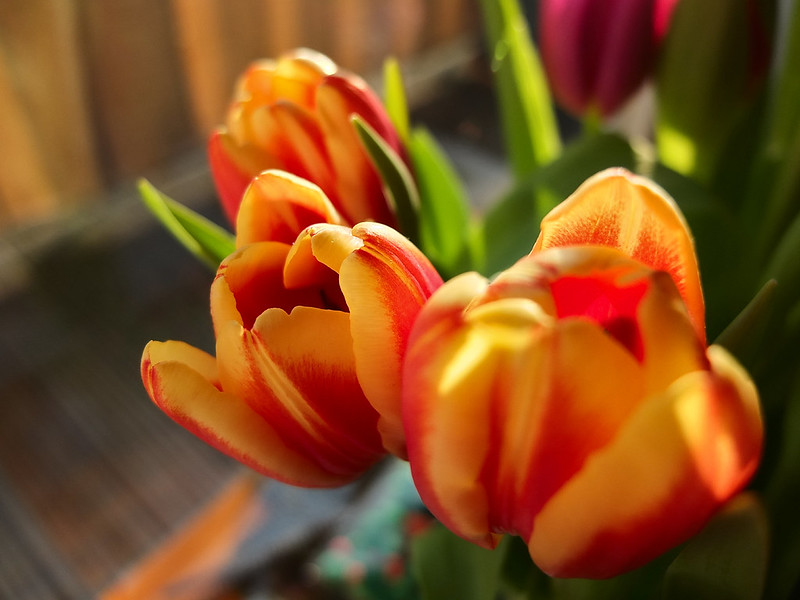
Rob, glorious sunny colours and good limited dof.

Cheers, Peter. I believe I put it in macro mode. Rest of the settings were P-mode, and M size (!). Apart from a minute tweak of the L-curve and the slightest of sharpening, nothing has been changed. Photos like these make me really happy.
 
Hi all - just wondering about the X10 raw files. Earlier this week it was suggested that I should use LIghtroom 4 to convert RAW files whilst I ponder buying one of these cameras whilst I get past a shoulder injury... I have just googled Lightroom 4 and found a forum saying that this software is poor at FUJI! I just ordered a book about it too which arrived today [very big book]! Getting a bit confused - I have a MAC - if the jpegs are wonderful, maybe RAW [which I use with my DSLRs] isn't as necessary?

Hey Linda - RAW not necessary and we've all had a try and getting good results from the RAW and to be honest none of us have really beaten the JPG output. I, like many others, recommend you just shoot JPG with the X10.
 
Hey Linda - RAW not necessary and we've all had a try and getting good results from the RAW and to be honest none of us have really beaten the JPG output. I, like many others, recommend you just shoot JPG with the X10.

:plusone: Luckily, the X10's JPGs offer a lot of latitude for editing/processing. I'm sometimes amazed by the amount of detail that can be recovered in highlights, but even more so in shadowy parts of pictures. As I'm mostly using Linux as my desktop computing environment, I get excellent results with a package called "Darktable" (which is, unfortunately for others, not available for Windows).
 
Last edited:
Thanks Rob and Souldeep - that's good news indeed, assuming the jpegs will download on a Mac? Linda
 
Thanks Rob and Souldeep - that's good news indeed, assuming the jpegs will download on a Mac? Linda

Macs are no different from PCs - a JPEG is a JPEG, is a JPEG. Been that way for so long now it's immaterial to put an exact timeframe on it.
 
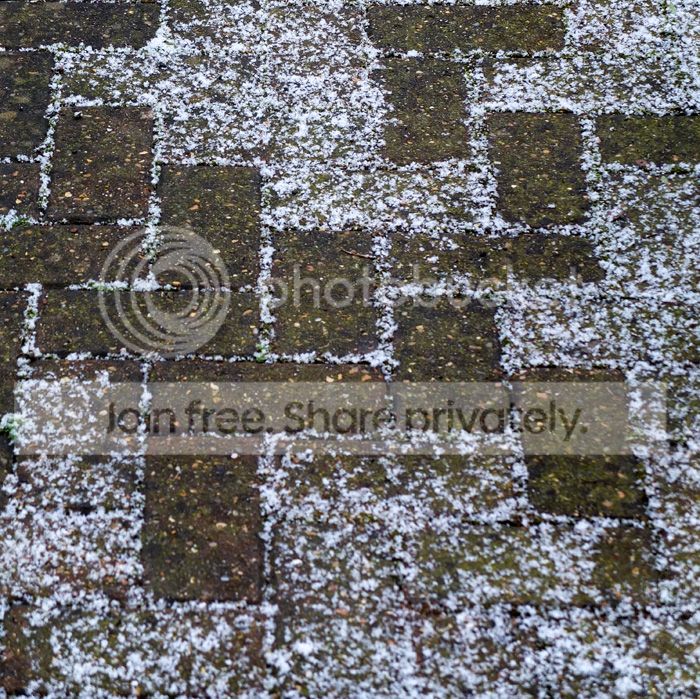
Unusual happening... snow dusting only took on certain pavers and gaps between.

pavers-web_zps4bcc7ab3.jpg
 
Macs are no different from PCs - a JPEG is a JPEG, is a JPEG. Been that way for so long now it's immaterial to put an exact timeframe on it.

True, but in particular the X10 imports fine to iPhoto, and also to Aperture, if you don't have Lightroom. There's no raw processing in either; if you really want to you can download DNG Converter for free from Adobe, and Aperture will certainly import the results and treat them as raws (ie off you the extra controls). But the results are pants. Not just "no better than" the JPEGS- pants! So if you're iPhoto inclined, stick to JPEGs...
 
Hey Linda - RAW not necessary and we've all had a try and getting good results from the RAW and to be honest none of us have really beaten the JPG output. I, like many others, recommend you just shoot JPG with the X10.

That's a sentiment I've read a lot recently.
I've done my thinking, and I'm still taking RAW.
I'd like to explain why....

Good enough....
Most times, the Adobe RAW conversions are more than good enough to print to A3.
The images don't stand up to Pixel Peeping (the JPEGs are better), but this isn't a problem I'm going to lose sleep over as I've never printed an X10 bigger than A3+.
There are a few exceptions where the RAW just isn't right, like the cyan seascape I posted recently. But I have a route to fix those using in-camera conversion which works fine.

Jam tomorrow...
When I got my X10, there was no RAW converter for Lightroom and I really didn't feel like integrating Sillkypix into my workflow; so I had a choice to take JPEG only or JPEG + RAW so I had the RAW files when the RAW converter became available. I stuck with JPEG only, and although I was happy with the JPEGs, quite a few people rightly questioned my decision.
At the time, the X10 was a fun pocket camera and was not meant to challenge my DSLRs for image quality, so JPEG was not a problem. We now find ourselves in a similar situation to when I got my X10, except the existing RAW converter is just about adequate for day to day use.

One of the significant differences is that I now trust the X10 to deliver the goods. When I got the X10 it was a pocket camera to support my DSLRs, not replace them; the X10 has proved much better than that. If I took a killer image with the X10, one that I'm going to keep coming back to, then I'd rather have the RAW. An improved RAW converter would allow me to go back and re-work my best images to make the most of them. If I take in JPEG, then I won't have that option.

For a long time, Adobe and Fuji have been hinting about improvements to the Adobe RAW converter. LindsayD recently hinted this is more than speculation, and I hope it won't be too long coming.
 
Last edited:
That's a sentiment I've read a lot recently.
I've done my thinking, and I'm still taking RAW.
I'd like to explain why....

Good enough....
Most times, the Adobe RAW conversions are more than good enough to print to A3.
The images don't stand up to Pixel Peeping (the JPEGs are better), but this isn't a problem I'm going to lose sleep over as I've never printed an X10 bigger than A3+.
There are a few exceptions where the RAW just isn't right, like the cyan seascape I posted recently. But I have a route to fix those using in-camera conversion which works fine.

Jam tomorrow...
When I got my X10, there was no RAW converter for Lightroom and I really didn't feel like integrating Sillkypix into my workflow; so I had a choice to take JPEG only or JPEG + RAW so I had the RAW files when the RAW converter became available. I stuck with JPEG only, and although I was happy with the JPEGs, quite a few people rightly questioned my decision.
At the time, the X10 was a fun pocket camera and was not meant to challenge my DSLRs for image quality, so JPEG was not a problem. We now find ourselves in a similar situation to when I got my X10, except the existing RAW converter is just about adequate for day to day use.

One of the significant differences is that I now trust the X10 to deliver the goods. When I got the X10 it was a pocket camera to support my DSLRs, not replace them; the X10 has proved much better than that. If I took a killer image with the X10, one that I'm going to keep coming back to, then I'd rather have the RAW. An improved RAW converter would allow me to go back and re-work my best images to make the most of them. If I take in JPEG, then I won't have that option.

For a long time, Adobe and Fuji have been hinting about improvements to the Adobe RAW converter. LindsayD recently hinted this is more than speculation, and I hope it won't be too long coming.

Great reasoning - I too have pondered over the "Do I save RAW for later use" idea but this reason has pretty much been eliminated by discussions of late. It appears that with Fuji products moving to one common sensor any new improvements to RAW conversion will be invested in the new Xtrans sensor algorithms, not the old "bespoke" sensor algorithms like that of the X10.

Makes sense for Fuji to do this - but us X10 users can forget any real further investment in our camera software or third party support.
 
Hey Linda - RAW not necessary and we've all had a try and getting good results from the RAW and to be honest none of us have really beaten the JPG output. I, like many others, recommend you just shoot JPG with the X10.

That's a sentiment I've read a lot recently.
I've done my thinking, and I'm still taking RAW.
I'd like to explain why....

Good enough....
Most times, the Adobe RAW conversions are more than good enough to print to A3.
The images don't stand up to Pixel Peeping (the JPEGs are better), but this isn't a problem I'm going to lose sleep over as I've never printed an X10 bigger than A3+.
There are a few exceptions where the RAW just isn't right, like the cyan seascape I posted recently. But I have a route to fix those using in-camera conversion which works fine.

Jam tomorrow...
When I got my X10, there was no RAW converter for Lightroom and I really didn't feel like integrating Sillkypix into my workflow; so I had a choice to take JPEG only or JPEG + RAW so I had the RAW files when the RAW converter became available. I stuck with JPEG only, and although I was happy with the JPEGs, quite a few people rightly questioned my decision.
At the time, the X10 was a fun pocket camera and was not meant to challenge my DSLRs for image quality, so JPEG was not a problem. We now find ourselves in a similar situation to when I got my X10, except the existing RAW converter is just about adequate for day to day use.

One of the significant differences is that I now trust the X10 to deliver the goods. When I got the X10 it was a pocket camera to support my DSLRs, not replace them; the X10 has proved much better than that. If I took a killer image with the X10, one that I'm going to keep coming back to, then I'd rather have the RAW. An improved RAW converter would allow me to go back and re-work my best images to make the most of them. If I take in JPEG, then I won't have that option.

For a long time, Adobe and Fuji have been hinting about improvements to the Adobe RAW converter. LindsayD recently hinted this is more than speculation, and I hope it won't be too long coming.


Fair enough, Duncan. However, as I showed earlier in this thread with your seascape picture, other RAW developers may introduce unwanted noise/graininess into the JPG. The results of developing X10 RAWs with other than the SilkyPix software vary, and this also depends on the pixel binning characteristics of the EXR sensor.

You also mention a point people often forget about: the X10 has a very capable in-camera RAW conversion possibility. It delivers the goods. It may sound silly, but I tend to forget about it all the time... :bang:
 
True, but in particular the X10 imports fine to iPhoto, and also to Aperture, if you don't have Lightroom. There's no raw processing in either; if you really want to you can download DNG Converter for free from Adobe, and Aperture will certainly import the results and treat them as raws (ie off you the extra controls). But the results are pants. Not just "no better than" the JPEGS- pants! So if you're iPhoto inclined, stick to JPEGs...

Not sure I follow how that relates to the post I made previously.
The member was unsure if OSX treated a JPEG differently from Windows, which it doesn't.
If a user wants to shoot RAW, then he/she can download and use SilkyPix to convert the .RAF file.
As has already been established, the JPEGs a Fujifilm outputs in Fine mode, have quite a bit of latitude for tweaking a fair bit, without noticeable loss of quality in the re-saved image.
See my reply back on page 178 or 179 - two other RAW conversion applications linked there.
 
Not sure I follow how that relates to the post I made previously.
The member was unsure if OSX treated a JPEG differently from Windows, which it doesn't.
If a user wants to shoot RAW, then he/she can download and use SilkyPix to convert the .RAF file.
As has already been established, the JPEGs a Fujifilm outputs in Fine mode, have quite a bit of latitude for tweaking a fair bit, without noticeable loss of quality in the re-saved image.
See my reply back on page 178 or 179 - two other RAW conversion applications linked there.

Hey Phil - I can see why Chris's reply seemed confusing :lol: I think his intention was to reply to both Linda and your response with the one quote however the quote button only copied your response (in the same way as I clicked quote on the last post and it's only copied your response).

I think Chris is a Mac user as well so he was explaining about the additional options Linda could consider to download direct from the X10 to the Mac. If I'm wrong I'll apologise now and :exit:
 
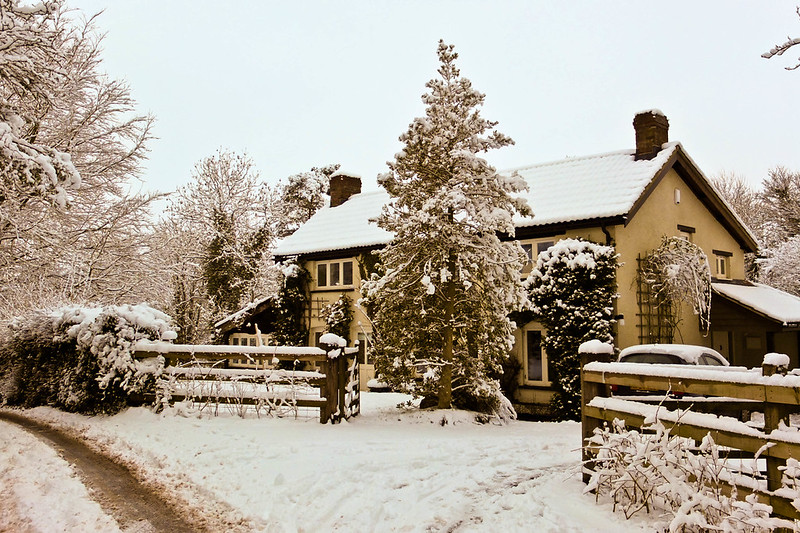
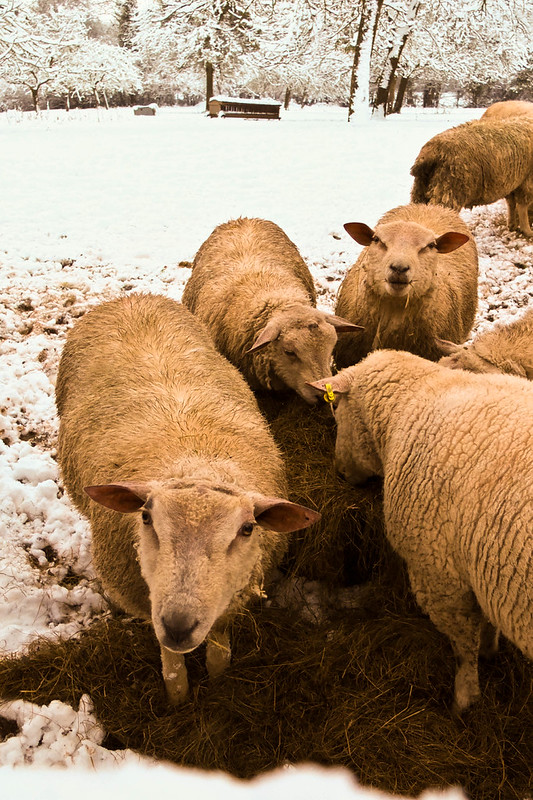
In trying to follow the debate about the various images that the X10 can output, I almost failed to notice that quite a bit of snow had fallen overnight, and was still falling. Mid-afternoon, when it had stopped, I ventured out with the camera, but sadly there was no sun to liven things up a bit. I passed this cottage, picturesque in any weather, and took the inevitable snap of it:


Snow 1 by wylyeangler, on Flickr

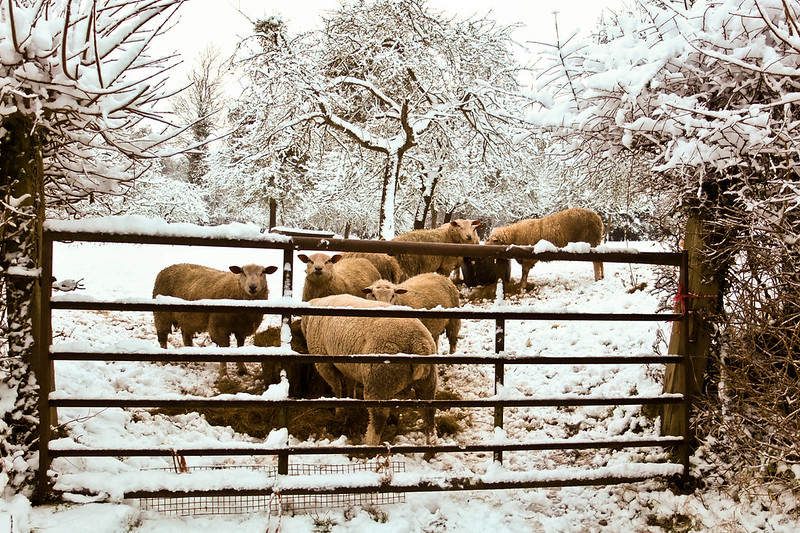
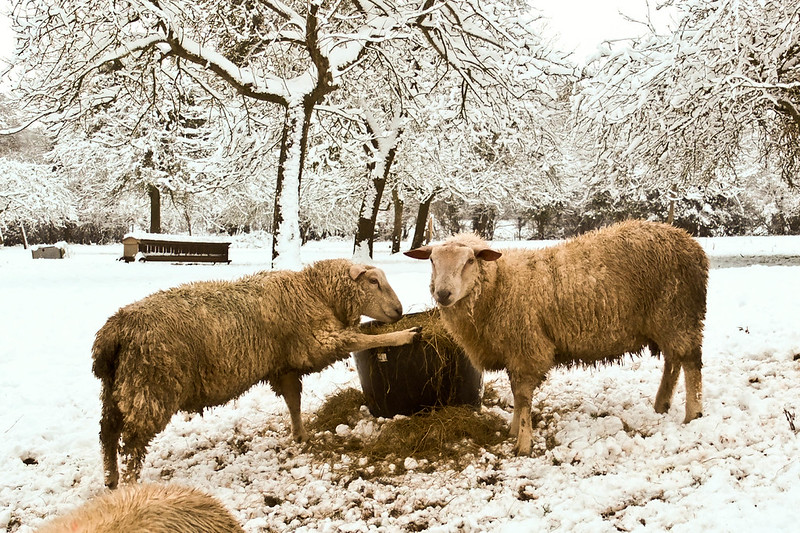
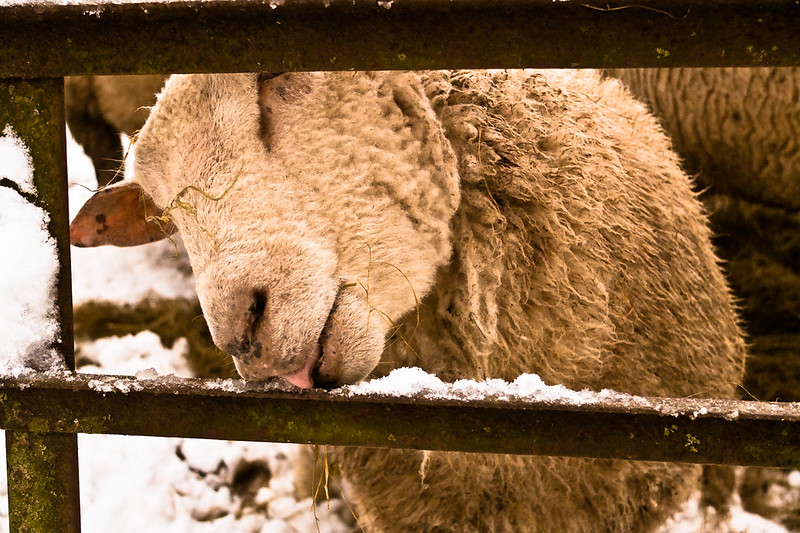
Any walk along country lanes here is punctuated by field gates, which either offer a view to dally over, or an accessible bit of hedge for more basic needs. This gate, however, delivered the unexpected, and for once the locals didn't scatter when they saw me:


Snow 2 by wylyeangler, on Flickr

[Clearly I was now recognised as being on the same sort of intellectual level, and one or two were polite enough to acknowledge me without trying to bolt into the next parish:


Snow 3 by wylyeangler, on Flickr

"I say is this grass RAW?"..."No dear, feel the quality - it's a JPEG!"


Snow 4 by wylyeangler, on Flickr

"Forget the fodder, girls, it's time for ices!"


Snow 5 by wylyeangler, on Flickr

Pete
 
Last edited:
In trying to follow the debate about the various images that the X10 can output, I almost failed to notice that quite a bit of snow had fallen overnight, and was still falling. Mid-afternoon, when it had stopped, I ventured out with the camera, but sadly there was no sun to liven things up a bit. I passed this cottage, picturesque in any weather, and took the inevitable snap of it:


Snow scene-1 by wylyeangler, on Flickr

Any walk along country lanes here is punctuated by field gates, which either offer a view to dally over, or an accessible bit of hedge for more basic needs. This gate, however, delivered the unexpected, and for once the locals didn't scatter when they saw me:


Snow 2 by wylyeangler, on Flickr

Clearly I was now recognised as being on the same sort of intellectual level, and one or two were polite enough to acknowledge me without trying to bolt into the next parish:


Snow 3 by wylyeangler, on Flickr

"I say is this grass RAW?"..."No dear, feel the quality - it's a JPEG!"


Snow 4 by wylyeangler, on Flickr

"Forget the fodder, girls, it's time for ices!"


Snow 5 by wylyeangler, on Flickr

Pete

Nice account of your walkabout, Pete. I did notice, however, your pictures "featuring" a greenish sheen. Or is that my monitor? :thinking:
 
Nice account of your walkabout, Pete. I did notice, however, your pictures "featuring" a greenish sheen. Or is that my monitor? :thinking:

Thanks Rob - no not your monitor! I hadn't before taken snow shots with the X10, and am having trouble getting the colour temperature compensation to my satisfaction in PP. I thought that they were OK until I stuck them on Flickr. Thanks for confirming it.

Thanks to you Martyn too - I have to do something different with the X10: can't hope to match the standard of you lot!

Pete
 
Pete - set the white balance for snow. You could also test the SP mode for snow tomorrow if you don't think the sheep will find it a bit "familiar" visiting them two days in a row ;)
 
Pete - set the white balance for snow. You could also test the SP mode for snow tomorrow if you don't think the sheep will find it a bit "familiar" visiting them two days in a row ;)

Good idea, Martyn - I haven't used the Custom White Balance feature yet. I did try the snow setting in SP mode today, and the colours were OK straight out of the camera. Trouble with SP is that it is near automatic and control over aperture is lost, although the quality of the photos from its settings (that I have so far tried) is very good.

Today, I just dialled up 'cloudy' in WB (there was no sun), but the result was a blue cast. Without snow, I find that this setting copes with shade/cloud very well. I'm not quite sure why this should be: after all, the snow is only reflecting the light that has penetrated the clouds in both cases. Perhaps snow further absorbs the red end of the spectrum to some extent.

The sheep'll be there, but will the snow?

Pete
 
Good idea, Martyn - I haven't used the Custom White Balance feature yet. I did try the snow setting in SP mode today, and the colours were OK straight out of the camera. Trouble with SP is that it is near automatic and control over aperture is lost, although the quality of the photos from its settings (that I have so far tried) is very good.

Today, I just dialled up 'cloudy' in WB (there was no sun), but the result was a blue cast. Without snow, I find that this setting copes with shade/cloud very well. I'm not quite sure why this should be: after all, the snow is only reflecting the light that has penetrated the clouds in both cases. Perhaps snow further absorbs the red end of the spectrum to some extent.

The sheep'll be there, but will the snow?

Pete

Pete, have you tried AWB? Seems to work (most of the time) for me.
 
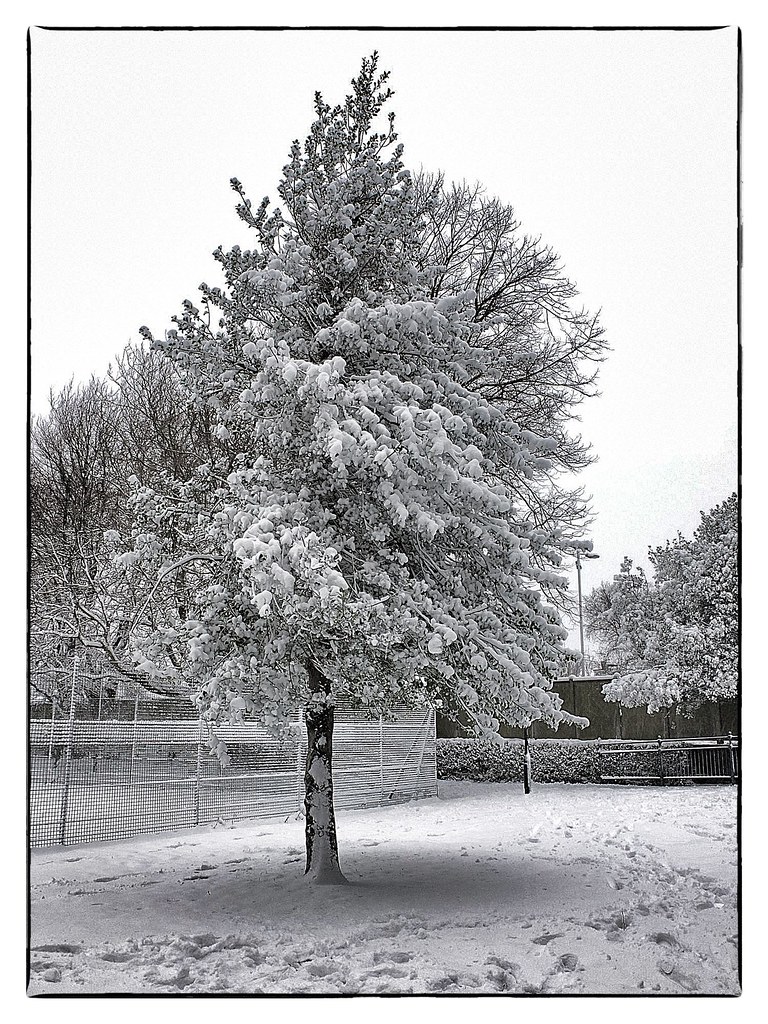
I thought add a few more shots to the mix. All taken this morning during a walk into Havant - nothing special just a shopping trip. As always I had a camera........my X10 with me. All taken in JPEG in Aperture Priority mode with +1 exposure compensation and processed using Snapseed:

A tree in my local park:


Tree by Keith Burton, on Flickr

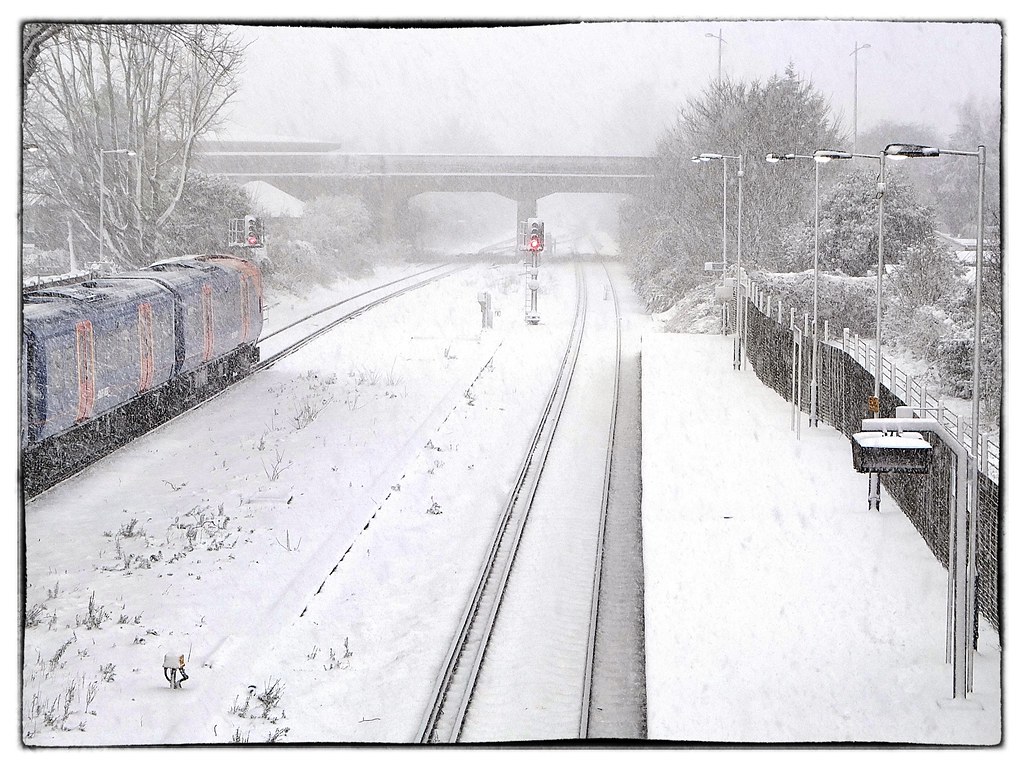
The view from the footbridge over the track at Havant station:


Station by Keith Burton, on Flickr

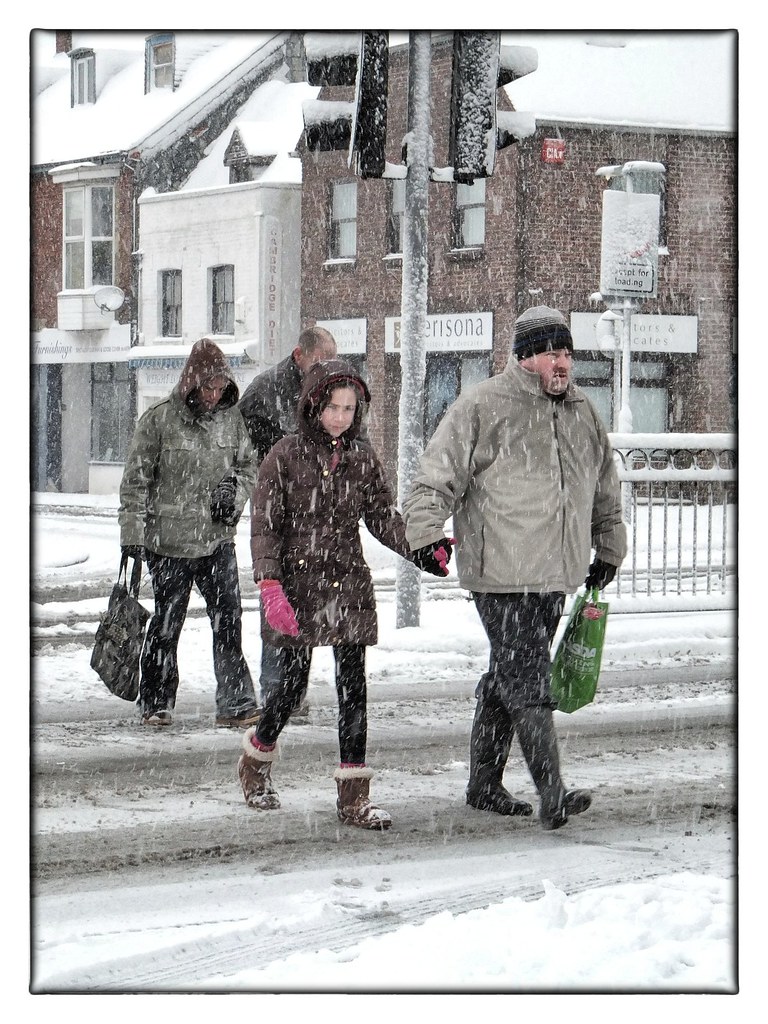
Crossing the road:


Walking in the Snow by Keith Burton, on Flickr

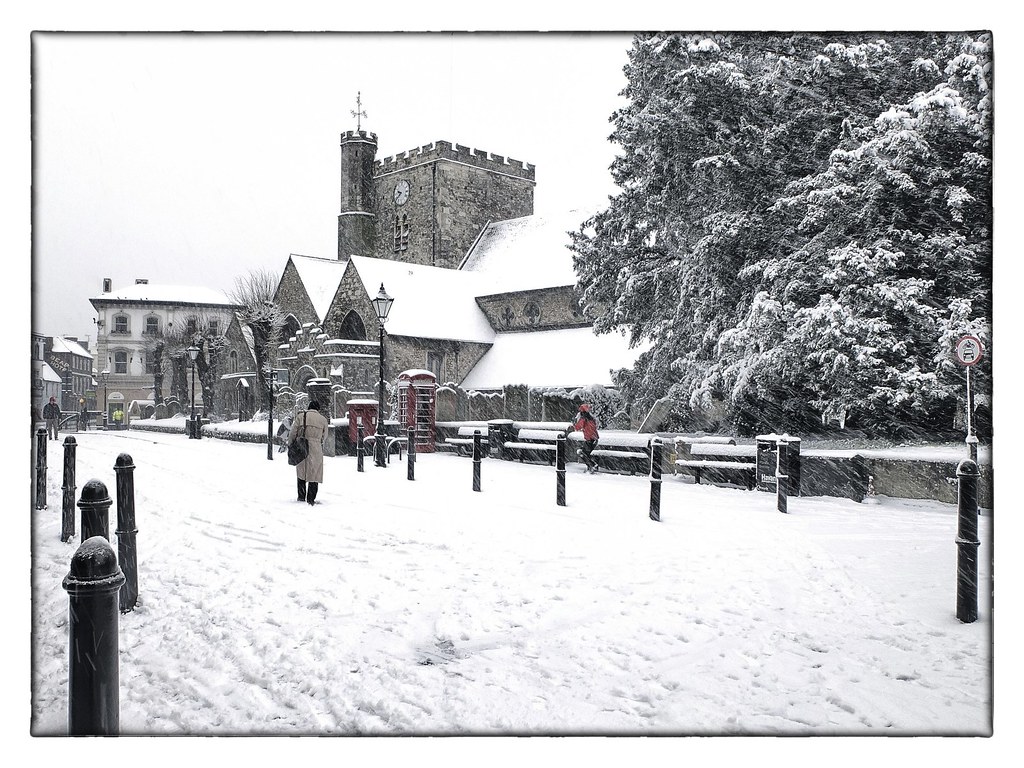
St Faith's Church:


St Faith's Church by Keith Burton, on Flickr

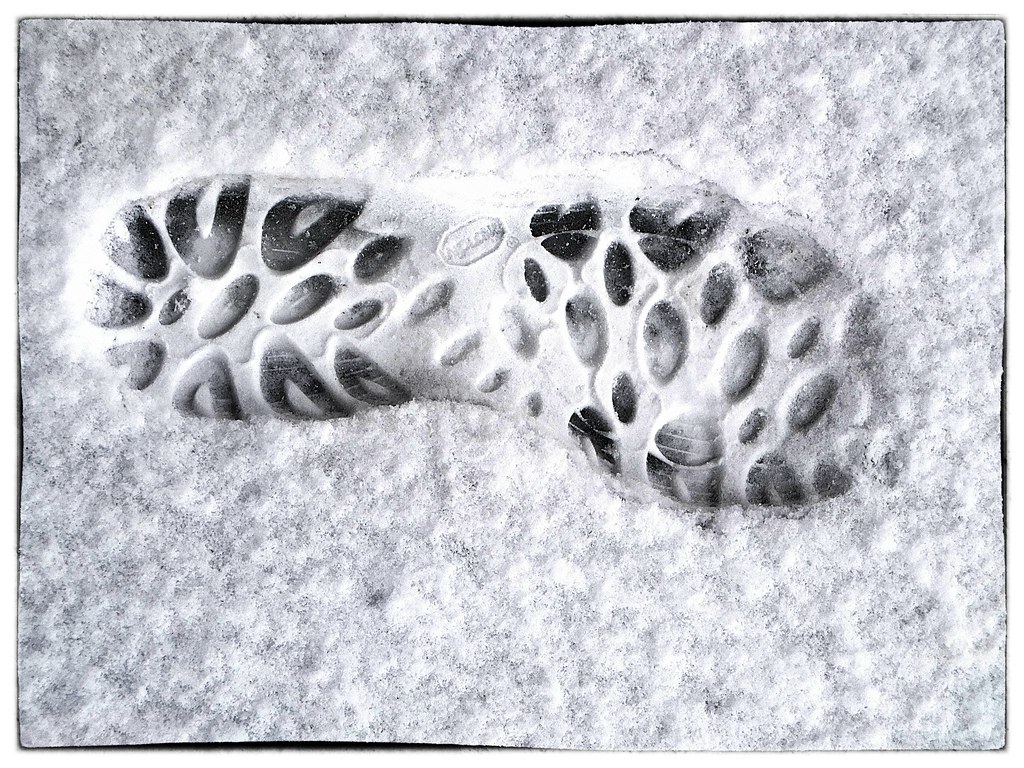
A footprint in the snow:


Footprint by Keith Burton, on Flickr
 
Hey Keith - great little set. I especially like the framing - the dark rustic edge really sets off the snow in the shots. The train station one is interesting - looks almost black and white except for the signal light and the train. Makes for an interesting composition.
 
Hey Keith - great little set. I especially like the framing - the dark rustic edge really sets off the snow in the shots. The train station one is interesting - looks almost black and white except for the signal light and the train. Makes for an interesting composition.


Thanks mate. I continue to be impressed with the X10.....it got quite wet yesterday as well but didn't miss a beat. Snapseed is a brilliant little app for quick and easy editing and comes with loads of pre-sets including a variety of frames.

I've also been looking at your most recent shots........which are awesome!
 
Pete, have you tried AWB? Seems to work (most of the time) for me.

Yes Rob, I use automatic White Balance most of the time. It seems to deal with sunlight and artificial light of most types extremely well. For me, cloudy days and/or dense shade seem a no-no for AWB and are a reminder to do something about it; snow scenes excepted it seems.

By the way, I've edited the 'sheep post', now giving a lie to the comment you originally made about it! The images aren't perfect in the colour balance department, but they certainly ain't 'cold' anymore! My original error was caused by not believing my eyes when a blue/green blush was apparent even after stacks of correction.

The snow is still with us here - and the overcast - and so I shall go on another ramble in a mo to try out WB in its different options as Martyn has suggested.

Pete
 
By the way, I've edited the 'sheep post', now giving a lie to the comment you originally made about it! The images aren't perfect in the colour balance department, but they certainly ain't 'cold' anymore! My original error was caused by not believing my eyes when a blue/green blush was apparent even after stacks of correction.

I'm afraid I think you have gone a bit far - they look somewhere between medium and well-done; in other words, a tad over cooked.
They almost look like sepia toned black and whites!
 
Does the X10 WB not have a K setting, where you can choose from 2500ºK to 10000ºK in 30 preset steps, as my X-S1 does?
 
It seems many years since Adobe had their previous raw processor, it was as poor as silkipix ... they bought out the original developers of ACR ( the best raw processor around) and incorporated it as a module in Photoshop. Even today it is a module.

I can not see any reason why Adobe should feel obliged to incorporate Fuji raw at their own expense, when it is obviously so different to the usual Bayer process. It may well involve far more than simply adding a new camera module. It may intrude on the fundamental working of the programme.

Adobe may eventually allocate recourses to the project for completeness sake, though I doubt it would effect their sales in any way if they did not, as most Fuji users already own Lightroom or Photoshop for use with their other equipment.

It is clearly more of a problem to Fuji and must effect their sales of their new cameras.
It is like inventing a new exclusive film size, and expecting everyone to make and stock it.

Fuji thinking is not Joined up... I for one, will not purchase another of their cameras till they have full Adobe raw support.
The ball is firmly in Fuji's court.
 
Hi All
can I run a quick question past you, i have an x10, and im getting mixed results with it-im getting a lot of slightly out of focus images, it seems to be any 'snaps'of people, its like the auto focus takes a long time and I miss the shot particularly in low light....
Im fairly amateur with my knowledge, but can anyone share there settings with me and advice on the AF switch, I had it on AF-S and tended to use EXR or Simple mode, I have 2.0 firmware also
Thanks in advance
:)
 
I'm afraid I think you have gone a bit far - they look somewhere between medium and well-done; in other words, a tad over cooked.
They almost look like sepia toned black and whites!

Yes I have gone a tad too far, and the difficult light so late in the afternoon didn't help.

Of course, snow shots in the winter countryside with its dull olive browns and greens laced with mud are going to look a bit monochromatic in a sort of sepia when they are the only hues that poke through the snow! There is no doubt that my 'sheep shots' in the cyan that Rob pointed out, looked prettier in that colour, but that despite some distortion, the revision was much closer to what I saw with the eye. I reckon many folk associate snow with the blue cast so often present in representative photos, that it becomes their reality for such scenes - a clear case, long established, of life copying art!

Martyn, I think a little mischievously hinting at a prediliction for sheep, suggested I go and photograph 'em again using the custom WB! There was problem, and so instead I snapped the cottage in aperture priority, first using auto WB, then 'custom', thirdly 'shade', and finally using "Snow" in "SP" mode that offers no control over colour temperature. All the photographs that follow are straight out of the camera and have never been near PP software:

1. Auto WB
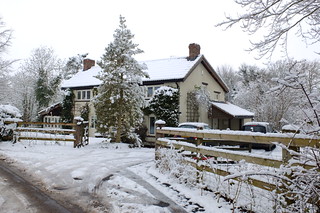

A1 by wylyeangler, on Flickr

2. Custom WB - here my reference was virgin snow in the same light as the subject:
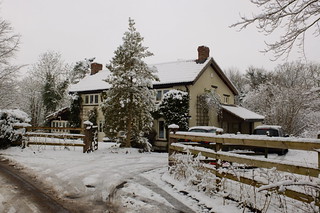

C1 by wylyeangler, on Flickr

3. Shade WB - usually this works well for me on cloudy days and/or shade; not sure when snow's about.
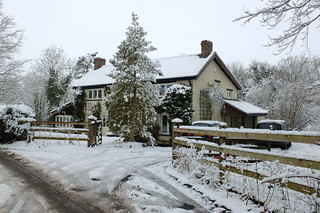

S1 by wylyeangler, on Flickr

4. SP mode "Snow" - perhaps for use in on sunlit snow.
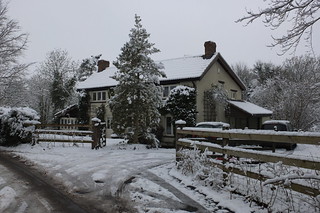

SP Snow mode by wylyeangler, on Flickr

To my eye, all the shots except number 2 are too 'blue'. Number 3, the WB choice of yesterday seems a bit greenish to me, and this might be what Rob picked up, even after some PP.

I shall admit that no. 2 is the least attractive, but to my eye is the most accurate and therefore the one I feel I should use (remember I'm no artist with a camera or anything else).

Now the "problem" with the sheep was that true to usual form, they did a runner soon after I got there, and so was not able to get comparative shots. However, I did get this one, taken using the custom WB on the suggestion of Martyn, and which I shall continue to use in similar conditions. I don't think the colour balance is widely different from my original photos revised in PP:
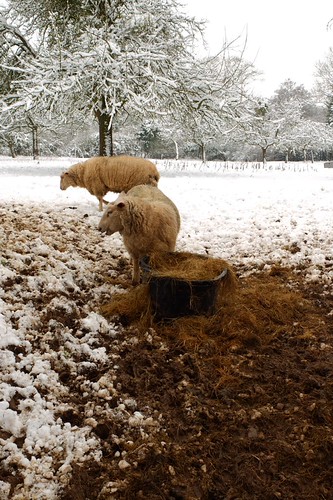

Custom 1 by wylyeangler, on Flickr

Pete

 
Back
Top