The Official Fuji X10/X20/X30/XF1/XQ1 Thread

Out by about 5 degrees or so. All my landscapes were tipped up to the left
Didnt try panoramas but I guess if you are relying on the level, and it isn't, nothing will
Line up properly

So, just waiting on Mr City Link now. Fuji said its being delivered today

Allan
 
My first contribution to this thread image-wise


Our new neighbour by Jen (255), on Flickr

It's been an incredibly busy week, I have just moved 200 miles away, so am looking forward to a trip to the park with this little camera later :)
 
My first contribution to this thread image-wise


Our new neighbour by Jen (255), on Flickr

It's been an incredibly busy week, I have just moved 200 miles away, so am looking forward to a trip to the park with this little camera later :)

Lovely composition and nice shallow DOF. Great first photo post and look forward to more :-)
 
Out by about 5 degrees or so. All my landscapes were tipped up to the left
Didnt try panoramas but I guess if you are relying on the level, and it isn't, nothing will
Line up properly

So, just waiting on Mr City Link now. Fuji said its being delivered today

Allan

Oh dear oh dear. My camera is in transit on way to Fuji for the sensor swap now. By the sounds of what a few of you have said I will be lucky to get it back in time for my far east trip. I won't have a chance to send it back if a problem like horizontal lines are out :eek:
 
Mr City Link turned up around midday with my replacement X10
Very disappointed. My camera was mint, this one looks well used with paint chips missing, a small scratch on the LCD screen and two deep scratches on the lens body.
Looks like the guy on QC at Fuji should go to specsavers!
I have asked them to replace it with a new one or authorise Jessops to replace it. Just waiting to hear back from them.

Mumble mumble chunter chunter.......... :shake:

Allan
 
In an attempt to get my money back for the insufficient funds to send my box for replacement from fuji I e-mailed them a picture of the box that shows the sticker with my address and an ID number that fuji put on there as well as the sticker stating how much I had to pay, and I also sent them the online receipt page that I saved when I paid for it online. They've e-mailed back asking for a copy of the "posting receipt", but you can only get those if you are the sender, right? What the hell are they asking for?
 
In an attempt to get my money back for the insufficient funds to send my box for replacement from fuji I e-mailed them a picture of the box that shows the sticker with my address and an ID number that fuji put on there as well as the sticker stating how much I had to pay, and I also sent them the online receipt page that I saved when I paid for it online. They've e-mailed back asking for a copy of the "posting receipt", but you can only get those if you are the sender, right? What the hell are they asking for?

I was thinking to send them the (cut out) cardboard bit from the box, which has two labels on it. One is my address plus a Fuji repair number. The other (yellow in my case) is from RM saying "Postage unpaid deficient postage £2.20- Handling Fee £1- To Pay £3.20". They are close together so I don't have to send them two bits of cardboard, which might look suspicious!
 
In an attempt to get my money back for the insufficient funds to send my box for replacement from fuji I e-mailed them a picture of the box that shows the sticker with my address and an ID number that fuji put on there as well as the sticker stating how much I had to pay, and I also sent them the online receipt page that I saved when I paid for it online. They've e-mailed back asking for a copy of the "posting receipt", but you can only get those if you are the sender, right? What the hell are they asking for?

a smack?

sorry:)

Service from fuji seems very inconsistent, a few having good experience whilst others ... Does it depend on which technician services your camera
 
Last edited:
Am I going mad? It says in the manual that to change shutter speed/aperture relationship I have to turn the main command dial. Nothing happens. I don’t see the settings until I press the shutter release half way and turning the dial produces no change. Am I doing something wrong?
 
Doesn't sound good at all! Have you checked the serial number to make sure its your original camera? Fuji sent me back someone else's camera, I hadn't even noticed until Fuji wanted it back.


Mr City Link turned up around midday with my replacement X10
Very disappointed. My camera was mint, this one looks well used with paint chips missing, a small scratch on the LCD screen and two deep scratches on the lens body.
Looks like the guy on QC at Fuji should go to specsavers!
I have asked them to replace it with a new one or authorise Jessops to replace it. Just waiting to hear back from them.

Mumble mumble chunter chunter.......... :shake:

Allan
 
Doesn't sound good at all! Have you checked the serial number to make sure its your original camera? Fuji sent me back someone else's camera, I hadn't even noticed until Fuji wanted it back.

They told me they were sending me a replacement camera so I knew I wasn't getting mine. I foolishly assumed it would be a new one or a very mint refurb. Turns out its got a lot of marks and scratches, the thumb pad is peeling off and the "leather" covering is lifting in a couple of places. They are sending me a pre paid box.................

I asked what they were going to do and it seems they are going to inspect it and it is possible I will get a new camera.

Well, I don't want anything that doesn't look brand new
Starting to lose a little faith in fuji. If their cameras didn't produce such good images I would call it day and ask for a refund

I must say though, the images out of this "new" camera are superb. Not a hint of noise or artefacts till you screw the ISO right up

I will be using it at the weekend at a local village fete (or fun day as they like to call it), to see how it performs

Only trouble is, I will be working There is a classic car show there though
Allan
 
Am I going mad? It says in the manual that to change shutter speed/aperture relationship I have to turn the main command dial. Nothing happens. I don’t see the settings until I press the shutter release half way and turning the dial produces no change. Am I doing something wrong?

If you are in Auto EXR or P mode you have handed the control of those things to the cameras computer. You need to be in S. A or M mode to control them your self.
 
If you are in Auto EXR or P mode you have handed the control of those things to the cameras computer. You need to be in S. A or M mode to control them your self.

I think you can change aperture & speed in P mode if you're not in Auto ISO?
 
First time out with my X10 today,only problem was I forgot to use RAW! overall i'm happy with it so far,the zoom is a little fiddly to use but i'll get used to that.
Anyway heres a quick snap from a very hot and busy Brighton that I took with it today.

DSCF0076.jpg
 
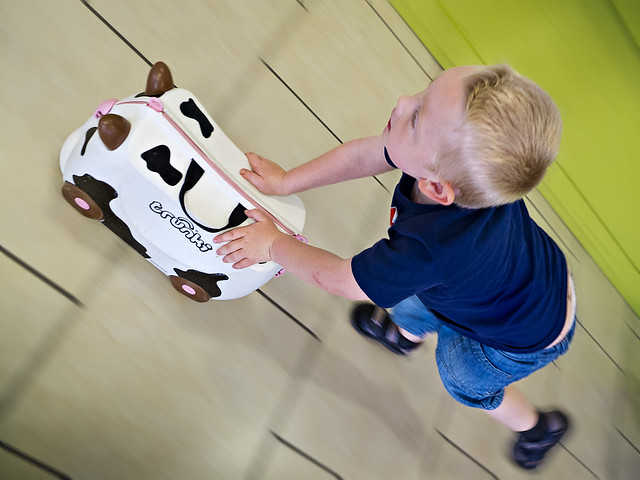
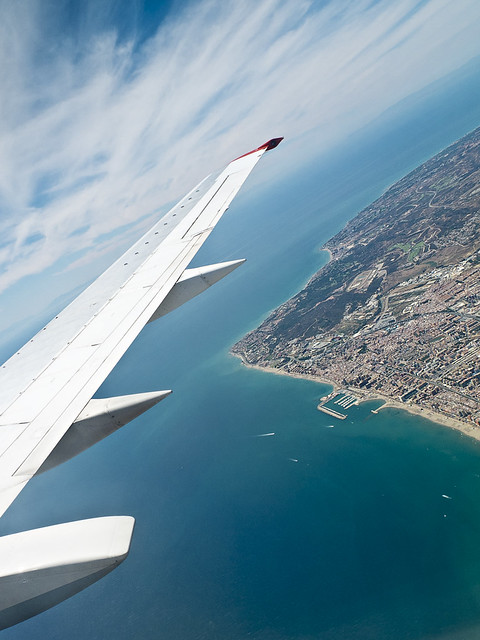
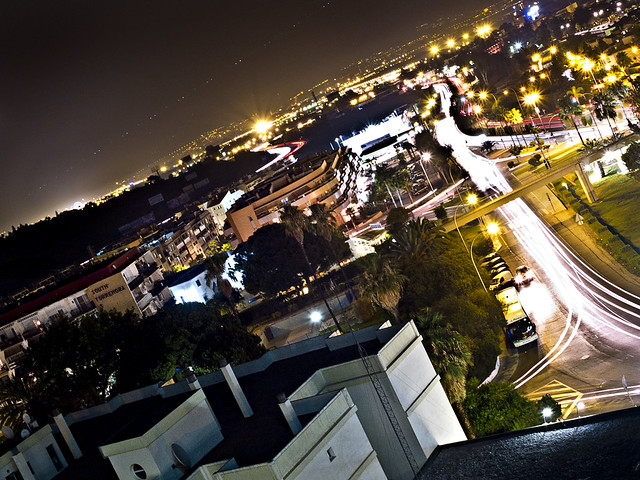
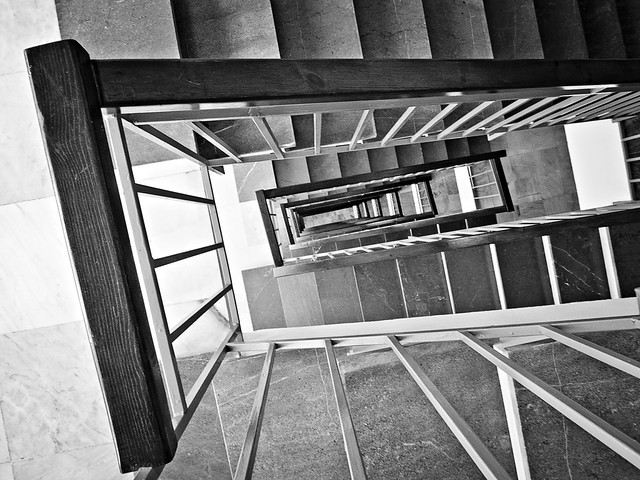
I got my X10 a week before I went on holiday (spain) one of the reasons for buying was to travel light... I spent some time getting familure with it on holiday and am very impressed... a lot less moaning from the other half too;):D

Here's some of my favourites

Trunki by lens-flare, on Flickr


Costa Del Sol by lens-flare, on Flickr


Torremolinos by lens-flare, on Flickr


Down? by lens-flare, on Flickr


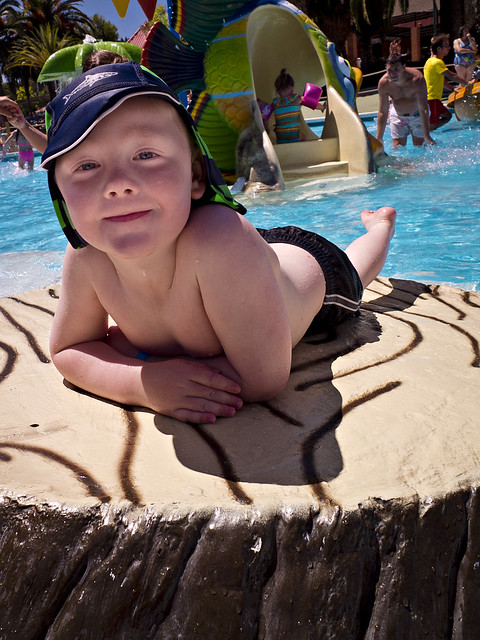
Aquapark by lens-flare, on Flickr


Aquapark II by lens-flare, on Flickr

Going to keep playing with this great little camera, more to it than I thought:)
 
I think you can change aperture & speed in P mode if you're not in Auto ISO?

Correct, with the addition that you can't be in auto DR either.

I shoot mostly in P most with the ISO set to 100, for the most part that does me fine. I prefer it to A or S mode because I know that if I take a picture and the light changes the camera will compensate. If you're in A mode and at F2 while zoomed right in you can't go past 1/1000 shutter, and in bright sunlight that ain't a good thing! For most who shoot with the screen that's not too much of a bother but I am a viewfinder kinda guy, and having no exposure confirmation in the viewfinder I need the extra security of P mode. I still get to choose what kinda of aperture and shutter speed I want, but it offers more safety than A or S.
 
Does anyone have any suggestions for settings for the camera? Especially in JPEG? Sharpness, DR, noise reduction etc etc? Also is the lens hood and filter ring adaptor worth it?

Anyone use this: http://www.ebay.co.uk/itm/NEW-LIMs-...adaptors_ET&hash=item3a70ef7bb6#ht_8048wt_954

Or the roxsen hood?

I've left all those settings as they are and been pretty happy with it. I don't have an adaptor ring; using a Marumi 40mm UV filter which seems to work fine. Very interested in that hood you've found though!
 
Hi Stranger - great set of photos!!!

I love the way you moved the camera with the subject in number 1.

Number 3 is a great neon capture - shutter delay and tripod I'm guessing for that shot.

Great choice of B&W for the subject in number 4 and number 5 is a truly great freeze frame with the way you've caught the water splash.

Last one may have benefited from a shallow DOF but still a nice shot.

:thumbsup:
 
Last edited:
I got my X10 a week before I went on holiday (spain) one of the reasons for buying was to travel light... I spent some time getting familure with it on holiday and am very impressed... a lot less moaning from the other half too;):D

Stunning set!
Looks like the X10 did you proud :)

Does anyone have any suggestions for settings for the camera? Especially in JPEG? Sharpness, DR, noise reduction etc etc? Also is the lens hood and filter ring adaptor worth it?

Anyone use this: http://www.ebay.co.uk/itm/NEW-LIMs-...adaptors_ET&hash=item3a70ef7bb6#ht_8048wt_954

Or the roxsen hood?

Need to check if that hood vignettes at the widest zoom as it is an awful lot narrower than the Fuji hood.
I bought a replica fuji hood off eBay and rarely use it as the X10 is extremely resistant to flare.
I've got an ND and no longer use it as the flare is unacceptable, but the IR filter works very well.

As for settings...
Left on its own, the X10 does extremely well.
I tend to use the X10 in P than in A as max shutter speed is easily exceeded in good light and P does its best to avoid the problem. I will use A, but only when I want to do something specific.
Sharpness is fine at the factory settings, but if you PP everything then reducing the sharpness one notch will give you images slightly easier to work with but may need extra sharpening in PP.

As for DR....
Depends whether you like taking RAW or not.
I take RAW, so DR is set to DR 100. It doesn't affect the amount of highlight / shadow recovery available in PP and the X10 doesn't unexpectedly up the ISO in bright light.
When I was taking JPEG, I used DR Auto and it was VERY good.
 
I haven't used my X10 for a month. It's sliding slowly towards The Drawer of Unused Cameras. :'(
 
I haven't used my X10 for a month. It's sliding slowly towards The Drawer of Unused Cameras. :'(

Shame - I would like to see some more of your minatures (tilt/shift) via the X10. Loved the ones on your FLICKR site.
 
I might start using it again, mainly for close ups - which is what I do find it really good for.
 
Calling all Lightroom users!

I know it's not the X10's fault - but in Lightroom I get colour bleed (I think that is what you would clal it) when I starting playing certain sliders - especially clarity.

Have any of you witnessed it? I can see on an XPRO forum they have also had similar issues. If you are interested check out http://www.ishootshows.com/2012/05/30/lightroom-4-1-raw-conversion-issues-with-fuji-x-pro1/

I don't know how to get rid of it inside lightroom. I've even tried using disable/enable 'Remove Chromatic Chromatic Aberration.'

This tends to be most pronounced on images with blue skies. it looks almost like dust shadows off the top of an object or mountain bleeding into the blue of the sky.
 
Last edited:
Calling all Lightroom users!

I know it's not the X10's fault - but in Lightroom I get colour bleed (I think that is what you would clal it) when I starting playing certain sliders - especially luminance.

Have any of you witnessed it? I can see on an XPRO forum they have also had similar issues. If you are interested check out http://www.ishootshows.com/2012/05/30/lightroom-4-1-raw-conversion-issues-with-fuji-x-pro1/

I don't know how to get rid of it inside lightroom. I've even tried using disable/enable 'Remove Chromatic Chromatic Aberration.'

This tends to be most pronounced on images with blue skies. it looks almost like dust shadows off the top of an object or mountain bleeding into the blue of the sky.

Pretty much what I have been saying for some while.
Adobe seems unwilling to use the code given to them by Fuji for their non Beyer sensors. Perhaps the Adobe raw converter is not really compatible.

It seems no one is offering a raw converter that ticks all the boxes for Fuji sensors. Or that can make uses of their corrections as used in camera, for distortion and CA. Sound more like won't than can't.
 
Pretty much what I have been saying for some while.
Adobe seems unwilling to use the code given to them by Fuji for their non Beyer sensors. Perhaps the Adobe raw converter is not really compatible.

It seems no one is offering a raw converter that ticks all the boxes for Fuji sensors. Or that can make uses of their corrections as used in camera, for distortion and CA. Sound more like won't than can't.

Thing is the same things happens with JPEG processing in LR4.1. So that suggests its not the RAW conversion right?

Seems my only choice is to sort it in PS, pixel level, post LS processing then?
 
Last edited:
Well.......
I downloaded the X100 RAW and JPEG from that X100 link and I can see the problem.
But I'm blowed if I can find it in my own X10 images. I can find examples of big colour differences RAWvJPEG and big contrast differences RAWvJPEG, but no bleeding.
That was all with the old sensor though....
Got any X10 samples showing this problem you could share?

It's worth noting that with the X100 samples I reckon there is no way you'd see that on an A3 print.
This is probably only a problem for pixel peepers.
 
Well.......
I downloaded the X100 RAW and JPEG from that X100 link and I can see the problem.
But I'm blowed if I can find it in my own X10 images. I can find examples of big colour differences RAWvJPEG and big contrast differences RAWvJPEG, but no bleeding.
That was all with the old sensor though....
Got any X10 samples showing this problem you could share?

It's worth noting that with the X100 samples I reckon there is no way you'd see that on an A3 print.
This is probably only a problem for pixel peepers.

I'm not pixel peeping to see this problem - its blatent. Its generally around the edges and not quite the same problem as in the article I posted.

I don't have an example image where I am typing from at the moment but the best way I can describe the issue is that it looks like smudges into the sky around the line edges. Very visible.
 
I'm not pixel peeping to see this problem - its blatent. Its generally around the edges and not quite the same problem as in the article I posted.

I don't have an example image where I am typing from at the moment but the best way I can describe the issue is that it looks like smudges into the sky around the line edges. Very visible.

An example would be good.
Especially if it is not the same as the X100 example you linked to!
 
Thing is the same things happens with JPEG processing in LR4.1. So that suggests its not the RAW conversion right?

Seems my only choice is to sort it in PS, pixel level, post LS processing then?

Not sure what it suggests....
But LR4.1 does not do it with canon raws or Jpegs.
So it is something to do with the way Adobe reads fuji sensor files.

At the moment I am only using LR4.1 to catalogue my fuji files.
 
I recently bought an X100 with the intent of selling my X10 on to help fund it - trouble is, I can't bring myself to do it:lol: My missus is not over-impressed but I'm keeping both now:)
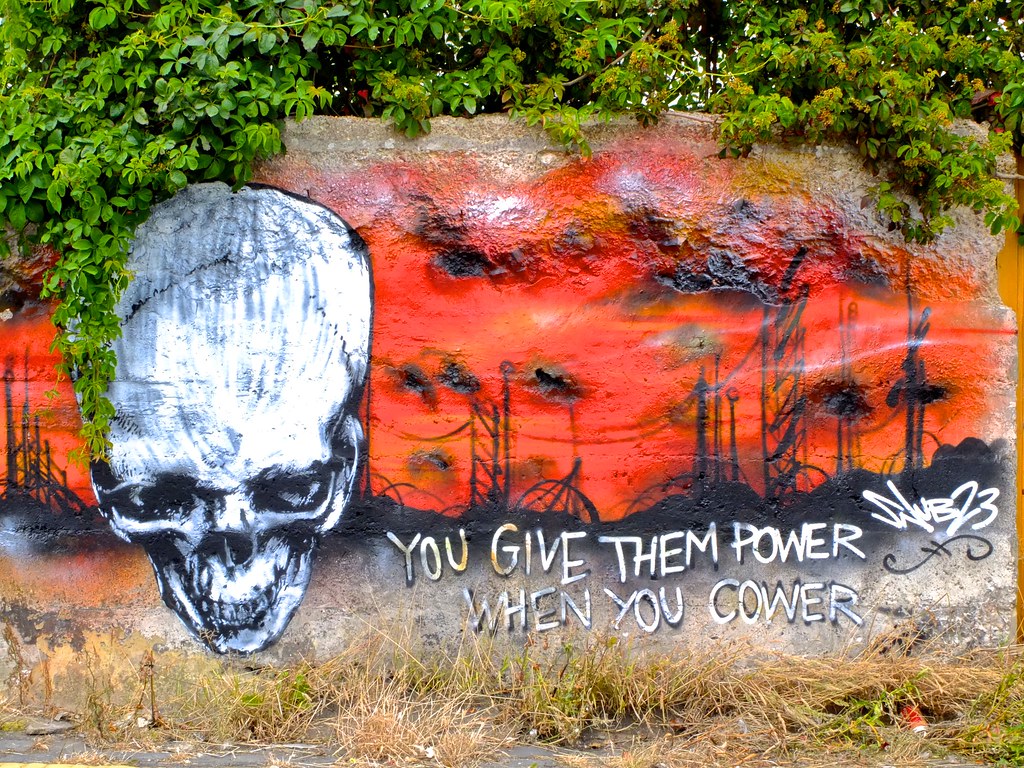
A few recent shots from the X10 :


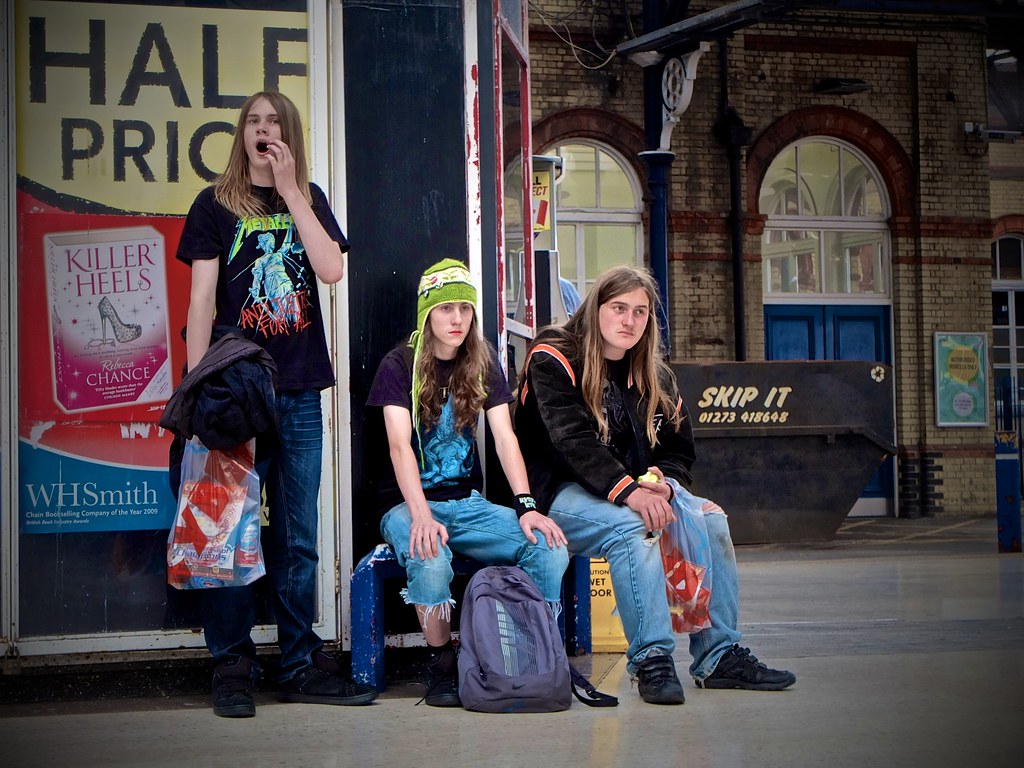
You give them power....... by Keith Burton, on Flickr


Youth is wasted on the young by Keith Burton, on Flickr


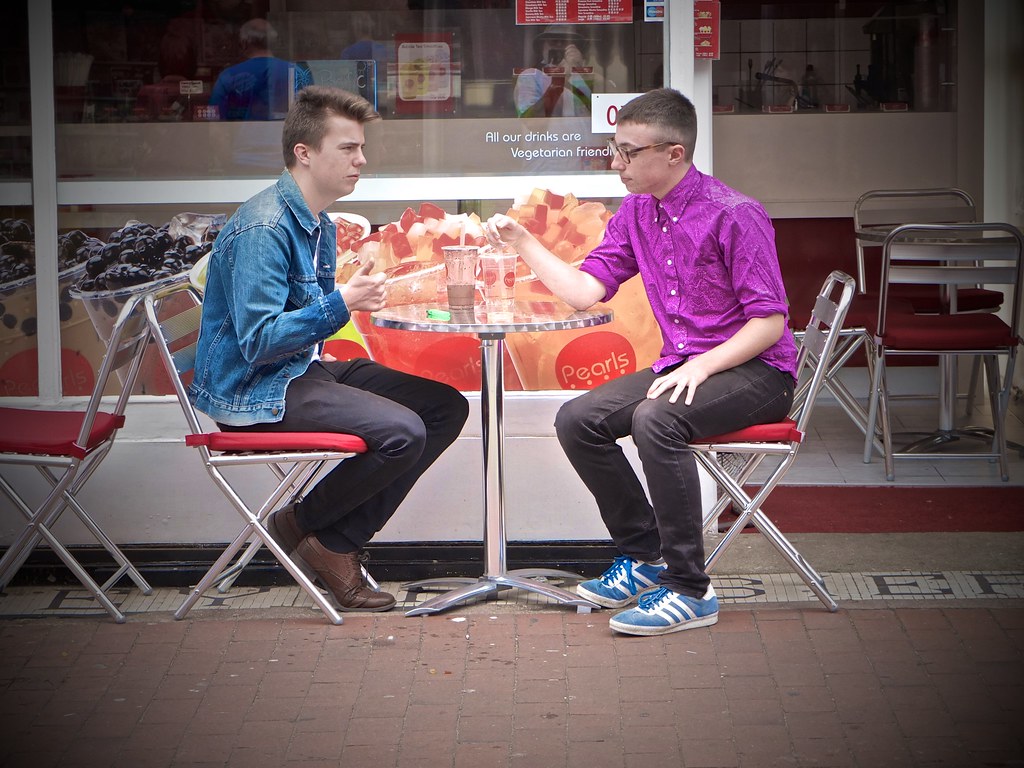
Cafe life.............. by Keith Burton, on Flickr


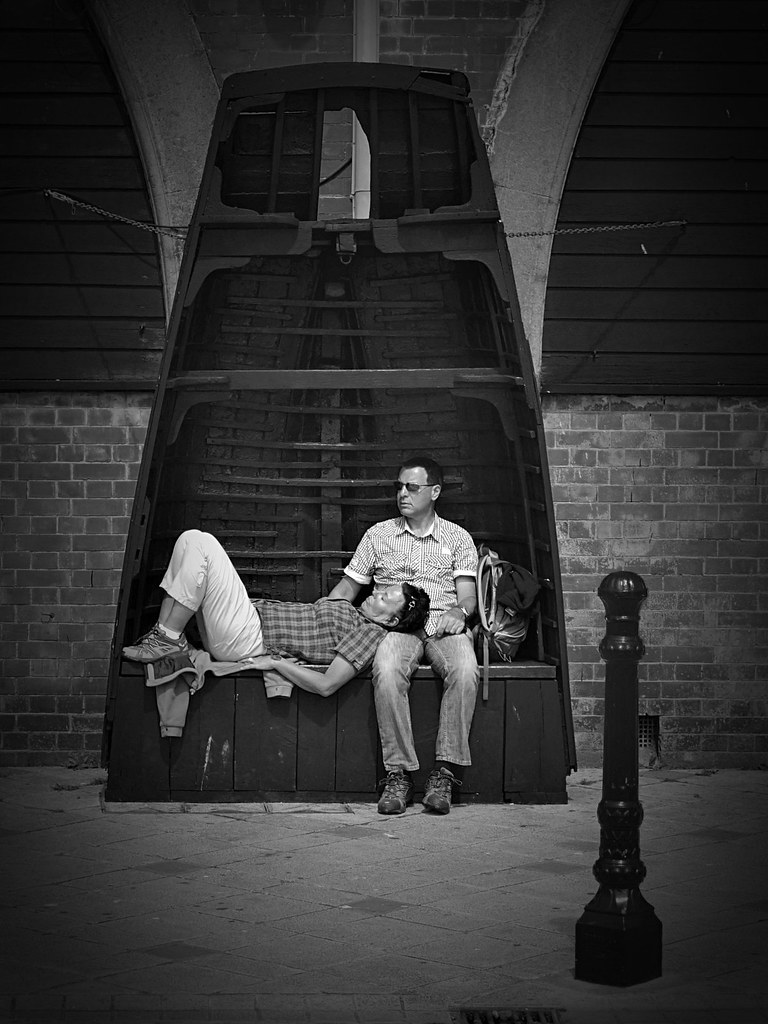
It's been a hard day......... by Keith Burton, on Flickr


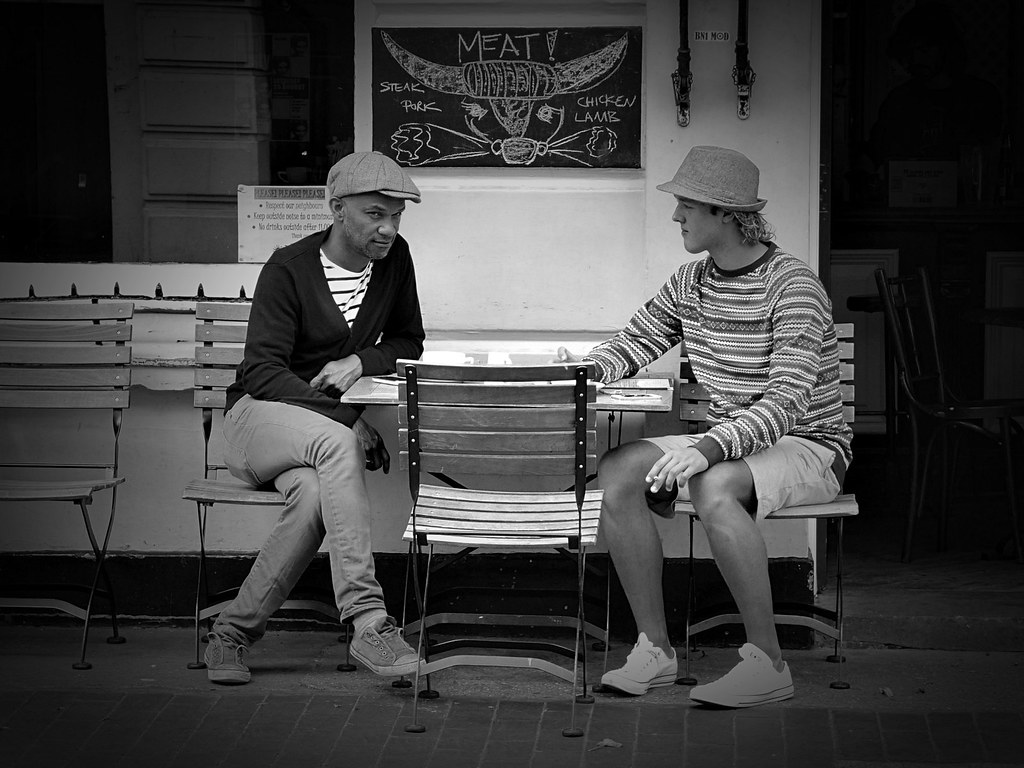
You cannot hide in a hat! by Keith Burton, on Flickr


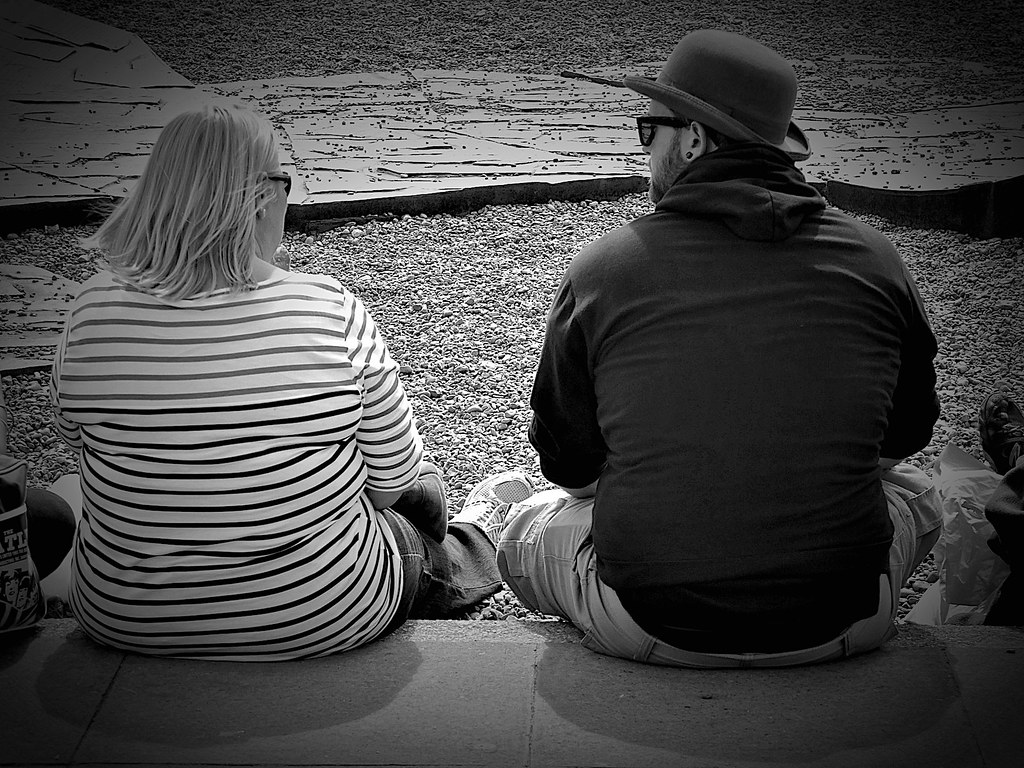
The bowler hat and the blonde! by Keith Burton, on Flickr
 
OK - back home and posting an example. This is zoomed in and a screen shot of the original but you get the idea. Look along the horizon line into the blue of the sky and you can see the blue bleed;

7825414724_0f53e395e8_c.jpg
 
Keith - some great street shots. I really like the 'you cannot hide in a hat' shot :-)
 
Does anyone have any suggestions for settings for the camera? Especially in JPEG? Sharpness, DR, noise reduction etc etc? Also is the lens hood and filter ring adaptor worth it?

Anyone use this: http://www.ebay.co.uk/itm/NEW-LIMs-...adaptors_ET&hash=item3a70ef7bb6#ht_8048wt_954

Or the roxsen hood?

I have one of these (link below) but only used twice, with a UV filter, as using it means the camera will not fit in my camera bag. It also defeats the object of having a small unobtrusive camera. So not for me.

http://www.amazon.co.uk/Filter-Adap...2?s=electronics&ie=UTF8&qid=1336845482&sr=1-2
 
OK - back home and posting an example. This is zoomed in and a screen shot of the original but you get the idea. Look along the horizon line into the blue of the sky and you can see the blue bleed;

7825414724_0f53e395e8_c.jpg

Thanks :)
A few questions please.
The bleed you referring to; is it the deeper blue patches? The most prominent one being to the right of the central buildings?
Is this a 100% crop?
Is the crop from the centre of the image?
Were you using any filters?
EXR or full fat?
What DR?
Any other camera settings changed from the default?
Have you done any PP?

Your answers are going to be really interesting, I have a hunch....
It's just possible there may be something else going on here other than the sensor.
 
OK - back home and posting an example. This is zoomed in and a screen shot of the original but you get the idea. Look along the horizon line into the blue of the sky and you can see the blue bleed;

7825414724_0f53e395e8_c.jpg

Very strange.....The only time I have seen anything like that was when using Tufuse and had set a parameter too far.
I would not expect to see it when processing a raw file.

It is similar to what I have seen using the LR4.1 vibrancy slider, it very rapidly moves you into difficult territory with Fuji files.
 
Last edited:
Here's 6 images with high contrast blue.
All straight out the camera in RAW converted with LR4 defaults.
Hopefully one of them will be close enough to your scene for meaningful comparison!

1)
i-9Mh74dp-S.jpg


2)
i-SQkrSVK-S.jpg


3)
i-np2VTwD-S.jpg


4)
i-Ck2VQXk-S.jpg


5)
i-nW8rbXS-S.jpg


6)
i-92gh39H-S.jpg


I'm hoping you'll come back and tell us the crop was on the top (or bottom) third and there was an ND filter fitted.
As Terry says, it sure does look like some weird tone mapping algorithm has been abused, but I very much think you would of told us if you had done that!
There's also a hint of over sharpening artefact along the skyline, henc the question about camera settings and PP.

Oh - almost forgot...
I couldn't find a hint of this problem in any of my 6 images.
 
Thanks :)
A few questions please.
The bleed you referring to; is it the deeper blue patches? The most prominent one being to the right of the central buildings?
Is this a 100% crop?
Is the crop from the centre of the image?
Were you using any filters?
EXR or full fat?
What DR?
Any other camera settings changed from the default?
Have you done any PP?

Your answers are going to be really interesting, I have a hunch....
It's just possible there may be something else going on here other than the sensor.

Yes - like a blue smudge up off the wall.

It's a crop of the top 40% of the photo.

No filters.

I can't remember - but it may have been velvia film simulation which I sometimes use in strong sun to try and draw out more colour.

f/7.1
1/900 sec
ISO 200


Yes as mentioned - its in LR4.1. If I use the clarity slider then I get that effect.
 
Last edited:
Very strange.....The only time I have seen anything like that was when using Tufuse and had set a parameter too far.
I would not expect to see it when processing a raw file.

It is similar to what I have seen using the LR4.1 vibrancy slider, it very rapidly moves you into difficult territory with Fuji files.

Vibrancy and saturation untouched (set at 0)
 
Here's 6 images with high contrast blue.
All straight out the camera in RAW converted with LR4 defaults.
Hopefully one of them will be close enough to your scene for meaningful comparison!

1)
i-9Mh74dp-S.jpg


2)
i-SQkrSVK-S.jpg


3)
i-np2VTwD-S.jpg


4)
i-Ck2VQXk-S.jpg


5)
i-nW8rbXS-S.jpg


6)
i-92gh39H-S.jpg


I'm hoping you'll come back and tell us the crop was on the top (or bottom) third and there was an ND filter fitted.
As Terry says, it sure does look like some weird tone mapping algorithm has been abused, but I very much think you would of told us if you had done that!
There's also a hint of over sharpening artefact along the skyline, henc the question about camera settings and PP.

Oh - almost forgot...
I couldn't find a hint of this problem in any of my 6 images.

Crop is top third.. most like 6 I guess. But no filter I'm afraid.

No and agreed. No problem like this in your images.
 
Back
Top