The Official Fuji X10/X20/X30/XF1/XQ1 Thread

I started off liking the convenience of the panorama mode but noticed it does drop the resolution down in order to carry it off. So i just stick with the old fasioned method of taking singles and stitching them in photoshop.

Anyone heard of the recall thing for the orbs yet? Isnt it past the date where they said they would start doing it? Just wondering what the effect on the camera is.
 
I started off liking the convenience of the panorama mode but noticed it does drop the resolution down in order to carry it off. So i just stick with the old fasioned method of taking singles and stitching them in photoshop.

Anyone heard of the recall thing for the orbs yet? Isnt it past the date where they said they would start doing it? Just wondering what the effect on the camera is.

Statement from Fuji " We will also develop a modified sensor, which will more universally resolve the ‘white disc’ blooming effect in all modes. We are working hard to make this new sensor available from late May 2012."

A little while longer to wait I think..

Allan
 
I used to get blown skies on bright days - it was because I was using A-mode and even at f5 the shutter speed cannot go high enough, especially if Auto-DR is being used.
Simple solution is to use P-mode by default and only switch to A-mode when you want creative control of the D0F.

If you are already using P-mode then it is something else :)

How would using P help with blown highlights? Surely it is just down to the metering and wouldn't that be the same for both P and A?

I started off liking the convenience of the panorama mode but noticed it does drop the resolution down in order to carry it off. So i just stick with the old fasioned method of taking singles and stitching them in photoshop.

Anyone heard of the recall thing for the orbs yet? Isnt it past the date where they said they would start doing it? Just wondering what the effect on the camera is.

To get a higher resolution image, if you change the angle of direction (by pressing right on the d-pad (flash button) from left to right to bottom to up, then hold the camera on its side and sweep that way you get a much better image.
 
I'm finding problems with A mode as well but the worst is S mode.

This may be my misunderstanding, but on Saturday I was trying to take a picture of a stream with a slow shutter speed to turn the waterfall into a soft mist effect. Obviously this allows in much more light hence the blown overexposure but I switch down my exposure settings to minus 5 and still its blown white highlights all over the image. I thought in S mode the camera would compensate automatically for the overexposure.

Can anyone advise what I'm doing wrong?
 
Last edited:
I'm finding problems with A mode as well but the worst is S mode.

This may be my misunderstanding, but on Saturday I was trying to take a picture of a stream with a slow shutter speed to turn the waterfall into a soft mist effect. Obviously this allows in much more light hence the blown overexposure but I switch down my exposure settings to minus 5 and still its blown white highlights all over the image. I thought in S mode the camera would compensate automatically for the overexposure.

Can anyone advise what I'm doing wrong?

It will compensate but it will only go so far. Once it reaches ISO 100 and f/9 there isn't anything a camera can do to help. You need to use ND filters to go any slower on your shutter. Just make sure when in S that your aperture isn't showing as red (which means it won't be exposed properly) and in A that your shutter speed isn't showing as red.

If you can't see your shutter speed in A or your aperture in S you need to make sure you are not in automatic ISO or auto DR.
 
Thanks - yes it was showing red but I took the photos anyway as I needed the slow shutter speed to create the effect. Sounds like I need a full ND grey 2 or something similar to be able to take such a shot.

They do display but one thing I find strange is the shutter speed displays as numbers rather than speeds e.g. 1 through to about 30 if I remember correctly.
 
How would using P help with blown highlights? Surely it is just down to the metering and wouldn't that be the same for both P and A?

If using A mode and aperture of F2 combined with DR400 the camera tops out at 1/1000 as the DR mode restricts it. On a very bright day 1/1000 is not fast enough when using F2.
Using P lets the camera decide the aperture and the camera would not choose F2 in those conditions unless you program shift (assuming you don't have Auto ISO on)
 
In seconds it will show as 1" - 30" but for anything faster it will show half of the speed so for 1/4000 of a second it will show as 4000. I think the colour changes as well, I think yellow is for seconds and blue for faster than a second.

In bright daylight you will probably need upwards of an ND8 to get the full 30 second exposure.
 
If using A mode and aperture of F2 combined with DR400 the camera tops out at 1/1000 as the DR mode restricts it. On a very bright day 1/1000 is not fast enough when using F2.
Using P lets the camera decide the aperture and the camera would not choose F2 in those conditions unless you program shift (assuming you don't have Auto ISO on)

Maybe I am not understanding right. No matter whether you are using A or P you will always get a "correct exposure" or what the camera thinks is a correct exposure unless you ignore the fact the camera is saying that that it will overexpose. So how does using P make highlights not be blown on a "correct exposure"?
 
It won't get a "correct exposure" if using F2 and 1/1000 and it will overexpose with the highlight being blown in particular. P mode will not let it over expose (or will limit it at least by upping the aperture)
 
It won't get a "correct exposure" if using F2 and 1/1000 and it will overexpose with the highlight being blown in particular. P mode will not let it over expose (or will limit it at least by upping the aperture)

Ok I knew that, that is what I meant by the camera telling you it will overexpose.

My original question was how to expose for highlights; as in, is the only way to point at the sky and use the exposure lock? That kind of thing.
 
If using A mode and aperture of F2 combined with DR400 the camera tops out at 1/1000 as the DR mode restricts it. On a very bright day 1/1000 is not fast enough when using F2.
Using P lets the camera decide the aperture and the camera would not choose F2 in those conditions unless you program shift (assuming you don't have Auto ISO on)

Spot on - Thanks :thumbs:
Even with ISO 100 selected I still sometimes find P-mode forcing the aperture way up into silly ranges to stop over exposure.

Last week I even found a contra-jour situation where the X10 was smallest aperture, fastest shutter, lowest ISO and was still complaining about over exposure.
I suppose I should have got the ND out the bag, but I didn't think the shot was worth the hassle.
I was wrong, I love the image. Luckily it worked - over exposure and all.
Here's that shot... ISO 100, f9, 1/4000s
i-RMDVjq4-X3.jpg
 
I would like to start using P but I just find it really unreliable for changing my shutter and aperture settings. I know its a quirky camera and I've already found out you have to be in manual ISO and DR to view what shutter and aperture you have but I still can't get it to change the shutter/aperture values.
 
Ok I knew that, that is what I meant by the camera telling you it will overexpose.

My original question was how to expose for highlights; as in, is the only way to point at the sky and use the exposure lock? That kind of thing.


Ah right. Exposing for highlights with exposure lock is just the same as any other camera isn't it, no specific X10 differences?
 
Ah right. Exposing for highlights with exposure lock is just the same as any other camera isn't it, no specific X10 differences?

With exposure lock yes, I just wanted to know whether there are any other/easier ways to set to exposure for the highlights.

Sorry for all the confusion!
 
Still loving this little camera, so much so I have just ordered the gariz half leather case. Any one after an original Fuji full leather case?

One shot from the weekend, just smoothed the skin a bit.


Ali_pp by Jonnydee9, on Flickr
 
Great shot Jonny! Was that RAW or Jpg?

Thanks, it was shot in JPG but used the custom setting with the colours and sharpness pumped up a little.
 
Hopefully I will get round to listing it at the weekend in the classified section.

Cheers Jon

Just listed it the X10 leather cover in the classified section, anyone is interested in one.

Cheers
Jon
 
DSCF4102sMALL.jpg

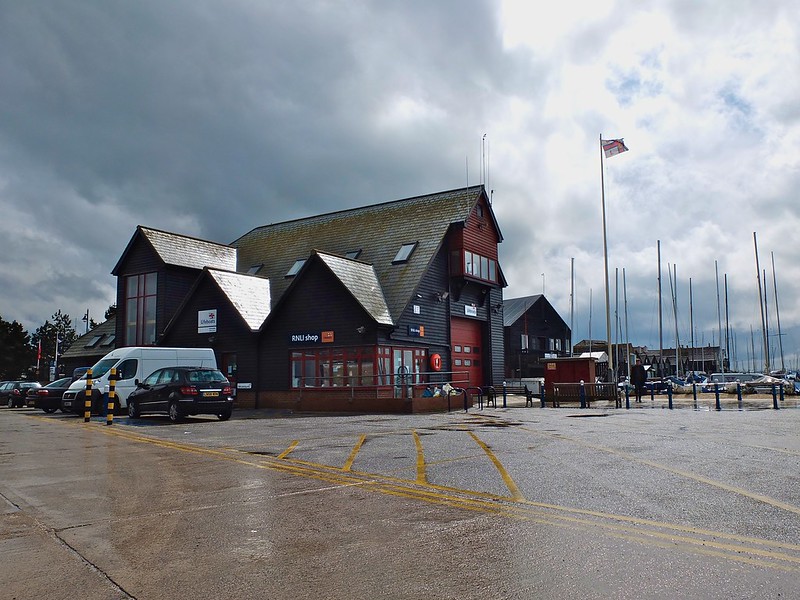
Southport Marina
Accidentally had camera on ISO 400, it obviously wasn't needed, Also didn't give any negative effects either :-)
 
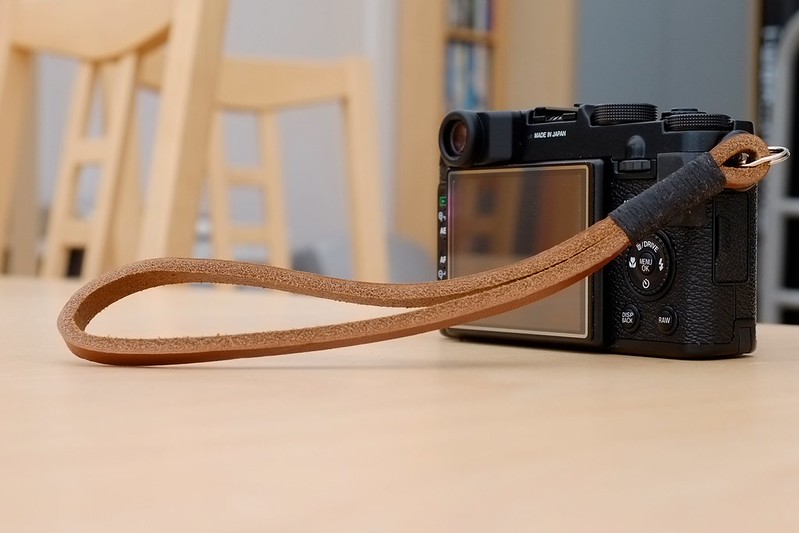
Just got a new strap for my X10. Its a Gordy's camera strap from, well, gordyscamerastraps.com Its a bit firm at the moment but should get softer with use. It fits perfectly around my wrist and feels like it will last forever.
You can get different colour thread bindings, I also got one with grey binding for my X100
Heres a pic with the strap and GGS screen protector.

6966788258_c50983dffa_c.jpg


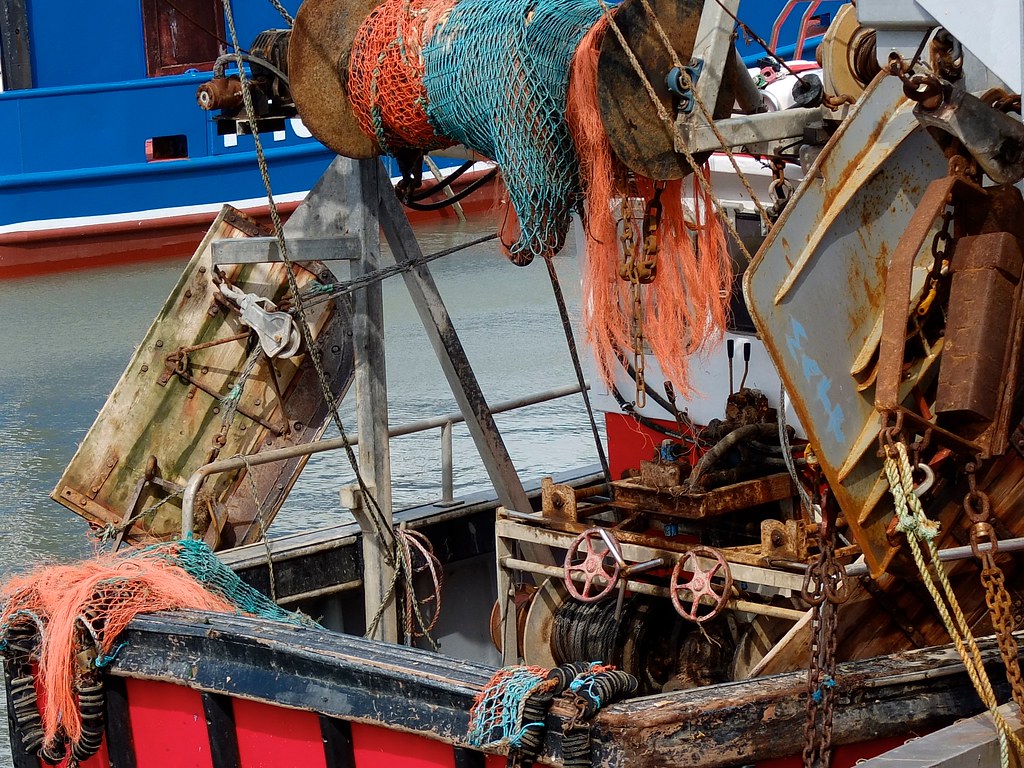
And heres a couple i took this afternoon in sunny Kent....

7112713103_7fd697094a_c.jpg

Had to lighten the shadows a bit, I had the metering wrong.

7112711379_63c1a6d32a_b.jpg


And then, it poured again......

Allan
 
Dpreview has an x10 with the new orb free sensor, the test shot they have taken looks promising.
 
Looks like quite a big difference between the two. It'll be interesting to see how they handle the sensor changes....

Allan
 
it will be interesting to see how its affected the images in general and how different camera modes perform. Its a good start though.
 
I had a pixel peep at the two images from DPReview and the orbs looks great.
But other comparisons are quite tricky as the focus point is significantly different; for example check out the reflections on the black surface in front of the balls; the old sensor is miles better, but I think (hope) that's just missed focus.
Also hope the orb difference is down to more than just focus differences too!

For once the DPReview comments seem fairly sensible too - worth a read.
Most are asking how people will be able to which sensor is fitted when buying a camera and there seems to be a LOT of uncertainty over who and when is eligible for upgrade.

Really looking forward to seeing some better controlled tests.
 
there seems to be a LOT of uncertainty over who and when is eligible for upgrade.

I am sure I read on this forum, or even on this thread, that someone had phoned the Fuji service centre and they explained what would happen. I think (but only I think) they said they would fix cameras already sold and even those sold through the Fuji refurb shop.

Perhaps someone can remember better than me (:thinking:) and remind us.
 
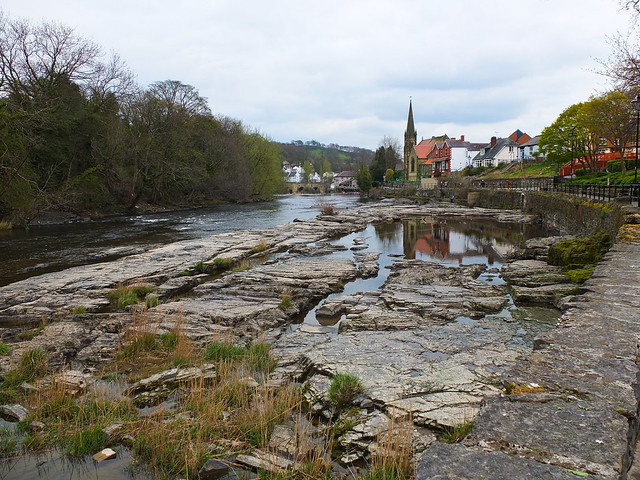
Down in llangollen a coupe of weeks ago and took this snap, by the way the Lowepro 100AW will take X10 with the adapter and hood.


Llangollen by dyrnog, on Flickr
 
That part of Wales and ' next door ' Shropshire was my haunt back in my sKOOLdays Nog. Thanks for the memory :wave:

So I take it you use a Lowepro100AW then? :D

You've just given me an idea to stuff the AW cover of my ageing Nova3 into the small messenger bag in which my X10 resides - thanks for that too!!
 
Last edited:
I am sure I read on this forum, or even on this thread, that someone had phoned the Fuji service centre and they explained what would happen. I think (but only I think) they said they would fix cameras already sold and even those sold through the Fuji refurb shop.

Perhaps someone can remember better than me (:thinking:) and remind us.


I believe that this is right. Best to just check with Fuji before sending in. You may need some sort of reference no.

If you do send yours in please let us know how you get on and indeed how long the service takes. I think some of us may not be able to part with our X10s for too long :lol:
 
Last edited:
The process is that you have to contact Fuji and log the sensor bloom or orb problem. They will then tell you to update the firmware first and if that doesn't help they ask you to provide your contact details and camera serial number and they will send pre paid packaging out to you so you can send your camera back
The sensor changes should start in May.
I have registered my sensor change request with Fuji.

Allan
 
Just heard back from Fuji, packaging for the sensor change will be sent out in late May :clap:
Allan
 
The process is that you have to contact Fuji and log the sensor bloom or orb problem. They will then tell you to update the firmware first and if that doesn't help they ask you to provide your contact details and camera serial number and they will send pre paid packaging out to you so you can send your camera back
The sensor changes should start in May.
I have registered my sensor change request with Fuji.

Allan


Thanks Allan

I'm going to do that too. Again, hope it's a quick fix.
 
Wow - I'm impressed with the difference. For some reason I've not been able to recreate the orb issue on my camera though.

For any of you wanting to see the difference follow this link http://www.dpreview.com/news/2012/04/26/Fujifilm-X10-white-orb-update

DPR have released those two "comparison" shots. If these photos where taken under identical conditions, there is an IQ difference. Apparently, a guy there has taken the pictures and put a crop from both right next to each other: http://i1016.photobucket.com/albums/af289/DIKHNFS/FX10newsensortest1.jpg

Looking at the two photos, I see a difference. A clear difference. Whether this is due to slightly different focussing/lighting/etc. or it's entirely caused by the new sensor is hard to say at this stage. But looking at the direct comparison, I'm not so sure I want to have my sensor swapped...

I really hope DPR will publish a proper comparison.
 
Last edited:
Back
Top