The Official Fuji X10/X20/X30/XF1/XQ1 Thread

Barcelona

DSCF6497.jpg


DSCF6584.jpg


DSCF6266-2.jpg
 
I love the contrast between images 2 and 3.
They both are looking up but are total contrasts - one looks ultra-modern, the other looks like it could have been taken in Paris in the 50's.
Very nice indeed.
 
Question about the retaining of settings (I'm still on 1.02 :D):

I've got C2 set up with different highlight and colour settings, but when I switch back to P or EXR mode, change a few settings (e.g. film simulation), go back to C2, my original C2 settings have changed. Is this a "feature" of 1.02, or does this also happen with the later firmwares (1.03 and/or 2.0)?

TIA
 
Question about the retaining of settings (I'm still on 1.02 :D):

I've got C2 set up with different highlight and colour settings, but when I switch back to P or EXR mode, change a few settings (e.g. film simulation), go back to C2, my original C2 settings have changed. Is this a "feature" of 1.02, or does this also happen with the later firmwares (1.03 and/or 2.0)?

TIA
did you save your custom settings before leaving c1/c2 mode?
 
did you save your custom settings before leaving c1/c2 mode?

Ehmmm... save? If I switch to C2, go into the menu, do all the required/wanted settings changes, there's only one way to leave the menu: Disp/Back. I don't see any explicit save option.
 
Ehmmm... save? If I switch to C2, go into the menu, do all the required/wanted settings changes, there's only one way to leave the menu: Disp/Back. I don't see any explicit save option.

Thanks for the tip! I've ploughed through the menu pages and stumbled upon the "Custom Set" menu entry on page 4. Presto!

This makes life a lot easier :D

Thanks again Niko!
 
Thanks for the tip! I've ploughed through the menu pages and stumbled upon the "Custom Set" menu entry on page 4. Presto!

This makes life a lot easier :D

Thanks again Niko!
no problems mate :D
 
Did an experiment today with the X10 Using the sweep pan in portrait mode then taking five shot in manual mode ( however I forgot to put the colourbalance on to manual as well so have some strange colouring in the stitched one). I could also select the width better with single shots.

If you check there are quite a lot of differences.

Terry, thanks for the comparison. Very interesting. It seems that the Fuji processing doesn't take the changing perspective into account. I mean, the panorama is shot from a single standpoint, in a single sweeping motion. PTA seems to be able to correct this (yaw).

Due to the characteristics of the Fuji processing, the further away the panorama subject is, the less noticeable the bent perspective.

I must say, quite impressive what PTA does. I've had a look on their website (e.g. http://www.tawbaware.com/ptasmblr_tutorial.htm) and it seems less straightforward than I thought (handling seams, etc.). How long did it take you to master the software?
 
Last edited:
Hello, Just got my new last week X10 :-)

Found this wonderfull inspiring Forum when doing a search for Fuji X10 & Raw Therapee...

Currently experimenting with InfraRed immaging, but obviously i still have a "learning curve" to go for PP... I'm trying to figure out what camera settings work best, and xperimenting with Irfanviewas a first step for PP because it has an easy to use chanel mixer..
Does anybody have any good advice to get me "kickstarted" with this ?

(Please forgive me my English skills, as English is not my mothertongue..)
 
This thread is truly inspirational. Seen some cracking images. I am mainly into DSLR video shooting but am after a point and shoot camera to take on city breaks as don't want to be lugging all my lenses.

I don't mind taking a 50mm and a 5DMK2 body but am after a point and shoot to take care of the times I don't have the DSLR with me.

I have narrowed it down to the Fuji XF1 (£370) but can't find many sample images but assume it's very much like the X10 as has the same sensor, the Lumix LX7 (£388) or the Sony RX100 (£430). The X10 for (£280) on the Fuji refurb store is another contender.

I am just after something small to walk around whilst taking shots of landmarks, in-door dimly lit places or having a meal at a restaurant and delivers good clean images. I hardly PS/LR so want something that delivers well from the camera.

The front runner at the moment is the XF1 but am hoping either of the camera listed allow me to leave the DSLR at home?

Red
 
Last edited:
Hello, Just got my new last week X10 :-)

Found this wonderfull inspiring Forum when doing a search for Fuji X10 & Raw Therapee...

Currently experimenting with InfraRed immaging, but obviously i still have a "learning curve" to go for PP... I'm trying to figure out what camera settings work best, and xperimenting with Irfanviewas a first step for PP because it has an easy to use chanel mixer..
Does anybody have any good advice to get me "kickstarted" with this ?

(Please forgive me my English skills, as English is not my mothertongue..)

Hi Chris,

Wouldn't worry about your English skills as they seem more than okay. Welcome to this, indeed, friendly and helpful forum.

Raw development requires skills, experience and probably a few more, subtle ingredients to work. Personally, I have tried SP, ALR, and RT next to the raw processor available in the X10 itself. After having fiddled and fumbled (far too many hours) with the external raw developers, I must say that the internal raw processor is more than enough for me (but then again, I'm not the most experienced raw developer); I've never been able to produce the same outstanding JPG results using mentioned software as what the X10 produces.

What I tend to do is shoot RAW+JPG and use the X10's raw processor to spit out tweaked JPGs. If any further post-processing is required, I generally use RT to polish the photos (perhaps a bit of vibrance, sharpness or a slight twist on the ole L, a & b curves).

Of course, different strokes for different folks, but the above approach works well for me.

Do post shots, questions, etc.; people here are more than happy to help you.

Enjoy your X10!


Regards,
Robenroute
 
Hello, Just got my new last week X10 :-)

Found this wonderfull inspiring Forum when doing a search for Fuji X10 & Raw Therapee...

Currently experimenting with InfraRed immaging, but obviously i still have a "learning curve" to go for PP... I'm trying to figure out what camera settings work best, and xperimenting with Irfanviewas a first step for PP because it has an easy to use chanel mixer..
Does anybody have any good advice to get me "kickstarted" with this ?

(Please forgive me my English skills, as English is not my mothertongue..)

Hi Chris - Welcome! :)

Somewhere in this thread there are some Infra Red images.
I know there are as I posted a few of them!
The good news is that the X10 is quite good at IR.
The nasty central hotspots that plague a lot of compact cameras (and quite a few DSLR lenses) are not a huge problem.
Live view works, so you can see what you are getting!
I never got the hang of manual focus as the distance scale is wrong for IR, but in daylight Auto Focus works fine!

Looking forward to seeing how you get on.
Processing IR images is a skill I'm not very good at.
I know this because I have a few RAW files I took on an IR converted DSLR and I never got them anywhere near as good as the cameras owner.
Maybe I need some more practice :thinking:
 
Terry, thanks for the comparison. Very interesting. It seems that the Fuji processing doesn't take the changing perspective into account. I mean, the panorama is shot from a single standpoint, in a single sweeping motion. PTA seems to be able to correct this (yaw).

Due to the characteristics of the Fuji processing, the further away the panorama subject is, the less noticeable the bent perspective.

I must say, quite impressive what PTA does. I've had a look on their website (e.g. http://www.tawbaware.com/ptasmblr_tutorial.htm) and it seems less straightforward than I thought (handling seams, etc.). How long did it take you to master the software?

You will see I have added another version now, That is the benefit of a program like PTAssembler, You can go back and try again. The Projection I used is called Rectiperspective this makes all diagonal lines seem straight.

PTAssembler is not the easiest to use ... but the easy ones are as limiting as doing a sweep panorama.
But onece you get the hang of it it is very easy. It is easier still if you use a pano bracket ( which I have but rarely use )

The Tutorial looks far more complicated than it is. It is not often that you need to mess with seams as the new Blending program (smartblend) can cope with quite bad Parallax.

The easiest way is if you have someone to run through it with you.
One of the most useful features is being able to mask out problems in the seam area, those objects will then not be used from that shot.

I managed to make a pretty good panorame stitch with in a few hours. But Max Lyons keeps adding new exciting features (free) so you are often trying something new.

When you start only combine two shots, after that it is easier to add more ...

The bending in Cylindrical panorams is caused by the objects that are nearer being reproduced larger.
So standing a third of the way down a long building the first portion away from you will be small, then as it gets closer it gets bigger, as you turn to the other end it gets smaller again.

If you use cylindrical projection in PTAssembler you get a similar result to a sweep panorama, but unlike the sweep you have a choice.
 
Last edited:
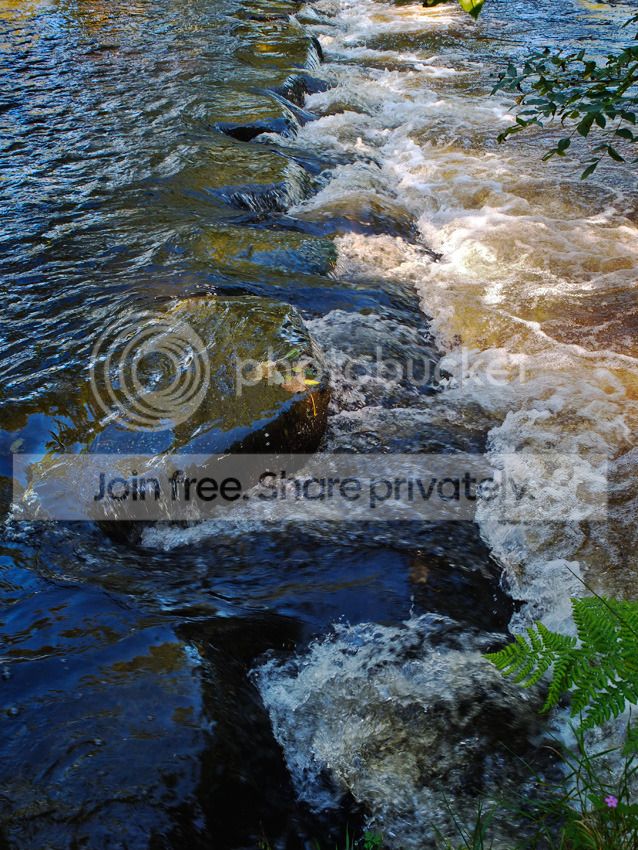
Uppermill stepping stones
Last time I crossed I fell in

1/150 F4 ISO200 comp -1/3

steppingstoneswet.jpg
 
You will see I have added another version now, That is the benefit of a program like PTAssembler, You can go back and try again. The Projection I used is called Rectiperspective this makes all diagonal lines seem straight.

PTAssembler is not the easiest to use ... but the easy ones are as limiting as doing a sweep panorama.
But onece you get the hang of it it is very easy. It is easier still if you use a pano bracket ( which I have but rarely use )

The Tutorial looks far more complicated than it is. It is not often that you need to mess with seams as the new Blending program (smartblend) can cope with quite bad Parallax.

The easiest way is if you have someone to run through it with you.
One of the most useful features is being able to mask out problems in the seam area, those objects will then not be used from that shot.

I managed to make a pretty good panorame stitch with in a few hours. But Max Lyons keeps adding new exciting features (free) so you are often trying something new.

When you start only combine two shots, after that it is easier to add more ...

The bending in Cylindrical panorams is caused by the objects that are nearer being reproduced larger.
So standing a third of the way down a long building the first portion away from you will be small, then as it gets closer it gets bigger, as you turn to the other end it gets smaller again.

If you use cylindrical projection in PTAssembler you get a similar result to a sweep panorama, but unlike the sweep you have a choice.

Thanks, Terry, I'll certainly give it a whirl. I've made a mental note about the perspective thing... As soon as I have something worth sharing, I'll post it here.
 
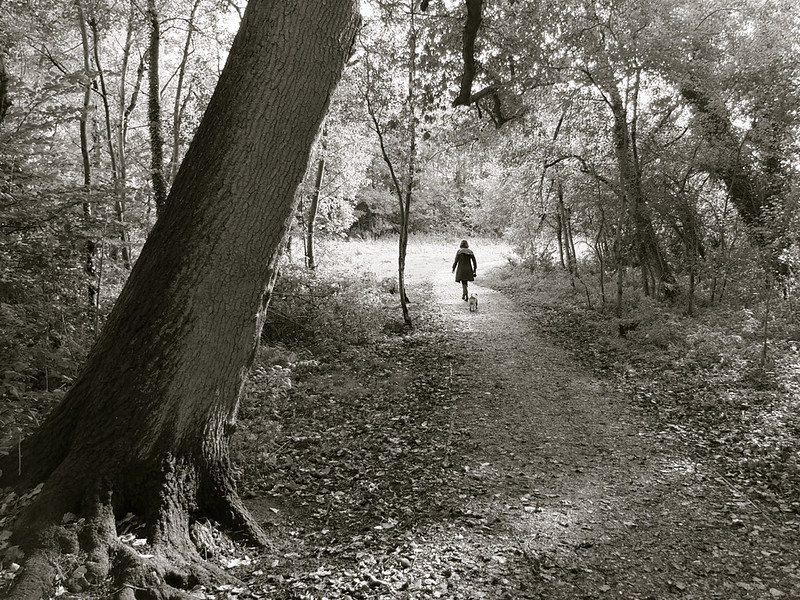
Thanks for the kind comments and the warm welcome. Here's one more from me before I sit back and enjoy looking at everyone else's pictures. Seeing the superb results you guys are getting I think I made the right choice :cool:


Autumn walk by little barker, on Flickr
 
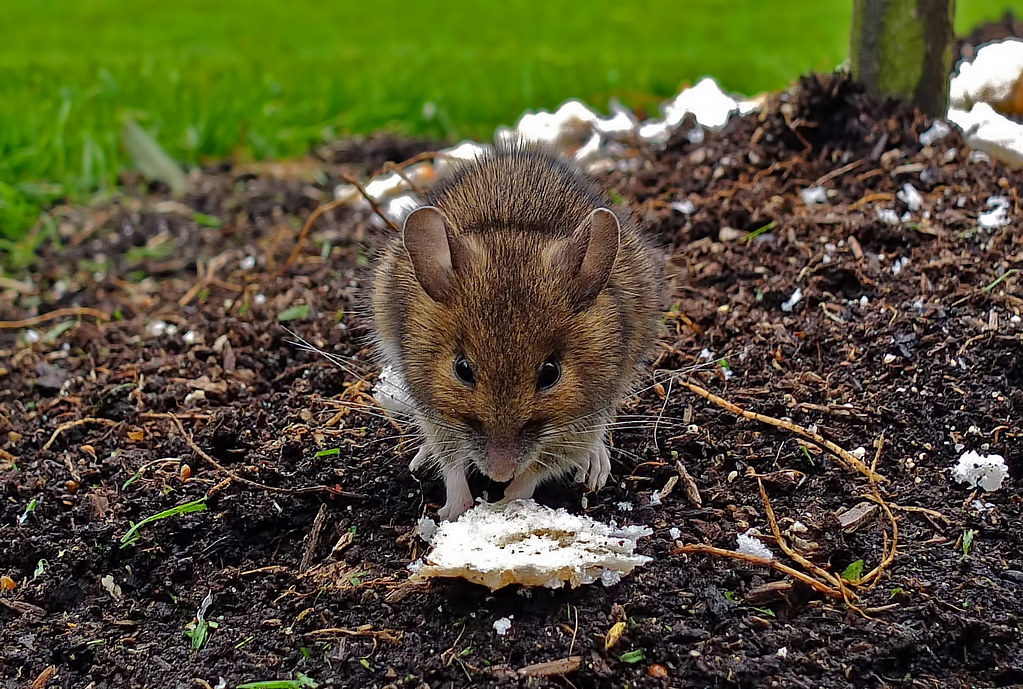
How the heck do you get an X10 close enough to a mouse to take that without a remote release?
What's the trick?
Cracking piccy :thumbs:

I bet it's a stuffed mouse :clap:

Or a Cornish mouse who's eaten too many Cornish Pasties and grown to the size of an elephant :shrug:
 
As Thomas Leuthard once said, its not all about the camera james ;) Something i'm starting to learn when i look through these forums :lol: its a nice capture that, good composition with plenty of interest and some lovely tones :thumbs:

another panorama from me, i'm sorry i keep posting loads but i had to share this one from today :)


Southport Panorama by andyroberts1868, on Flickr
 
Last edited:
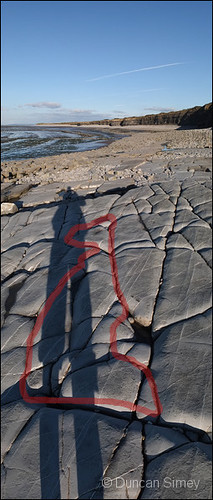
Dunno what this cough medicine is doing to me.
But I keep seeing things in my images.

I find this one rather scary :|

You mean the little creature on the left, looking to the centre or what....... :thinking:
 
Thanks, Terry, I'll certainly give it a whirl. I've made a mental note about the perspective thing... As soon as I have something worth sharing, I'll post it here.

If you get stuck send me a PM
 
Hi Chris,


What I tend to do is shoot RAW+JPG and use the X10's raw processor to spit out tweaked JPGs. If any further post-processing is required, I generally use RT to polish the photos (perhaps a bit of vibrance, sharpness or a slight twist on the ole L, a & b curves).


Regards,
Robenroute

Hi Robenroute, thx for your response, feeling welcome allready :)

The reason i have to start ourt with RAW (RAF) as opposed to jpg is that i need to swap the red and blue channels , to enable the creation of faux colour immages, and i cannot do that with jpg to my knowledge. ..

Also i cannot start importing with Adobe products because for some reason they seem to mess up colour channels already before swapping the R & B channels, and also do not seem top accept the low colour temp. for adjusting white balance..

Therfore i am experimenting, with applications like like IRFanView and/or RawTherapee, since those also incorporate a channel mixer ( and they are free of charge, except for the shareware contribution..)

Hi Chris - Welcome! :)

Somewhere in this thread there are some Infra Red images.
I know there are as I posted a few of them!

:thinking:

Hi DuncanDisorderly, Thanx for youre response :)

I tried to search for IR immages in this thread but a keyword like "IR" is not very usefull to search by..:shake:

I did get 2 hits on "infrared" though, but those 2 responses did not help me much further regretably..

What i need to find out is : What are the optimum settings for the X10 for IR immaging, and what is the most efficient method for PP resulting in immages with faux colour, and this :thinking: seems to be a very delicate balance...

I will try later on to post some pics to show at what stage i am with these "xperiments" when i got some results worth showing.

BTW, i use this for attaching my IR filter to the X10, its not a perfect fit but it works better than the vented ring for the hood...:

http://www.amazon.de/Step-Filteradapter-40mm-Objektivgewinde-Filtergewinde/dp/B008G392M0/ref=sr_1_1?ie=UTF8&qid=1350942922&sr=8-1


 
Last edited:
Hi DuncanDisorderly, Thanx for youre response :)

I tried to search for IR immages in this thread but a keyword like "IR" is not very usefull to search by..:shake:

I did get 2 hits on "infrared" though, but those 2 responses did not help me much further regretably..

What i need to find out is : What are the optimum settings for the X10 for IR immaging, and what is the most efficient method for PP resulting in immages with faux colour, and this :thinking: seems to be a very delicate balance...

I will try later on to post some pics to show at what stage i am with these "xperiments" when i got some results worth showing.

BTW, i use this for attaching my IR filter to the X10, its not a perfect fit but it works better than the vented ring for the hood...:

http://www.amazon.de/Step-Filteradapter-40mm-Objektivgewinde-Filtergewinde/dp/B008G392M0/ref=sr_1_1?ie=UTF8&qid=1350942922&sr=8-1

Here's a link to the shots I was thinking of...
http://www.talkphotography.co.uk/forums/showpost.php?p=4377954&postcount=399

On that post is a link to the meet thread where AgentG was using an IR converted Canon DSLR and channel swapping.
He posted some impressive IR piccies.
 
Last edited:
Must have a play with that vertical pano. :)
 
The X10 make a good note book.

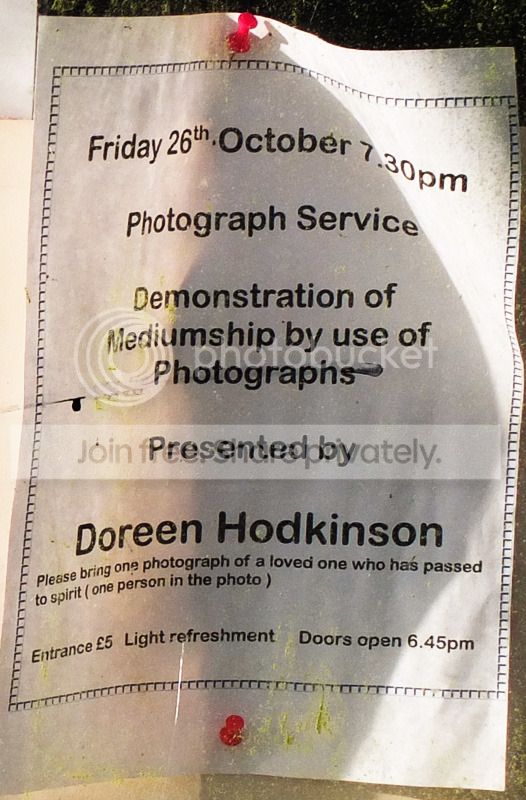
Saw this notice on the local victorian Spiritualist church on sunday.

Don't think I will go..............
But might get some weird shots if I did.


spirit-web.jpg
 
Lol - I think they mean to bring a photo. Would be cool if you could actually photograph in the service though - dark moody lighting shot mono.
 
Back
Top