
and the site receives a small commission
You are using an out of date browser. It may not display this or other websites correctly.
You should upgrade or use an alternative browser.
You should upgrade or use an alternative browser.
The "how would you edit this photo" game.
- Thread starter Dman-Lewis
- Start date
 lets be having the next one then

Scottie68
Suspended / Banned
- Messages
- 1,828
- Name
- Scott
- Edit My Images
- Yes
Well done all that entered, some great edits! And a big congrats to St-ephen, CrazyJay and that bloody ZeroCool geeza who now has a real name of Nick 
Count me in on the next one, although Nick has disappeared and still not posted the next pic
Count me in on the next one, although Nick has disappeared and still not posted the next pic

ZeroCooL
Suspended / Banned
- Messages
- 890
- Name
- Nick
- Edit My Images
- No
Nick Im sure we would all be very grateful if you could describe what you did to make your edit. Maybe even post up the other images you used? Thanks.
Ahh thanks very much guys!
Ok ill give you a run down of some key tools/features used to create that image!
1. Cut & Paste - I used the lasso tool with 1px feather to cut and paste the image of the people cheering - this gives you a little more flexibility and stops all jagged edges - then just use the soft eraser to remove bits you dont want. Also use the LAYER >> MATTING >> DEFRINGE/REMOVE WHITE
2. Colouring - This is done last, i did it for the two main layers (the background and my merged additional layers - IMAGE >> ADJUSTMENT >> B&W - then click TINT. Doing it this way you are able to adjust sliders for different colours after the tint - this makes it easier to match the original layer.
3. Ropes - again i used a 1px feather lasso to pinch bits of rope from other photos. I then pasted to a new layer, and used the Free Transform mode on the selection to bend and curve them to my liking. I duplicated this to join some together, then merged the layers to create longer ropes and duplicated again. The ropes around the nose and tusks/horns were another image of a wrapped rope simply cut pasted and transformed as above.
4. Finer detail - I honestly believe that the more subtle an edit the better it comes out, less is more and all that. I edited an arm of the guy holding the front rope, spun it around so hes holding it, and wrapped ropes around its legs, if i didnt have the idea and elaborate on it whilst playing it wouldnt be what it is now.
5. Photo texture - This was the neat trick. What i did was found a picture of a rusty wall on google, then i opened it in CS5, Saved it as a .PSD file and used the Texturizer (FILTER >> TEXTURE >> TEXTURIZER) and loaded that as the texture. Gives it a nice old feeling!
6. Framing - Framing adds a nice effect, do it by increasing the canvas using background and then again using foreground (if bg is white and fg is black etc). Ive saved this as a Macro in CS5 so it does it with a touch of a button now.
And on the plus side as Nicks choosing a new image for us all to deface, it also means hes out of entering the next edit, giving us all a fair crack at winning.
I might sign up as a different name and then edit it
mwahahah





swanseamale47
Suspended / Banned
- Messages
- 10,876
- Name
- wayne clarke
- Edit My Images
- Yes
well done Nick.


wiggy1983
Suspended / Banned
- Messages
- 160
- Name
- danny ruddock
- Edit My Images
- Yes
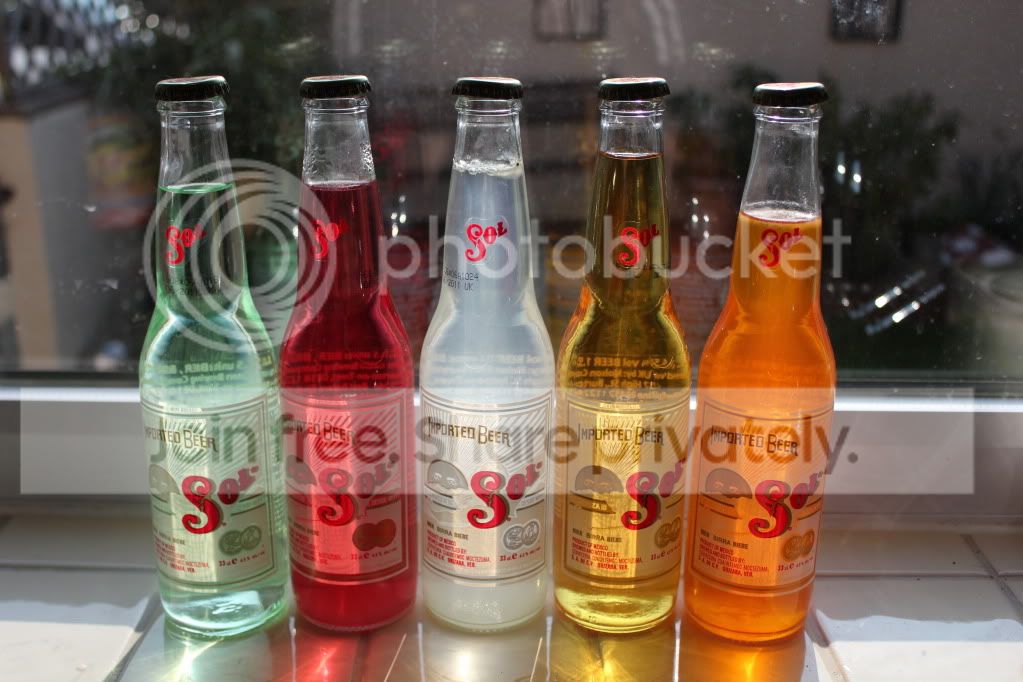
Spice Girls in new Sol campaign!
have to wonder what goes through people's minds when doing this when u start think of the spice girls lol.........

Vantage
Suspended / Banned
- Messages
- 781
- Name
- Roger
- Edit My Images
- Yes

OP

Dman-Lewis
Suspended / Banned
- Messages
- 45
- Name
- Daniel
- Edit My Images
- Yes
Nice one vantage.




new2me
Suspended / Banned
- Messages
- 6,925
- Edit My Images
- Yes
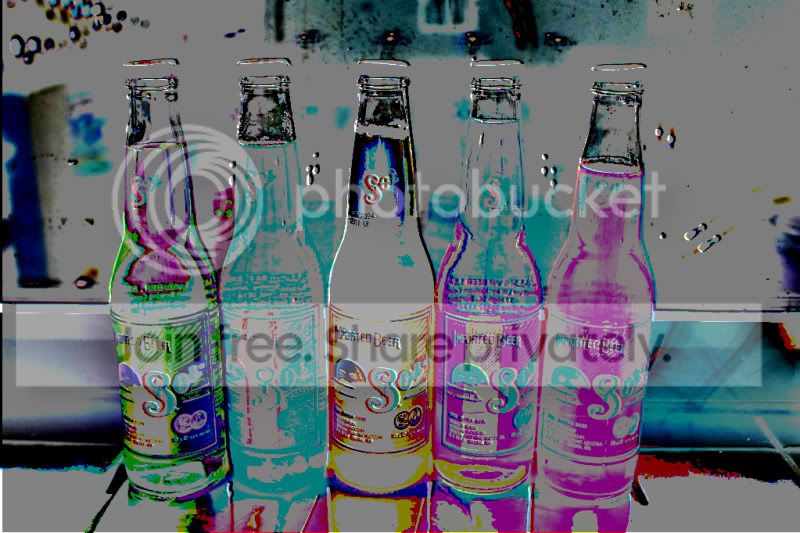
Not a 2nd contribution to this particular challenge, but I thought i'd better make my own musical tastes a bit more clearhave to wonder what goes through people's minds when doing this when u start think of the spice girls lol.........


St-ephen
Suspended / Banned
- Messages
- 1,101
- Name
- Stephen
- Edit My Images
- No

- Messages
- 20,964
- Name
- Pete
- Edit My Images
- Yes
i'm away from home with no photoshop til sunday night so i'll be sitting this one out
just didnt want you to think i'd bottled it
just didnt want you to think i'd bottled it


shogran
Suspended / Banned
- Messages
- 560
- Name
- Josh
- Edit My Images
- No
 Genius
Llama
Suspended / Banned
- Messages
- 780
- Name
- Jack
- Edit My Images
- Yes
just didnt want you to think i'd bottled it
the joke was already made

o and AndyB1976 that absolutely amazing!
Scottie68
Suspended / Banned
- Messages
- 1,828
- Name
- Scott
- Edit My Images
- Yes


AndyB1976
Suspended / Banned
- Messages
- 2,377
- Name
- Andy
- Edit My Images
- Yes
Thanks for the comments guys. I have had a handful of entries in over the last couple of weeks so I am quite a newbie. All done in GIMP too.
The image was of my favourite artist, the surreal Salvador Dali _ http://en.wikipedia.org/wiki/The_Persistence_of_Memory
The image was of my favourite artist, the surreal Salvador Dali _ http://en.wikipedia.org/wiki/The_Persistence_of_Memory
ZeroCooL
Suspended / Banned
- Messages
- 890
- Name
- Nick
- Edit My Images
- No
Well its that time again...
Runner up : Scottie with this. I actually love it - so much detail i can see you even cut through the gaps in the Sol logo to show the boat behind and the rope tie at the top is perfect. If i could award you joint first i would!
This has to be the Winner. Well done Andy, i can see some serious attention to detail there - very original and weird but i love it! Good on you for thinking outside the box on this one...
Runner up : Scottie with this. I actually love it - so much detail i can see you even cut through the gaps in the Sol logo to show the boat behind and the rope tie at the top is perfect. If i could award you joint first i would!
This has to be the Winner. Well done Andy, i can see some serious attention to detail there - very original and weird but i love it! Good on you for thinking outside the box on this one...