The "how would you edit this photo" game.

Some excellent ideas. Keep them coming, at least until the van arrives to take you away.

New2me, why has that young lady got an axe in her head?? Old girlfriend or something?

Y'know, there's a Psychiatry PhD thesis in this thread for someone. :banana::banana::banana:


OK, I'll leave it up until around 6-ish tomorrow (Tuesday) evening, when the winner will be certified announced.
 
New2me, why has that young lady got an axe in her head?? Old girlfriend or something?
Haha! It's feather, or at least it was at full size :D
 
thread >^ tangent
 
jon.gif
 
Last edited:
nice one Andy, like that!

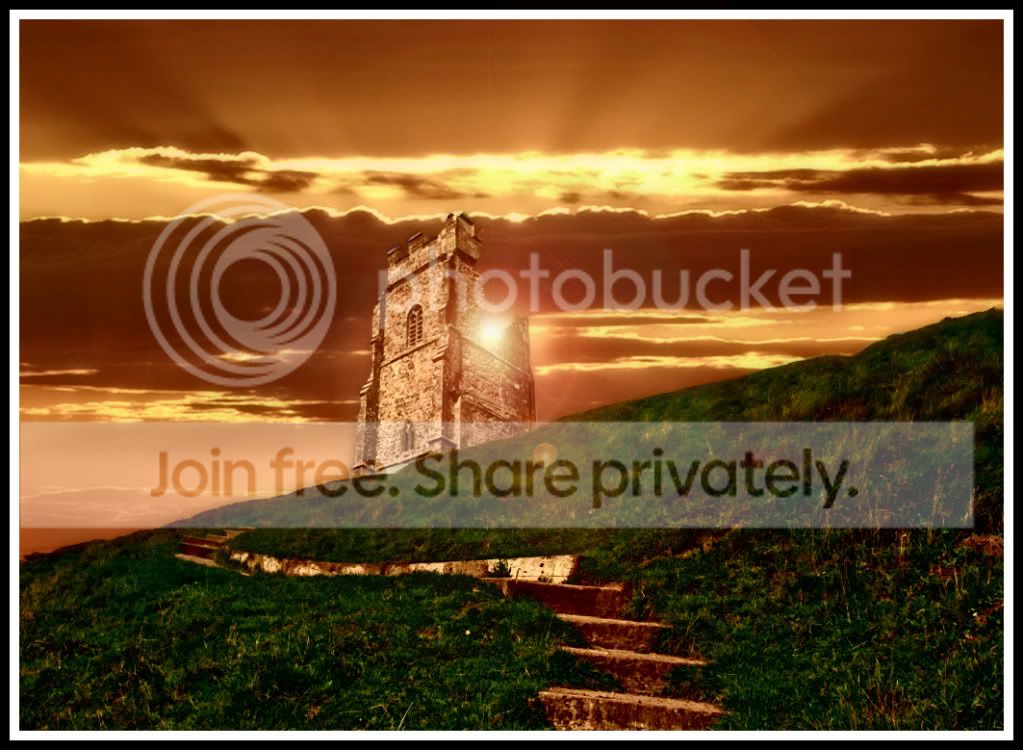
Heres mine...

sunsetcastle.jpg
 
Is it me or has this thread gone a bit silly recently? It started off as a pretty good game but now it seems like a game of cut and paste with no real effort (apart from the odd few :) )
 
have to admit, as much as i like a good laugh.. i have to agree. Thats why ive not really posted many edits lately.

Im not fussed as we're all having fun at the end of the day..

There is another thread for 'serious' edits - but they were too strict tbh aswell!!
 
it's all a bit of fun... and sometimes it's good to put some effort and time in to practice and improve your PS skills... and other times you can just drop an 'E' and see what happens :bonk:

don't know where i was going with this... just went all patriotic :D


Jon_Ryan by leftcurl, on Flickr
 
loving hte plastic wrap effect on the grass Leigh ;)
 
don't know where i was going with this... just went all patriotic :D
I can see that one being used by the English Defence League as an advertisement to a meet somewhere....
 
loving hte plastic wrap effect on the grass Leigh ;)

why thank you Nicholas. I think i should have reduced the opacity a tad more though on the flag overlay.:cool:
 
I can see that one being used by the English Defence League as an advertisement to a meet somewhere....

i know.. i was going to use a british bulldog but decided on the skinhead in the end for more impact :bat:
 
nah i like it, looks like theyve covered it so he cant wizz all over it :D
 
Sudden call to arms (lucre will be involved), so this may run until tomorrow. If I can get back to it tonight, I will, but you'll have a bit longer than I had intended.

Oh dear...
 
Not much time, so here's a quickie...


68776e661.jpg


Oh, and no part of this comes from Lyme Park..
 
Last edited:
I think all techniques are valid to use and this is the ideal thread to try them out- even cutting and pasting is usually done neatly here:D. Some of the pictures may have an element of silliness about them but powerful techniques that are very transferable often hide beneath these.

The good thing about this thread is that you don't need to feel self concious about your submission- you can be as elaborate as you want depending on the time available and your skill level.

I'm short on time and access to CS5 this week but didn't want to let the side down so fastest thing for me was to quickly draw a couple of things using my tablet. Might not end up in an art gallery but it made me use my tablet, which I don't like and hardly use and also, it hopefully provided a moment of entertainment.

For me the thread serves 3 purposes:
1. It's entertaining
2. It helps me improve my skills
3. It shows me other possibilities and techniques from looking at what others have done.

There should be room for everything here except snobbery (not that I'm suggesting there is but lets keep it that way). I don't think we need to change anything and hopefully participant numbers will increase and it will make it even better:thumbs:

PS Like some of the effects on show from all of you guys- great stuff:clap:
Don't want to name you all individually lest this turns into an Oscar speech:lol:
 
i actually really like Leighs, stop slating it :P
 
Originally, I thought i'd get to show off a little because I've managed to impress a few non photoshop friends with edits I did in the past ... but since seeing what some have produced here, I realise my editing ability is on a parr with my guitar playing, which consists of five basic chords and three or four melodies :lol:
 
Well put Dr_O :clap:

I hope this thread does keep going although I don't think some of our edits are what the OC started this thread for. But at the same time has bought a lot of humour to the thread and also made the new guys /gals comfortable no matter what stage they are with there editing or processing skills.

I for one am dropping out, but will always follow this thread with great interest.

Walter ..... Keep em coming mate, I love em :clap:
 
Scottie nooooooooooooooooooooooooooooooooooooooooooooooooooo!!
 
I was going to do one, but I can't find the Hmmm "item" ;) I was going to add, and I just haven't the time to make another one, so I'll miss this one.
 
Well done Andy, great idea with fantastic execution. :thumbs:
Jon, it is an animated gif. Trillions of how-to instructions out there. Sorry to hijack your question Andy.
 
Last edited:
wahay! Nice job Andy :clap:
 
good one Andy :thumbs:
 
Well deserved Andy :clap: cracking edit :thumbs:

Ive never had a go at creating GIF files, will have to have a go one day !!
 
Cheers guys....:thumbs:

Basically an animated GIF as mentioned by Stephen. This was done in Elements 10.

It is built around 5 layers, a dark layer, lightning, top lights, bottom light, grim reaper/floodlight running at 0.2 frames per sec. Although there are only 5 layers making up the sequence which in running in a loop - in order to hold the other layers longer than the lightning flash they are simply duplicated in the sequence. The overall sequence is 35layers deep so basically each layer is repeated SEVEN times apprx except for the lightning layer which is on its own. The lightning layer is just the same as the preceeding dark layer only with a simple lightning brush downloaded from the web and painted on.

I created a few copies of the original image one which became the dark layer, one that became amber/orange by increasing the temp in camera raw for the lights then masked (think of the dark layer ontop of this amber layer then selective colouring applied for the lights) then some white quickly painted on. The last layer was a mono convert which was used to provide the floodlit area. Again this was done with a mask using the dark layer on top of the mono, then a cone shape drawn on the mask from the light source and a grad applied inside the drawn cone shape to give the impression of the light spread.

Then Save For Web, where you can choose Animate and your Frame Delay value.

....and breathe...:lol:

How about this one to, do your best...or worst ;)

DSCF0173a.jpg
 
Last edited:
Cheers guys....:thumbs:

Basically an animated GIF as mentioned by Stephen. This was done in Elements 10.

It is built around 5 layers, a dark layer, lightning, top lights, bottom light, grim reaper/floodlight running at 0.2 frames per sec. Although there are only 5 layers making up the sequence which in running in a loop - in order to hold the other layers longer than the lightning flash they are simply duplicated in the sequence. The overall sequence is 35layers deep so basically each layer is repeated SEVEN times apprx except for the lightning layer which is on its own. The lightning layer is just the same as the preceeding dark layer only with a simple lightning brush downloaded from the web and painted on.

I created a few copies of the original image one which became the dark layer, one that became amber/orange by increasing the temp in camera raw for the lights then masked (think of the dark layer ontop of this amber layer then selective colouring applied for the lights) then some white quickly painted on. The last layer was a mono convert which was used to provide the floodlit area. Again this was done with a mask using the dark layer on top of the mono, then a cone shape drawn on the mask from the light source and a grad applied inside the drawn cone shape to give the impression of the light spread.

Then Save For Web, where you can choose Animate and your Frame Delay value.

....and breathe...:lol:

Thanks Andy for the info and well done on pic. Will have a go creating a gif at some point.

When are you calling this? Looks like a good one to work with- quite a few possibilities even without sharks:lol:
If calling it at the weekend I'll have a go, otherwise it'll be too soon for me so would just sit this one out but don't change just for me.
 
Back
Top