Thunderbird010
Suspended / Banned
- Messages
- 2,610
- Name
- Andy
- Edit My Images
- Yes
Bury? Land of black puddings. Yummy.
Shout if you ever come to the coast.
Will do and likewise if your over Manchester way.

Bury? Land of black puddings. Yummy.
Shout if you ever come to the coast.

Lightroom, Photo > Photo Merge -> HDR just worked

Just tried this on my stand alone LR. it worked, but only after importing the images into CS6 to use the HDR process in there. Maybe the CC version does something similar as you get both programmes at once.
Results were OK but nothing special. Only benefit seems to be that I can proces directly from RAW/DNG files where my normal HDR convertor only uses JPEGs. Still needed tweaking of the final image so the jury is out.
That refers to LR 6. I'm only on LR 5.


Took a stroll around Grimsby with my good lady yesterday and took the X-T1 along. Here's a few of the results:
...
A couple of old Grimsby trawlers.
View attachment 59431
...
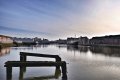
Waterscape.
View attachment 59433


Last one seems to have a bit of halo problem, but the trawlers are just wonderful! The mistiness adds a huge amount. Great stuff.

After going back and forward on this one waaaaaay to many times I decided to just do what I usually do..... buy and be damned. The X-pro 2 doesnt offer me enough to justify the additional expense. So the X-T1 is on its way.
Anyone got a 23 or 35 1.4 they want to sell? Ive posted a wanted.
I'm putting a 35mm f2 in the classifieds tomorrow, if that's any use.

I quite fancy one of these, but I already have the F1.4 hmmmmm I'll keep an eye out for your posting.I'm putting a 35mm f2 in the classifieds tomorrow, if that's any use.

I quite fancy one of these, but I already have the F1.4 hmmmmm I'll keep an eye out for your posting.


Something's gone totally wrong there. What did you start from??Here you are. Pretty crap really. Did these with the LR/CS6 process. Can't say I'm impressed.
FXT19140-Edit by mickledore on Talk Photography
hdr1 by mickledore on Talk Photography


Started from RAW images. Opened in LR then chose to merge to HDR. LR didn't do it but transferred me to CS6 to use the HDR convertor in built in there. This is the result with just a few tweaks to the sliders then converted to JPEG for on here. Waste of time. I don't know if LR6 or the CC version has a different engine but I won't be using this method again. I'll stick to my stand alone programmes for HDR.Something's gone totally wrong there. What did you start from??
I think it's generally agreed that the PS6 and earlier HDR engine isn't up to much, but even so, something looks wrong here. Were they actually bracketed exposures? How many stops? The scenes look rather low contrast for using HDR at all.Started from RAW images. Opened in LR then chose to merge to HDR. LR didn't do it but transferred me to CS6 to use the HDR convertor in built in there. This is the result with just a few tweaks to the sliders then converted to JPEG for on here. Waste of time. I don't know if LR6 or the CC version has a different engine but I won't be using this method again. I'll stick to my stand alone programmes for HDR.
Hmm. In that case, no idea what's happened, but I agree the results aren't good. But try the Photomatix ->32 bit Tif -> LR method some time, it may work for you. If you want better instructions, there's a guy out there called Keith Cuddeback has some webpages with good step-by-step instructions http://www.essenceinphotography.com/beginning-your-journey-to-perfect-hdr-photography/. His writing style is a bit over-excited and his pictures are not quite my thing, but the technique is definitely useful.Yes three bracketed exposures. Normal, +1, -1. Shot in camera with the bracketing setting.
I normally work on my HDR images in either LR or CS6 as appropriate. I too find yellows and to some extent reds over saturated so usually tweak them.
Thanks Rich ,scuse my ignorance when u say optically versus software,how does that work? And if you dont use software that recognises the fuji would that point to getting the 1.4 version?I have had both versions and there isn't much to choose between them, strangely though my f/1.4 version is better wide open than for instance at f/5.6, very odd
One other difference is that the newer lens has its distortion corrected in software rather than optically as in the older model, end result is the same though.
 Floods and flowers by David Hallett, on Flickr
Thanks Rich ,scuse my ignorance when u say optically versus software,how does that work? And if you dont use software that recognises the fuji would that point to getting the 1.4 version?

It looks like the F2 is sharper in the center but the F1.4 is more consistent across the frame. I know which one I'd prefer.so whats the consensus on the F1.4 versus F2 on the 35mm,a friend offered to sell me his 35mm 1.4 because he wants the F2 weatherproof one.on the review Ive read 1.4 touch sharper at the edges but not a lot in it and the F2 is faster to focus,quieter and lighter?

I find the f2 to be superb, and I've owned the f1.4. If I'm shooting wide-open I rarely concern myself over edge sharpness. It's what I focus on which needs to be sharp.It looks like the F2 is sharper in the center but the F1.4 is more consistent across the frame. I know which one I'd prefer.

True but sometimes edge to edge sharpness is crucial, for instance if your shooting a landscape or a structure, especially one that fills the frame.I find the f2 to be superb, and I've owned the f1.4. If I'm shooting wide-open I rarely concern myself over edge sharpness. It's what I focus on which needs to be sharp.
At the moment im back to using Photos to process raw and im not sure that does lens correction ,thanks.My understanding of it Chris is its only raw that needs specific software and you need that just to view them so you will have to use something or other that recognise your files. The correction is I believe embedded in the file so no settings need activation, all done automaticaly when the converter opens it.
As ever please feel free to correct me if I have the wrong end of the stick, wouldn't be the first or last time
In those instances I wouldn't use f1.4 or f2. Which was my point.True but sometimes edge to edge sharpness is crucial, for instance if your shooting a landscape or a structure, especially one that fills the frame.
Is that just a CC feature? I presume you are on subscription, not stand alone?
As I've mentioned above I'm on v5.You can do that with the standalone version too. 6.3