

yamahatdm900
Suspended / Banned
- Messages
- 6,200
- Name
- Graham
- Edit My Images
- Yes
Looks like it's expired, 10% off now though so just shy of £90 off still.
Thanks Ian just found it, appreciate the heads up.

Looks like it's expired, 10% off now though so just shy of £90 off still.

Hmm...Wex have A new X-T2 for £750 (with cashback applied) ad a trade in of £100 on top, so I could trade up my last X-T1 for £650... hmmm Should I? My current X-T2 has major lockup issues which are making it a pain in the butt for work

Does anyone know of a cheap dumb adaptor with a tripod mount for Canon EF to the Fuji x? I got a Samyang 135mm f2 which focuses pretty close which I fancy giving a try but want one with a tripod mount.
Found plenty without a tripod mount and rather not pay much more than £30.
Graham, can't you use a standard EF converter and then a cheapo tripod mount collar https://www.ebay.co.uk/sch/i.html?_...=m570.l1313&_nkw=tripod+mount+collar&_sacat=0


 DSCF1531 by rick phillips, on Flickr
 DSCF1534 by rick phillips, on Flickr
 DSCF1535 by rick phillips, on Flickr


Have done some more testing, I'm going to have to go back on one thing I said about the X-T2 sensor - the LR sharpening isn't entirely satisfactory. It works very well on stuff such as grass and foliage, but is not so good on surfaces with fine texture, such as stone or distressed metal.
At 1:1 viewing, even the default LR sharpening produces noticeable artefacts, and as with the X-Trans 2 sensor, I can get a better result (fine details, no artefacts) using the X-Transformer plugin (without sharpening) followed by a Smart Sharpen in PS. Zero sharpening in LR followed by Smart Sharpen in PS seems less effective.
You would have to print pretty big to see this level of detail, mind you, and it's a bit of an edge case, but if anyone is interested in this level of pixel-peeping nerdery. I can show some pictures of what I'm talking about.
This was using the 35mm f/2 prime, so it's not a case of wanting to sharpen to make up for lack of sharpness in the optics, just a matter of seeing how far it will go.
So which do you prefer then David? Out of interest have you tried the Capture one Fuji edition?
I think if you're photographing those kinds of surfaces and detail matters (it doesn't always) then LR alone is not really satisfactory, although there may be better outcomes than I have managed to find (I did try the Bridgman approach, no great improvement). For some people, or in some situations, it will be enough to just turn the LR sharpening well down or completely off, and be content with the result as still pretty well resolved.
However, using the X-Transformer plugin before exporting to PS and doing the final sharpen there is a bit of a pain but gets very good results, allowing me to keep using LR as my base DAM, so that's what I'll do going forward.
I tried C1 at the end of 2015-early 2016 when I first got my X-T10 and was quite impressed with it, but wasn't sure it really offered enough to be worth the money. I think if for people who want to do all their PP in one program, it might be, but I'm very used now to starting in LR and finishing in PS, so C1 would have to offer me something very special to be worthwhile.
Speaking of software, I've been looking at FastRawViewer lately and I'm quite impressed with it as a program for quickly culling your RAW shots. It's very easy to see what is actually blown out in the RAW file and what is recoverable, and at £15 it does a few simple things very well. I'm still in the trial period, but will probably buy it.
Comparing the Rhinocam setup with a 645 75mm lens vs the same shot taken with the X-T2 and the 35mm lens is interesting, although the differences are quite subtle until you get to very large sizes. I'm beginning to see what the large format guys mean by detail without sharpness.

So out of curiosity, who`s using what for their workflow?
I tend to use iridient x transformer, then into acr, and ps. I did try the free c1 but didnt like it that much.
So out of curiosity, who`s using what for their workflow?
I tend to use iridient x transformer, then into acr, and ps. I did try the free c1 but didnt like it that much.

So out of curiosity, who`s using what for their workflow?
I tend to use iridient x transformer, then into acr, and ps. I did try the free c1 but didnt like it that much.
I`ve never got on with LR (to old and set in my ways lol), I do have affinity, and quite like it, but still revert to PS
When I tried C1 against Iridient, I actually preferred Iridient for the conversion, and tweak whats needed in PS ... for me its an easy one ish click
Adobe is coming in for some serious competition, and I think it`ll be interesting to see how they cope with decent competition. They can`t afford to rest on their laurels now.
I start in LR, set the white balance, exposure, shadows, etc. and maybe a crop if obviously needed. Then X-Transformer to a DNG. Open the DNG in PS as a Smart Object and work on it from there, generally non-destructively.
Save the result as a layered TIFF (same as a PSD) which is automatically brought back into LR. Delete the intermediary DNG as no longer needed, as it's present within the TIFF and can be easily regenerated from the RAF if needed.
Export actual image files from LR as required.
You could probably get the exact same results using Bridge and ACR, but I somewhat prefer the LR interface and its ability to organise stuff in Collections, etc. And I'm paying one price for LR + PS, so may as well use it!
Certain bits from other software though. I do like the On1 film sims, especially the B&W Ilford ones They are and the competition can be only good for the consumers, always liked LR and just to use irident x- transformer and LR but at the minute the C1 route I'm using seems to fit very well for me. I'm doubtful if I will fork out for the full C1.
)
So out of curiosity, who`s using what for their workflow?
I tend to use iridient x transformer, then into acr, and ps. I did try the free c1 but didnt like it that much.


So out of curiosity, who`s using what for their workflow?
I tend to use iridient x transformer, then into acr, and ps. I did try the free c1 but didnt like it that much.
The X-T2 will go to 800 with very little visible noise and to 1600 without it being a real problem (in real life rather than 100% or bigger!)
 DSCF0534 by Steve Jelly, on Flickr
I knocked this up for one of the Fuji FB groups, after a number of posts defending LR.....
Workflow:
I remove the card from my camera and download the raw files to my hard drive. I import to LR, view the images in the library, mark all the ones I DON’T WANT, then remove them from the drive via LR. I then copy the remaining files to another drive as backup.
Once I have the raw files in LR, I go to work.
1. Crop & straighten if required
2. Check & set White balance
3. I generally start by using a basic preset that I designed. This preset sets Highlights to -100 & shadows to +100, bringing out the most in the available DR. I then control clipping of whites & blacks on their own controls. Sometimes I may need to move the exposure slider, but rarely. If my skies are a little too bright, I then:
4. Add a graduated filter (if required)
5. Spot removal (if required)
6. Noise control if required
7. Colour control (via the multiple sliders). I find, especially in my wildlife shots, that Fuji images really overdo the greens, so I often pull them back (and yellow) so foliage doesn’t look overdone.
8. This is where I now jump out to Photoshop, using the menu bar (select Photo, then Edit In Photoshop). I do this as I find it easier to resize, add borders and if really necessary, sharpen. Also, if I’m shooting people, I can make the eyes “pop” and work on the skin in PS.
9. So, after resizing and adding my border, I then save the finished file as JPG to a sub folder.
I may, if it’s an important image, save the file as a TIFF before resizing, etc, so I can work on a bigger file should I need to. I recently shot my friends wedding, and kept a few of my favourite shots like this so I could get them printed in a larger size.
And that’s it really. It’s not complex, but I found I did need to practice with the files a bit before I found out how to get them right.
My preset…. It isn’t anything clever, other than pushing the shadow to 100 & highlight slider to -100, adding a bit of Dehaze, Contrast and a little bit of Clarity. I saw a video of a guy using the idea of pushing the sliders on YouTube (can’t remember when or who, but it was a couple of years ago) but you MUST have a reasonably good exposure for this to work, and you then control light & dark parts of the image on the White & Black sliders.

Highlights to -100 and Shadows to +100 then set White and Black points accordingly as a starting point is an approach Serge Ramelli has been teaching for quite some time.Nice one Steve ... I`ll give that shadow and highlights thing a try. Always up for a different approach to things, assuming it would work the same in photoshop too

Highlights to -100 and Shadows to +100 then set White and Black points accordingly as a starting point is an approach Serge Ramelli has been teaching for quite some time.
I think it works well on the kinds of pictures Serge tends to take, night-time cityscapes for example. The potential problem is that you can destroy all sense of the light, not a problem for Serge who promptly puts in back again with dodge and burn or local exposure brushes, etc. He was a painter before he was a photographer, I believe, so he's good at that!
He has a lot of free tutorials on his site (and plenty of paid stuff too) if you like his style. For me, these days, it's a bit overblown. But I learned a lot from his teaching materials.
Out and about with the X-T2 yesterday afternoon. After this I went and tried some high ISO on the mean streets of Oxford after dark. Seemed to go fairly well, but haven't reviewed the results properly yet.
I had to push the ISO to 400 to get a 1/30 exposure here but I can't see that the quality suffered much, even viewing 1:1. X-T2 is a pleasure to use, just a few muscle memories to redo
Still waters by David Hallett, on Flickr
Thank you kindly George, you're a gentNice Fujigraph, well composed with good colour & detail.
George.
 Music
Music Beach Boardwalk (2) (Dungeness)-03268
 for looking.,
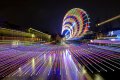



 Orbit
Orbit
