The Amazing Sony A1/A7/A9/APS-C & Anything else welcome Mega Thread!

Lovely pictures :D

The way I'd tone down the shine would be to zoom in and paint on some exposure compensation but we'd be nit picking here and I think she'll be very happy with the picture as it is.

All in all what a lovely story and much better than being called a P****/weirdo for having a camera :D
The trouble with brushing in exposure comp or highlight reduction is that it can look unnatural at times, I've personally found that using stamp clone with reduced opacity can look more natural (y)
 
Thanks Simon and great advice! I had tried the brush in lightroom on her face and then reduced the whites slider but it didn't look very good. Is that basically the same tool as in camera raw?
I've been told since that I would have been better off with spot metering and locking exposure on the brightest part of the subject, in this case on her coat or face, and then recomposing. I was actually in multi metering mode which was obviously not the best choice for this. So would I have been better off changing to spot metering standard with the focus point link attached to it and then focusing on her coat and then reframing which would then avoid blowing out/over exposing those shiny and overly white areas? Actually, I think it means using auto exposure lock which I've never used. My AEL button is my back button focus, so I'll have to reassign AEL.

I just got an email back from them and they thought the photos are amazing (they're not but I'm glad they like them and I sent 16 photos) and said they might be in touch for more, so maybe I can ask for a few quid next time. :D
I've just posted above how I sometimes correct blown areas but in terms of metering there is also the option os using highlight weighted metering (y)
 
The trouble with brushing in exposure comp or highlight reduction is that it can look unnatural at times, I've personally found that using stamp clone with reduced opacity can look more natural (y)

If something is completely blown you can get a false colour effect and when cloning you're going to have to find a near enough area to clone from so that can be problematic too but it's something you have to try and see what happens, obviously. I use brush on exposure comp all the time and if it's just 1/1.5 stops or so it'll very probably be perfectly ok, you just have to see if it works but we're looking at a very small percentage area of the pictures here and only guessing what will give the best effect One thing I do try and keep in mind is that looking at people / things by eye we'd often see bright areas anyway and if 0.5% of the picture is blown 99.9% of people will never notice, care or understand what we're talking about.
 
OR just position the subject with the sun behind them and expose for the face - simple enough :)

Les
 
Thanks Simon and great advice! I had tried the brush in lightroom on her face and then reduced the whites slider but it didn't look very good. Is that basically the same tool as in camera raw?
I've been told since that I would have been better off with spot metering and locking exposure on the brightest part of the subject, in this case on her coat or face, and then recomposing. I was actually in multi metering mode which was obviously not the best choice for this. So would I have been better off changing to spot metering standard with the focus point link attached to it and then focusing on her coat and then reframing which would then avoid blowing out/over exposing those shiny and overly white areas? Actually, I think it means using auto exposure lock which I've never used. My AEL button is my back button focus, so I'll have to reassign AEL.

I just got an email back from them and they thought the photos are amazing (they're not but I'm glad they like them and I sent 16 photos) and said they might be in touch for more, so maybe I can ask for a few quid next time. :D


I really like that first shot but if unhappy with the exposure on the face are there any heavy artistic styles you could apply to the whole photo? I'm thinking things like heavy grain grunge type thing in b&w or a cinematic look? Perhaps crush the blacks down (more?) and desaturate etc? Just throwing things out there!
 
A reflector? For walkabout street shots? In an ideal world maybe. I'm also not really a fan of the idea of repositioning the subject with the sun behind them as these pictures were taken in a street with surroundings and background and pointing the camera in another direction makes it a different picture which is fine I suppose but to get the sun behind the subject in that one with the bridge in the background would involve a bus ride or a walk and a search for another location. Faced with that admittedly minor logistical and time consuming irritation I'd rather have a small highlight area... that the subject very probably hasn't even noticed.
 
Last edited:
A reflector? For walkabout street shots? In an ideal world maybe. I'm also not really a fan of the idea of repositioning the subject with the sun behind them as these pictures were taken in a street with surroundings and background and pointing the camera in another direction makes it a different picture which is fine I suppose but to get the sun behind the subject in that one with the bridge in the background would involve a bus ride or a walk and a search for another location. Faced with that admittedly minor logistical and time consuming irritation I'd rather have a small highlight area... that the subject very probably hasn't even noticed.

I have a mini reflector that folds up to almost big pocket size,quite a lot of portrait photographers use them.

In regards to moving around so that the sun can be behind that’s just what good photographers do.

No offence intended but you could probably do with doing a bit of research into using natural light for portraits.

Burned highlights is never fine regardless of what you think.
 
Light behind subject 95% of the time, it creates separation, it gives that halo look, it prevents squinting, it reduces the skin looking oily, no harsh shadows under eye socket/nose, chin, creates more dramatic lighting, so many positives.

I remember from years ago, all these tutorials and guides telling you not to do that, I follow it and the photos looked crap (sometimes they still do! lol). I then look at photos that I like online, of all the ones that I like, the light tends to be from behind the subject, at most, it's at the subject's 4 to 8 o'clock (6 behind directly behind them).

I do it now even with flash, I put my off-camera flash behind the people I am photographing, the flash on my camera is pointing up, not AT the subject.

Walking away from the sun.

3Y3A6sd.jpg


Sunset behind them

9Qx2Ce1.jpg


eVCWJfZ.jpg


Yes, there are times where the light has to be in front of the subject, but that's not very often.
 
Thanks to everyone for their input.

OR just position the subject with the sun behind them and expose for the face - simple enough :)

Les

Yes, I think the biggest lesson I learned from this is shoot with the sun behind the person. Now that I think of it, someone posted photos of their daughter in this thread a few weeks ago, might have been Dan Cook. He was asked about the lighting and he said it was from the sun behind his daughter.
 
I've just posted above how I sometimes correct blown areas but in terms of metering there is also the option os using highlight weighted metering (y)

I've noticed that metering option, I'll try it next time. Would it have mostly stopped blowing out those areas?
 
I've noticed that metering option, I'll try it next time. Would it have mostly stopped blowing out those areas?
Highlight metering is such in that it exposes for the highlights to preserve them. It often leads to an underexposed image but this is usually easy to pull back in post processing and leaves you without blown highlights.
 
Nothing wrong with blown highlights (in the right places), or under-exposed darks/true black. The world is full of bright and dark places. If you pull back everything and push everything the image will look very flat. Personally, not a fan of that kind of look and incidentally, it's what computer AI does in most phones. It has that hint of bad old school HDR look in them.
 
Highlight metering is such in that it exposes for the highlights to preserve them. It often leads to an underexposed image but this is usually easy to pull back in post processing and leaves you without blown highlights.

I never really got on with it as a small unimportant area of highlight was impacting the rest and more important parts of the photo - and possibly because I've got less dynamic range to play with.

I saw a video of someone filming an indoor live band and I'm sure if was highlight exposure setting being used to combat the bright stage lighting.
 
Oh, whilst I agree, at least for me that shooting with light behind the subject is preferable, if you don’t want that and want the complete opposite and make it YOUR style, go for it.

There will be people who love that kind of style, and you will find your niche. You can’t please everyone, the most important person to please is yourself first especially when it comes to personal work. Hopefully the client who book you are in the same page thus you just end up shooting what you love and getting paid for it.
 
Nothing wrong with blown highlights (in the right places), or under-exposed darks/true black. The world is full of bright and dark places. If you pull back everything and push everything the image will look very flat. Personally, not a fan of that kind of look and incidentally, it's what computer AI does in most phones. It has that hint of bad old school HDR look in them.
I agree, I don't like images that are pulled back too much, they start to look artificial and a bit HDR as you say. You need to use these 'tools' carefully imo.
I never really got on with it as a small unimportant area of highlight was impacting the rest and more important parts of the photo - and possibly because I've got less dynamic range to play with.

I saw a video of someone filming an indoor live band and I'm sure if was highlight exposure setting being used to combat the bright stage lighting.
To the best of my knowledge highlight metering was introduced by Nikon for such and event as you mention, their example was a ballet dancer (I think) on stage with the spotlight just on her, normal metering would have led to a very overexposed dancer as the rest of the stage was black. I'm not sure why I'd choose that over spot metering linked to the focus point but I've had some pretty cool results when playing about with highlight metering.
 
I agree, I don't like images that are pulled back too much, they start to look artificial and a bit HDR as you say. You need to use these 'tools' carefully imo.

It is basically HDR. In past the sensors didn't have enough dynamic range so had to blend multiple shots. Nowadays that's less of an issue.
 
Just out of interest, is anyone using the latest M1 based Mac mini for photo editing? My self built 11yr old PC needs a refresh and I was considering a Mac mini as a stop gap solution as reviews suggest they are beating Intel for that sort of task.
If I do another build I'm looking at 3K if I watercool, whereas the Mac Mini is around 800 quid so might be worth a go even though I'm not an Apple fan.
 
Just out of interest, is anyone using the latest M1 based Mac mini for photo editing? My self built 11yr old PC needs a refresh and I was considering a Mac mini as a stop gap solution as reviews suggest they are beating Intel for that sort of task.
If I do another build I'm looking at 3K if I watercool, whereas the Mac Mini is around 800 quid so might be worth a go even though I'm not an Apple fan.

I have a base model macbook air and it works fine. It is my stop gap till the next iteration of mac mini with more RAM and slimmer design.
 
Don't know if it's been mentioned yet, but there's an a6700 aps-c, a successor to my camera with some more spec details on sony rumours. Doesn't really interest me tbh, particularly as fully articulated screens don't suit me. I prefer the pull out screen, it's more discreet for street photography.

 
To anyone who own a 200-600. How to you carry it while walking about?
I.e. do you use camera strap with one loop on camera body and one loop on lens foot. Both loop on camera. Both loop on the foot...?
 
To anyone who own a 200-600. How to you carry it while walking about?
I.e. do you use camera strap with one loop on camera body and one loop on lens foot. Both loop on camera. Both loop on the foot...?

I suspect on its own trolley...
 
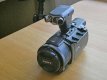
As this is a Sony "or anything else thread" can I give a shout out for the Sony FDR-AX53 camcorder and Sony XYST1M stereo mic.using the built in Hotshoe contacts

P1040034aa.jpg

For the price what an amazing bit of kit. What swung it for me was the inbuilt gimble which must be the best in this size camcorder. Also that mic, where else can you find one that has swivel heads to be either stereo or directional? I wont go into all the details of what it can and can't do as that hasbeen done on youtube already. The "deadcat" wind deflector that the mic come with is what I woud say next to useless so i have ordered a Gutmamm one instead. Other extras I recomment is the JJC TP-S2 pistol grip (the Sony version is a bit short in length) and the JJC wireless remote which is about tfhe only one I could find that works at a decent distance. I also added a UV filter (the shutter and lens are very close to the front) and a lens cap -55 t0 77mm step up ring for a rectangular lens hood.
This is because that gimble movement can hit the edge in screen of a lens hood if using a smaller with sideways movement. Only main drawback is it doesn't have bluetooth so the pistol grip has to be a wired one

Together the cost including a 128GB SD card I recon is well under £1000 (I got my camcorder from a main dealer discounted). So the complete packege is well worth considering not forgetting it does more than just video like time laps- high speed - night mode .etc

Just for fun this was my first "ghostly" effort. watch the cup move from the right across the work surface. Oh I was behind the camcorder all the time and it was pitch bl;ack


most of the videos on my youtube channel were taken with my old Panasonic camcorder which after 9 years and a huge amount of videos decided to start giving a few problems so P/X for this one
View: https://www.youtube.com/watch?v=grhEplT695w
 
Last edited:
s this is a Sony "or anything else thread" can I give a shout out for the Sony FDR-AX53 camcorder and Sony XYST1M stereo mic.

View attachment 319542

For the price what an amazing bit of kit. What swung it for me was the inbuilt gimble which must be the best in this size camcorder. Also that mic, where else can you find one that has swivel heads to be either stereo or directional? I wont go into all the details aof what it can and can't do as that hasbeen done on youtube already. The "deadcat" wind deflector that the mic come with is what I woud say next to useless so i have ordered a Gutmamm one instead. Other extras I recomment is the JJC TP-S2 pistol grip (the Sony version is a bit short in length) and the JJC wireless remote which is about tfhe only one I could find that works at a decent distance. I also added a UJV filter and a lens cap -55t0 77mm step up ring for a rectangular lens hood.
This is because that gimble movement can hit the edge in screen of a lens hood if using a smaller with sideways movement.

Together the cost including a 126GB SD card I recon is well under £1000 (I got my camcorder from a main dealer discounted). So the complete packege is well worth considering not forgetting it does more than just video like time laps- high speed - night mode .etc

Just for fun this was my first "ghostly" effort. watch the cup move from the left across the work surface. Oh I was behind the camcorder all the time

View: https://www.youtube.com/watch?v=grhEplT695w

Very nice - loved the spooky video - do you mean a 128gb SD card?

Les :)
 
I use a sling over one shouider ot mounted to a Tripod or monopod - they are not that heavy as to warrant a trolly in my opinion

Les :)

Yes I'm not to worried about weight on my shoulder it's really not that heavy but weight of the lens on the flange of the camera body if dangling down.
So you have both strap on the tripod plate foot?
 
To anyone who own a 200-600. How to you carry it while walking about?
I.e. do you use camera strap with one loop on camera body and one loop on lens foot. Both loop on camera. Both loop on the foot...?

I bought a 3rd party foot from amazon, used a Peak Design Anchor Mount on the lens side of the foot (between lens and foot effectively). I then have an anchor on the anchor mount and one on the lens body itself. It's not ideal, but it's not a bad balance.
 
if you just needed help finding one in stock you should have asked ;)

Thanks. That was an expensive couple minutes.

Gotta feeling this has gone stinky.
I emailed to cancel very early Monday.
So far nothing. Emailed again yesterday. Zilch
Tried the phone. It went to a mobile voicemail.
Very twitchy now..
 
Gotta feeling this has gone stinky.
I emailed to cancel very early Monday.
So far nothing. Emailed again yesterday. Zilch
Tried the phone. It went to a mobile voicemail.
Very twitchy now..

None of the grey importers as far as I know attend the phone. They just have a number and voicemail permanently on. They might even be one of those "virtual" phone numbers. This seems true even with panamoz.
I know there are people on this forum that have ordered from them in the past with no issues. But this is a risk with any grey importer unfortunately.
I hope you paid with credit card or PayPal in which case it shouldn't be hard to get your money back.

On a side note I didn't actually think you'd order one, I was kinda half joking. Teaches me to be careful with my silly jokes :(
 
Gotta feeling this has gone stinky.
I emailed to cancel very early Monday.
So far nothing. Emailed again yesterday. Zilch
Tried the phone. It went to a mobile voicemail.
Very twitchy now..

There are a number of forum threads regarding this supplier, and quite a few 'internet' threads - it appears that items 'might not' actually be in stock, but most people on these threads get their item eventually (2-3 weeks)
 
Just out of interest, is anyone using the latest M1 based Mac mini for photo editing? My self built 11yr old PC needs a refresh and I was considering a Mac mini as a stop gap solution as reviews suggest they are beating Intel for that sort of task.
If I do another build I'm looking at 3K if I watercool, whereas the Mac Mini is around 800 quid so might be worth a go even though I'm not an Apple fan.
I'm still waiting for the M1 16" Macbook Pro. I've been desperate to update my laptop for a while as it struggles with lightroom and PS so I'm hoping it's not going to be too much longer.
 
I'm still waiting for the M1 16" Macbook Pro. I've been desperate to update my laptop for a while as it struggles with lightroom and PS so I'm hoping it's not going to be too much longer.
I know Adobe is slowly porting all its software but I am not buying any of the more expensive apple silicon stuff till most of my software is natively supported on Apple silicon.
 
I've noticed that metering option, I'll try it next time. Would it have mostly stopped blowing out those areas?
To the best of my knowledge highlight metering was introduced by Nikon for such and event as you mention, their example was a ballet dancer (I think) on stage with the spotlight just on her, normal metering would have led to a very overexposed dancer as the rest of the stage was black. I'm not sure why I'd choose that over spot metering linked to the focus point but I've had some pretty cool results when playing about with highlight metering.
Merlin this isn't the example that I remember, but it shows the same principle (1st example in link)

 
Just out of interest, is anyone using the latest M1 based Mac mini for photo editing? My self built 11yr old PC needs a refresh and I was considering a Mac mini as a stop gap solution as reviews suggest they are beating Intel for that sort of task.
If I do another build I'm looking at 3K if I watercool, whereas the Mac Mini is around 800 quid so might be worth a go even though I'm not an Apple fan.

Yes, I have a M1 Mac Mini with 16G at work, I run LR, PS, Ai & Id at work, it's very good. Technically Ai and Id are not native yet but you wouldn't know it.
 
Back
Top