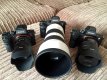
The Amazing Sony A1/A7/A9/APS-C & Anything else welcome Mega Thread!

Great picture but there's some weird colour cast in the sky or something, on my screen anyway the sky is... blue. That can't be right can it?

This is what the sky looks like, a sort of featureless greyish white emptiness from horizon to horizon with maybe just a hint of cloud...

DSC04856.JPG

You wont believe how much I boosted this picture post capture to get it this vibrant.

PS.
And what are those dark lines leading away from the lamp posts? It's almost as if there's a bright light source in the frame somewhere.
 
Last edited:
Great picture but there's some weird colour cast in the sky or something, on my screen anyway the sky is... blue. That can't be right can it?

This is what the sky looks like, a sort of featureless greyish white emptiness from horizon to horizon with maybe just a hint of cloud...

View attachment 55651

You wont believe how much I boosted this picture post capture to get it this vibrant.

PS.
And what are those dark lines leading away from the lamp posts? It's almost as if there's a bright light source in the frame somewhere.
i did some PP work on my shot:)
 
What about pictures taken with that camera?

I was hoping to see more pictures around here but its all about discussing who has the better setup or gear XD

There's plenty of pictures so don't panic.

Make yourself a cup of tea, sit down and look through the thread.
 
as to what to set the c buttons too, on my mums a6000 i set the one next to shutter to exposure comp i think, and one on the rear to peaking colour change as its easily pressed by mistake, and thats a useful and benign setting.

button near where your thumb is i set to punch in zoom focus thingy.

preset memory is 1)bracketed shot , 2)black and white, 3) 2 sec timer f8 100 iso for tripod or static stuff

normally i just use a mode with auto iso and just keep a eye on shutter speed
 
Here's mine...

C1 - Grid lines.
C2 - Peaking.
C3 - Zebra.
Control wheel - ISO.
Middle button - Focus point.
FN - set to go to focus area.

Simples and that's it I think.
 
I was only going to go for Olympus if they release some magical features, they do have it good with composite live view very nice feature easy for stars car lights light painting etc, they also have focus stacking and bracketing which I do miss as the manual way is a ball ache. But let's see I have a feeling sonys new a6100 or a7000 will be a sexy thing. But I,ll never replace my Sony I love the IQ far better
 
I was only going to go for Olympus if they release some magical features, they do have it good with composite live view very nice feature easy for stars car lights light painting etc, they also have focus stacking and bracketing which I do miss as the manual way is a ball ache. But let's see I have a feeling sonys new a6100 or a7000 will be a sexy thing. But I,ll never replace my Sony I love the IQ far better

You can do this on the Sony with some app you can download
 
I've got most of them rookies, focus bracketing can't be done they do have an app but only allows three shots for proper macro u need anything up to 100 live comp view isn't there they have light painting but it's nowhere near what Olympus have , that being said nothing stopping sonys adapting them , the bracketing one would be easy

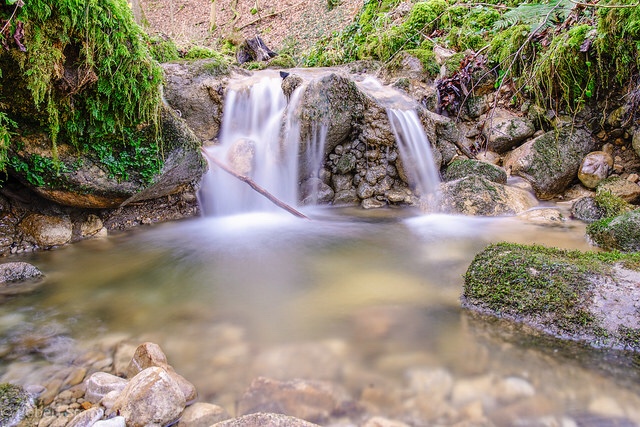
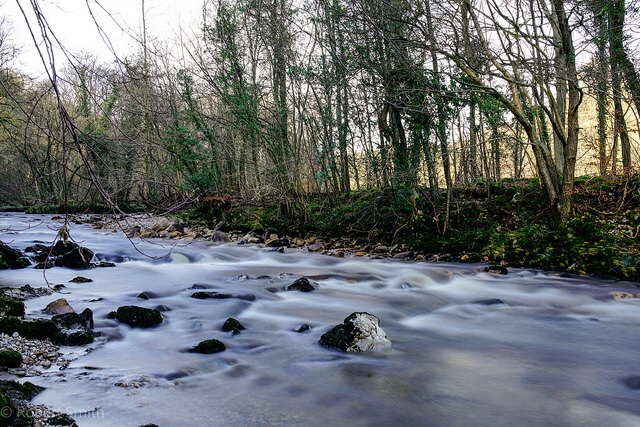
The smooth water app is amazing love that one

32c2e919554cd33a704a4534cfdafc9e.jpg
 
Last edited:
I've got most of them rookies, focus bracketing can't be done they do have an app but only allows three shots for proper macro u need anything up to 100 live comp view isn't there they have light painting but it's nowhere near what Olympus have , that being said nothing stopping sonys adapting them , the bracketing one would be easy

The smooth water app is amazing love that one

32c2e919554cd33a704a4534cfdafc9e.jpg

No image

Have u tried star trail as that suppose to work
 
Ah image now appear
 
I've got most of them rookies, focus bracketing can't be done they do have an app but only allows three shots for proper macro u need anything up to 100 live comp view isn't there they have light painting but it's nowhere near what Olympus have , that being said nothing stopping sonys adapting them , the bracketing one would be easy

The smooth water app is amazing love that one

32c2e919554cd33a704a4534cfdafc9e.jpg

What does the smooth water app do? Can't you just choose a longer shutter speed yourself as you would still need an ND filter to shoot it in daylight?
 
It takes several images and merge them I believe. Save using filters
 
Lol nothing that can't be done with a nd filter and knowlegde but yep it does a good job
 
But it good for people who doesn't want spend on filters or carry them about. Or beginners.

I be giving it a go.

I've got Lee filters and hardly used them so if this app does it good enough I may sell the Lee
 
But it good for people who doesn't want spend on filters or carry them about. Or beginners.

I be giving it a go.

I've got Lee filters and hardly used them so if this app does it good enough I may sell the Lee
Filters weigh same amount as a cup holder....
 
I agree that it's a useful app for those who don't want to get into landscape too much but I assume it will output a merged jpg file and you have little control (other than whatever Lo, Mid and High give you?) over the final output.

If you've already invested the money into Lee filters it seems like a backwards step? You don't need to carry a rucksack of kit wherever you go to shoot landscapes. I often just carry a Pixi tripod and variable ND with me if I think there might be chance to shoot some long exposure images.
 
I agree that it's a useful app for those who don't want to get into landscape too much but I assume it will output a merged jpg file and you have little control (other than whatever Lo, Mid and High give you?) over the final output.

If you've already invested the money into Lee filters it seems like a backwards step? You don't need to carry a rucksack of kit wherever you go to shoot landscapes. I often just carry a Pixi tripod and variable ND with me if I think there might be chance to shoot some long exposure images.

Yes I agree with filters they don't weight owt really.

I not got the app yet though but tempted to give it a go. It be handy if those odd days when we go out and not got filters with us so it like a backup
 
Maybe when abroad when I don't normally take them
 
Yes I agree with filters they don't weight owt really.

I not got the app yet though but tempted to give it a go. It be handy if those odd days when we go out and not got filters with us so it like a backup
Use your sunglasses if you forget your filters
 
Yep no raw control I do t believe a bit of a killer for most people not everyone though I guess....
 
Yep no raw control I do t believe a bit of a killer for most people not everyone though I guess....
Have you tried any of them pal?
 
I only had filters for my old cameras no lea stuff, dad has that. But so far all I've taken are as good as a stopper, time will tell though when I get to the seaside, so 3.99 on a app or 100 plus on a stopper....

The star trail rookies is pretty poo it does a video get the stop motion one for proper star trails it works great it's just sonys way of making us pay for an intervillometer

941fbcee287ee388d3bfded488a05286.jpg
 
Last edited:
I was referring to the £7.99 star trail app I read somewhere it does a great job??
 
Yeah that's the one it does a video of the trails, it doesn't actually let you stack them... The time lapse one is what you need it will take 300 photos over 2 hrs for you to stack in ps or a stacker.... I was disappointed in star trail as it was a video no stills
 
Once I get back from Jungle Gym I,ll post my star trail for u kids are in the gym not me bwhahaha
 
Ha ha are you sure u not in the jungle.

Am shock about the star trail one pal
 
just notice a smudge on the images now need to se if it the lens or the DARE i bloody say it sensor I never had a dirty sensor in my life
 
Back
Top