futureal33
Suspended / Banned
- Messages
- 2,390
- Name
- Nick
- Edit My Images
- Yes
Hello
I would really appreciate any help I can get.
I have a weird problem as a result of doing a few SEO reports on my website, indicating that I have 11 images on my homepage without any ALT text.
Further investigation has revealed all 11 images are: <img src="//assets.pinterest.com/images/pidgets/pinit_fg_en_rect_gray_20.png">
This is a pinterest icon!
I have disabled ALL pinterest elements on my website, and my homepage definitely doesnt have any pinterest icons...
www.nickenglishphotography.com
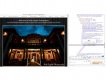
BUT in the source code of my website, there it is (image attached)
I have access to the HTML on that page and can confirm there in the HTML code, this doesn't appear!
As you can imagine this is somewhat frustrating!
So basically on my website source code, the pinterest thing appears, but on my actual build of my website where I can edit the HTML etc, there is nothing related to pinterest in the code at all!
Any help / suggestions for how I can remove it?
OR
Alternatively how I can edit it and add alt-text to it? (the icon doesnt show anywhere - so if I can just add alt text to it, then maybe it will cure my problem!)
Thank you
I would really appreciate any help I can get.
I have a weird problem as a result of doing a few SEO reports on my website, indicating that I have 11 images on my homepage without any ALT text.
Further investigation has revealed all 11 images are: <img src="//assets.pinterest.com/images/pidgets/pinit_fg_en_rect_gray_20.png">
This is a pinterest icon!
I have disabled ALL pinterest elements on my website, and my homepage definitely doesnt have any pinterest icons...
www.nickenglishphotography.com
BUT in the source code of my website, there it is (image attached)
I have access to the HTML on that page and can confirm there in the HTML code, this doesn't appear!
As you can imagine this is somewhat frustrating!
So basically on my website source code, the pinterest thing appears, but on my actual build of my website where I can edit the HTML etc, there is nothing related to pinterest in the code at all!
Any help / suggestions for how I can remove it?
OR
Alternatively how I can edit it and add alt-text to it? (the icon doesnt show anywhere - so if I can just add alt text to it, then maybe it will cure my problem!)
Thank you