G.K.Jnr.
Suspended / Banned
- Messages
- 34,213
- Name
- George.
- Edit My Images
- No
Put the SD card into the card reader and plug that into the connector kit. Run the Files app, tap Browse, and plug the connector kit into the iPad. A new entry should appear in the Locations pane. Tap that and you should see the photo files. Select the ones you want to copy, tap More, then Copy. Go back to the Locations pane and navigate to the location where you want to save the files. Scroll to the empty space at the bottom of the list, long-press, then tap Paste.
”Brilliant”
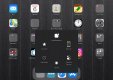
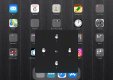
 I’m afraid I’ll just have to ask you about iPads in future. I’m still trying trying to work out what the gestures do on mine (2017 12.9 iPad pro) I’ve somehow managed to get another button that shows on every screen on mine that when I tap it all sorts of things open. One of them is gestures and when I tap that I either get 2, 3, 4, or 5, rings. Great but what the hell do I do with them ?. I’ve played numerous vid’s etc and even bought a mag/book on iPad OS but nothing has mentioned them.
George.
Last edited: