Surprised to be here - help!

Alison

Suspended / Banned
Messages
736
Name
Alison
Edit My Images
Yes
I'm so old fashioned and out of touch that I never imagined I'd post in this thread!

I've had my first DSLR for a few weeks now although I've not had much chance to practice with it yet. I'm having trouble shooting in servo mode in terms of my shots all coming out dark like the one below and have posted for advice in another thread (any given here would be most welcome too, of course!)
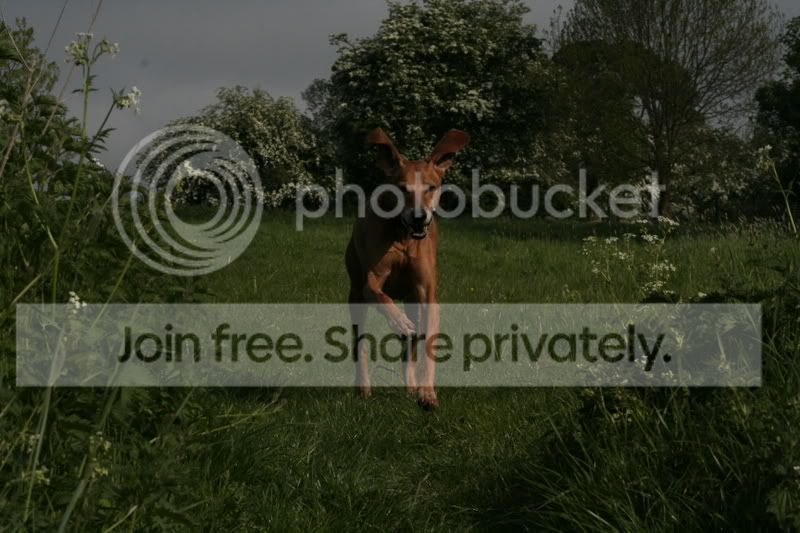
_MG_8835.jpg


One thing leads to another. Years ago I was quite familiar with PSP and liked it but for some reason Photoshop didn't appeal at all. I think I had a go once but gave up because I didn't find it instantly easy and just didn't bother again.

I really wanted to see what my servo mode disasters from this morning might look like lightened up a bit so was forced to dip my toe in the waters of PS - we have it on one of the computers at work although nobody uses it. I last used PSP about 4 years ago and no other software since, so maybe enough time has elapsed and I'm a bit more open minded now. Anyway, I'm completely hooked and really want a program on the PC at home. A couple of issues:

1) I share the PC at home with a game playing weirdo (World of Warcraft?) who is reluctant for me to install anything that might slow elves in mithral trousers down. Don't get me started :bat: Would Photoshop do that?

2) Here's a 2 minute attempt by a complete amateur on the above photo. Would it actually be possible to make a half decent snapshot of the original in PS? I think I just poked the auto levels and contrast settings. I appreciate that ridding the shot of this level of noise would be an unrealistic ambition. Shot at ISO gazillion because I'm still at the fiddling stage. Ignore desultory attempt at a border: borders are something I will be working on on Monday when I'm in the office again.
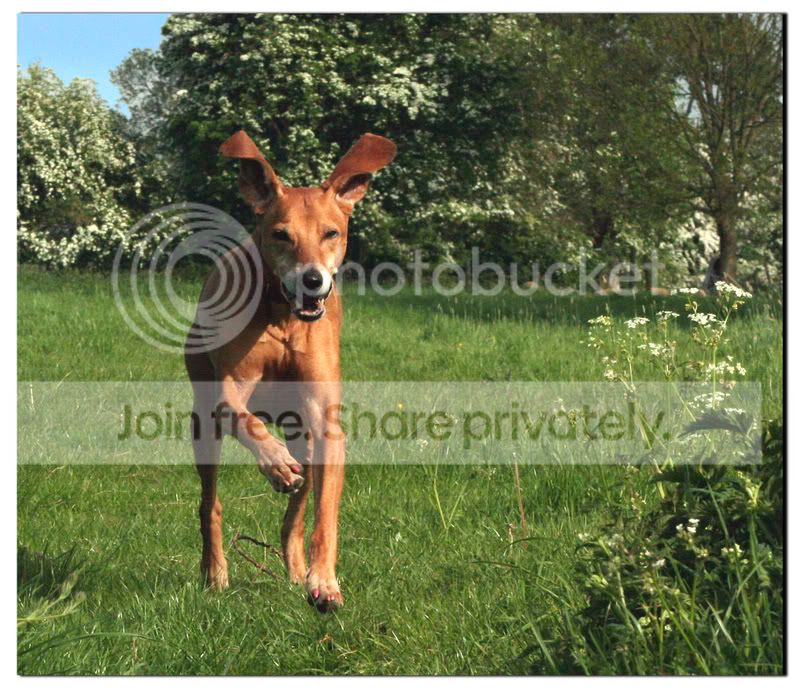
1stborder.jpg


Is there more suitable software than Photoshop? I no longer have PSP and haven't used it for yonks but was wondering if that might still be any good.
 
I'm having trouble shooting in servo mode in terms of my shots all coming out dark like the one below and have posted for advice in another thread (any given here would be most welcome too, of course!)

NOthing to do with servo mode. You've accidentally dialled in two stops of underexposure ;)

Camera Make: Canon
Camera Model: Canon EOS 350D DIGITAL
Image Date: 2008:05:15 08:54:09
Flash Used: No
Focal Length: 85.0mm
CCD Width: 22.20mm
Exposure Time: 0.0006 s (1/1600)
Aperture: f/16.0
ISO equiv: 800
Exposure Bias: -2.00
White Balance: Auto
Exposure: program (Auto)
 
NOthing to do with servo mode. You've accidentally dialled in two stops of underexposure ;)

Waaah! How did that happen? Can I PM you with another example or 3 because I've turned that flipping av +/- knob every which way, to no avail. Dark, dark and again dark whatever I do (or think I'm doing).


I'm guessing that you're either a spangly trouser elf or, like me, a fellow sufferer.

If it's the former you need a slap, if the latter you have my heartfelt sympathies :lol:
 
Aye, feel free to PM :) Having said that I've never had a 350D so I'm not best placed to help you change the settings
 
I'm guessing that you're either a spangly trouser elf or, like me, a fellow sufferer.

If it's the former you need a slap, if the latter you have my heartfelt sympathies :lol:

I have heard of "Smoking Nazi's" but "WOW Nazi's" thats just mad.

You could leave him but as he is probably addicted to it he wouldnt notice you leaving. :D:D
 
Alison.
Look for a button on the backof the camera for a button with Av and +- next to it.

Press the exposure button to activate the camera

Look at the LCD display you'll see a line which goes from -2 to +2 and a small indicator bellow this. This is the exposure compensation display.

Press the Av button and then turn the control wheel until the arrow is in the center position.

looks as though you may have pressed the button by accident then when you turned the control wheel to change something you set in 2 stops of underexposure

Hope this helps

John C

PS Photoshop has no effect on Elves.... Unfortunatly
 
if you dont like photoshop you could try, elements, lightroom or GIMP. might be worth looking into.
 
I have heard of "Smoking Nazi's" but "WOW Nazi's" thats just mad.

You could leave him but as he is probably addicted to it he wouldnt notice you leaving. :D:D
I did the leaving thing some 20 years ago in ye bad olde days of Dungeons and Dragons and you're right - he became my ex-husband without even noticing. He somehow reappeared as my lodger a while back. At least now the addiction is computer-based I don't have to put up with his idiotic mates coming round here throwing daft dice any more. I'm not going to tell him about the WOW Nazi comment if it's all the same!

I've been nosing around the shops today and decided I've just got to have CS3.

Chappers - you say that it will have no effect on the elves. Just to double check before I get my lodger's WOW alter ego "killed" or inadvertently ruin a guild raid (ffs :cuckoo:), can you confirm that Photoshop won't slow the game down? Harmonious household relations are at stake here!
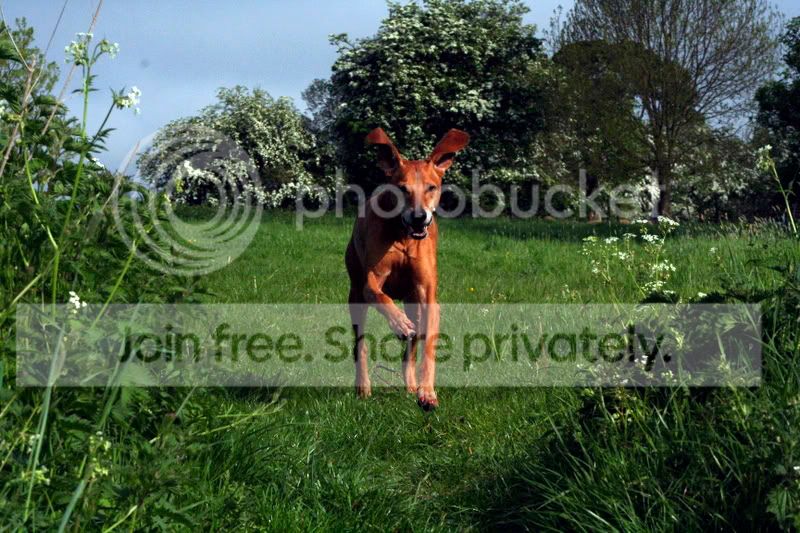
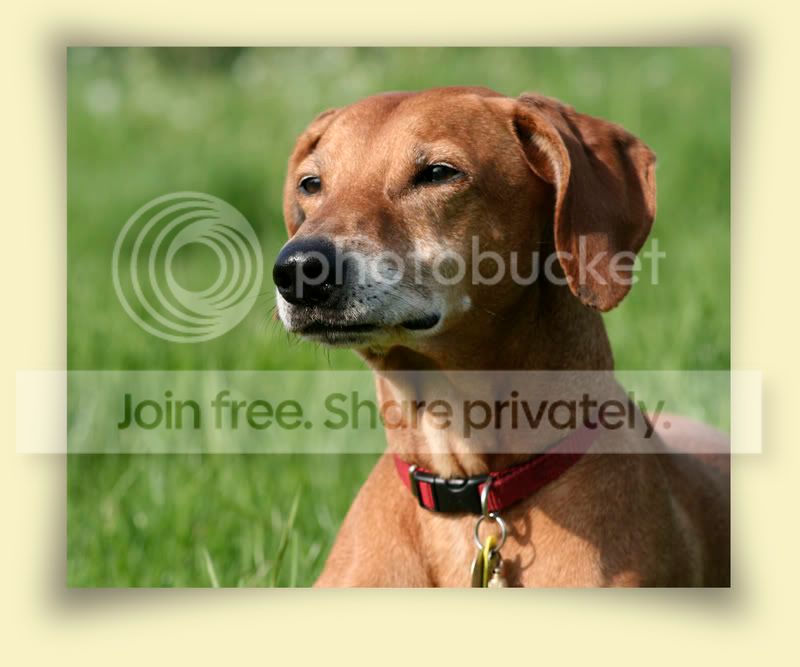
Am I right in thinking that CS3 would reveal the megadata in my photos? If not, what would? I think having that knowledge and information would help improve my photography a great deal.

Same question to Dod - how did you get the info on my camera settings etc., the info that highlighted what appears to be my problem? I'm going to PM you a shot that I took today and am happy with so if you'd be so kind as to check out the data on it I'd be really grateful.

Thanks for the example of how it should be done Dave, I love it! Can you tell me what you did to achieve it? If anyone else would like a go to show me what can be done with any image editing software please feel free. I'd sort of got my heart set on CS3 but now Toothie has mentioned alternatives I'd really like to see some examples before I take the plunge.
 
Same question to Dod - how did you get the info on my camera settings etc., the info that highlighted what appears to be my problem? I'm going to PM you a shot that I took today and am happy with so if you'd be so kind as to check out the data on it I'd be really grateful.

Photoshop will do it but I like this using firefox, just a right click and you're there :)

http://ted.mielczarek.org/code/mozilla/fxif/
 
Download an EXIF viewer, lots of people (including me) use opanda.

http://www.opanda.com/en/iexif/index.html

Just download and install it, then all you do is right click on the jpeg and click on the view exif, if the picture has it (sometimes if someone has 'saved for web' the the data will be deleted) it will show all the data :)
 
Thanks for the example of how it should be done Dave, I love it! Can you tell me what you did to achieve it? If anyone else would like a go to show me what can be done with any image editing software please feel free. I'd sort of got my heart set on CS3 but now Toothie has mentioned alternatives I'd really like to see some examples before I take the plunge.

Hi Alison

Pleased you like my effort. It was achieved using Photoshop CS3, you can downlaod the trial version herePhotoshop CS3 Trial

These are not the exact steps I took just a basic run down
.
Start CS3, file open as, and opened it as a raw file, and did some corrections,then opened in CS3, I then used the image adjustments levels and curves,using none destructive layers,for final adjustments,when happy flattened, then adjusted the final contrast, cropped it, resized it up to make it larger, using 110% 2 or 3 times, so not to loose details, it was then run through a plug-in called focus magic, the grain was removed using,the Gaussian blur tool on new layers added layer styles, flattened, I then run an action that I made that boosts colour on a separate layer,that's difficult to explain, adjusted the layer opacity, when I was happy I flattened the image.

Dave

There may be easier ways but that's basically what I did
 
same here i had a play around hope you dont mind

dog.jpg
 
Alison

My comment was rather tongue in cheek,but unless your trying to run Photoshop AND World of Warcraft at the same time I can't see any reason for it to slow things down. However you must exit Photoshop before the Elves are released as PS will have grabed some memory and that will slow things down.

John C
 
Alison

My comment was rather tongue in cheek,but unless your trying to run Photoshop AND World of Warcraft at the same time I can't see any reason for it to slow things down. However you must exit Photoshop before the Elves are released as PS will have grabed some memory and that will slow things down.

John C
Update: CS3 ordered and hopefully arriving within the next couple of days. If it doesn't I will explode - I can't wait to get my hands on it!

Current shared computer situation is a "hotseat" one; k******d and his elves fight imaginary foes during the day while I'm at work and at night when I'm in bed. Ergo, no two applications need be running at the same time (unless I accidentally forget to close Photoshop down of course and get them all slain ;) )

Help in advance if anyone can advise is to point me in the direction of designing a border. I've looked through the tutorials section here but I want something quite specific, something that looks like a printed snapshot dropped onto a page and viewed from above.

Below is a quickie I attempted at work the other day to give an idea of what I'm after. I can see that the drop shadow needs to be a more realistic shape/darker/less gaussian blurred or whatever but I'll be able to play around with that at home when CS3 arrives. Where I really come unstuck is trying to put a white border around the edge of the image (the layer in the foreground) to make it look like a printed photograph.

Frame2-1.jpg


Can anyone tell me how? (or better still DO it on this pic so I can see what it might look like!)

Oh, and another thing........

Sus-1.jpg


Green grass reflections on dog throats. I know I'm the photographer and should organise backdrops etc. to suit my purposes but there's no bossing my subjects around unfortunately due to the nature of the situation. I just have to make the best of things so post production software is going to be great for me in terms of tweaking things.

PSP is but a distant memory now but I do recall things such as the colour replacer which might have addressed the green throat issue. What tool in CS3 would sort this best do you think?

Edited to say that the rescue dogs I'm photographing and trying to promote into new homes are almost always standing on grass.
 
PMSL at "k******d and his elves" :lol::lol::lol:

Sus-1-edit.jpg


I use PSP, but you'll be able to do much the same in CS3.

Draw a fairly tight freehand mask around the green area.

Feather the mask by about 10-15 pixels

Decrease saturation until the green is a neutral grey. If you go too far you'll get a different cast - probably purple.

Keeping the feathered mask, now just increase the image gamma till the grey area lightens enough to blend in with it's surroundings.

Remove the mask and save the image.
 
I'm laughing at the k******d and his elves comment too. Fair play Alison, it's quite the funniest thread I've read, well since Gary said he wanted to "pimp his bongo"!

The sad part is that it can be so blooming addictive, my friends are divorcing over his 16 hour a day "Habit"

Still made me laugh though!

I'll also admit to having done exactly the same thing and dialed in two stop underexposure. The strange thing is that I don't honestly know how I did it!
I ended up having to reset all settings to get it to stop!
Now I keep an eye on it!

Hope you are enjoying your CS3, it's awesome!
 
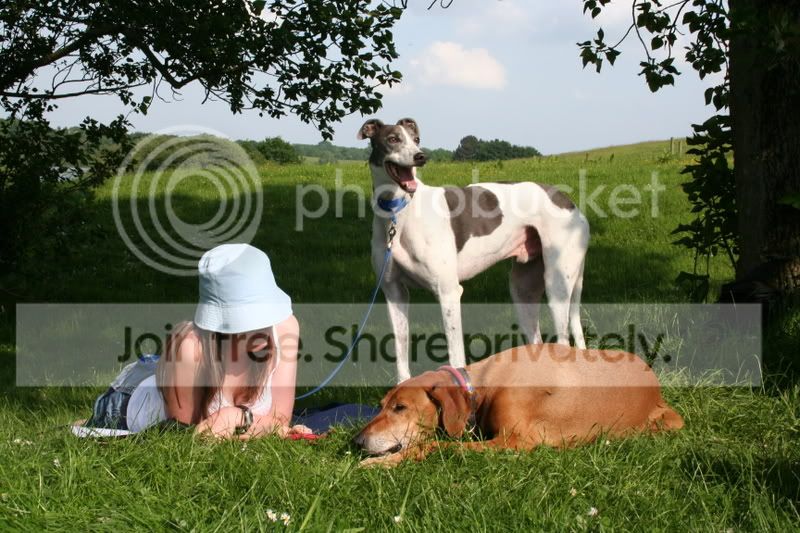
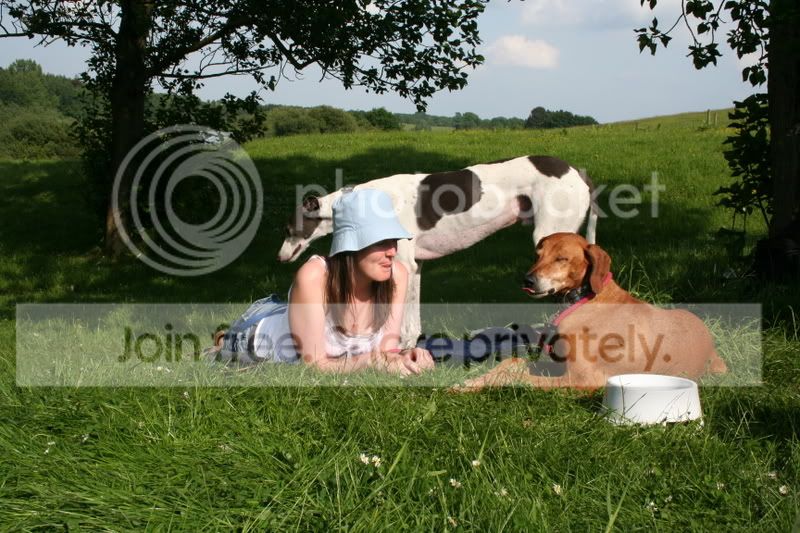
k******d and his elven sub-clan (I say again, ffs :cuckoo: ) can rest easy for the time being as the CD drive on this computer is broken so I haven't been able to install CS3 yet. So, could anyone do something with these for me?

#1

IMG_9275.jpg


#2

IMG_9270.jpg


They're only meant to be happy snaps - it was a dog walk/picnic fundraiser and I did manage to get some decent shots (obviously these are not amongst them) - but what I'd ideally like is the blue and white dog in pic 1 transposed into pic 2 and to lose the water bowl in the foreground. Making a half decent pic of the synchronised tongue poke in #1 is what I'm after.

Help with the blown out bits on the hat and sky plus any suggested crop would be really appreciated too.

The sad part is that it can be so blooming addictive, my friends are divorcing over his 16 hour a day "Habit"
The addiction was at its worst about 2 years ago when the t***ty self-styled Elfmeister actually bought clothes so cheap that he could afford to dispose of them rather than laundering. Washing clothes ate into valuable gaming time apparently. I feel for your friend AliB but she's definitely doing the right thing. There's no hope of a future with these sad weirdos - take it from one who knows. I may have to clean the dog's teeth with his toothbrush later :razz:
 
The addiction was at its worst about 2 years ago when the t***ty self-styled Elfmeister actually bought clothes so cheap that he could afford to dispose of them rather than laundering. Washing clothes ate into valuable gaming time apparently. I feel for your friend AliB but she's definitely doing the right thing. There's no hope of a future with these sad weirdos - take it from one who knows. I may have to clean the dog's teeth with his toothbrush later :razz:

I know a guy who is so obsessed with WoW that he keeps an empty bottle next to his computer so he doesn't have to leave the PC when he needs a wee! True! :gag:
 
...... could anyone do something with these for me?

They're only meant to be happy snaps - it was a dog walk/picnic fundraiser and I did manage to get some decent shots (obviously these are not amongst them) - but what I'd ideally like is the blue and white dog in pic 1 transposed into pic 2 and to lose the water bowl in the foreground. Making a half decent pic of the synchronised tongue poke in #1 is what I'm after.

Help with the blown out bits on the hat and sky plus any suggested crop would be really appreciated too.

Well I don't see any blown out bits in the sky or the hats Alison - they look just fine. That's some Photoshop job you're asking for there, but here's a down and dirty quick job.

IMG_9270-edit.jpg


Truthfully, just because this job can be done, doesn't mean it should be. There's way more manipulation in this image than I'd personally find acceptable. There comes a point where the image just doesn't have any credibility and this is going way past that.

As an exercise in manipulation there's nowt wrong with it, but you'll advance more as a photographer if you just write these sorts of shots off to experience. ;)
 
That's fantastic, CT. :thumbs:
 
As an exercise in manipulation there's nowt wrong with it, but you'll advance more as a photographer if you just write these sorts of shots off to experience. ;)
Blimey CT, that's fabulous beyond belief! :clap: Thank you so much.

I take on board what you're saying but it just ragged me that although I took plenty of reasonable shots yesterday, this one (i.e. your edit) was "the one that got away". I simply couldn't write it off to experience - too many if onlys. Given that since I've had the DSLR these are the first two images I've had any desire to muck around with to any serious degree, you need not fear that I'll be doing much extensive editing. Improving my photographic skills and having some fun along the way will still be the number one goal :) Oh, and not being tempted to spend too much money on kit too!

Truthfully, just because this job can be done, doesn't mean it should be. There's way more manipulation in this image than I'd personally find acceptable. There comes a point where the image just doesn't have any credibility and this is going way past that.
We'll have to agree to disagree there. Introducing an image of a tongue poke to mirror that of the hound or person from a completely different shot would be contrived but it was genuinely synchronised and I happened to capture the moment. Pity that the moment didn't occur when the elegant dog was, erm, looking elegant!

I see nothing wrong in getting rid of the water bowl either - that's surely just a bit of acceptable tidying? Obviously I'd considered composition in the second shot (#1) and removed it. I am learning - honestly I am!

It's only a personal view but as I see it, your composite version seems perfectly credible. I took two OK shots and liked certain key aspects of both. Those elements have been retained and manipulated to make one very memorable snapshot now. I don't perceive it as faked or even looking faked.

Well I don't see any blown out bits in the sky or the hats Alison - they look just fine.
.....you'll advance more as a photographer if you just write these sorts of shots off to experience. ;)
If indeed there aren't any blown out bits in the sky or hat as you say, I'm advancing more quickly than I thought! (and took more good shots yesterday than I believed was the case). I suspect there may be something awry with my monitor as they still look blown to me. On the other hand, it could be my specs. I will explore both possibilities.

I know a guy who is so obsessed with WoW that he keeps an empty bottle next to his computer so he doesn't have to leave the PC when he needs a wee! True! :gag:
Flashman, I could relate far more disgusting WoW woes than this but will refrain.
 
Heavens I had to look twice at that dog!

Meet my loony whippet. This is her "fishing" in the highlands last week.
IMG_4197.jpg


:cuckoo:
 
Back
Top