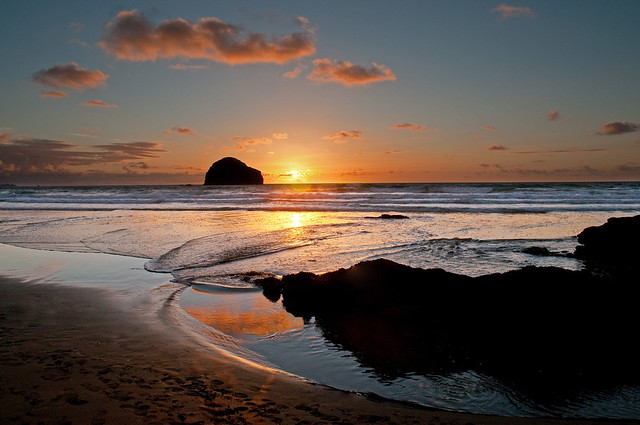
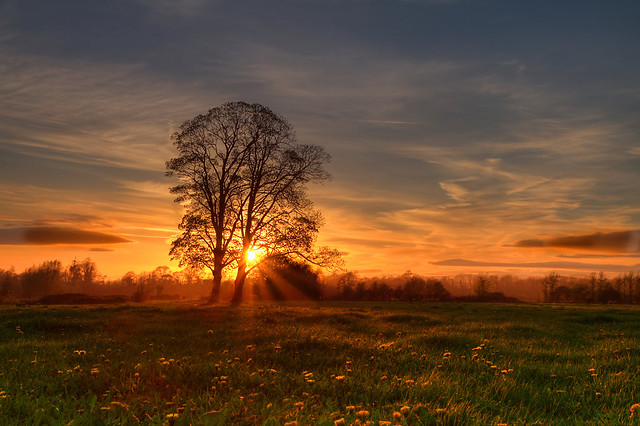
Sun set/rise

Mank

Suspended / Banned
Messages
3,124
Name
Rob
Edit My Images
No
Just after a bit of help/info really on how to shoot sunsets/rises (more sets, I'm not an early riser lol)

How do you get a sunset spot on? With good light in the foreground keeping nice details and the lovely colours of the sky as its starting to get dark.

Should I use a grad filter on the sky or not? Do I need to take a few pics at various exposures and blend the sky with the foreground?

How long of exposure should I be aiming for?

I shot a sunset on holiday in St.Ives and found it hard, I either had a dull sky and ok foreground or a really nice sky and black foreground.

Just after a few tips or pointers for when the weather is good again for a sunset. :lol:

Any help is appreciated. Thanks.
 
You need an ND Grad to balance the sky and foreground.
 
Just after a bit of help/info really on how to shoot sunsets/rises (more sets, I'm not an early riser lol)

How do you get a sunset spot on? With good light in the foreground keeping nice details and the lovely colours of the sky as its starting to get dark.

Should I use a grad filter on the sky or not? Yes
Do I need to take a few pics at various exposures and blend the sky with the foreground? Sometimes, but its better if you can use a grad

How long of exposure should I be aiming for? Use aperture mode and let camera set shutter speed

I shot a sunset on holiday in St.Ives and found it hard, I either had a dull sky and ok foreground or a really nice sky and black foreground.

Just after a few tips or pointers for when the weather is good again for a sunset. :lol:

Any help is appreciated. Thanks.

If you use an appropriate strength nd grad you should be able to get detail in the sky and the foreground. It really depends on how bright the sky is compared to the land. Its easier also if you wait til the sun is really low in the sky or even after its just set (golden hour).
A reverse nd grad is very useful when the sun is near the horizon.
 
I find it quicker and easier to merge two exposures when shooting directly into the sun, for example- 1/80 sec @ f16 for the sky and 1/25 @ f16 sec for the land on a tripod.
I do have 0.3,0.6,0.9 nd grads but am pretty lazy using them :lol:
but below is a photo of trebarwith strand, cornwall (2 exposures)


Just another way of getting the right photo you want using photoshop or any other editing software :)
 
I love my Lee filters :notworthy:
Couldn't be without them :)
Yep, I can see why people would blend exposures, but personally I'd rather get it right in camera than waste time making an image in photoshop later. Not to say that's wrong or anything - different tools for different jobs etc, but is just my personal preference :)


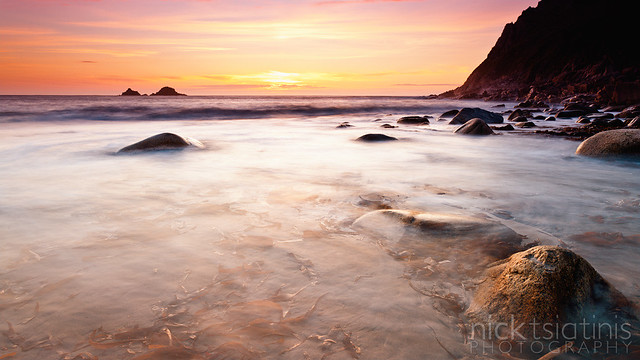
Porth Nanven Sunset 3 by Nick Tsiatinis, on Flickr
 
Thank you all for your time and help.

Graham, Nick - Those are fantastic! Did you do any PP to enhance the sky?

I went out to the peaks tonight to see if I could get anything. The weather beat me though :( I ended up getting to the top a little later than I wanted to be (had to drop of tent poles to my dad as he forgot them lol)

As I was driving I saw a lovely orange sky, but by the time I got there the dark rain clouds set in and I was wet through by the time I got back down :lol:

I learnt I could do with a backback bag though! (and to be a bit fitter) :D
 
I am a merging exposures with a touch of HDR treatment kinda guy...


The Twins - Sunset - ITS ORANGE V2 by Sam_catch, on Flickr

Take a couple of shots a few stops apart... Gives you plenty to play with in PP.

Sam
 
Don't forget to set the WB to cloudy to warm it all up.
Sometimes you can leave the foreground dark for a silhouette effect.

Sunwalk_7001.jpg
[/IMG]
 
Last edited:
What they said...:thumbs:

Great thread. My main problem with sunset/rises (as will most of my photography), is I tend to rush and mess up.

I'd like a set of Lee filters but cash is short. I tend to expose for sky and foreground then blend.

Cheers.
 
I am new to photography and have just ordered photoshop. I find this thread intruiging and this may be a daft questions but what do you mean you merge exposures? :thinking:

Cheers
 
I am new to photography and have just ordered photoshop. I find this thread intruiging and this may be a daft questions but what do you mean you merge exposures? :thinking:

Cheers
Hi Paul, you can actually make two exposures from one RAW file but if you take 2 shots, one for the land and one for the sky, process each one and save as land.jpg & sky.jpg. or have both RAW's open !
Open sky up in photoshop first then open up land, from the small (open files)pane at the bottom drag the sky.jpg onto the main pane and pick the eraser soft brush at 60% opacity, then proceed to rub out the dark land you will see the lighter land you want coming through, be careful at the horizon where the sky meets the land as it will show too light where the sky was over exposed as the exposure was exposed for the land. Sorry if this is confusing.

It takes a lot of time to get used to the process but it will become easier with practise :thumbs:
 
Thanks all for the tips!!

Andy, this tends to be my problem. I end up panicking and rushing :lol:
 
When my digipads + eclipse cleaning fluid finally arrive i can't wait to start on sunsets. At the moment, they're just an image with loads of black dots :(
 
Early mornings, cold but you get the possibilities of mist
Late evenings, deeper colours, deep blue skies to shoot against just after the sun goes down

Don't forget that when the sun disappears below the horizon you can often get another explosion of colour.
88931345.jpg


Shot this one with a flash filling in the lettering
118219646.jpg
 
Oh and don't waste your money on Cokin Grads, unless you like purple

With and without filters
medium.jpg
medium.jpg
 
Back
Top