Suggestions for new monitor / Dual monitor setup

matt_wright

Suspended / Banned
Messages
482
Name
Matt Wright
Edit My Images
Yes
HI I currently have a HP 27fw monitor which I am very happy with.

I've just bought a new PC - and need to new monitor to go with it (as I need the existing one on the current PC for a while) I was looking at the latest version of the one above which is the HP m27fw which is about £160 on Amazon

I guess my questions is - a) for about the same price - would anyone recommend a different monitor?

and

b) I would eventually like to have them both going at the same time on the same PC (just for basic stuff like Streaming a TV show on one and having Lightroom open on the other - that sort of thing). Can that be done easily? (the new PC (Dell XPS 9840) has a NVEDIA GeForce RTX 3060TI - which I believe has 1 HDMI and 3 Display ports). But my original monitor and the one I'm looking at only have VGA / 2 HDMI - Does that matter? I guess it just a case of getting a different cable / adapter)

c) - Not really that important but - Could I eventually connect the old monitor to both PCs - to be the second screen on the new one (and the main for old PC) - If so how is this done?)

d) Or should I be thinking about something drastically different?

As always thought / comments are appreciated


Thanks in advance

Matt
 
Monitors - I've recently bought a Gigabyte M27Q which is a bit above the budget you give, and then also a calibration device to get it right. Personally I would prefer something higher resolution than 1080P for picture editing - individual pixels are going to be pretty lumpy on a 27" screen. My 'old' Dell U2412M was1920X1200 and pixels were big enough on a 24" screen (now run next to the Gigabyte). I also tried a Samsung 4k VA screen that simply wasn't good enough in terms of viewing angles or colour for photographic work.

You could investigate this, though I don't know how good it is in terms of gamut and acuracy:

Most monitors now will have displayport and HDMI inputs. You can run the old one on the HDMI output & the new one on the DP. It's also possible to get a DP to HDMI cable. AFAIK you should be able to run at least 3 separate quad screens or at least 2 4K screens off a 3060TI card.

To connect 2 computers to 1 monitor traditionally uses a KVM switch box. i.e. https://www.amazon.co.uk/ABLEWE-Com...ch&qid=1629927333&sprefix=kvm+,aps,236&sr=8-4

Yes. ;)
 
I have 3 monitors on my desk. All 3 are wired to the desktop, 2 are also weird to my laptop dock, there's also a spare cable for when I want to jack my MacBook in.

KVM switches are generally not needed for modern monitors - they can just so switch to whatever source is powered up.

It's all possible :)

(Btw a lot depends on the graphics card - even with a powered dock, I can't get my laptop to run all the screens and the MacBook will only power one)
 
The M27Q actually has a KVM switch built in, along with 2DP and an HDMI port.
 
Thanks for your comments so far @ancient_mariner and @JonathanRyan

Would anyone else recommend that a 4K screen is needed / significantly better than the 1080p? This LG Monitoris probably just about in my budget (given you can lay over 5 months on this product on Amazon) - anyone any experience / thoughts on it?
Thanks
 
I'd recommend quad (2560X1440) rather than 4K. BTW your link doesn'tr seem to work.
 
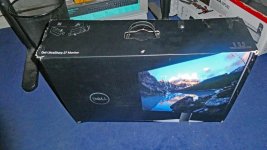
I recently purchased a dell 27" 4K monitor and what a difference to the 1080p version.so my Dell U2719D 27" monitor (with box) is available if interested. I am in East Sussex that far from Bexhill.
Also still got a Dell U2312 HM which that one replaced and still works last time used


Having a 4K camcorder and a 4k compact I needed a 4K monitor is why the other isn't used any more

P1040578.jpg
 
Last edited:
I recently purchased a dell 27" 4K monitor and what a difference to the 1080p version.so my Dell U2719D 27" monitor (with box) is available if interested. I am in East Sussex that far from Bexhill.
Also still got a Dell U2312 HM which that one replaced and still works last time used
Is the matt coating the same on the new ones?
 
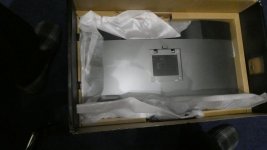
without taking it out of the box I have no idea but will look for you hang onP1040583.JPG
this is the back and the front is the same as my 4K new monitor, best if interested is pop over to my place and check it out first
 
Last edited:
Not sure if your response was to me but I meant the screen, not the casing
 
Thanks - didn’t even realise Quad HD was a thing (is that better than FHD but not 4kUHD)

how about this sort of thing from HP HP 27mq

Thanks
 
The link that didn’t work was to this LG 4K UHD
 
Thanks - didn’t even realise Quad HD was a thing (is that better than FHD but not 4kUHD)

how about this sort of thing from HP HP 27mq

Thanks


The link that didn’t work was to this LG 4K UHD


Toms Hardware reckon the LG is a bargain, where as the HP doesn't do well on RTings, with uneven black, low contrast ratio and weaker centre-edge performance. If you can, borrow a calibration device to at least do a starting calibration to give you a baseline - it may drift a little over time, but it's likely to be better than just using it from the box.

I bought a Samsung 32" 4K screen originally, but sent it back because from arms length viewing distance I could see the sides of the screen were significantly darker than the centre. With distance selling regs, if you buy a monitor & it doesn't perform as you would like then you can return it.
 
Last edited:
Thanks @ancient_mariner i think I’m going to seriously consider the LG.
It’s my understanding from research that refresh rate doesn’t really matter for photo editing (and video editing) - so the fact that is one of the down sides of that monitor isn’t really a problem?

I have a calibration device that I purchased on here many moons ago - so I’ll investigate and see if it still works to a good standard.
 
Yes, refresh rate isn't important for most work that doesn't involve moving images, provided it's not crazy-slow. Remember movies used to be 30fps i.e. 30hz.
 
Back
Top