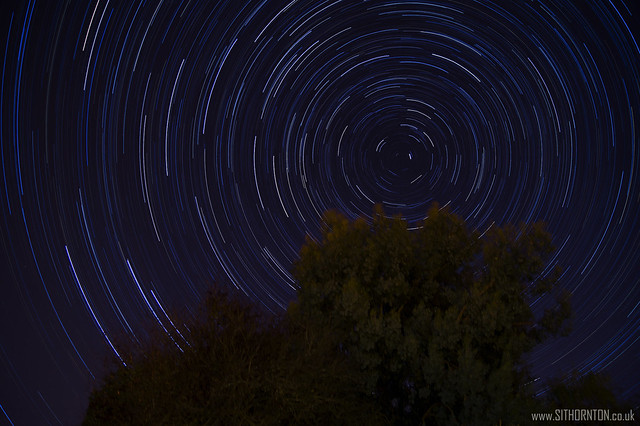
Star Trails Help

Tyler138

Suspended / Banned
Messages
1,320
Name
Alex Tyler
Edit My Images
Yes
Have always liked the star trail photos i have seen and i think i will try give it a go tonight depending if its clear of not.

Was just wondering if any one has any tips, I have got a 450D and will be using bulb mode, how can i hold this down for 5 mins or longer with out doing it manually. Can i set bulb mode to a ser amount of time..??

Also what how long of an exposure should i be looking at?

Thanks

Tyler
 
Ideally you need a remote with a timer function that will hold the bulb mode open for a set time, but to use bulb mode on the camera, just press the shutter and then press it again once you are done, you dont need to hold it the whole time. (well you didnt on my Nikons anyhow, never tried on Canon)
 
Ideally you need a remote with a timer function that will hold the bulb mode open for a set time, but to use bulb mode on the camera, just press the shutter and then press it again once you are done, you dont need to hold it the whole time. (well you didnt on my Nikons anyhow, never tried on Canon)


Think on mie you have to hold it unless there is something in the setting to change it, i will have a look

Thanks


Anyone recommend how long to have the exposure for..?
 
I've never done a single long exposure, but I normally take a series of 30 second shots and stack them using startrails software.
 
I've never done a single long exposure, but I normally take a series of 30 second shots and stack them using startrails software.


Mmmm may look into doing it that way then. I looked it up and said to do one long one, but may try that. Is the software free and how many pictures do u take ...?
 
Yes, it's free but it only works on PC.
Have a look for a website called startrails.de and there's a download there.
The last time I took about 150 shots of 30 seconds each but it depends how long you want the trails to be.
 
Ive not tried it myself but i've read elsewhere that exposures of up to three hours are needed!! Also get yourself a remote switch...I think mine was around £20 when i got it and use it whenever the cameras on the tripod an the button locks down to avoid having to hold it.
 
Yes, it's free but it only works on PC.
Have a look for a website called startrails.de and there's a download there.
The last time I took about 150 shots of 30 seconds each but it depends how long you want the trails to be.

Maybe a problem then as i have a mac, did mention your can do it in photoshop so may have to look at that or see if there is a mac version of something simular.


Ive not tried it myself but i've read elsewhere that exposures of up to three hours are needed!! Also get yourself a remote switch...I think mine was around £20 when i got it and use it whenever the cameras on the tripod an the button locks down to avoid having to hold it.

Yeh, i may look into getting one of these, i think it would be worth getting.

Thanks for the comments guys, may have to leave it for tonight anyway a bit foggy.

Tyler
 
tried this myself for the first time the other night, I'm a Mac owner with cs5 but struggled to find anything to stack the shots....ended up going to my mates house to process the shot there. Here's my effort 77 shots at 20s exposure. Would have done more but X-factor was coming on lol

20101011-cg29bt3bx87bu9uyggkjepsaug.jpg
 
tried this myself for the first time the other night, I'm a Mac owner with cs5 but struggled to find anything to stack the shots....ended up going to my mates house to process the shot there. Here's my effort 77 shots at 20s exposure. Would have done more but X-factor was coming on lol

20101011-cg29bt3bx87bu9uyggkjepsaug.jpg

Looking good, think i will try one long one and see how it goes other wise do a few 20-30 seconds ones n lend a PC from a mate.
 
Well done on getting that shot in a city!! What iso/aperture did you use?

I use vmware fusion to run the stacking app made for windows works a treat on my iMac. :)
 
You might not need "bulb". I shot this as a series of 25sec exposures, using the locked down remote trigger.
5088941441_435b1c022d_z.jpg


ISO3200, wide open at f5.6 with a Sigma 10-20 at 20mm. :) A high ISO and widest available aperture is best, as you want to get as much light to the sensor in the shortest time possible.
 
Here's some tips for your first time at star trials to make it easier.

Get your fastest lens on (F2.8 being faster then F4 etc).
Go to manual mode, set to widest aperture and set to 30 secs.
Set your white balance to tungsten (this is my preference, you could do a custom WB).
Set your iso as low as possible that will allow the stars to be exposed, just do a few try-outs and you'll probably be ok with iso 800 (obviously dependant on how fast your lens is).
When checking your "iso try-outs" make sure the image is in focus.
Set to continuous shooting mode and jpg (star trail software doesn't like my raw files)
Compose your image and set your camera to keep taking images. This can be done either with a remote shutter release or a cheap way is to place a suitable object on the shutter button and hold it there with an elastic band.
Let the camera shoot off for a good 20-30 mins to give you a good effect.
Download startrail.de software, load the images into it and watch as your pretty picture comes to life.

And in the tradition of Blue Peter, here's one I made earlier

Startrailimage2800 by ryan.comfy, on Flickr

I hope you have as much fun doing these as I have done :)
 
The problem you will find with a single long exposure is that unless you live in an area with very dark skies, you will likely end up with an overexposed sky due to light pollution.

If you can't find a stacking program to work on a Mac, you should be able to stack separate images in Photoshop. Just load each image in to it's own layer, change blending mode on each layer from normal to lighten, and flatten image.
 
Last edited:
Agree with Derek... with the 450d, I used, 30 second exposures, kit lens wide open, ISO800, continuous shooting, jpg, and just locked the release button on the remote.

Pick a bright star, the moon or a planet works just as well, set to manual focus, and zoom in using liveview to make sure you've got focus as well as can be. Some form of dew prevention may be a good idea, camping mat may work, a lens hood is better than nothing, or as someone pointed out the other day, one of those chemical handwarmer things.

If you get a plane, satellite trail of anything else in 3 or 4 frames, and don't want it to appear in the final image, paint it out with black in each frame.
 
I've done it a few times with a D90 and no remote release.

I set the camera to 2 second timer (to stop the shake after I press the button). There is a feature on the D90 to choose how many shot are taken, I set that to the max which I think was 9. Then, when the 9th 30 second shot was taken I pressed the button again for another 9 x30 second exposures. With this method there is a 2 second gap every 9 shots, but you can't see it. At all.

Then stick them into your favourite star trail software and Robert's your fathers brother.

Oh yeah, you'll need that on a tripod :P

Compostition is really important, so take a flash light. I took a test 30 second exposure to see what was in the frame. The example above is great with the fence, trees work, but static objects are much better.

Stay away from planes though. Very annoying.

Do it. Do it tonight! Very clear sky. The moon is nearly full though, so that's a negative. Point it away from the moon and you should be ok though.

I used f/8, ISO200 and as I said, multiple 30 second exposures.

If you can get a remote release all the better, set it to bulb and make sure you take beer and headphones.

Good luck man, look forward to seeing your shots :)
 
The problem you will find with a single long exposure is taht unless you live in an area with very dark skies, you will likely end up with an overexposed sky due to light pollution.

But if you shoot in RAW, you can bring the temperature right down and get a very cool blue effect. Still light polution, but one that is easier on the eye than orange.
 
Wow, great example Ryan and great tips.

I have bought a shutter release but have yet to use it as it hasn't been clear or not many stars. It is rather clear tonight yet i still only see the moon and one star ????

Thanks for all the tips, i will try keep this updated when i actually get a picture.
 
Nice looking photos, has inspired me to give it a go
 
Tyler the moon is very near full so is going to wash out the fainter stuff which the camera can pick out. The bright 'star' near the moon is Jupiter.
 
The camera will pick up much much more than your eyes. They are there and will be in your shot.

I would personally do your first (test) shot before the conditions are 100%.
 
Stay away from planes though. Very annoying

Living near to Gatwick, planes are always a problem. But when I show my results to friends, they invariably say they prefer the versions with the planes.

StarTrail.jpg


Do it. Do it tonight! Very clear sky.

Too damn cold. I left the tripod in position (makes it easier later on) and it was covered in frost at 22:30 when I went out to try to get some shots with my new Tokina 11-16.
 
That's bloody good.

I went out to do some star trails/meteor shots last time we had a massive shower. I am also near Gatwick and my fantastic meteor shots turned out to be planes. Dammit.

Love to see some shots from the Tokina when you do get out there. Do they have thermals and beer in Essex?
 
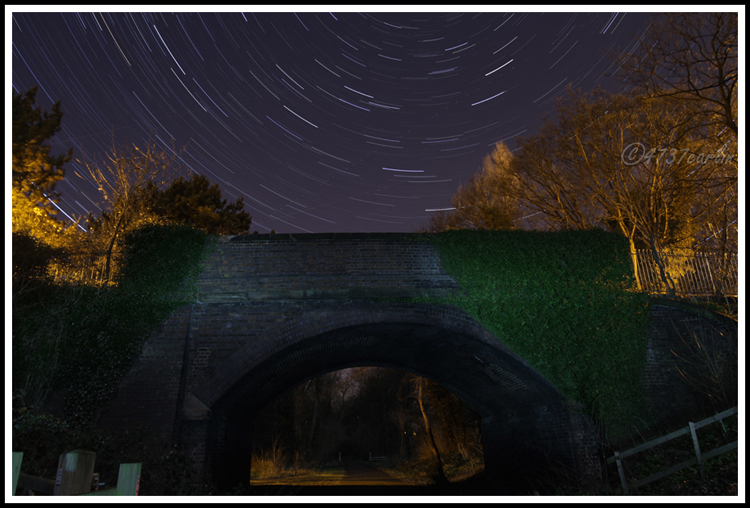
One i did tonight, 16mm f6. set up 7D and 10 22. 40 minute stack of 80 shots

Question for those who know about these type of shot, would it of been better if had it on f4 and 10mm?? maybe i could of done it portrait then so if im right i would of had the Polaris in shot??
I wanted all the bridge in and painted it with a torch for 30 seconds as the moon light wasnt really showing it up. A few cars passed over the bridge but thankfully they only lit the trees up for me.

This is on a old disused railway line

5361637409_ee52bc1f96_o.jpg
 
Maybe a problem then as i have a mac, did mention your can do it in photoshop so may have to look at that or see if there is a mac version of something simular.

If you have a copy of windows you can set up a virtual machine using http://www.virtualbox.org/. I have a copy of Windows 7 I can load up on demand that I only really use to run a few odd apps that I can't find a mac version for.
 
+1 for startrails from me as well, i got this one in my back garden, but you defo need a shutter release cable, dont worry about the wireless ones, i personally prefer the wired ones, i just set my camera to 30 seconds and locked down the button on the remote, set my phone alarm, came back in 2 hours and combined all the results in startrails, this one isnt great but its an example of what you can achieve with not really too much effort. This one is 216 x 30 second exposures and taken using my Sony A450 with Tamron 17-50mm f2.8 lens @17mm, ISO 200 & aperture at f2.8 White balance was set at Tungsten and its had a slight curves adjustment.

5007915727_404bb3e89f_z.jpg


Si
 
When people do these star trail do you use RAW or JPG? I finally have a decent enough tripod so I am going to have a go at these once I get a clear night but my D50 only takes SD cards to I have about 253 RAW shots on 1 2GB card.

Also would I be better off setting a custom WB to counter act light pollution?
 
I took mine in RAW, used an 8GB SanDisk Extreme III Memory Stick HG Pro-duo (try saying that after a bevvy or two!!). Just get a bigger capacity card, there quite cheap over at mymemory.co.uk . Im kinda lucky where i live, there isnt much pollution, i just chose tungsten WB *** it looked better at the time, live view helps immensely so you can check WB before you even take a shot to see what it looks like but if needs be just take one shot on each WB setting and see which looks best.

Si
 
I, too, shoot in raw. After shooting all the images I import them into Lightroom, select one and fiddle with the settings (WB, exposure, NR, etc.) until it looks good, then sync those settings to all the other images.
 
Just get a bigger capacity card, there quite cheap over at mymemory.co.uk

Not an option, anything bigger than 2GB and the D50 won't accept it, probably my biggest issue the camera.

Will try tungsten WB and try a test shot or two this evening if I can.
 
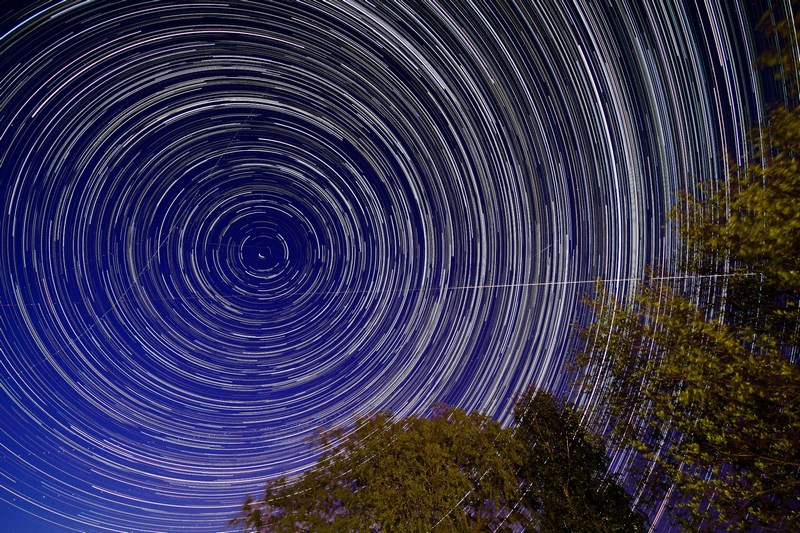
Watch out for space stations, nasty habit of streaking through the middle of your attempt.

aug09_02s.jpg
 
a great thread

i love doing star trails

ive always done mine at ISO 100 and adjusted the aperture to suit the light.
have been meaning to try with a higher ISO but worry about quality

stacking images is a great idea but personal just prefer to leave shutter open, normaly for a min of 30 mins

people do try there best to get away from all light polloution which is good, but sometime i think it helps the pic by adding colour to the sky.

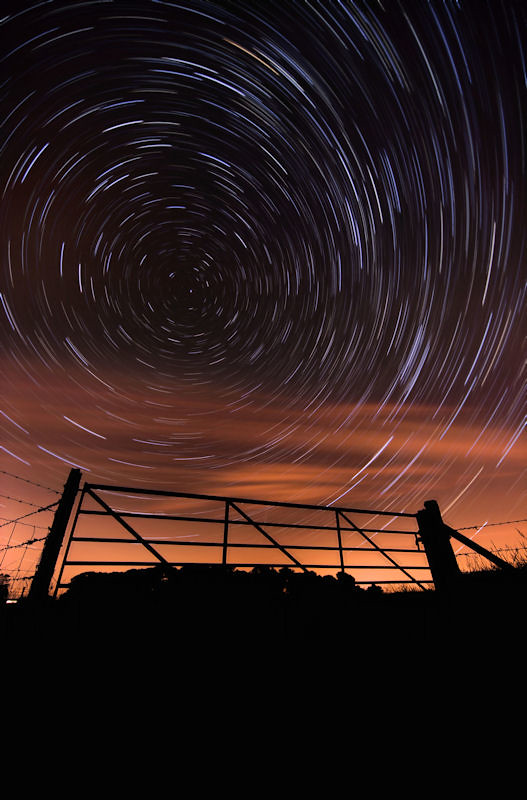
here is my most recent one, taken at a local reservoir

167866_125384130862278_100001720741100_165924_3035441_n.jpg


camrea: canon 450D
lens: sigma 10-20 at 10mm
Exposure: 1802 seconds
Aperture: F/6.7
ISO: 100
 
I have got a few locations planned but haven't bothered this week as the moon's killing the sky - giving it a few days to darken again
 
Back
Top