Some questions regarding HDR photography?

kamikazi929

Suspended / Banned
Messages
64
Name
Bryan
Edit My Images
Yes
Ok so im starting to get into HDR photography and ive been looking at a few tutorials online, seen some conflicting information so I have a few questions i would like clarified if anyone here can help :)

In one tutorial it says to take the photos using different exposure levels, 3 (or more) exposure settings as such....

EV 0 for the first picture
EV -2 for the second picture
EV +2 for the third picture

In another tutorial it says to take the photos using different shutter speeds, am I right in assuming this will produce essentially the same thing, ie different photos of varying exposures ... but

what is the preferred method? My camera (a d3100) doesnt have an auto bracketing feature so I just do it manually....

My first attempt at an HDR is this... keeping in mind it was pretty light outside, and when I took the photos (I took 11 all together) - (-5,-4,-3,-2,-1,0 ........ you get the picture) , in RAW - i never actually seen any difference in them, infact they all looked the same when viewed in live view..... was this due to the ambient light?.... my next question..

what are the best/ideal conditions for HDR photography?

:) thank you all

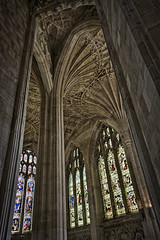
Here was my first attempt, merged using photomatix...

norwichcathedral1.jpg
 
The images you put into the software for creating the HDR should be visibly different. Ideally your range of exposures should stretch from almost completely black to almost completely white with intervening shots at the exposure interval of your choice (e.g. 1-stop, 2-stops).

The absolute best place to practice HDR is inside a church or cathedral. The dynamic range between the light coming through stained glass and the deep shadow of the surrounding stonework is so large that you won't get close to capturing it with a single exposure, so when you do get the HDR right it really shows the difference.
 
I only have the occasional dabble with HDR, so know next to nothing, but the one thing I know for sure is the different exposures must be done by adjusting shutter speeds or you get different DOF with each shot.

When I do them - usually 5 to 7 shots - I halve or double the shutter speeds and get very different exposures on each.

Photomatix then sorts it all out.

Examples. Not great, but like I say, I just dabble a bit.


Twenty to Sunset by simon ess, on Flickr


Low Light by simon ess, on Flickr
 
thanks guys. i think next time ill try indoors or slightly later in the day when there is not as much ambient light. i dont understand why my exposure all looked the same when viewed in live view, but ill put it down to me not doing it correctly.

think next time ill try using different shutter speeds, at least this way i know i will get the desired results.

by the way, simon ,i absolutely love your second picture!
 
thanks guys. i think next time ill try indoors or slightly later in the day when there is not as much ambient light. i dont understand why my exposure all looked the same when viewed in live view, but ill put it down to me not doing it correctly.

think next time ill try using different shutter speeds, at least this way i know i will get the desired results.

by the way, simon ,i absolutely love your second picture!

Make sure you're in Manual mode.. and that you're not in a mode where changing the shutter speed has the camera get all clever about it and compensate by changing the aperture or adjusting the auto-ISO.
 
yup I was def in manual mode and shooting RAW. i focus automatically, then switched to manual. shot 11 images at various exposure levels as above, and then when i got home combined the images in photomatix, and got the resulting photo you see above. although i didnt see any difference in any of the images, im putting this down to user error/not knowing what i was doing, but now I have a little more knowledge I can try again. :-)
 
kamikazi929 said:
yup I was def in manual mode and shooting RAW. i focus automatically, then switched to manual. shot 11 images at various exposure levels ..... i didnt see any difference in any of the images
Definitely user error.

You focused automatically and then switched to manual ..... Manual what? Manual focus? That's a good idea to stop the camera refocussing, but it's not strictly necessary and it won't do anything about exposure control.

Bottom line, if you took 11 shots with 10 stops of exposure between them, then they'd look hugely different. Since they don't, it means you must have been in some sort of automatic exposure mode.

And by the way, I'd question your choice of subject. I wouldn't have thought there would be much dynamic range in that picture to start with, so HDR won't achieve anything. The simple test is to take one correctly exposed shot and look at the histogram. If there is a lot of data at *both* ends of the histogram, then HDR will be useful. If not, not.
 
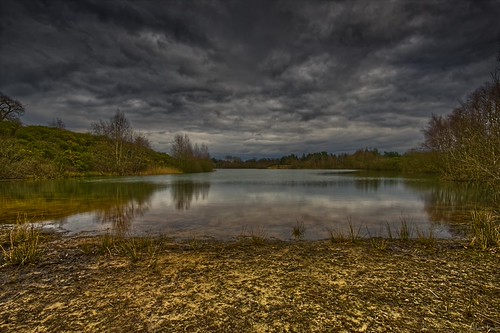
Forgive the heavy-handed processing and the mundane subject matter, this was one of my very early 3-shot AEB HDR attempts, but it is one where I have all three base images available to share..

The combined result..


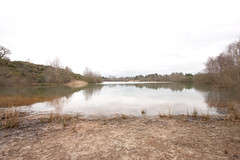
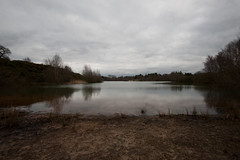
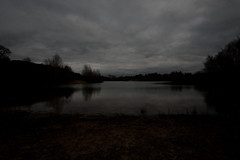
The starting images.. +2, 0, -2..


If there isn't a clearly visible difference between the exposures, you are doing something wrong in capturing them. There is two stops of difference between each image, and four stops between the images at either end.

The above was shot using AEB. When I shoot HDR now I'll almost always shoot each frame manually. For a church interior I don't think it unusual to shoot 12+ frames at 1-stop intervals. You do need to lock the camera solidly on the tripod, and a timer remote helps with the longer exposures.
 
terry - i no longer have the originals sadly, but as mentioned above im def putting it down to user error, it wasnt the best choice of location. The shot I originally wanted was inside the cathedral, a long alleyway with windows and lots of varying light, but so many people started walking into the shot it, i was on limited time so i decided to move location - i reckon if i had stuck with the original location i would have got a brilliant image.

I wouldn't have thought there would be much dynamic range in that picture to start with

totally agree with you here, as said above - i just wanted to try out a quick HDR as the alleyway was becoming unsuitable.

thanks all for the comments. Im actually working offshore at the moment so I might give this another go when we have a good sunset/and or oil rig in the background (bit hard though as the ship im on is constantly rolling!) , need to wait for ultra calm weather.....
 
Hi

There is some great advice here, but also have a look on Flickr, if you typed in HDR Tutorial in the search field it should take you to Brandon's HDR photos, he also gives a step by step guide on how he creates his images, some may not like his photo's, I personally do like them. Good luck.
 
Had a (VERY) quick go of this today, myself. I'm a complete newbie in general and I think it's pretty safe to say that I've alot of work to do :D

70kyv6.jpg
 
This bring up something I'd never considered before. I used exposure bracketing on a 7D to take three images, one normal and two under and over exposed by a stop. Yet, when I view the EXIF data, all three show the same shutter speed and aperture, so it's changing the ISO to change the exposure. Is there any way to set up the camera to automatically adjust shutter or f-stop for exposure compensation instead?
 
This bring up something I'd never considered before. I used exposure bracketing on a 7D to take three images, one normal and two under and over exposed by a stop. Yet, when I view the EXIF data, all three show the same shutter speed and aperture, so it's changing the ISO to change the exposure. Is there any way to set up the camera to automatically adjust shutter or f-stop for exposure compensation instead?

Sounds like you've got it set to auto iso, also it should be in AV mode.
 
what is the preferred method? My camera (a d3100) doesnt have an auto bracketing feature so I just do it manually....

My first attempt at an HDR is this... keeping in mind it was pretty light outside, and when I took the photos (I took 11 all together) - (-5,-4,-3,-2,-1,0 ........ you get the picture) , in RAW - i never actually seen any difference in them, infact they all looked the same when viewed in live view..... was this due to the ambient light?.... my next question..

Bryan, just to be clear, what was it that you actually changed between shots?

There are a few options on how to do it without bracketing but you must ensure that auto iso is turned off before you start. Here's one simple method.

As a simple experiment, stick your camera on a tripod in a room with a sunlit window. Focus the camera and then pop it onto manual focus so it won't change. Ideally you'd use a remote or the self timer for each shot so you don't knock the camera. With the camera in A mode and using matrix metering, take a shot. You'll see that the camera will have struggled to show the shadows in the room and the bright window area. Chances are the window will be a white blob. Now hold down the +/- button and dial in -1 ev exposure compensation and take another shot. Then -2 ev and take a shot. Then crank it up to +1 ev and take a shot and then +2. Remember to reset the exposure compensation to 0 afterwards as you might forget.

You now have 5 shots covering a full 5 stops of light (-2, -1, 0, +1, +2). The camera will have automatically altered the shutter speed between shots and hopefully all of the highlight and shadow detail will be recorded. Stick them together in photomatix and hopefully you'll have an image of a room where you can see out of the window and see the dark corners all at once. It'll probably look ghastly but that's not the point. :)
 
thanks all for the advice. ive been reading a bit more, and just to clarify, with a d3100 there are 2 ways to capture an HDR photo?

1 - By putting the camera into Aperture priority mode, and changing the EV value

2 - By putting the camera into full manual mode, and changing the shutter speed for each shot, (selecting a fixed aperture, fixed iso, manual white balance, focus manually)

Is this correct? Which method is best?

Ill be going to Cambodia and Vietnam in 2 weeks so i should be posting some of my results up when I get back

Bryan

PS - Thanks again for all the advice
 
Basicaly there are two ways.

1. (The best way) Take three exposures of the same subject at different exposures. You want one dark one normal and one bright. Hence one -2EV one 0EV and one at +2EV or however you want to space them. You can use Automatic exposure bracketing on your SLR for this and set the desired EV gap. If you have a compact or advanced compact without AEB you can just alter the exposure length and use live view to predict the outcome.

Open all three exposures into Photomatrix or your desired program and process them :)

2. Take one photograph and use post processing to make a HDR image. Although this is in effect cheating and not really a true HDR.

---

The images below were all taken using a Sony DSC P200, which is an advanced compact P&S. The shutter speed was increased in each shot to achieve the EV seperation as the camera does not have Automatic Exposure Bracketing.
They were combined in Photomatrix to produce the final HDR image at the bottom. You'll notice that my friends leg has crept into one of the exposures and I din't notice this untill he pointed it out, so it kind of spoils the photo a bit, but its still a sucessful HDR and he had it as his desktop for at least a year lol. I hope reading this has helped. :)

#1

http://www.flickr.com/photos/30256179@N05/6936270362/

#2

http://www.flickr.com/photos/30256179@N05/6936269828/

#3

http://www.flickr.com/photos/30256179@N05/7082344901/

HDR:

http://www.flickr.com/photos/30256179@N05/7082345497/
 
Last edited:
On your moving ship, take 1 RAW shot at normal exposure and see if it captures enough EV range to then create another shot at -2 and a third at +2, it probably will if there are clouds in the sky. If it won't at that exposure, you can still do it with 1 shot, but you'll have to fiddle the initial exposure in favour of the end that won't come out of the RAW happily.

That is how you can create an HDR of moving subjects.

I want to know why taking one shot and pocessing the highlights and shadows to create the final image which expresses a High Dynamic Range isn't an HDR image? All HDR stands for is High Dynamic Range - it isn't limited in how you get there. It stems from the days of film, where exposure combinations were done at the projector and different negatives had to be registered, using pins, to combine the exposures......the same argument can be applied that doing it with digital isn't proper photography then!
 
I want to know why taking one shot and pocessing the highlights and shadows to create the final image which expresses a High Dynamic Range isn't an HDR image? All HDR stands for is High Dynamic Range - it isn't limited in how you get there. It stems from the days of film, where exposure combinations were done at the projector and different negatives had to be registered, using pins, to combine the exposures......the same argument can be applied that doing it with digital isn't proper photography then!

Because a camera's dynamic range is inherintly very small when you take a single photo. When you take 3 photos at different exposures your have three different static dynamic ranges. When you merge and process them, you are conbining them and spreading the camera's dynamic range over a much wider scale, hence High Dynamic Range.

This cannot be achieved truthfully using a single exposure and post processing.
 
Bryan, image in post #1 is great - well done :clap:
(Try just adding a little sharpening to really round it off)

I really can't believe your camera doesn't have AEB. Are you 100% sure?
Not saying your daft or owt, just hard to believe...........
 
thank you :- ) ill sharpen it a little later and repost it up :- )

as far as i know the d3100 doesnt have AEB, however the d5100 does, as soon as i have some extra funds ill be selling the d3100 i have for the d5100 :- )

More advanced photographers who may be considering the D3100 should take note that there is now no Auto Exposure Bracketing (AEB)
- http://www.photoxels.com/cameras/nikon-d3100/
 
Last edited:
Blimey. Even the cheapest and basic of DSLR's I've owned has had this :thinking:

Still............
How are you getting on with HDR?
 
i havent had much time recently, as ive been pretty busy working offshore, not much I can take a photo of out here - the ambient light either tends to be all in your face or pitch black, theres no variation. But im off to Cambodia and Vietnam for 3 weeks next sat 28th so plan on taking a lot of HDR pics then. So keep your eyes peeled (ill update in this thread and keep it going) :- )

if i had knew when i bought the d3100 i would be using the AEB function in the future for HDR, i would have went for a different model.
 
Surely there is not much difference? AEB is handy but you can still make a good HDR almost as quickly without it? You could use the EV readout when compensating in shutter speed. I've never made a HDR using an SLR so maybe there is a slightly differnce.

Have fun on your trip :)
 
Just use the automatic meter to give you the shutter and aperture settings - set them in M and then move the shutter 2 stops each way. It might not be quite as quick as AEB, but it will only be a couple of seconds adrift.

I too cannot believe it isn't in there somewhere - my Nikon compact has it! (P7100)

Taking one RAW shot and creating 3 exposures from the inherent detail and then combining them is of course creating an HDR, just as much as digital capture is photography. If that isn't HDR, then none of us are practising photography, other than those still using film. In which case you cannot possibly call taking a digital image and turning into a black & white one, photography. That is computer manipulation.
 
Last edited:
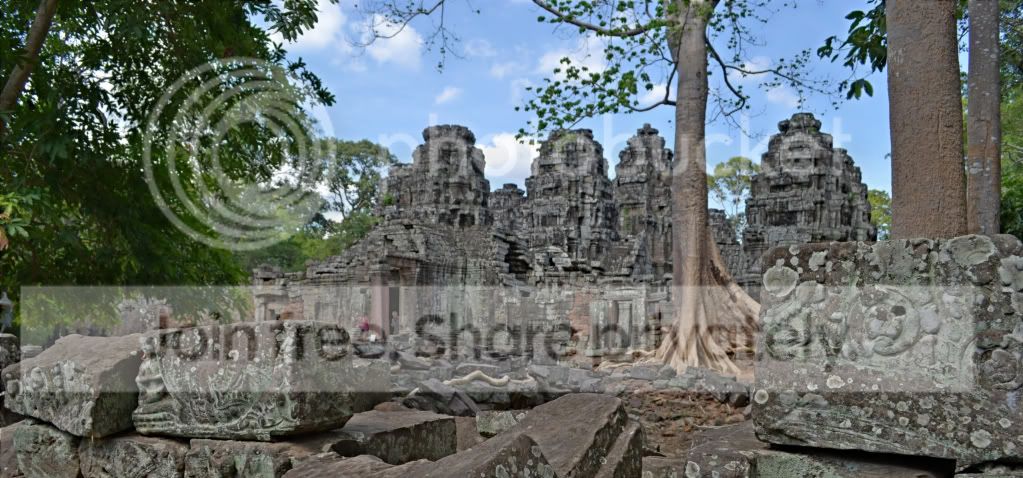
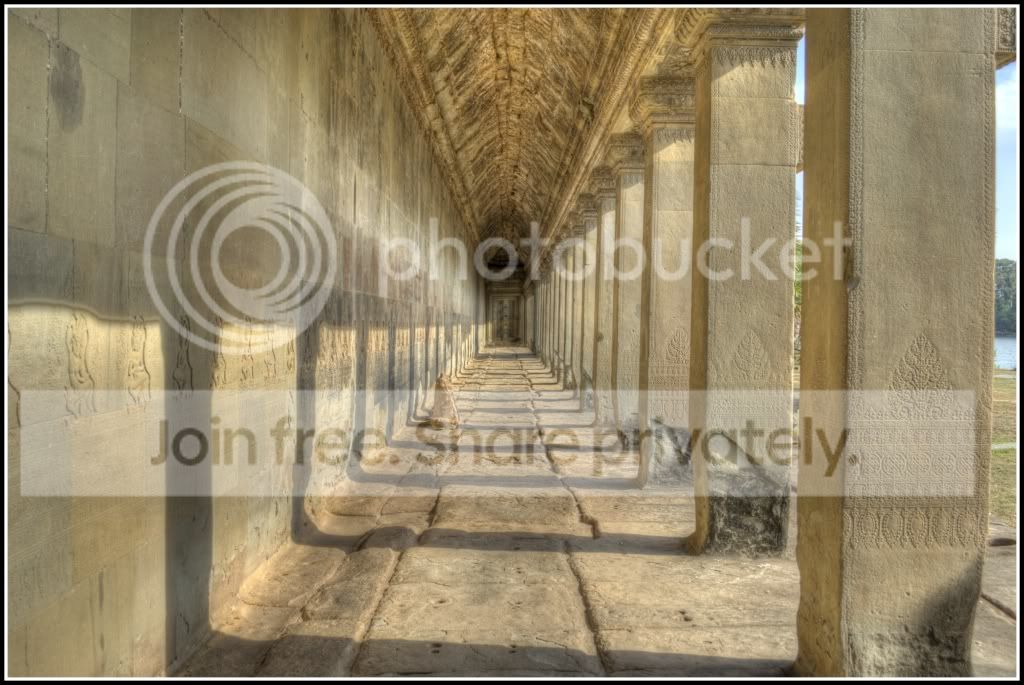
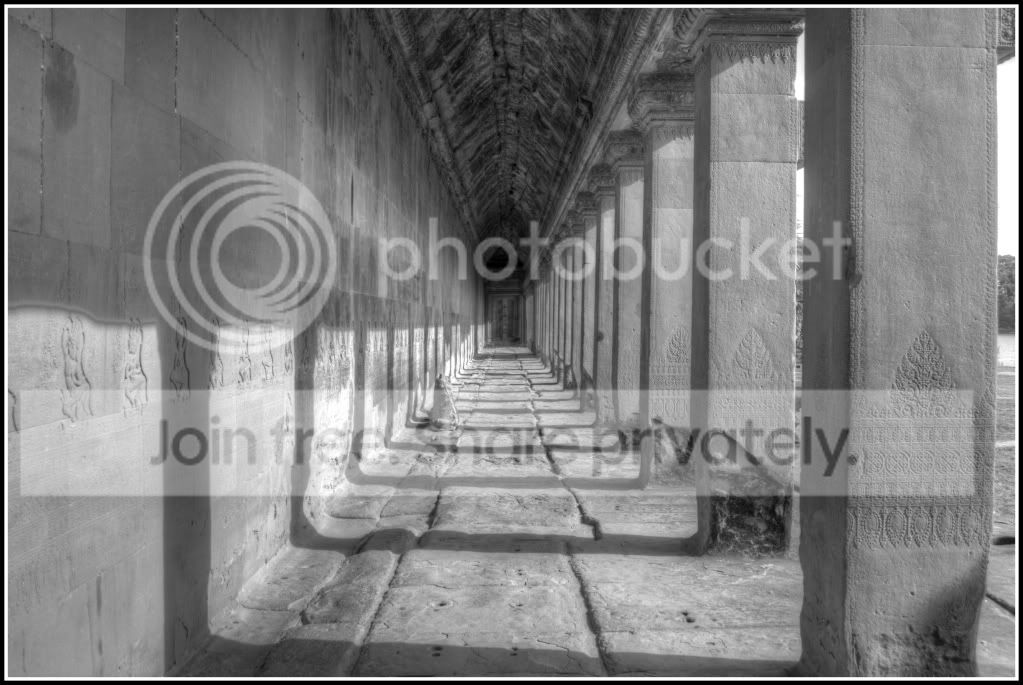
here's my 1st attempts at HDR :-)

eb644f87.jpg


Bantrei Srei temple in Cambodia

405f313a.jpg


One of the main terraces of Angkor *** in Cambodia...

Still on holiday in SE Asia, so expect more :-)
 
here's my 1st attempts at HDR :-)

405f313a.jpg


One of the main terraces of Angkor *** in Cambodia...

Still on holiday in SE Asia, so expect more :-)

Bryan, if you layer the darkest exposure over the top at 15-30% transparency you'll get a lot more depth. HDR images have a tendency to be very flat as the shadows lose definition through the tonemapping process unless you're very careful.
 
Thanks Alastair, these were combined through an iPad app called mobilehdr, as I don't have access to a pc at the moment, I'm going to redo them when I get home as I suspect the iPad app isn't great, and I expect to get much better results. Thanks for the tip though :-) ill re upload my results when I redo them
 
I've been doing a few HDR images recently, of course with the help from Photomatix, ha. From reading what you guys have been saying has been very beneficial , thank you.

However, is there a specific way you guys work using Photomatix. do you use the Tone Mapping process, then details enhancer/tone compressor via the method?
sorry for the mass questions, im new to this!

http://www.oliverhenrymoore.co.uk/
 
Last edited:
However, is there a specific way you guys work using Photomatix. do you use the Tone Mapping process, then details enhancer/tone compressor via the method?
Personally, I don't. I couldn't get along with Photomatrix at all. I've been using FDRtools for HDR. I find it's easier to use, has a logical and straightforward workflow, and gives a better result for me. I had a play with three or four different HDR software packages before deciding. It's largely down to which one suits yoiur style of working and gives you the results you want. I don't particularly rate the SIC style, I try and avoid the over-cooked cartoon look.

 
Back
Top