Some Help Please??

chrissie..x

Suspended / Banned
Messages
129
Name
christine
Edit My Images
Yes
Hey all :)
well the thing is im extremely rusty to photoshop, i had it a few years back and got on really well with it however i seem to have forgotten lots of what i learnt and i carnt seem to get back into the jist of things.
so i have taken a photo of one of my cats the other day but i couldnt think of what i wanted to do to it to make it better or stand out a bit more so i wondered whether any of you kind people would give it a go for me or give me some ideas on what to do to is. thanks..x

this is the original image, its not the greatest of shots but im a beginner so thats my excuse :lol:
DSCF3001.jpg


this is my version but for some reason im still not happy with it and carnt put my finger on it.
1-3.jpg
 
Last edited:
Hi Chrissie, how's this?

Chrissiecat.jpg


Levels adjusted, a slight contrast curve applied, slight saturation boost. I copied and cloned some background to remove the bottom of the fridge and cropped to get rid of the empty space. Sharpened and framed.

Hope you like :)
 
thank you paul :) yes i like it, you got rid of the bottom of the cupboard and dryer too much better..x
 
Glad you like :)

It's a nice photo, but when taking photos of animals, try to get down to their level rather than taking the shot from above them and watch for clipping tips of ears ;)
 
Hi Christine,
I had a little play in the passing but didn't go as far as paul with the appliance cloning so I did a tighter crop.

6145232516_fe21b07276_z_d.jpg
 
Ooooh I like that :)
Great work on the eyes :thumbs:
 
Great work on the eyes Stuart!

I'm a bit new to PP'ing, so what exactly did you do?

Janet
 
Grendel said:
Ooooh I like that :)
Great work on the eyes :thumbs:

Janet S said:
Great work on the eyes Stuart!

I'm a bit new to PP'ing, so what exactly did you do?

Janet

Thanks guys,
The eyes were fairly straight forward.
I simply did a quick selection of the eyes into a separate layer with I slight feather to the edging.
On the eye layer I adjusted the hue and saturation of the eyes by +10 and then applied a green filter to make them pop.
On the background layer I dropped the saturation levels to make the eyes the focal point.
Blended the eye layer and the background together, created a tonal contrast layer using nik color efex to pop the detail in the cats fur, a quick noise removal and job done.
 
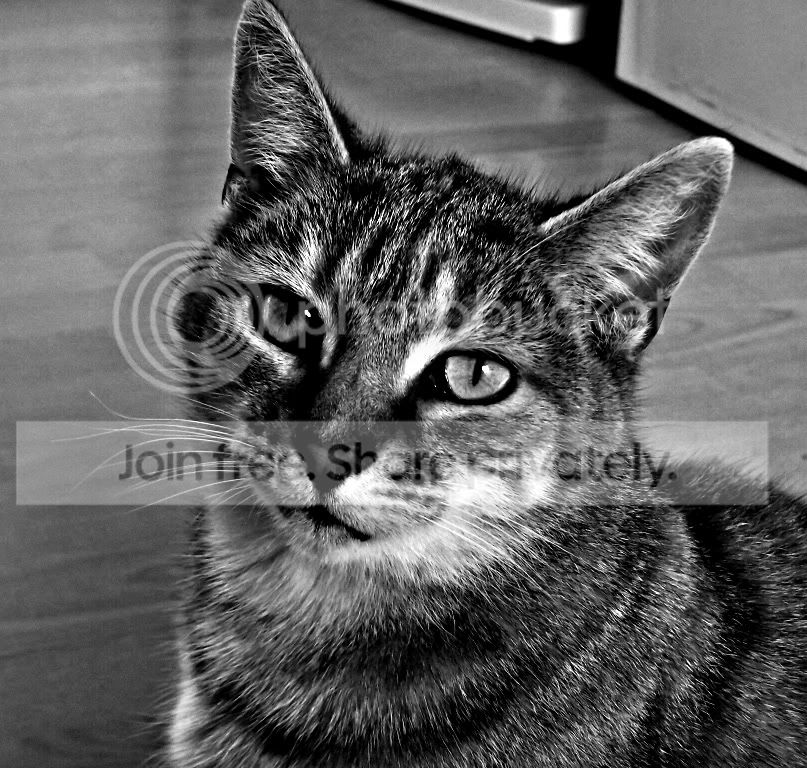
Background layer- High pass filter- convert to B&W tweak the contrast

cropped from the left- I like mono :D

DSCF3001.jpg


Les :thumbs:
 
Glad you like :)

It's a nice photo, but when taking photos of animals, try to get down to their level rather than taking the shot from above them and watch for clipping tips of ears ;)

thanks for the tip :thumbs: i do usually try to make sure i catch the ears fully in the shot but with this ive just missed, but the actual photo turned out better than the others with full ear shots in. so i couldnt win :bang: ..x
 
thanks guys for having a play around with this shot for me, i do appreciate it and its nice to see what other people come up with :) i must say i like them all. the eyes on the one you did stuart are lovely..x
 
Back
Top