

Soft not sharp

sting

Suspended / Banned
Messages
163
Name
Neil
Edit My Images
Yes
Hi I have just started to move away from full auto to AV shooting in RAW and also changed from my kit lens to a 17-85mm 10-20mm and 50mm. I feel that my photos are not as sharp as they used to be though. I am not sure if this is just because I am looking closer at them in lightroom 2 or there is something else wrong. At first I thought I just had a soft 17-85mm but I got a canon 50mm 1.8 II today used that tonight and same issue.
Here are some examples
10-20mm
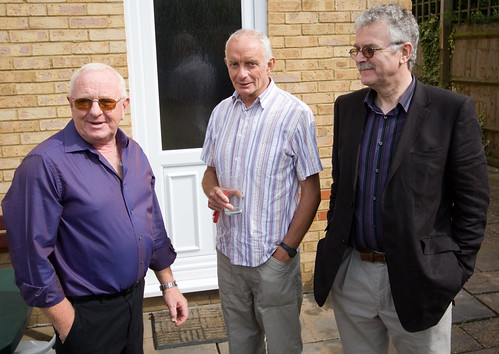
3736047849_32531d59ef.jpg

http://farm3.static.flickr.com/2537/3736047849_7f591dc9e5_o.jpg
50mm
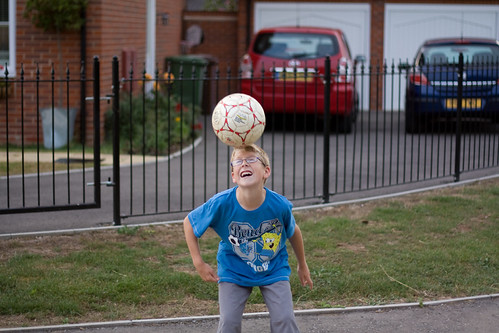
3746650529_02cc1e7d80.jpg

http://farm3.static.flickr.com/2483/3746650529_420ae97a68_o.jpg
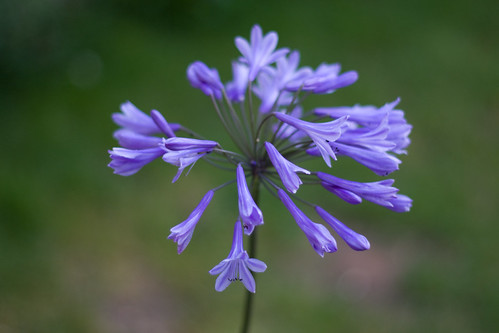
3747427520_28c94380cc.jpg

http://farm4.static.flickr.com/3266/3747427520_28c94380cc_b.jpg

3746626125_aacbb53067.jpg

http://farm3.static.flickr.com/2659/3746626125_0f4f456c62_o.jpg
Is it just me looking to close or another issue.
If this is in the wrong section please move thanks
 
They look sharp to me, just had a look at the last one full size and it is fine.
 
yer, i'm new, and been trying settings away from auto, and mine are not as crisp as i would have thought......... yours seen ok.

i have a 50d with 18 - 200
 
yes they look sharp enough. some exif data might help as well (shutter speeds/apertures)
 
Are you applying enough sharpening to your raw files? JPEGs are sharpened in camera whereas raw files have to be done in PP.

Your samples above look sharp enough to me!!
 
Yeah, I think there may be 2 issues here and there's an overlap.

No exif, so I'm guessing a bit.

1. Raw files do need sharpening in post processing. If you shoot jpg then the camera applies some sharpening. That does not happen with a raw file. Always expect to have to sharpen a raw file on your computer

2. I think a couple of them may have focusing issues. I think that 1 and 2 aren't bang on focus wise - you may have moved ever so slightly between pressing the shutter half way down and then hitting fire. The last one is much more on the nail. If you're shooting wide open then you (or your subject) don't need to move much before the focus point is lost (maybe no more than a couple of cm)
 
Yeah, I think there may be 2 issues here and there's an overlap.

No exif, so I'm guessing a bit.

1. Raw files do need sharpening in post processing. If you shoot jpg then the camera applies some sharpening. That does not happen with a raw file. Always expect to have to sharpen a raw file on your computer

All thanks for the comments, I have been adding 25 sharpness on Lightroom not sure if there is a specific amount. Sometimes when I do this and then increase the detail the image goes a bit grainy. The exif data is as follows

1) Exposure: 0.002 sec (1/640)
Aperture: f/5.6
Focal Length: 20 mm
Exposure: +0.20
ISO Speed: 200
Exposure Bias: 0 EV
Flash: Off, Did not fire
Sharpen Radius: +1.0
Sharpen Detail: 25

2) Exposure: 0.004 sec (1/250)
Aperture: f/1.8
Focal Length: 50 mm
Exposure: 0.00
ISO Speed: 200
Exposure Bias: 0 EV
Flash: Off, Did not fire
Sharpen Radius: +1.0
Sharpen Detail: 25

3) Exposure: 0.008 sec (1/125)
Aperture: f/1.8
Focal Length: 50 mm
Exposure: 0.00
ISO Speed: 200
Exposure Bias: 0 EV
Flash: Off, Did not fire
Sharpen Radius: +1.0
Sharpen Detail: 25

4) Exposure: 0.003 sec (1/400)
Aperture: f/1.8
Focal Length: 50 mm
Exposure: +1.40
ISO Speed: 200
Sharpen Radius: +1.0
Sharpen Detail: 0
 
Yeah, those exif details would tend to confirm what I first thought. There's absolutely nothing wrong with shooting at f/1.8 (I do it often) but you just have to be aware how little scope for manoeuvre you have.

I'm not sure about the first one, where your f/stop was narrower, but I reckon its still a focus / movement issue.

I can't comment on the sharpening settings in Lightroom - I don't use it. Maybe someone else can help on that score.
 
I am far from an expert on LR either but I find that +25 (which is the default on my installation anyway) still leaves the images slightly soft. I haven't really decided yet how best to sharpen up in LR so what I tend to do when I am done with the tweaking there is I export as TIFF, import into PSE and run an unsharp mask at around 50%. I tend to do my interpolating in PSE anyway so it's no big hardship.

I love LR as a workflow application but less keen for full-blown editing.
 
There are 2 sharpening presets in Lightroom 2 (on the left menu in develop not the right hand one with all the controls). Try using one of them as a starting point for adjusting the sharpening settings.
 
Back
Top