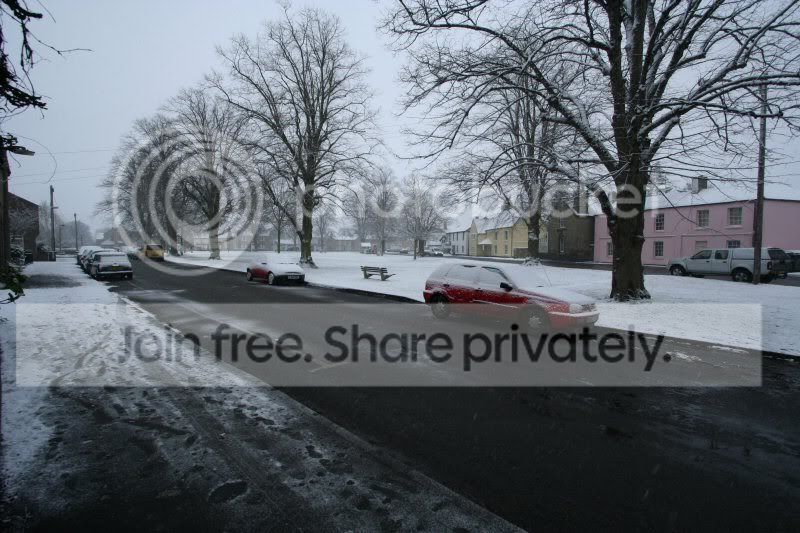
Snow Shots.

  • Thread starter Thread starter CT
  • Start date Start date

CT

TPer Emeritus
Suspended / Banned
Messages
26,617
Edit My Images
Yes
Most of us have snow today and will be raring to go with the camera.

You're likely to be surprised at the fast shutter sppeds you'll get, but it's all due to that snow reflecting the light around and fooling your meter. You need to give extra exposure to avoid heavy under-exposure - probably 1 to 2 stops. About a stop and a third seems to be working for me at the moment.

Have fun! :)
 
Quick question from a complete B&W film novice: Does using a yellow filter make a huge difference with snow??? If I pluck up courage to venture out today, I'll be shooting B&W film. Don't want to shoot loads of film to find out I've destroyed the shots or could have improved them with/without a filter.
Thanks :)
 
What do I have to do to compensate for the "blue" tinge in the shots? Is there a rule of thumb to make snow white? :)
 
Quick question from a complete B&W film novice: Does using a yellow filter make a huge difference with snow??? If I pluck up courage to venture out today, I'll be shooting B&W film. Don't want to shoot loads of film to find out I've destroyed the shots or could have improved them with/without a filter.
Thanks :)

A yellow or green filter will have most effect on snow for mono shots Cheryl, but Id say you'd see the best results on a bright sunny day. The effect may be marginal on overcast days. Try a 2X yellow if you have it.
 
yellow snow is not good :nono: :gag:
 
What do I have to do to compensate for the "blue" tinge in the shots? Is there a rule of thumb to make snow white? :)

The best way is to take a custom white balance reading from the snow itself or from a white card laid on the snow. The blue tinge is most noticeable in areas of snow in shadow- rarely when it's lit by direct sunlight.

It's usually possible to sort it out in RAW processing anyway.
 
A yellow or green filter will have most effect on snow for mono shots Cheryl, but Id say you'd see the best results on a bright sunny day. The effect may be marginal on overcast days. Try a 2X yellow if you have it.

Cheers :thumbs: 2x yellow is the filter I have, so I'll give it a go :)
 
Here's an example shot from this morning. :help:

I didn't shoot in RAW. :(

IMG_3255.jpg
 
Underexposed by the looks of it Kamion. Like CT says you need to add some compensation with snow as otherwise the cameras metering gets confused. That's why your snow is more grey than white.
 
Kamion - open your shot in your editor and slide the colour balance to daylight or about 6500 Kelvin. I've upped the gamma to compensate for the under-exposure.

IMG_3255-2.jpg


That's I've just come in to thaw out - I'm frapping frozen and me gears sodden.

I think I'm lacking a bit of dedication this morning. :D
 
You can often get a more pleasant snow colour & tone down the blue/grey tint via the selective colour adjustments in photoshop. Try slightly lowering the amount of black in the blue/cyan or neutral levels (make sure to mask out any areas that you don't want to be affected though - like the sky)
As long as its done subtly, detail is maintained & you can pretty much control the look & tone of the snow.
I am not a master of snow photography by any means & this is a very quick example, just thought I'd suggest my way of doing it in case you hadn't tried it.
Although its not the best image to demonstrate this technique, sky could do with masking out, etc, I have slightly reworked your image (hope you don't mind) to show you what I mean.

IMG_32551.jpg
 
Thanks Witch and CT! :)

I'll have to try that out tonight, lil' mike. :) Thanks. (hehehe)
 
I am stuck at home as I can't get the car up the hill and out of the village to get to work. I have never Photographed snow before and I am about to go out and shoot RAW and also set my camera to AEB +1 and 2 bracket (which I have also never done before) - thanks CT for that advise.

Could someone tell me how to set a custom white balance using snow or white card? I have an idea, but it seems too easy to work - camera settings are usually mind boggling and take some practice. :thinking:
 
l_0ded274b73dfedd7e7593494818a426f.jpg


3zg8zzb.jpg


2z4x0mb.jpg


I love snow! :D

Gonna go out and shoot some more now. First bit of photography done all winter for me.

Oh and yea, my dog is one hell of a poser :p
 
What a beautiful dog!!! :D

Looks like your dog's busy observing snow flakes. :lol:
 
Haha cheers. I found it really hard trying to get the white balance right, so much that I didn't get it right, especially in the last one. It looked ok at the time :( Might try again later.
 
Well left early to try and get some snow shots in before I had to go to work....

that was all well and good till I got to the station :( ....closed so I had to walk up to the next station (well actually I didn't, but the replacement bus service might as well not have been running)

the original plan was to get off at queensway and get some shots in the park, but as the central line wasn't running I decided to walk by the local park on the way up to the next station, I got a few shots, but this one is one of my favourites from this morning (I am aware there appears to be vignetting which is using an EOS 5D and a 24-70 F2.8L with hood)

Still.jpg


Oh C&C please as tbh I'm still a bit green :)
 
Could someone tell me how to set a custom white balance using snow or white card? I have an idea, but it seems too easy to work - camera settings are usually mind boggling and take some practice. :thinking:

The system with the 20D which I assume is much the same on the 5D:-

Place your white card in the scene in which you intend to take your shot. Make sure the card fills the frame and take your shot. On the rear menu screen select 'Custom White Balance' which will display the shot you just took. Press the 'SET' button to select the shot as your Custom White Balance shot.

Finally make sure you have Custom White Balance selected on the top LCD screen. That's it. :)
 
Thanks CT. I was doing it right then.... there's a first!

...thanks also for the tip on upping the exposure. Works a treat. :thumbs:
 
it snowed in britain, we've had snow all weekend in sweden, it dipped below minus 20 this morning! the snow that was falling today actually looked like the type of snowflakes that people draw or you see on greetings cards

got some nice shots when i havent been working under the cars. my new ixus has coped perfectly with the conditions :)

off home again tomorrow, thank god, awesome country but hell i dont think id like to be here too long, especially when working under rally cars :)
 
Back
Top