Slow Mac startup.

soupdragon

Suspended / Banned
Messages
2,644
Name
Tony
Edit My Images
Yes
Is it commonplace for macs to boot really slow when external drives are plugged in?
I have 2 X 4tb external drives a mac dvd recorder/player and a Cfexpress card reader plugged in at boot.
If I disconnect them all the machine gets to the password prompt almost immediately. It's a very different story when external devices are connected.

It's not a biggie I just wonder if this is to be expected?
 
It is something I have noticed recently, OS 11.6.2

Sometimes it boots, others, I have to disconnect. I've tried resetting PRAM and reinstalling the base OS, but no real change. I have externals attached through a Thunderbolt display and a Thunderbolt hub.

It is a pita.
 
I can kind of understand it with HDDs but static drives is a mystery.

I'm running os 12.
 
Last edited:
I’m running an iMac 27” from an external ssd, since moving to Monterey it’s really slow half way up the start bar graphic, once loaded and adobe creative cloud is loaded all is normal and speed ok. I’m not sure if the issue is Monterey and external boot drives or creative cloud loading as this has been an issue on and off for sometime
 
iMac M1 with 2 x external SSD's plugged in but no noticeable load delay - Monterey 12.2.1
 
I’m running an iMac 27” from an external ssd, since moving to Monterey it’s really slow half way up the start bar graphic, once loaded and adobe creative cloud is loaded all is normal and speed ok. I’m not sure if the issue is Monterey and external boot drives or creative cloud loading as this has been an issue on and off for sometime
Yes, once mine is up and running it's as fast as it ever was.
 
iMac M1 with 2 x external SSD's plugged in but no noticeable load delay - Monterey 12.2.1
I mused an M1 imac but the smaller screen and inability to dual boot windows does not work for me.
For sure I'd like the performance though.
I only just bought my 27" system so I'm stuck with it for at leas 6 years.
 
Is it commonplace for macs to boot really slow when external drives are plugged in?
I have 2 X 4tb external drives a mac dvd recorder/player and a Cfexpress card reader plugged in at boot.
If I disconnect them all the machine gets to the password prompt almost immediately. It's a very different story when external devices are connected.

It's not a biggie I just wonder if this is to be expected?
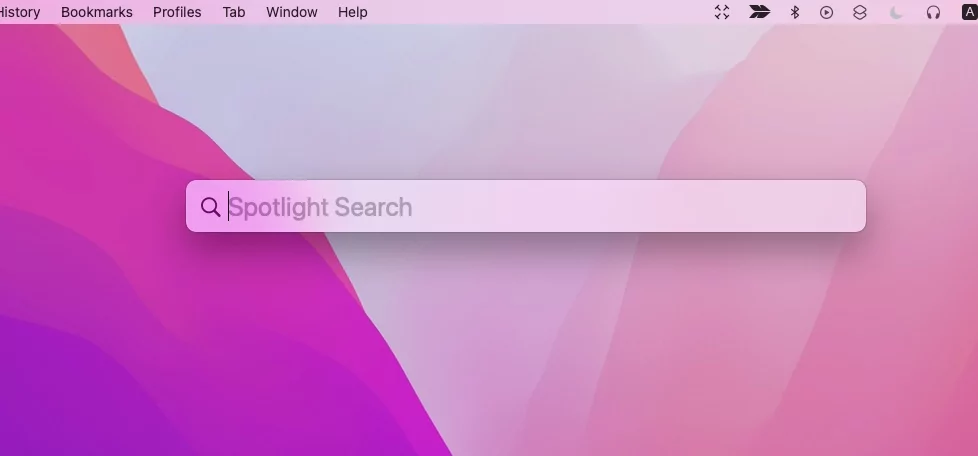
I had a similar problems with cloud drives. I solved it by switching off spotlight for those drives. I think the settings for it are in system preferences.
 
I had a similar problems with cloud drives. I solved it by switching off spotlight for those drives. I think the settings for it are in system preferences.
I'm not sure what spotlight is but I'd give it a go.
 
I'm not sure what spotlight is but I'd give it a go.
It runs in the background, and I think at startup, to index files and make searching quicker. Depending on the type of external drive this can be quite slow. For my Google Cloud drives it was so slow it stopped startup completing and switching it off has worked well.
 
It runs in the background, and I think at startup, to index files and make searching quicker. Depending on the type of external drive this can be quite slow. For my Google Cloud drives it was so slow it stopped startup completing and switching it off has worked well.
That sounds bang on.
Any tips on how I find it and disable it?
 
That sounds bang on.
Any tips on how I find it and disable it?
I had to look it up when I did it, there are settings in the system preferences for spotlight, might have been some commands to run in terminal too. I'd try the system preferences first and only try the terminal commands if that is not enough. You do want to keep spotlight running for your main system hard drive, not just switch it off completely. No guarantee for accuracy:
 
I had to look it up when I did it, there are settings in the system preferences for spotlight, might have been some commands to run in terminal too. I'd try the system preferences first and only try the terminal commands if that is not enough. You do want to keep spotlight running for your main system hard drive, not just switch it off completely. No guarantee for accuracy:
I was just looking up how to disable it.
In the system preferences bit it appears to be possible to selectively disable bits as opposed to switching the lot off.

Oh well, something else to waste my time on I suppose.
 
I leave my Mac on all the time ... I just put it to sleep when I'm not using it. I schedule the wake-up time for when I normally start work etc. Mac M1's are nearly instant wake-up
 
Back
Top