Silverfast RAW woes with Epson 850 scanner

Jamtea

Suspended / Banned
Messages
265
Edit My Images
No
Hey there guys. Because I hate money I decided to part with it and get an Epson 850 pro scanner. Hurrah! Anyway, it comes with a copy of Silverfast SE Plus which I've been playing around with and it all seems rather good at putting out jpgs, tiffs and psds et al. The part where I'm getting a little lost is on the 64-bit HDRi raw files as DNGs. When I open them in photoshop, they are the RAW scan, as a colour negative, not as a flipped and colour corrected RAW, and I've no idea how to use the infrared channel in the file either.

From the confusing research I've done, I gather that I have to use the Silverfast HDR program which is a different software package, for the low low price of €250. Well that isn't happening. So is there any way to get a usable DNG file out of this software suite that I can then put into Photoshop CC in a manner that won't drive me mad? In an ideal world, I'd like to get RAW files that I can archive away, and work on easily as any normal CR2/RAW/DNG file :) If anyone has any good pointers here I'd gladly appreciate it, as I've got about 50 rolls of film worth of negatives that I'm rather keen to get to work on!
 
I never tried raw on Silverfast (and my version was 6.something of the SE Plus), but eventually got really frustrated and bought Vuescan Pro which is much easier to use, supports pretty much any scanner with no extra fees, gets free updates, and has a raw capability where the raws can be re-edited in the same copy of Vuescan Pro, all for a small fraction of the Silverfast HDR price you quoted.
 
That's good to know, thanks :) I'll give it a go and see how I get on with it!
 
Well Jamtea I don't think many use silverfast here as it's sooooo unfriendly, but quite a few guys use Vuescan...for me I'm happy to use Epson's software (when I do some scanning) for posting shots on the net and A4 prints and if I wanted say a 16 X20" print would let a lab scan and print.
 
Does the Epson software output a RAW file? I've had literally about an hour on the thing in total, so I'm not very used to the various quirks and whatnot of it yet and I've not even touched the native scanning software. I'm pretty comfortable working in photoshop RAW editor as I said, so whatever gets me a suitable file is best for me :)
 
Does the Epson software output a RAW file? I've had literally about an hour on the thing in total, so I'm not very used to the various quirks and whatnot of it yet and I've not even touched the native scanning software. I'm pretty comfortable working in photoshop RAW editor as I said, so whatever gets me a suitable file is best for me :)

Epson software outputs tiff or jpg. AFAIK...anyway I wouldn't know how to use a raw file and could be why I've never looked for it in the software.
 
I haven't looked at EpsonScan for years. When I first started scanning VueScan was (as far as I know) the only program that let you save the raw file. I haven't heard that anything has changed, so I wait to be corrected. Brian - the benefit of keeping the raw file is that you can get VueScan to reprocess it with different parameters without needing to rescan. This is a great time saver, particularly when you're new to scanning. Instead of 4 hours (as it was for me in those days) I could see a different result in seconds - no need to settle for "almost right" when there was no time penalty in trying again.
 
There is no option in Epson to output the scanner raw, closed you can do is a tiff but that is a different thing really.
 
Well Stephen I know the digi guys sometimes set their camera for raw...but for filmies can you give an example of what you mean by "different parameters" :confused:
 
Last edited:
OK. VueScan lets you set curves to be applied to the scan, degrees of sharpening, rotation, film type, gamma for the film, film brand (Kodak/Ilford etc) and specific film, black point etc. etc. I have found that the best scan (well, best of the ones I tried) is determined on an individual basis, and the film to select isn't necessarily the one I actually used. Experimenting with these settings is a matter of seconds - no waiting for the scanner.
 
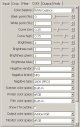
Here's a screen capture of just one page of the settings in VueScan (note the tabs at the top).

Color.JPG
 
Yes, you get them whatever the end result of the scan. But the point is that you can change the settings without rescanning, so if you want to change a setting you can do so instantly. You save the raw data and pass that into the scanner software - you don't need to have the scanner attached to do it.

Scan once, process many. When you find (as I did) that after four hours a small tweak was needed requiring another four hour wait - and you have another five 5x4 negatioves still to scan - you appreciate being able to speed things up. However many tweaks I need to make, it's only a few seconds to redo the scan.
 
Last edited:
I take it you still need to rescan if you adjust the back light power.
 
Yes, you get them whatever the end result of the scan. But the point is that you can change the settings without rescanning, so if you want to change a setting you can do so instantly. You save the raw data and pass that into the scanner software - you don't need to have the scanner attached to do it.

Scan once, process many. When you find (as I did) that after four hours a small tweak was needed requiring another four hour wait - and you have another five 5x4 negatioves still to scan - you appreciate being able to speed things up. However many tweaks I need to make, it's only a few seconds to redo the scan.

Well I don't know about anyone else but scanning in raw is new to me...the usual recommendation for best results is scan as tiff........well you learn something everyday.
 
It's all a matter of what you mean. I have VueScan set to keep the raw file and give me a tiff as well. Think of the scanner as being like one of these digeridoodahs - you can save a raw file and/or a jpg. The scanner gets the raw file back from the physical scan and processes the data; you then have the choice as to whether it throws it away or not. I choose to keep it because it saves me time and effort - and for that reason alone encourgages rather than discourages me from trying to get the best possible scan.

I take it you still need to rescan if you adjust the back light power.

I've never had a reason to adjust the back light - I never realised that you could, to be honest. The exposure has always been fine. I have found that when scanning a negative of a stained glass window in a very dark chuch interior that the same raw file let me get detail in both when I made a couple of "virtual scans" with different settings with no need to use the scanner.
 
Well I don't know about anyone else but scanning in raw is new to me...the usual recommendation for best results is scan as tiff........well you learn something everyday.

There's two different issues here.

The software usually reads the scan and applies your exposure settings (white point, black point, sharpening, colour balance, etc) to the data, then writes it to a file. I guess what VueScan is doing is reading the scan, writing out the data to a file, and then allowing you to apply the exposure settings to it as many times as you like.

TIFF is better as an intermediate (pre-post-proc) format than JPG because it allows you to store more bits per colour channel (12 or 16 instead of 8).
 
And as a black and white photographer, 8 bits is a bit small to preserve tonality. :)
 
Back
Top