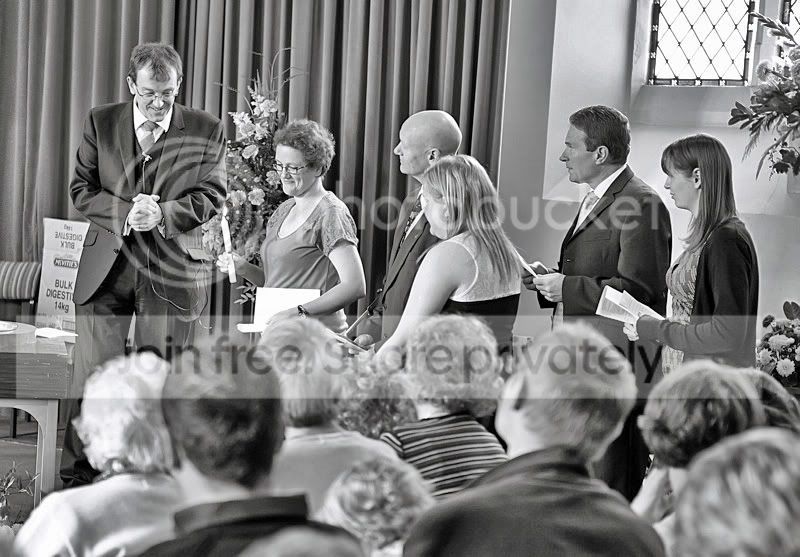
silver looking mono shots

joescrivens

Suspended / Banned
Messages
15,052
Name
Joe
Edit My Images
Yes
I really want to be able to produce mono conversions that looks as good as our lithuanian friend on here

http://meninenuotrauka.lt/en/wedding/2010/irina_marius/

can someone point me in what kind of settings to use. I have cs5, lightoom 3 and I have Silver Effects Pro by Nik Software

the best I can do is this kind of effort
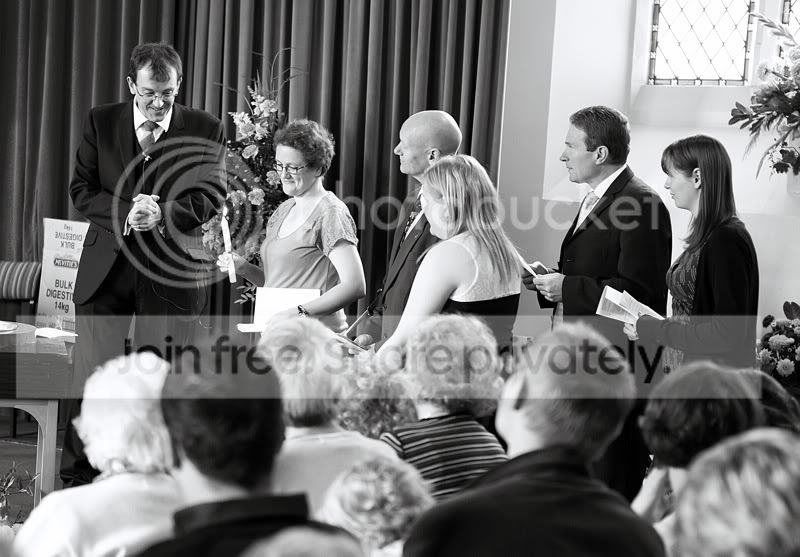
IMG_3439.jpg


it just doesn't have the silverness though, what am I doing wrong?
 
From what I can see you are looking at this the wrong way around.

A lot of the so called 'silvery' effect in those photos is coming from three things:

The background of the image and its contents (lots of mirrors, plastic sheeting, reflective surfaces etc)
The narrow DoF creating reflective OOF areas
The surrounding webpage that it's mounted on.

Maybe trying a similar style of image with the same PP that you use at the moment might help?
 
Something like this?

silvermono.jpg


I achieved this by playing with the shadows and highlights to create a hdr effect.
 
a lot of the photos dont have any background but still have that silver effect

i added a blueish fliter to mine and I think it looks too blue
 
Something like this?

silvermono.jpg


I achieved this by playing with the shadows and highlights to create a hdr effect.

yes, thats more like it, so what happened? you layered two copies tweaking highlights and shadows on separate exposures? can u explain the hdr bit?
 
You can get an effect that looks a bit like HDR by boosting both the 'fill light' and 'blacks' in LR - not sure about PS though I'm sure it's possible.

Here's one with a blue tint, maybe too much but it looks silvery to me.

img3439j.jpg
 
I think Graham has put his figure on it. Pushing the blacks tends to give a visual "punch" to the image. Maybe a slightly cooler look as well may help.

You can do the Lightroom adjustments in ACR. ACR has the same develop engine as Lightroom without the nicer GUI, however all the controls are there
 
Why not ask the man himself? It's not like you could threaten his income from over here.

I'd be interested in this too as I love B&W.
 
For a slightly silver look for black and white shots made in Lightroom, go into Split Toning and add a pale blue tint to the shadows (the palest of the two blues on the standard split-toning pallette is a good starting point). If that isn't quite right, try switching it to the lights, but don't use both together unless you want a more definite overall blueness.

The Split-Toning tool always seem to be the one people over-look in LR, but after white balance it has the greatest effect on the warmth/coolness of a finished image.

Print using the metallic paper option from DSCL for maximum effect.

However.. I don't think the site you've linked to has particularly silvery looking tones. Maybe that's just me.


Sometimes, if you can find an example of a processing style you like on Flickr you can pull the LR/PS settings from the EXIF data if they haven't stripped it back to the basics. I've done this a few times and created presets inspired by photographers with a processing style I like.
 
Pulled the shots in to photoshop and used the colour picker, all rgb values are the same.. all neutral greys.
The edits posted here are obviously a lot cooler than the original style anyway.

At a glance, his shots are sharper than yours and the area of interest is very obvious without yours eyes needing to search around for it.

Looking at it more, your photos need more contrast or perhaps clarity. Though, the difference in sharpness is definitely noticeable.
 
Im not sure if this is what you're looking for, but this is what I have come up with.

silverfx.jpg


and how it was done..

silverfx%20history.jpg
 
I think there are several things you need to take into account, the quality of the light is different there, the amount of light is also different, skin tones differ,etc etc.

He also seems to almost blow his highlights, certainly pushes them to the edge and it looks like he uses lower contrast settings.

The nearest I could get was using shadow/highlight and markedly boosting the light in the shadows, whilst giving just a little boost in the highlights, then dropping the contrast, but with your nice contrasty original beside it, it just looked too washed out so I abandoned it.
I would say the majority of the work needs to be done both in camera and when converting the raw, you would get a better result that way, I would try playing with the reds, oranges and yellows, but steer clear of the blue slider, it just makes things to dark and contrasty, thats one of my tricks for getting dark leathery skin lol.
Tone wise it looks like just a tiny hint of cyno tone, ie greenish rather than blue.
 
Try pushing the 'structure' in silver efex pro to 100% and add a little contrast.
The type of subject makes all the difference and what works for one shot wont
for another. The silver look tends to suit things rather than people but not always.

4903903027_8a1aa435e7_o.jpg
 
Thanks all for your points I will investigate the various suggestions!
 
Very helpful.

I had the trial of Silver Efex but it's now expired :( so it's all manual!
 
Back
Top