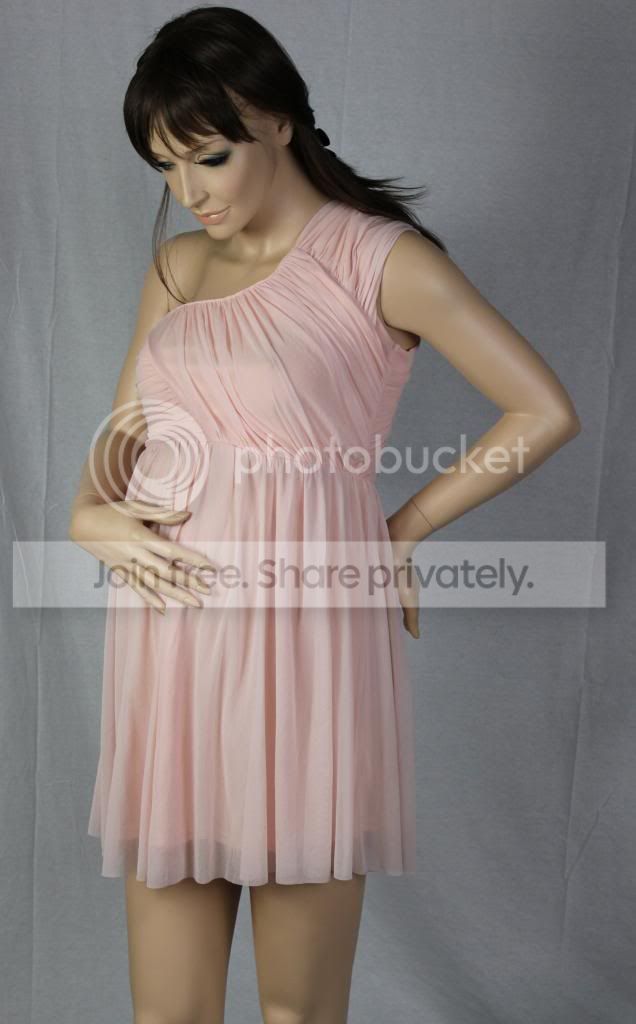
Should I remove Natural Light?

Hellz

Suspended / Banned
Messages
10
Edit My Images
Yes
Im taking pictures of clothing on a mannequin, but Im novice and Im not getting the results I want...

Im Using a Cannon Eos 600D, A coloured back drop (black or white) with 2 soft box lights, HOWEVER I just cant get the right pictures, they are not even OK, they are just rubbish LOL They are either too dark or too light, the flash wants to pop on which then makes the picture look to high contrast and garish...

If I move the lights closer the skin is too white, move them further away and they are too dark...

Having done some research Im thinking that I might be best to remove the natural light and create a more studio environment.. Im in a large storage warehouse on a 2nd level so Ive got a sky light just above where Im standing ... Ive also seen guys using a fill light to light up the background...but before I go spending out I need some advice :-)

What I need is to be able to shoot eg: a black dress which will capture the detail AND the skin of a mannequin

Help?
 
Try shooting at something like f/22, 125 sec, 100 iso and you'll capture very little if any ambient light. Just adjust your studio flash until you get good exposure. That'll be a start, maybe.
 
Im taking pictures of clothing on a mannequin, but Im novice and Im not getting the results I want...

Im Using a Cannon Eos 600D, A coloured back drop (black or white) with 2 soft box lights, HOWEVER I just cant get the right pictures, they are not even OK, they are just rubbish LOL They are either too dark or too light, the flash wants to pop on which then makes the picture look to high contrast and garish...

If I move the lights closer the skin is too white, move them further away and they are too dark...

Having done some research Im thinking that I might be best to remove the natural light and create a more studio environment.. Im in a large storage warehouse on a 2nd level so Ive got a sky light just above where Im standing ... Ive also seen guys using a fill light to light up the background...but before I go spending out I need some advice :-)

What I need is to be able to shoot eg: a black dress which will capture the detail AND the skin of a mannequin

Help?

Bright ambient light is never a good idea with studio lights, though if it's not too bright and you're using flash (or is it continuous light?) then it may be possible to turn that right up and basically over-power the ambient.

That aside, it sounds like you're having basic exposure problems. TBH, studio photography is no place for a newcomer and from this (and your other post) if you're looking for commercial standard results then it's about more than just having a good camera. Sure you need that, and some decent lights, but also the knowledge to use them.

I might have a wonderful sewing machine and some great fabrics, but that doesn't make me a dressmaker. Sorry to be blunt, or if I've misunderstood your needs ;)
 
If the flash is 'wanting to pop on' - what mode are you using? I don't actually know anything about this sort of photography, but on my 550D I'm pretty sure the flash only popped up when in auto mode. If you use the other modes you can take more control and decide if/when you use flash.

I'd have thought trying to photograph black clothing on a pale mannequin is quite a challenge! Good luck!
 
If the flash is 'wanting to pop on' - what mode are you using? I don't actually know anything about this sort of photography, but on my 550D I'm pretty sure the flash only popped up when in auto mode. If you use the other modes you can take more control and decide if/when you use flash.

I'd have thought trying to photograph black clothing on a pale mannequin is quite a challenge! Good luck!

The flash only comes on when in auto mode on my 60D
 
What kind of softbox lights are you using?

Something in the way you wrote that post left me thinking you may be using continuous lighting with a camera in either auto or semi auto...
 
TBH, studio photography is no place for a newcomer and from this (and your other post) if you're looking for commercial standard results then it's about more than just having a good camera. Sure you need that, and some decent lights, but also the knowledge to use them.

I might have a wonderful sewing machine and some great fabrics, but that doesn't make me a dressmaker. Sorry to be blunt, or if I've misunderstood your needs ;)


Thanks for that Hoppy - Kinda hurt my feelings, I just wanted some help to make the best of what Ive got
 
Can you not post a couple of photos - so that we can see - much easier than trying to describe it :)
 
What kind of softbox lights are you using?

Something in the way you wrote that post left me thinking you may be using continuous lighting with a camera in either auto or semi auto...

Im abit embarrassed to say what Im using now :-( Just to clear up.. Im not a professional Im just making the best of what Ive got.

Im not sure of the type of soft box lights that I use, they were just cheap ones from China but the seem to do a pretty good job (good enough for what I need any way)

I tend to flip between using the auto - anti-flash and portrait settings but I often find I spend along time in photoshop correcting the pictures, Such as... see the image below, The colour of the top should be a bit more salmon colour and obviously the background should be white, Its not too much of a problem as I cut out the background any way... but still Id like to get it right...

test3_zpsec696c68.jpg
 
Thanks for that Hoppy - Kinda hurt my feelings, I just wanted some help to make the best of what Ive got

Sorry about that Helz, I guessed it might, but don't take it personally and we've all got to start somewhere.

The thing about studio work is that it's not just about recording whatever God has put before the lens, you've got to create it first. That takes skill and knowledge of how light works, not just the kit, and you also need a good working understanding of the camera and lens, and exposure. Starting as you have, especially with both important light and dark tones in the subject, will not make things easy.

First of all you need to understand the basics of photography in general, then when you've got that nailed (not a five minute job for most of use) you can have a go at studio lighting with half a chance.

Hang around here and you'll not want for helpful advice :thumbs: Your details and scant - we need to know exactly what equipment you have and the studio situation, plus an example shot of the problems you're having, and preferably a link to something similar that you'd like to replicate. Short term though, if you require commercial standard results now, it may be better to hire a professional.
 
Im abit embarrassed to say what Im using now :-( Just to clear up.. Im not a professional Im just making the best of what Ive got.

Im not sure of the type of soft box lights that I use, they were just cheap ones from China but the seem to do a pretty good job (good enough for what I need any way)

I tend to flip between using the auto - anti-flash and portrait settings but I often find I spend along time in photoshop correcting the pictures, Such as... see the image below, The colour of the top should be a bit more salmon colour and obviously the background should be white, Its not too much of a problem as I cut out the background any way... but still Id like to get it right...

<snip>

Oh right, I see you're ahead of me :)

Are your lights flash, and what size are the softboxes? If not flash (fluorescent bulb?) they will not be very bright and that skylight will skew things. Lens? Exposure settings? What is the intended use of the images? What size will they be? A thumbnail on e bay is a million miles from a glossy brochure.

You will never get a pure white background without lighting it separately (and carefully, it must be evenly lit all over) and exposure levels are critical. The inverse square law says that light falls off rapidly in the studio and anything further from the lights will appear darker. You really need to be shooting in manual exposure mode, pop-up flash off.

Custom white balance will get the colours right, or it may be easier to fix in post processing. Shoot Raw, and include a sheet of white paper in one frame to use as a reference for the white balance dropper.
 
Last edited:
Thanks Hoppy,

Yes they are florescent lights, Im not sure white size they are... 60cm by 80cm.. ish? Are these not a good option? Im happy to make changes but I need to make the right changes :-) (at the moment Ive covered up the sky light with a blanket :lol: very professional!! Ive taken a picture of the set up, but I think you would all laugh!

I don't actually need the white background as I cut it out in photoshop but I read that if you choose a contrasting background that it will fool the camera into producing better colour image..

The images are for the web (never really printed except for a leaflet on occasion) The max image is about 1500x1500 pixels and I then make lots of smaller versions down to a thumbnail.

Im using a standard lens which is a macro 0.25m efs 18-55mm ( I have no idea what that means LOL )
 
Thanks Hoppy,

Yes they are florescent lights, Im not sure white size they are... 60cm by 80cm.. ish? Are these not a good option? Im happy to make changes but I need to make the right changes :-) (at the moment Ive covered up the sky light with a blanket :lol: very professional!! Ive taken a picture of the set up, but I think you would all laugh!
Fluorescent lights are fine for static subjects, and so is the blanket if it does the trick.

I don't actually need the white background as I cut it out in photoshop but I read that if you choose a contrasting background that it will fool the camera into producing better colour image..

Cutting out makes white backgrounds much easier, though hair is tricky to do well and the background also affects the subject too, with 'wrap' as light is reflected off the background around the sides of the subject. Basically, if you cut-out something against a dark background it will look completely wrong, so the background must be as bright as you can reasonably get (move it closer).

You should be using manual mode and setting exposure correctly for the main subject. In which case, the background makes no difference here. If the background is white, you can use that as a white balance reference in post processing and it will get the colour close. Then adjusting by eye is the best way if you have the fabric to hand, and assuming your monitor is properly calibrated.

The images are for the web (never really printed except for a leaflet on occasion) The max image is about 1500x1500 pixels and I then make lots of smaller versions down to a thumbnail.

Im using a standard lens which is a macro 0.25m efs 18-55mm ( I have no idea what that means LOL )

1500x1500 is quite large, so image quality needs to be good. Your lens is the standard kit zoom and should be fine for this. Suggest shoot at f/8 and lowest ISO, adjusting shutter speed to suit. You may need a tripod to avoid blurring but if that lens is the IS version (probably) you should be okay hand-holding.

Suggest start with just one light at maybe five feet. Camera around eye-level, light just slightly above and to one side. Maybe put both lights together to make wider/longer, and use a white sheet as a reflector to lighten the shadow side. Or put one light on the other side and a little further back to fill-in the shadows, but watch for conflicting shadows from the two lights and move one back to reduce them.

That should get you something usable, but the key is knowing what's going on and why it works (or not, if it doesn't).
 
^^^ this is a great post.

But I would say that if you are shooting a lot of these then having a tripod would be a significant advantage, as would a cheap cable release.

Once you have this sorted and are getting good results mark on the floor where your lights are setup with an X, same for the mannequin, and the tripod - then as these are continuous lights, and you are removing the ambient light you should be able to get consistent results with the same camera setting.

You may find you need to light different garments differently but for now with your level of experience nail one lighting setup, rinse and repeat and as you grow in confidence you can change it up.
 
Surely some off camera flash's will blow out the background if needed and then a flash for the subject?

Really depends if you have a budget to work with, 3 off camera flash's and a set of triggers and a tripod will set you up and will be around £320, up to about £400 depending if you get stands and umbrellas to go with it.
 
Last edited:
Surely some off camera flash's will blow out the background if needed and then a flash for the subject?

Really depends if you have a budget to work with, 3 off camera flash's and a set of triggers and a tripod will set you up and will be around £320, up to about £400 depending if you get stands and umbrellas to go with it.

Flash is more versatile but wouldn't add much to this specific job and IMHO would just add an unnecessary layer of complexity.

If cutting out the background to white is viable, it makes the whole thing hugely easier.
 
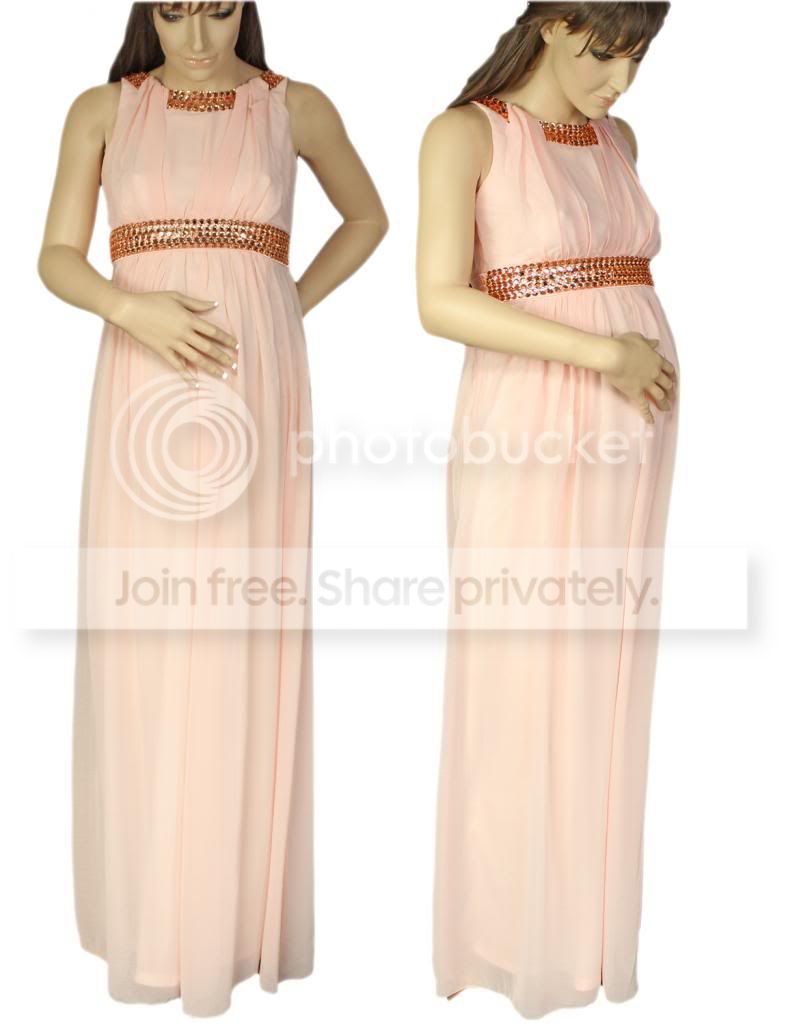
I **** if this helps...But here is one of my finished images which I hope shows what Im going for, but although its OK, Id like to do better if I can :-)
amazon-2_zpsdeb91a3b.jpg
 
^^^ this is a great post.


You may find you need to light different garments differently but for now with your level of experience nail one lighting setup, rinse and repeat and as you grow in confidence you can change it up.

Im glad you said this meonshore, I am finding some garments difficult, Black items are a real pain, They come out so dark that it looks more like a silhouette, if I move the lights too close they end up with a sharp glare/reflection... is there a good technique for shooting black clothing and catching the detail?
 
Why is the top of my post "starred out"? I looks like I was swearing, it should have said "I dont know if this helps" :-)
 
Im glad you said this meonshore, I am finding some garments difficult, Black items are a real pain, They come out so dark that it looks more like a silhouette, if I move the lights too close they end up with a sharp glare/reflection... is there a good technique for shooting black clothing and catching the detail?

Can you post a link to a shot you'd like to replicate?

With black, increase the exposure (longer shutter speed). Don't worry about the background, within reason, and try to get the black appearing kinda grey on the LCD. This will put a lot more detail and tone separation in the image file, with less noise, and that will be retained when you then darken it back to the correct tone in post processing.

If you use Lightroom, give the Clarity slider a good nudge to bring out more detail.

Why is the top of my post "starred out"? I looks like I was swearing, it should have said "I dont know if this helps" :-)

Maybe a Freudian slip - perhaps you wrote k n o b? LOL
 
Im glad you said this meonshore, I am finding some garments difficult, Black items are a real pain, They come out so dark that it looks more like a silhouette, if I move the lights too close they end up with a sharp glare/reflection... is there a good technique for shooting black clothing and catching the detail?

Black absorbs light, and conversely white reflects light. Harder to photograph which is why in wedding photography it is/was considered hard to achieve good quality bride and groom portraits.

You'd probably want to use slightly different lighting to bring out the texture and shape of the garment - not necessarily strength - although as below you may want to slightly over-expose rather than have it in shadow - but more directional. Impossible to specify in a forum post with an unseen garment. There is a reason fashion houses, retailers and catalogues hire professional photographers - and the issues you are facing are but one of them.

Best for you IMHO to get consistent results you can control and understand and then you can vary them to achieve a different look. Crawl-Walk-Run.
 
Back
Top