

Sensor Dust / Cleaning

mobilevirgin

I'm a cheeky little sausage
Suspended / Banned
Messages
2,697
Name
Peter
Edit My Images
Yes
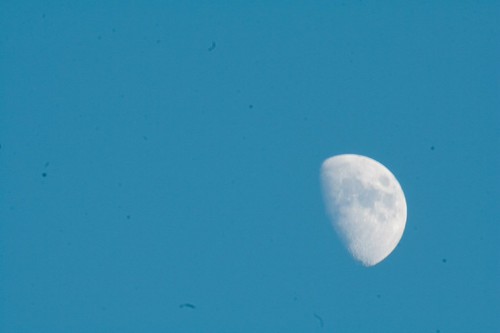
Yes, I've read the stories. And I know this is a sensitive subject around these parts. However, it seems to me that this here sensor needs a clean
514000142_c1225142eb.jpg


So, assuming its no more than just dust, then what's the best stuff to use to do the job? Or do you all really recommend a pro clean?

TIA
 
You need to send it off to Sensors 2 Go by Janice. I hear a new sheet of sandpaper is used on each job. :naughty: :naughty: :lol: :shake:

I dunno mate. All I would say is it was me and I couldn't blow it away with filtered air, then I would send it away. Wait to hear what the other peeps say. :popcorn:
 
Try a rocket blower as it will get rid of the worst of it and you may be able to live with what is left. Personally I just do it my way very cheaply (and safe). Suggest you read it all as other peoples comments will help too.
 
Thanks for the link - I've ordered a rocket blower as a 1st go
 
a few weeks ago, my sensor was much dirtier than yours (i had been to a radio control racing event and got a good puff of dirt in my face )

I tried a rocket blower, and only got minimal effects, so ordered a pec pad / eclipse cleaning kit

while i was waiting for it to come, somebody on the overclockers forum suggested this following method. which completely cleaned my sensor in one attempt

step 1) run the hot taps in your bathroom for a few minutes
2) turn off the taps and wait for a few minutes more (that will clean the air so there is no dust anywhere in the bathroom)
3) set up the camera on a tripod facing down at the floor
4) give your rocket blower a couple of puffs at the floor, to be certain it is clear from dust
5) remove lens / cover and activate the mirror lock up (the vibrations of it facing down on the tripod should shake the dirt a bit looser)
6) aim the rocket blower at the sensor (dont touch the sensor wiht the end) and give it one good strong puff of air
7) replace lens and give it a test shot, repeat whole process if needed.

Like I said, I tried to clean mine with my blower 3 or 4 times and was having no joy, but one go at it using the above steps and got a totally clean sensor.


I am sure you probably already know this, but still good to mention it.

if you want to test your sensor for dirt, the simplet thing is to take a single picture of a clear sky (no clouds or birds etc), then load that picture into your chosen graphic software, then do an auto levels,

and dirt on the sensor will become very obvious.

Good luck, hope you get it cleaned before having to resort to pec pads etc (that prospect really scares me )
 
Excellent advice, thanks Bolerus.

I am amazed that the sensor is as clean as it is - this camera has been to Africa more than once. Sahara sand gets everywhere - my 50mm makes grating noises as it auto focuses.

MV
 
a problem i have with my camera is, I have some dirt on the mirror, i am not sure if i have managed to touch the mirror at some point, or if it is some kind of fungal growth or something, but it looks like a little sticky mess

The thing is, it doesent show on pictures (because its on the mirror) and I am too worried about knocking the mirror out of alignment to try and clean it (rocket blower is having no effect)

any body got any suggestions for that one?
 
I got dust on my mirror too. Through the viewfinder it looked pretty bad. I tried my rocket blower, like you, but it wouldn't go.

I never got rid of it. Seemed to be stuck fast.

Flogged the camera now though, so it don't matter ;)
 
I got dust on my mirror too. Through the viewfinder it looked pretty bad. I tried my rocket blower, like you, but it wouldn't go.

I never got rid of it. Seemed to be stuck fast.

Flogged the camera now though, so it don't matter ;)

Are you sure it was on the mirror and not possibly on the focusing screen?

Anyway, you sold the camera so problem solved then...

Getting back to topic:


The first time is always a big thing but from there it becomes a breeze no matter how you do it - OYI!! Hope Janice doesn't see this:lol:

I used the wet and "dry" swabs a few times and either (1) I did something wrong or (2) I did not have enough patience - maybe both:shrug:

Always achieved a pleasant improvement but never got it perfect:bang: :bonk:

Will try the visible dust kit next!
 
I have read the excellent article by RobertP. But just one question before I start I can get the eclipse fluid ok, the tool is no problem as I am a model builder. but all the web sites selling the Pec-pads state NOT for Sensors. Is this just to make me pay a high price for their swabs or is there another type of Pec-Pad.

Thank you
 
Can't see anything on the pec pad details at warehouse express that says they are not to be used. Not looked anywhere else.
 
Taken from the PEC PAD website

[FONT=Arial, Helvetica, sans-serif]"PEC*PAD is not recommended for cleaning the CCD. It is not the same material used in the Sensor Swabs. PSI does not approve or warranty the CCD or any camera part from any damage caused by using non approved products."

Link to site

http://www.photosol.com/padproduct.htm
[/FONT]
 
Sounds like a sensible response for a company having its products used on something expensive and not wanting any liability.

Like the guarantee for the sensor swab that they make - prove it was their fault,send them the bill and the old sensor and they will reimburse you!

Everyone has to make their own choices. Based on experience I'll stick with pecpads.
 
I changed to Sensor brush's from sensor swabs, easier, cheaper, cleaner, safer.
 
thanks for your help guys, I'll take a chance. If I run into trouble I'll let you know
 
Back
Top