

Carlh
Suspended / Banned
- Messages
- 8,261
- Name
- Carl
- Edit My Images
- Yes
Have been looking at some skin smoothing tutorials, tried an awful lot of them, none came close to what I wanted to do except 1.
So after I find this great tutorial, I didnt really have any headshot photographs that I could try it on - most of my headshots are of my daughter and her skin is pretty fine so I needed a really ugly mug I could practice on and see a real difference. Then I realised - Im a really ugly mug.
So, model ready (lmao), I thought I would do some headshots and then try out my newly learnt skill.
Getting up this morning, I thought, I wont wash, just get the worst photo I can of myself.
Here is the first image, the only modifications were some adjustments with contrast and shadows/highlights/vibrancy in camera raw.
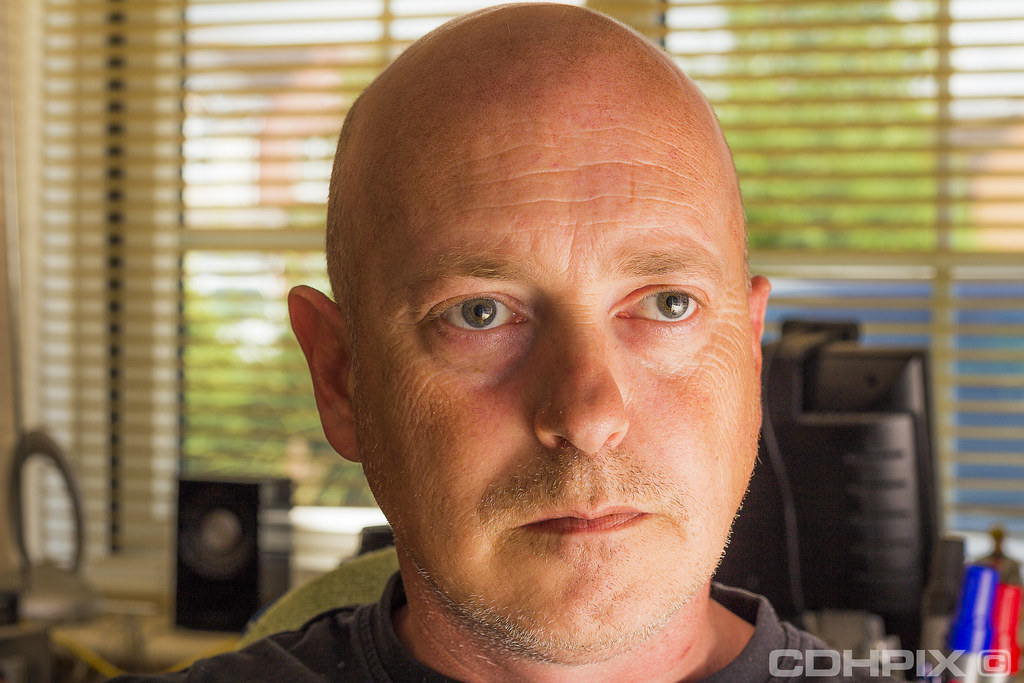
So, we got my nice wrinkles, spots, all sorts of crap not washed off from a sweaty night in bed
Now we have the base image out of the way, which isnt bad really except for my ugly mug and the distractions in the background of my office/study.
The next shot:
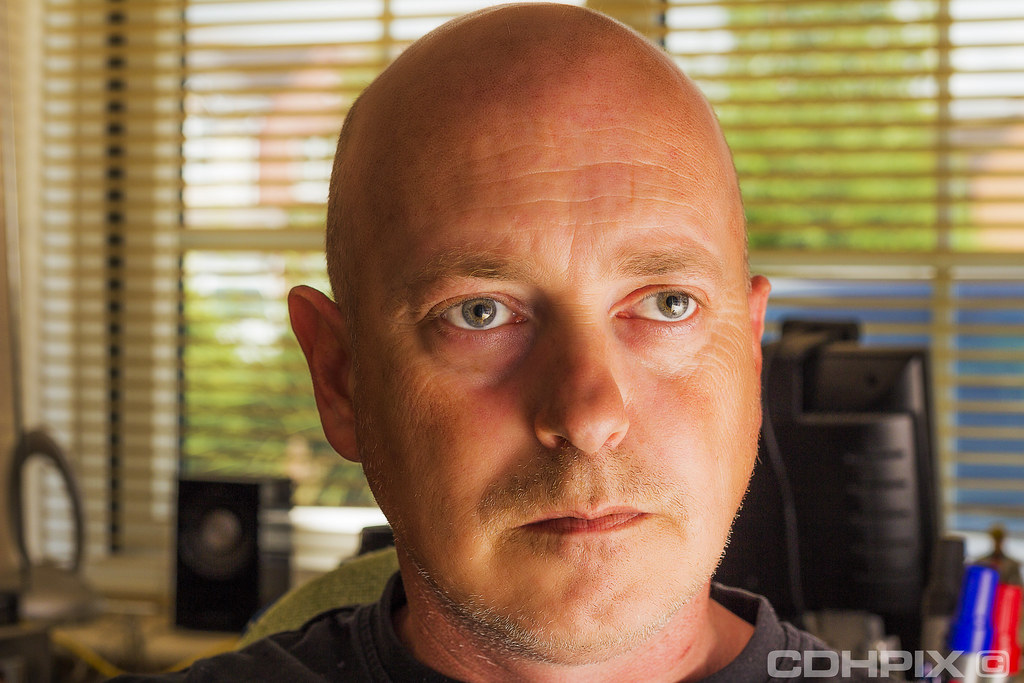
Has all the skin smoothing tips I picked up. Theres about 20 minutes of work in total I guess and I now I could probably have removed all the wrinkles and made myself a 21 year old again, but I didnt want it to look fake, so hopefully Ive got the right balance.
The shot still looks a bit messy, not very good composition for a headshot so I thought I would bring in a tighter crop. The crop is totally on purpose. Some people might not like the top of a head cut-off, but I think, depending on what the shot is <for> and what Im trying to get across in the image, which is eyes and other features more prominently than the top of my bald head.
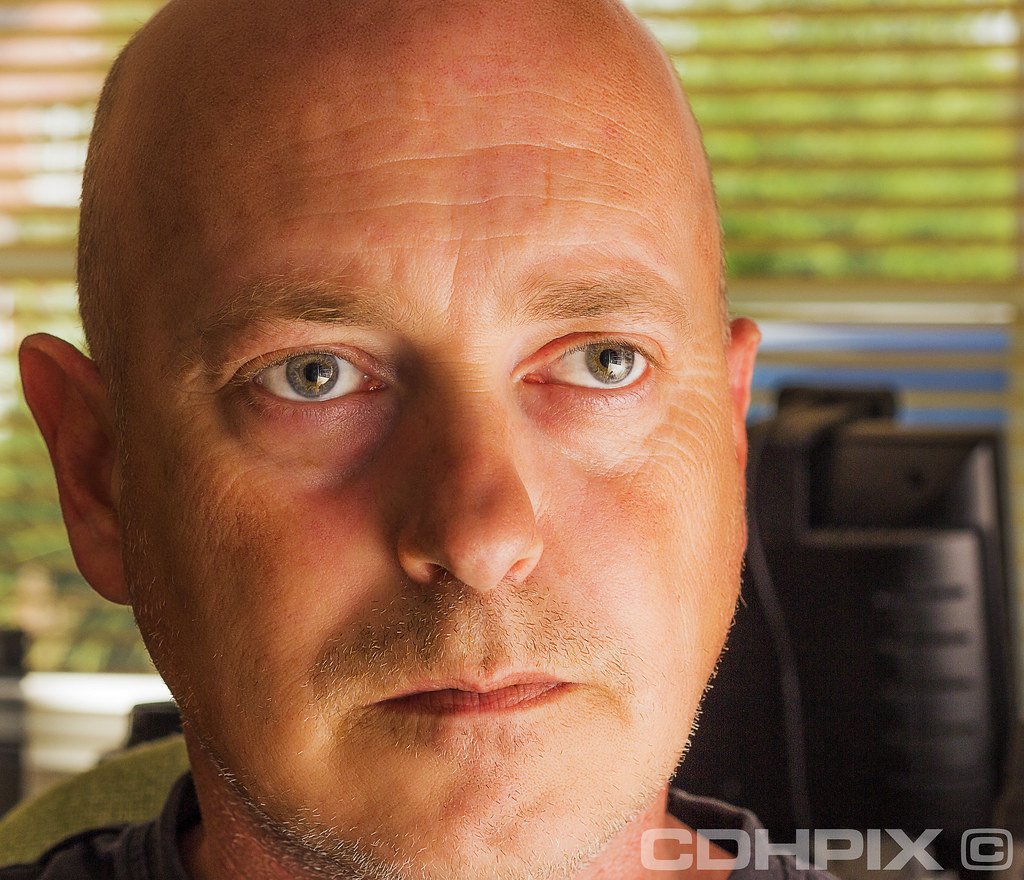
Equipment used: Canon 600d, shot in raw, 50mm f1.8 - taken at f6.3 as I found a wide open aperture just put my huge nose out of focus. at 160th/sec.
And a off-camera cheapo neweer on full power, bouncing off wall/ceiling (TT560).
So after I find this great tutorial, I didnt really have any headshot photographs that I could try it on - most of my headshots are of my daughter and her skin is pretty fine so I needed a really ugly mug I could practice on and see a real difference. Then I realised - Im a really ugly mug.
So, model ready (lmao), I thought I would do some headshots and then try out my newly learnt skill.
Getting up this morning, I thought, I wont wash, just get the worst photo I can of myself.
Here is the first image, the only modifications were some adjustments with contrast and shadows/highlights/vibrancy in camera raw.
So, we got my nice wrinkles, spots, all sorts of crap not washed off from a sweaty night in bed
Now we have the base image out of the way, which isnt bad really except for my ugly mug and the distractions in the background of my office/study.
The next shot:
Has all the skin smoothing tips I picked up. Theres about 20 minutes of work in total I guess and I now I could probably have removed all the wrinkles and made myself a 21 year old again, but I didnt want it to look fake, so hopefully Ive got the right balance.
The shot still looks a bit messy, not very good composition for a headshot so I thought I would bring in a tighter crop. The crop is totally on purpose. Some people might not like the top of a head cut-off, but I think, depending on what the shot is <for> and what Im trying to get across in the image, which is eyes and other features more prominently than the top of my bald head.
Equipment used: Canon 600d, shot in raw, 50mm f1.8 - taken at f6.3 as I found a wide open aperture just put my huge nose out of focus.
at 160th/sec.And a off-camera cheapo neweer on full power, bouncing off wall/ceiling (TT560).


