pjm1
Suspended / Banned
- Messages
- 4,155
- Name
- Paul
- Edit My Images
- Yes
So, I finally decided to press the button on a refurbed Dell U2713HM to go with my Dell U2412M. I don't need wider gamut and I'm happy with the software calibration my i1 Display gives me so didn't plump for the significantly more expensive H version (which would then leave me the problem of needing two different colour spaces across the two monitors so not ideal).
New monitor will be my main display with the desktop (Win10) extended across both and the 24" being in portrait format. That works best for my normal windows use (Emails in portrait, excel on larger higher res screen in landscape).
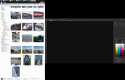
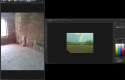
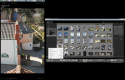
Is there an ideal setup for Lightroom and PS using two monitors like this? The larger "main" screen is obviously 2560 x 1440 whereas the portrait one will be 1200 x 1920. I'll probably just continue to use the larger landscape screen as "main" in LR with the second display showing "To Fit" scaled views of the image in question. In PS I can have a larger navigator display in that second, together with a fair few panels, which will be nice.
What do others do? Are there any particularly cunning setups people would recommend?
New monitor will be my main display with the desktop (Win10) extended across both and the 24" being in portrait format. That works best for my normal windows use (Emails in portrait, excel on larger higher res screen in landscape).
Is there an ideal setup for Lightroom and PS using two monitors like this? The larger "main" screen is obviously 2560 x 1440 whereas the portrait one will be 1200 x 1920. I'll probably just continue to use the larger landscape screen as "main" in LR with the second display showing "To Fit" scaled views of the image in question. In PS I can have a larger navigator display in that second, together with a fair few panels, which will be nice.
What do others do? Are there any particularly cunning setups people would recommend?