Scanning Resolutions

Mr Perceptive

Suspended / Banned
Messages
9,347
Name
David
Edit My Images
Yes
I'm new here, well new to this 'Film and Conventional', I've been kicking around in the FujiX forum for what seems like a lifetime. Anyway I've 'invested' in a Fujifilm GSW690III, its quite a time since I shot film and even more time since I shot without an internal lightmeter!.

I intend to get films processed by a lab, and initially scanned by the lab. If I take to MF then I might add a scanner to my ever growing collection of hardware. My questions involve scanning and resolution:-

I want a decent size image, one that I might print to A2, I would also like some scope for light crops, horizion adjustment etc. Most of the labs seem to term everything as file sizes, as opposed to resolution (which is what I'm used to) - so what sort of file size should I be going for and in real world terms what is that resolution (on a 6x9)?

Also many of them scan to JPG, how much latitude is there in these JPG files, or in other words how much difference will I notice in the real world if I go for 16bit TIFFs? - I shoot mainly landscapes/cityscapes/etc.

Sorry if this seems a bit of a naive question, but I've searched both here and on google and not really found the answers (unless I'm looking in the wrong place!)
 
Have you looked into using a digital camera as a way to digitise your negatives? Benefit of that is you digital version will be RAW.

From my understanding of scans, drum scanning is the best for resolution. But don't know if a drum scan gives a JPEG or TIFF.
 
Many of us here use Filmdev for processing, although their website is coming up with a bad result and I'd avoid it meantime. According to their Twitter account, they can provide 16 bit TIFF files for you from their Noritsu scanner. I'd contact them for advice on printing to A2. https://BANNED/film_dev
 
I’ve only used them for camera sales so far, but Nik and Trick https://ntphotoworks.com/ have a Noritsu scanner and seem to be very versatile as to their processing offerings. Might be worth a call?
 
Have you looked into using a digital camera as a way to digitise your negatives? Benefit of that is you digital version will be RAW.

From my understanding of scans, drum scanning is the best for resolution. But don't know if a drum scan gives a JPEG or TIFF.

I can do this, already have a copy stand and suitable LED panel, would just need a holder for the negative. Disadvantage is without telecentric lens you are not quite getting the same view as if it was scanned, not sure how much that matters but could try.

is it straightforward to convert from Negative to positive image??
 
Many of us here use Filmdev for processing, although their website is coming up with a bad result and I'd avoid it meantime. According to their Twitter account, they can provide 16 bit TIFF files for you from their Noritsu scanner. I'd contact them for advice on printing to A2. https://BANNED/film_dev

you’re right a conversation needs to be had as it’s not clear what the actual resolution is from their scans!
 
I can do this, already have a copy stand and suitable LED panel, would just need a holder for the negative. Disadvantage is without telecentric lens you are not quite getting the same view as if it was scanned, not sure how much that matters but could try.

is it straightforward to convert from Negative to positive image??
There are plenty tutorials for Lightroom at least. Quite straightforward.
 
TIFF file should be at least 50-100mb 16bit argb, ideally more, lots more for successful A2 print.

Why not just call it a minimum of 4500 or so pixels on long edge?! - because these services don't get anywhere even close, and hope you don't notice

Ideally I would start with medium format or better large if using film.
 
TIFF file should be at least 50-100mb 16bit argb, ideally more, lots more for successful A2 print.

Why not just call it a minimum of 4500 or so pixels on long edge?! - because these services don't get anywhere even close, and hope you don't notice

Ideally I would start with medium format or better large if using film.

Going to have 6x9 neg's
 
is it straightforward to convert from Negative to positive image??

Yes, but Negative Lab Pro makes it a breeze if you have LR. (https://www.negativelabpro.com/ : Trial available. I paid up after about 5 minutes use. It's very very good.)

6x9 will print to 30 x 20 inches on A2, so a bit of a border at the top and bottom. At 300ppi (overkill at that size), you need a file that's 9000 x 6000 which is beyond most DSLRs (exc MF or stitching shots). With a flatbed though... My V550 will scan nicely at 1600 ppi which equates to 14400 x 9600 from a 6x9 neg, which is plenty enough resolution for any sized print (viewed at an appropriate distance).
Plz ignore..

I would suggest getting in touch with the lab if that's where you're having it done to see what size they scan to for 6x9 (in terms of pixel resolution). SOme labs will just specifiy filesize, whish is no help because the bigger the negative, the smaller the scan to keep it to that file size.
 
Last edited:
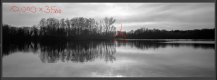
Sample scan from my Tomiyama at 10000 x 3500 for illustration. IME, Flatbed is the way forward if you have a big neg.

original.JPG

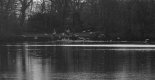
Zoom detail
zoom.JPG
 
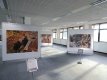
People can have very different ideas about maximum print size. At a wildlife photography exhibition I attended there were 4 or 5 foot wide prints from (among others) Canon Eos 10D and Nikon D100 cameras which produce 6MB files. The prints all looked adequately sharp to me.

Wildlife photography exhibition at Winslade Park DSC01097.JPG
 
Yes, but Negative Lab Pro makes it a breeze if you have LR. (https://www.negativelabpro.com/ : Trial available. I paid up after about 5 minutes use. It's very very good.)

6x9 will print to 30 x 20 inches on A2, so a bit of a border at the top and bottom. At 300ppi (overkill at that size), you need a file that's 9000 x 6000 which is beyond most DSLRs (exc MF or stitching shots). With a flatbed though... My V550 will scan nicely at 1600 ppi which equates to 14400 x 9600 from a 6x9 neg, which is plenty enough resolution for any sized print (viewed at an appropriate distance).

I would suggest getting in touch with the lab if that's where you're having it done to see what size they scan to for 6x9 (in terms of pixel resolution). SOme labs will just specifiy filesize, whish is no help because the bigger the negative, the smaller the scan to keep it to that file size.

Ian, surely there is a maths issue here!!!! a 6x9 neg is 2.36in x 3.54in giving 3776px x 5664px at 1600dpi which would be 242dpi on an A2 borderless print, in practise more than enough unless viewing with your nose against the print! but it doesn't leave a lot of scope for cropping before dropping below 200dpi.

I'll ring a couple of labs next week, another option would be to get the cheap basic scan done, and if there is a frame really worth printing big, then get that frame rescanned at higher res. I can easily set up my Fuji X-H1 to image negatives, that will give me 6000x4000, I will do this anyway as I have 98% of the kit, and then I can also understand if there are any issues with the fact that the sensor quite a bit smaller than the scan.

I'm sure I can blag a session with a local TPer with a suitable scanner to compare the results ;)
 
I've been on the Filmdev site and they quote their 35mm large scan size as 6774 x 4492 pixels. If my arithmetic is anywhere near correct, 35mm goes into 9 cm 2.571 times, and multiplying the quoted scan size by this factor suggests 17,418 x 11,548 pixels for a 6x9 neg? :thinking:
 
I haven’t read all the way through the replies in this thread nor do I intend to judge the OP in his quest for A2 prints from a 6x9 negative as we all have different expectations from IQ and resolution depending upon what the end scanned file is destined for and at what distance the image is going to be viewed from.

However here is something possibly worth consideration.

I shoot 4x5 inch sheet film and scan at 2400 dpi on a flatbed.
This gives me excellent IQ with A3 prints.( I have not attempted A2)
Increasing the scan res to 4800 does little to improve the IQ for that sized print imo and the fact that the larger file is more difficult to work with( computer slows down) then 2400 is ample.
At 9600dpi the scan IQ actually deteriorates so I need say no more.

I have in the past printed A3 prints from 35mm negs but tbh the IQ really is not there regardless of resolution simply due to the negative size.
Makes sense in a lot of ways:

A 4x5 neg is 14 times larger than a 35mm yet still has to be enlarged 10 times to cover the surface of an A3 print ( the 35mm has to enlarge 140 times!!)

Why is this relevant?
Cos your 6x9 negative will have to be enlarged 46 times to cover the surface area of an A2 print.

All these figures are approximations and possibly totally irrelevant to your cause.

There again!
 
I've been on the Filmdev site and they quote their 35mm large scan size as 6774 x 4492 pixels. If my arithmetic is anywhere near correct, 35mm goes into 9 cm 2.571 times, and multiplying the quoted scan size by this factor suggests 17,418 x 11,548 pixels for a 6x9 neg? :thinking:

I'm not sure it works that way, it appears that many labs end up with similar file sizes for every negative size, I need to call them and have a chat
 
I haven’t read all the way through the replies in this thread nor do I intend to judge the OP in his quest for A2 prints from a 6x9 negative as we all have different expectations from IQ and resolution depending upon what the end scanned file is destined for and at what distance the image is going to be viewed from.

However here is something possibly worth consideration.

I shoot 4x5 inch sheet film and scan at 2400 dpi on a flatbed.
This gives me excellent IQ with A3 prints.( I have not attempted A2)
Increasing the scan res to 4800 does little to improve the IQ for that sized print imo and the fact that the larger file is more difficult to work with( computer slows down) then 2400 is ample.
At 9600dpi the scan IQ actually deteriorates so I need say no more.

I have in the past printed A3 prints from 35mm negs but tbh the IQ really is not there regardless of resolution simply due to the negative size.
Makes sense in a lot of ways:

A 4x5 neg is 14 times larger than a 35mm yet still has to be enlarged 10 times to cover the surface of an A3 print ( the 35mm has to enlarge 140 times!!)

Why is this relevant?
Cos your 6x9 negative will have to be enlarged 46 times to cover the surface area of an A2 print.

All these figures are approximations and possibly totally irrelevant to your cause.

There again!

I understand about the actual resolution achievable from scanners. I've successfully printed A2 form an APS-C 24MP digital camera, and if I got a scan back that size (6000x4000), or slightly larger to allow for a slight crop/levelling/etc I would be happy.
 
I understand about the actual resolution achievable from scanners. I've successfully printed A2 form an APS-C 24MP digital camera, and if I got a scan back that size (6000x4000), or slightly larger to allow for a slight crop/levelling/etc I would be happy.
Having checked my Filmdev scans for 6x6, it appears that my extrapolation is only wishful thinking. My negs are coming out at 2079 x 2048, so a medium scan that is actually smaller than the 35mm medium scan. Hmm ...... :rolleyes:
 
I understand about the actual resolution achievable from scanners. I've successfully printed A2 form an APS-C 24MP digital camera, and if I got a scan back that size (6000x4000), or slightly larger to allow for a slight crop/levelling/etc I would be happy.

As I don’t use labs nor do I live in the U.K. I can’t offer advice of what the services offer there.
Tbh I think the best advice that I’ve read is for you to contact and actually discuss your requirements directly with someone who knows what they’re talking about ( preferably the person who actually does the scans!)
Perhaps it may cost a few quid extra to obtain a personal requirement but imo it would be worth it to get exactly what you want.
Good luck, I’m sure you’ll get sorted.
 
I shoot 4x5 inch sheet film and scan at 2400 dpi on a flatbed.
This gives me excellent IQ with A3 prints.( I have not attempted A2)
Increasing the scan res to 4800 does little to improve the IQ for that sized print imo and the fact that the larger file is more difficult to work with( computer slows down) then 2400 is ample.
At 9600dpi the scan IQ actually deteriorates so I need say no more.
I thought it was well-known that the maker-touted higher scan resolutions of home flatbeds are fake, so your experience seems to bear this out.
 
I think it's really well worth your while giving David at Filmdev a call, have a chat. They're a friendly bunch. With a 6x9 negative, you don't need to scan anywhere near the full resolution of the Noritsu to get massive file sizes, and they do 16-bit TIFFs as well.

You could also send in your first roll and ask for large scans, see what you get!

With regards to inversion, it's not that hard to get a reasonable result with black and white, but colour negatives are more complex. I think there was a discussion of ColorPerfect (a Photoshop plugin) versus another thing (forgot the name) that's a Lightroom plugin, perhaps in the thread about scanning with a DSLR...
 
You should perhaps take a look at an article by Tom Layton, a fine art photographer who uses film. He is testing out DSLR scanning using pixel shift technology. Using an Olympus OM-D EM1 Mk 2 to scan a 4x5 negative, he writes:

"As you can see from the screenshot to the left, this multiple exposure scan produced a 24,406 x 19,080 pixel high-resolution file. That is effectively a 465Mp camera with a resulting 1.59Gb RAW file in the form of a .DNG file."

See https://www.timlaytonfineart.com/blog/2020/1/scanning-film-with-pixel-shift-technology-part-1
 
Back
Top