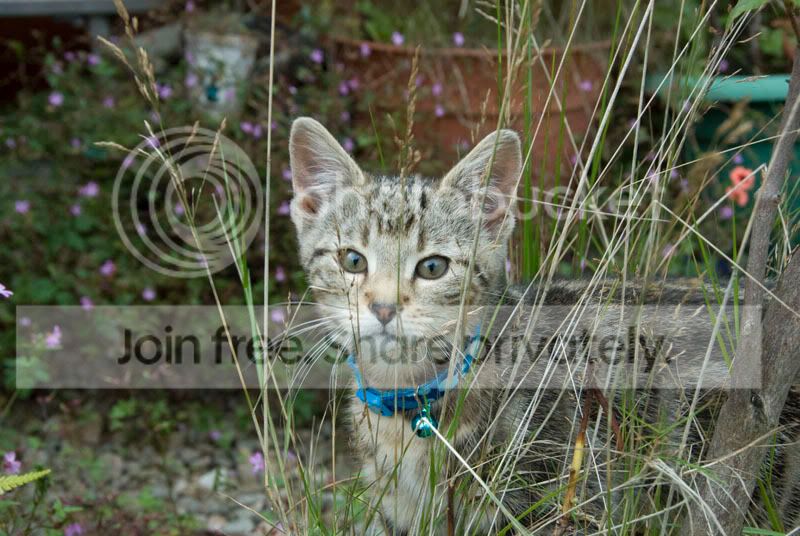
Say Aaaaaah! and then tell me........

gwocni

Suspended / Banned
Messages
833
Edit My Images
Yes
Hi Guys

I was taking some pix of our new arrival and noticed that when I open each of the RAW files an xmp file is also opened. (I have just started shooting RAW and using CS3 and Bridge) and wondered why this was. I know it stores data but could that not be stored in the file itself? (Or maybe it is) Also, what happens if I delete it?

Thanks in advance.

missy1.jpg


missy2.jpg


missy3.jpg


Thanks in advance
David.
 
To add, I think the raw file remains in the format it left the camera, and the XMP file records the various settings to use when the raw files is opened. I have no idea if its specific to photoshop or not, I do know, if you delete it, the RAW file reverts to the default settings, and your RAW PP would be lost.

Gary.
 
Lovely photos, I prefer #1 with #3 close behind. I just think cats have such wonderful eyes that shots of them work better.
 
Cuteness FTW :D

XMP Files are the "sidecar" files to RAW... the editing process is non destructive to the original file, as all the changes are stored in the XMP. If you delete the XMP, you delete the changes to the RAW, and you're left with the original image again. Cool huh?

Adobe Lightroom works differently though, where the changes are stored in a database, rather than an XMP file. Thats as it's set as default, I believe you can change it so it does produce XMP's as well, but I've never really investigated that, so don't quote me ;)
 
Cuteness FTW :D

XMP Files are the "sidecar" files to RAW... the editing process is non destructive to the original file, as all the changes are stored in the XMP. If you delete the XMP, you delete the changes to the RAW, and you're left with the original image again. Cool huh?

Adobe Lightroom works differently though, where the changes are stored in a database, rather than an XMP file. Thats as it's set as default, I believe you can change it so it does produce XMP's as well, but I've never really investigated that, so don't quote me ;)

If you change Lightroom so that it saves xmp as well, then when you open the RAW file straight from Bridge it shows the changes that you made in Lightroom. If you then edit the file in Photoshop and save it as a jpeg, you can go back into Lightroom and synchronise the folder to include the edit. I find it better to do it this way as Lightroom only offers the option to edit in tiff or psd, which means having another file to contend with, when you want to end up with jpegs.

Gorgeous kitten and definitely photos for your album.:clap:
 
Thanks for the remarks for "Missy", my son and I wanted to call her "Radiator" or "Viper"...... We were blown out of the water of course.......... Thanks for the reply Matty, well explained, thanks.

David.
 
To add, I think the raw file remains in the format it left the camera, and the XMP file records the various settings to use when the raw files is opened. I have no idea if its specific to photoshop or not, I do know, if you delete it, the RAW file reverts to the default settings, and your RAW PP would be lost.

Gary.

Of course I'm reading from the bottom up....... :lol: Thanks Gary.
 
Just a little update..... Turns out that "Missy" is a mister......:lol:

Now known as "Charlie". (Still didn't get Viper or Radiator)

charlie.jpg


David.
 
I darent look at these pics if daughter or grandkids about or its awwww dad awww grandad get a cat :) lovely pics though .
 
Exactly the same thing happened to us 4 years ago, our kitten was called Chloe for the first week and was subsequently called Miki! :lol:

This is he

2477601543_52f3966cb8.jpg

Must be a tabby thing then............
 
Now he's a climber............

On top of the fence
charlie4.jpg


Yes, it is that high. (I'm 6'0" tall)
charlie3.jpg


Enjoy
David.
 
Back
Top