retouching bad skin

Wozniakm

Suspended / Banned
Messages
2
Name
meaghan
Edit My Images
Yes
2016-01-24%2017.48.36.jpg
Hey there!

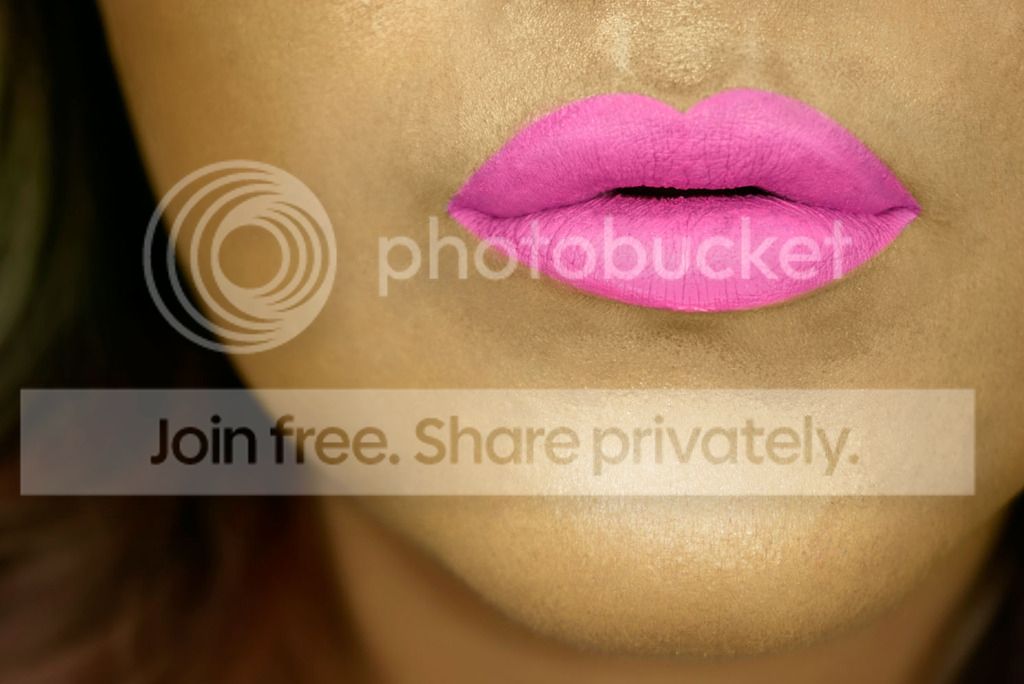
Totally new at this but I was wondering if I could get some advice as to what I'm doing wrong here;

I've photographed a friends lips but her skin is proving to be really hard to retouch. In general the whole photo is kind of hard and I don't really know how to go about editing makeup or anything ... Any advice ? Is it the lighting ? Or camera? Or am I editing it wrong ..


Taken with a Sony nex a6000 and a ring light with two soft boxes.
 
Not seeing a photo......
 
Hi, I'm no beauty photography expert but there's quite a few mistakes imo. The makeup is quite uneven which is exagerating rather than helping issues with the skin imo. There are bluey-green flecks all over the skin and there seems to be a colour under the pink lipstick which is coming through in places. Some of the lipstick also appears a bit thick and is losing the texture of the lips. The lighting is also quite flat making the lips and face lack shape which you generally want on this type of shot and if it's focusing on lips you'd usully want them to look a bit glossier with some specular highlights to draw the focus, a slightly harder key may be required to do this? I would probably have went for a slightly smaller apperture to increase depth of field so the skin texture was a bit more apparent around the lips but this is probably just down to preference and I do like the falloff in focus as you get to the hair here.

Another thing to watch is the jpg is saved with adobe rgb colour profile, you should convert to srgb before sharing on web as most web devices won't follow embedded colour profiles which will cause colours to display incorrectly.

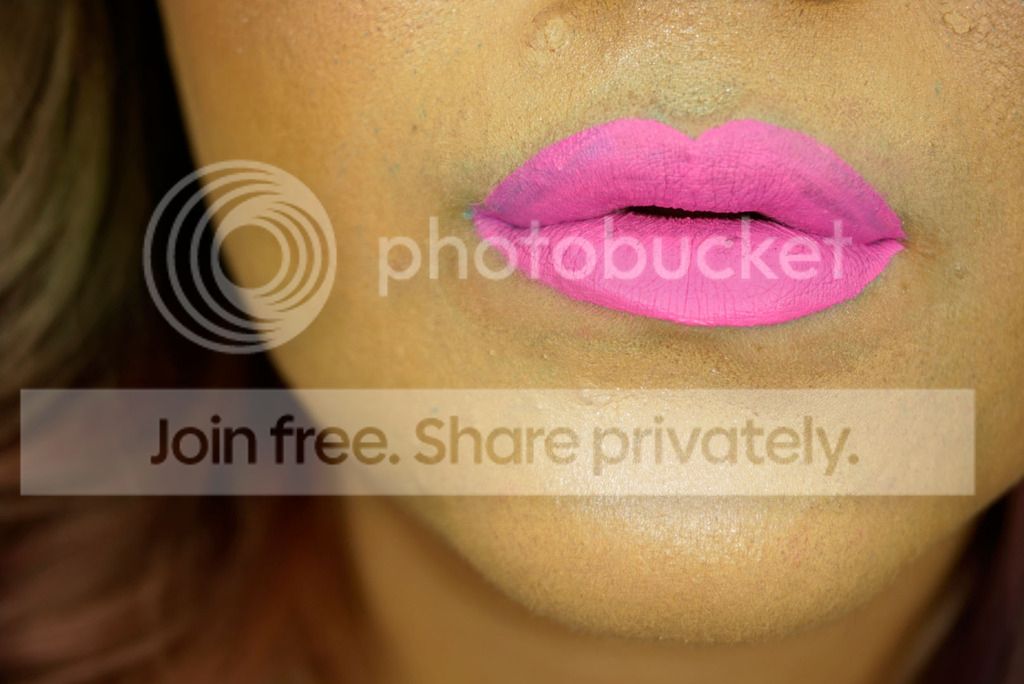
Here's a fairly rough edit, I can send you the psd if it would be useful, I've straightened it, used the healing brush to clean up the lips and skin, used a brush set to colour to smooth colour shifts in lips and skin and then dodge and burn to rebuild some dimension. I'm at work with only a mouse so the dnb is pretty sloppy and for this type of image you would need quite a lot for a really polished finish. I'd also usually use an invert high pass or similar to tighten up the skin a bit but don't have my actions at work and can't remeber exactly the steps from scratch so have just kind of bodged it with a surface blur on a low opacity. If you're keen on learning about beauty retouching I'd highly recommend the Gry Garness dvd's they are amazing though I'm not 100% sure they're sold any longer.

edited....
2016-01-24%2017.48.36-edit.jpg


original....
2016-01-24%2017.48.36.jpg
 
Last edited:

@craig, you did some pretty good work there!
 
It looks a bit like an opportunistic shot where you've lit for something else and decided to do a close up of the lips. There's not much 3 dimensionality to them.

The skin isn't too bad.. You could crop some off the top and right to make your life easier but you might need to crop some elsewhere to maintain balance. The model has a very strong jawline for beauty photography. You might crop into that or do some liquifying. Then it's small scale dodge and burn to remove the skin blemishes you can, very small healing brush or clone stamp otherwise and frequency separation to even out the tones. Then large scale dodge and burn to add some dimensionality.

.. and I see @CraigDHD has just posted while I was writing stuff so I'll stop rather than repeat him. I think he's done a remarkably good job. If I were to attempt a proper job on this I'd expect it to take me at least an hour, maybe considerably longer.

I know your model and make-up artist was a friend but this kind of high end beauty photography tends to involve specialists for a reason.
 
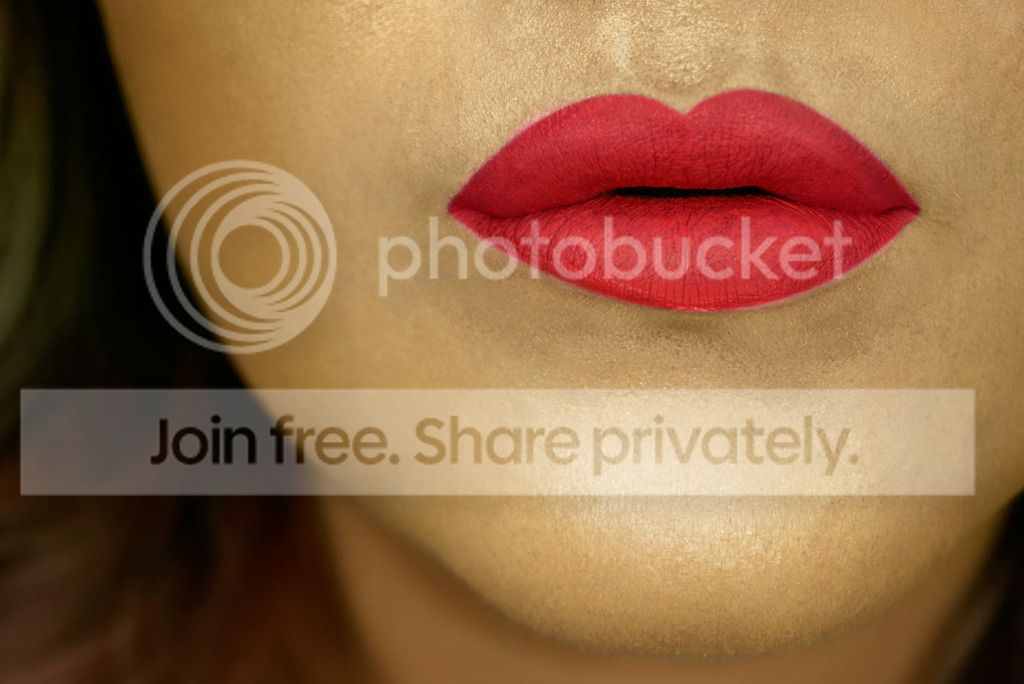
just to add, if it was me I'd go for a different colour as well with her as her skin tone and hair colour is very warm but that's quite a cold pink. Here's a warmer darker red which I think suits it better.

2016-01-24%2017.48.36-edit2.jpg
 
Wow thank you guys so much! I don't know how to tag anyone lol but that was really helpful.
 
Back
Top