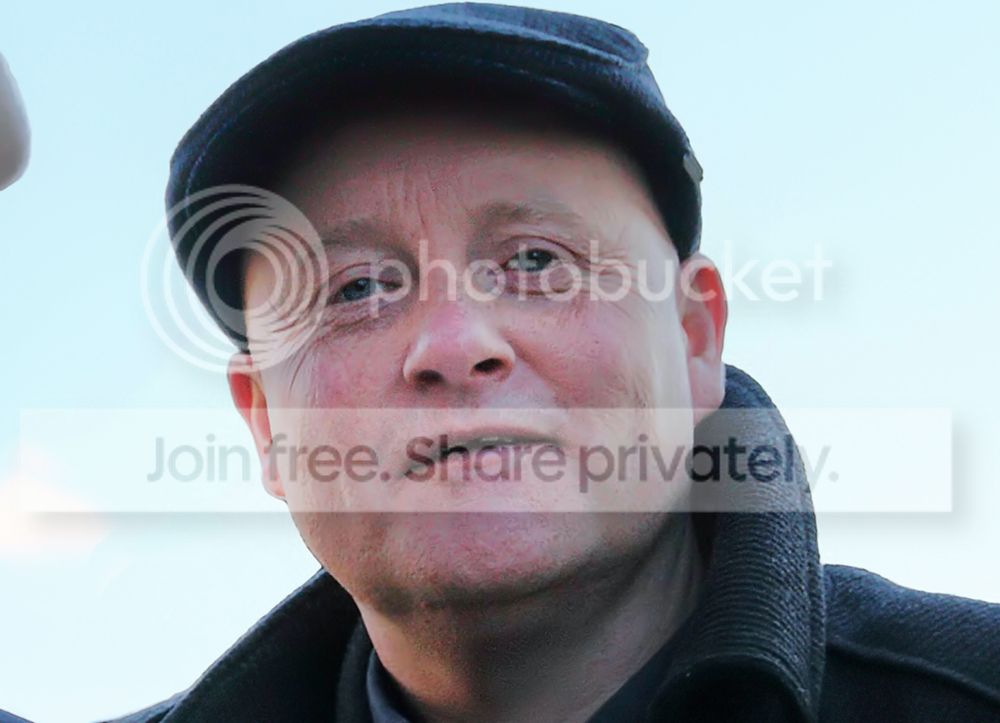
rescuing an underexposed shot

Flying giraffe

Suspended / Banned
Messages
1,189
Name
Neil
Edit My Images
No
A photo that i really needed to get right has come out underexposed on the faces and coats, but fine in the sky, it was a bit rushed so i couldn't retake it,once id checked it they had moved, trouble is if i get the photo back to the right exposure i get blotchy pixaltions in the face, as its a new 7dmk2 i cant even open the raw in ps, only dpp at the moment, so i and im left with this, (crop attached) can this be rectified? or if anyone is a dab hand at this sort of thing i could attach the raw

IMGL9140b by flying giraffe, on Flickr
 
Topaz dejpeg takes a lot of it out, but without a full size shot it's hard to tell how well it'll work. What size do you need the finished pics at?
 
Wot Wayne said; how big do you need it, and how big an original do you have? This was a bit of a mix, using dust and scratches followed by gaussian blur brushed away through a mask, then a low radius blur and a touch of sharpening. far from perfect, but is can be done with some work, I think. May be hard to get the eyes and lips right

15784127962_533ae0efd4_o_zps1b068c26.jpg
 
thanks everyone who helped on this, Adrian,Wayne and Jon, for those that saw the full photo, you could see it was a very important shot to get right, and you've all helped me rescue it and make a family very happy, pats on backs all round
 
I've only just seen this, but what about Canon's own Digital Photo Professional (DPP) for converting the RAW?
 
That's what I used, it's just the faces lots of detail, I never posted the original shot just the crop of the face, I've had some great help and we have sorted it now
 
Now acr has been released for both light room and ps the file handles a lot better, if anyone wants to have a play pm me, and I'll send a link, I won't be posting on the thread though
 
Back
Top