Removing hair from a lady's face

captainjack

Suspended / Banned
Messages
495
Name
Tim
Edit My Images
No
I did a shoot of a very dark haired pretty lady, but because she has dark hair and eyes at the edge of here face she has alot of fine hair on the lower sides of her face, and ideas what the best way to deal with this in Photoshop with removing or cover it up some way.

Thankyou for all advice and help
 
clone tool, spot removal & patch tool along with content aware if you have the latest version of CS
 
If I put this part of the image up to give you a bit of an Idea whats its Like

Screenshot2012-04-04at122157.jpg
 
Razor :lol::lol::lol:

No seriously CS5 has some amazing tools for the job, like clone tool, spot removal & patch tool

Les :thumbs:
 
Ask the lady first whether she would like anything doing with the image. You could be embarrassed if you presented her with a smooth face and she took offence
Dave
 
I am pretty sure she wont want the image with that hair showing
 
OK..... your take
 
...
 
Last edited:
If you're a Mac user, the skin smoothing brush on aperture would work well on this. Takes away things like this on portraits without making it look like it's been attacked with an airbrush!
 
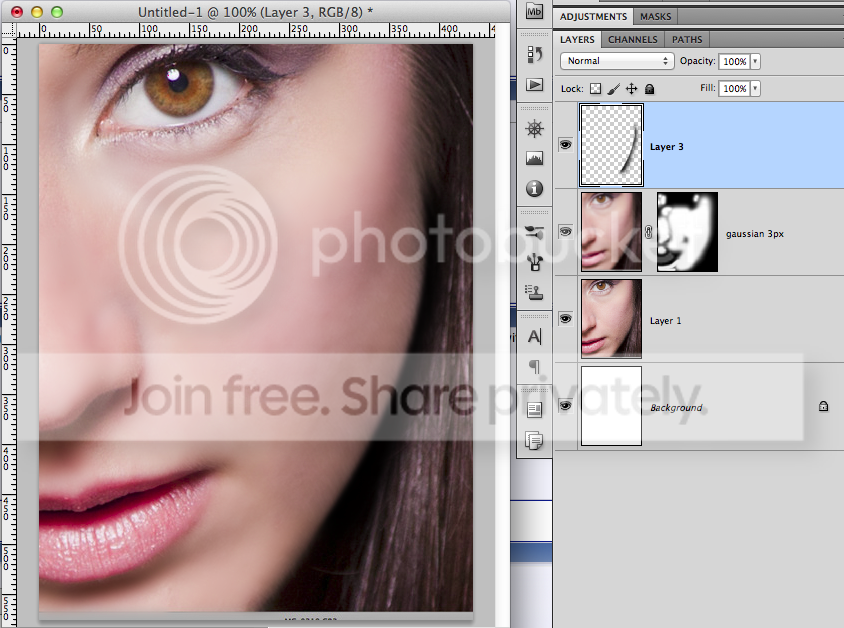
you can only really blur it.... heres a quick edit... perhaps ott, but helps show the idea.

ScreenShot2012-04-09at102904.png


You need to paint a black line back in to define her jaw, and blur it a little too to hide the hairs that extrude that line.
I used 3px with this small version, you may want to do it as smart objects till it looks right.
lowering the opacity and adjusting the blur amount till you like the results.
 
could you put it through portrait pro?

portrait pro is the devil!!!


and yes I you didn't guess already I am a professional retoucher and feel threatened by it :P feels quite a lot like that movie where machines take over and destroy the world, what's it called- oh yeah, the Terminator!
but from what i've seen of portrait pro, it's horrible.
Maybe to the casual user it's ok, but in the world of high end retouching it has to be hands on, at least until the software gets to the next level

as for your image, I think idigitize is going in the right direction but some texture needs to be put back in at the very least, and the jaw needs serious refining, and if you're going to retouch that much then you also need to attack the blemish under her eye


and if this girl is a professional model you need to tell her about this problem because it will be an absolute pain for every photographer that ever shoots her

 
Thanks for that Ben I will give it ago but on my monitor, her skin does a look like there are lines going down on the side of her chin opposite her mouth, it just looks like there is something missing and its a good chance like MrJames said it could be texture
I have not had time to have ago with weddings over the last 3days but soon as I can get on it, I will put my results on here good or bad. I will let her know about the problem as it may hold her back with future bookings.
 
How much time have you got? :D

I would attack it with the old dodge and burn but it really does take bloody ages!
 
Back
Top