
and the site receives a small commission
You are using an out of date browser. It may not display this or other websites correctly.
You should upgrade or use an alternative browser.
You should upgrade or use an alternative browser.
raw tiff jpeg
- Thread starter rick07
- Start date

swanseamale47
Suspended / Banned
- Messages
- 10,876
- Name
- wayne clarke
- Edit My Images
- Yes
Think of the raw file as a sort of negative, whatever you do won't actually alter the file. Tiff is a good file to archive with as it doesn't loose any data when open and closed or compressed, but is a big file size. Jpeg is the smallest file size but looses information everytime you edit and save it, jpegs are ideal for web or e.mail due to their smaller sizes. Wayne

john-oh
Suspended / Banned
- Messages
- 1,195
- Name
- John
- Edit My Images
- Yes


kingy
Suspended / Banned
- Messages
- 423
- Edit My Images
- Yes
So, raw was all I shot. Apart from the buffer filling up quicker which limited me to 4-5 shot bursts I didn't any difference on the day.
Had a quick look at my shots last night and just using NXView I managed to save an over exposed, fast moving car image that I would def have binned if using JPEG format.
I am now a RAW Convert
Had a quick look at my shots last night and just using NXView I managed to save an over exposed, fast moving car image that I would def have binned if using JPEG format.
I am now a RAW Convert

viper_biker
Suspended / Banned
- Messages
- 550
- Name
- Gareth
- Edit My Images
- Yes
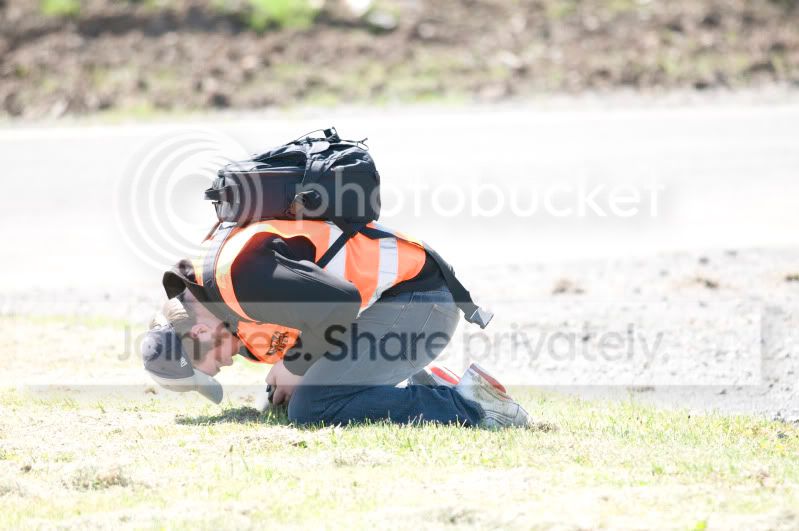
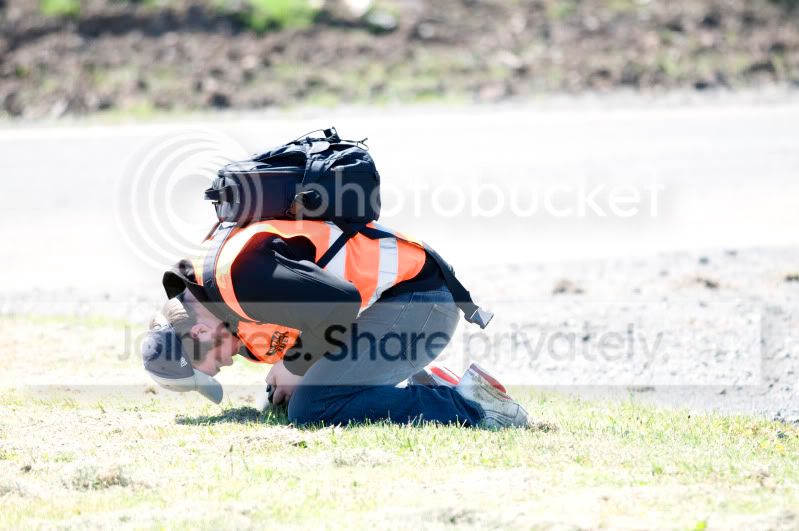
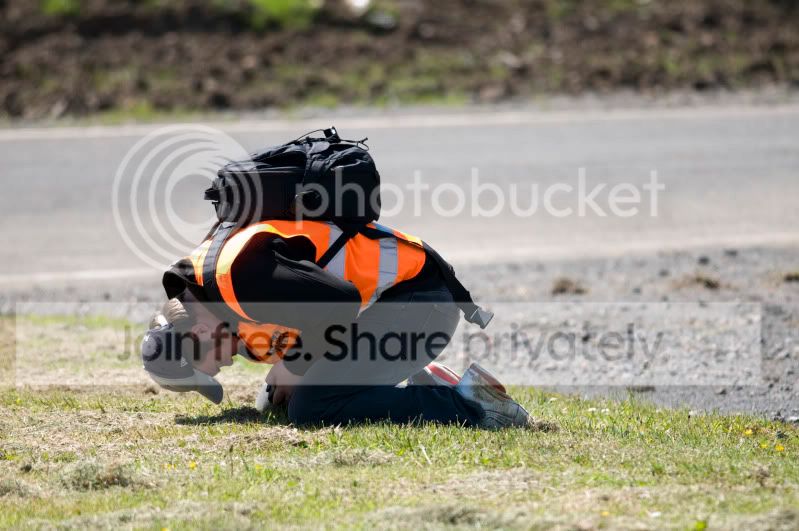
I shot in RAW this weekend for the first time and I think I'll be sticking to it. It has rescued some overexposed shots that would have definately been deleted if shot in jpeg. Post processing does take a bit longer than previously, but its worth it once you see what CS3 does for the shots. Even if just using the 'Auto' feature in CS3 it works wonders. Here's an example of a shot that was purposefully overexposed to see how CS3 would handle it. Pic 1 is how it looked in RAW, I then saved it to jpeg and tried to resue it in pic 2 but its really poor, finally, pic 3 was a RAW edit in CS3 just by pressing the 'Auto' button and as you can see, the results speak for themselves.

- Messages
- 6,283
- Name
- Chaz
- Edit My Images
- Yes
Another way to rescue a light image is to copy to new layer and change blend mode to multiply; you might have to bring back the opacity if too dark.
BUT not as good as
One get it right first time.
Two save it as a RAW
Three try the above
BUT not as good as
One get it right first time.
Two save it as a RAW
Three try the above
- Messages
- 6,283
- Name
- Chaz
- Edit My Images
- Yes
RAW is not a file type it is the raw data collected by the sensor nothing done to it just a load of 0's and1's JPG and any of the other file types are ways of making a file that can be printed or seen on screen.
The RAW will have more info then can been seen or printed and needs to be converted at some stage the view on your camera is a JPG .
I hope this helps you understand.
The RAW will have more info then can been seen or printed and needs to be converted at some stage the view on your camera is a JPG .
I hope this helps you understand.