


stickytape
Suspended / Banned
- Messages
- 2,523
- Edit My Images
- Yes
So, I've got a Mac running the latest OS, but I seem to have a problem. RAW files from my Canon RP (And Kodak for that matter) display oddly using the affinity designer logo, as a "default" open. I occasionally use Affinity so don't want to delete it, but I do have the usual Adobe CC (Photoshop, illustrator etc)
Now, the RAW files from those two cameras are NEVER viewable until I open in photoshop, each one. Whereas the ones from the V Lux show the image, even if they're RAW. RAW photos from the Canon RP and Kodak DCS never show visually in Photos too; Just shows a blank image. Anyone on a Mac have a suggestion? Everything is running the newest OS and the Canon RP is around 2 years old, and the Kodak nearly 20.. so why are these files not recognized? It's so frustrating! Screenshot attached if that helps, from a folder in Finder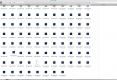 !
!
Now, the RAW files from those two cameras are NEVER viewable until I open in photoshop, each one. Whereas the ones from the V Lux show the image, even if they're RAW. RAW photos from the Canon RP and Kodak DCS never show visually in Photos too; Just shows a blank image. Anyone on a Mac have a suggestion? Everything is running the newest OS and the Canon RP is around 2 years old, and the Kodak nearly 20.. so why are these files not recognized? It's so frustrating! Screenshot attached if that helps, from a folder in Finder
!