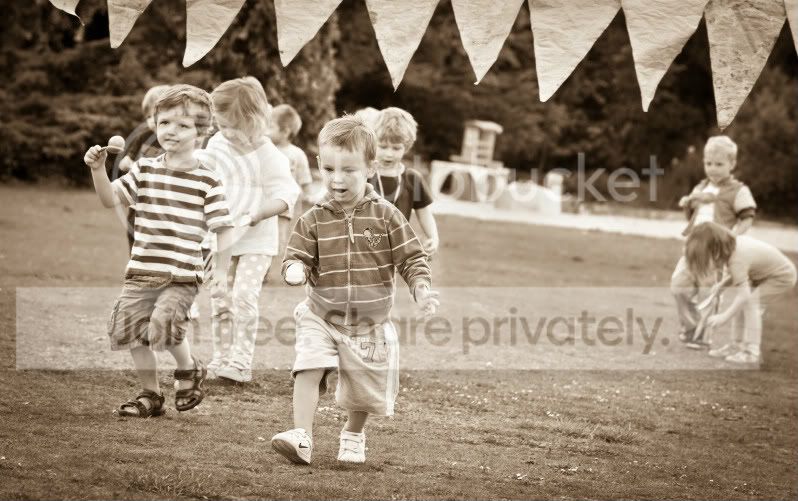
Raw File Attached - Poor Image or Better Processing Req?

Oxford_Matt

Suspended / Banned
Messages
1,521
Name
Matt
Edit My Images
No
Hi Guys,

I have been struggling to get this image to look any good.

It was shot on a Bright but cloudy day at my sons sports day on a 5DMKII and a 70-200mm F2.8L IS.

The Raw file can be dowmloaded here:

http://www.oxonphotography.co.uk/Store/

Please feel free to edit and repost.

Really appreciate any help.

Thanks
 
Last edited:
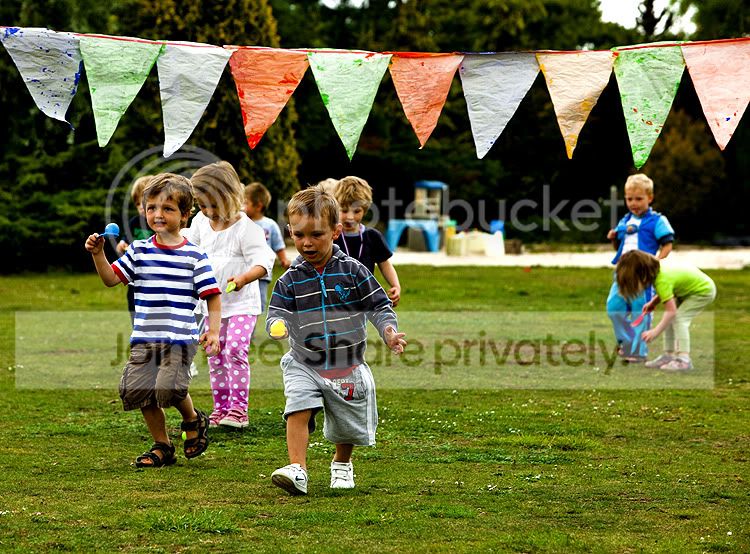
Looking at your site you have some awesome photographs, can quiet understand why your having PP issues........anyhow this is probably what i would do with it.........but i am no expert.....!!

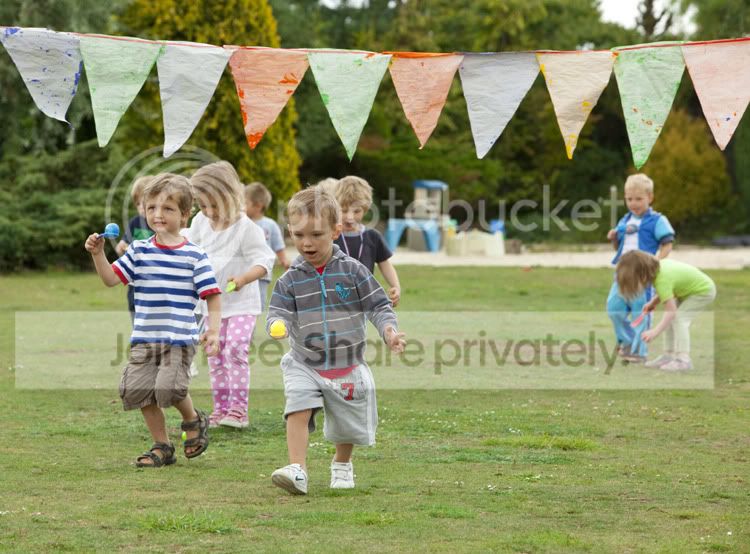
Original
OriginalTest.jpg

My PP Version
Test1SMALL.jpg


Daz
 
Heres the Best I could come up with.

5950703715_ddeac1789e_b.jpg


Thanks Daz, Your edit looks quite dark on my screen?? Now got me thinking my Monitor is out !!!
 
Any good?

Test10.jpg
 
O eck maybe my screen is miles out...........GULP :-(
 
Yeah looks better. Did you notice it's not the nicest image to edit?

What software did you use?
Lightroom

I did the following:
  • Cropped
  • Upped the black level clipping a small amount
  • Upped saturation/vibrance
  • Upped the light tones a bit
  • Put a light vignette on it
  • Selective masked sharpen
 
Nothing much wrong with it, but perhaps a faster shutter would be better - 1/200th is a tad slow. You can see some blur (on the left knee of the lad in the stripy blue shirt, for instance) which is a good indicator that the speed needs upping. I'd crank up the ISO and use at least 1/500th for that sort of shot - 1/1000th would be better - and the 5D2 can cope with much higher ISO than 400, especially with that brilliant lens.
 
PS. It was only a quick edit - perhaps 5 minutes max. I'm sure you could do a lot better if you wanted to play a bit more.
 
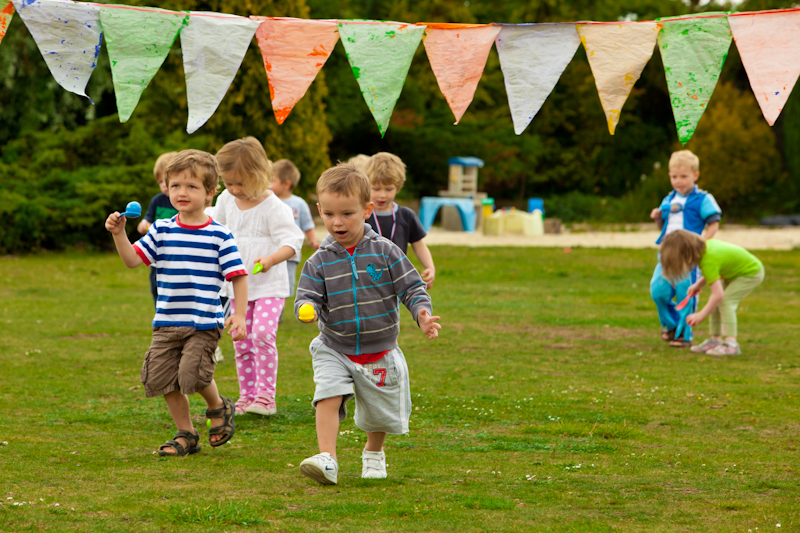
I had a quick go in photoshop. I mainly concentrated on sharpening the two boys in front and I also blurred the background a little. I also did a bit of cloning of flags etc


TUmcI.jpg
 
stormcrow said:
I had a quick go in photoshop. I mainly concentrated on sharpening the two boys in front and I also blurred the background a little. I also did a bit of cloning of flags etc

I guess a lot of the washed out greens and yellows are just due to the conditions.

I like the selective sharpening though.
Was that using layer masks?

Nice edit :)
 
I guess a lot of the washed out greens and yellows are just due to the conditions.

I like the selective sharpening though.
Was that using layer masks?

Nice edit :)

Yes it was done with layer masks.
I've tweaked the greens for you a little with dodge I burn, I tend to not like greens too saturated and sometimes I desaturate a little too much.

A6lJg.jpg
 
I think its a bad image. It seems it can either be washed out/undersaturated or if its bumped up the colours look over the top.

Why would the colours be so bad??
 
either my screen is mashed or some of these edits are way off, Matt I opened the RAW file and processed it as I normally would, the greens are a tad washed out, but I would put that down to the conditions on the day. But no where near as washed out as the first 'original' post above
 
i also wouldn't lose the flags as the 2nd wee boy is looking at them, and if they are not there it's kinda 'what is he looking at?'
 
Thanks everyone for all your time. You could get a thousand edits and no 2 are ever the same!!

Wayne I like the edit, Colours look good the faces/skintones do look little orange?

I seriously think I may be colour blind....... I even just recalibrated my screen :)
 
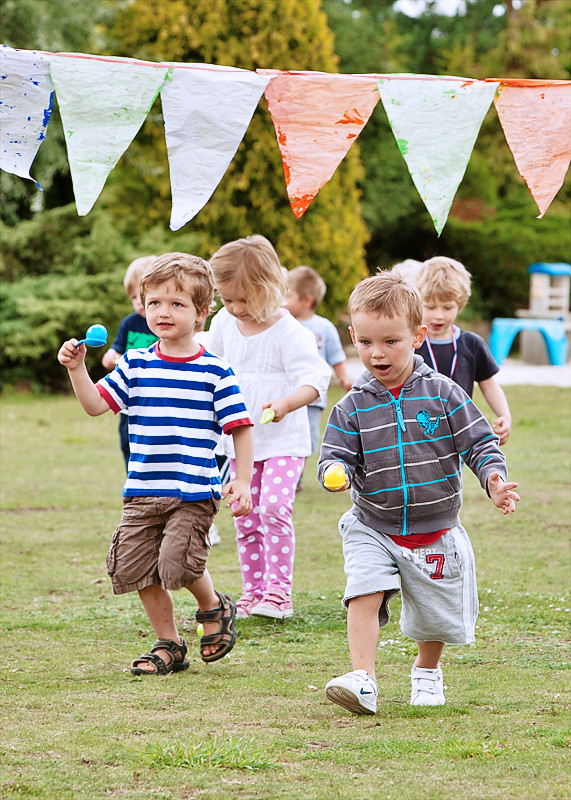
Nothing done at all apart from a crop.

Opened it up in Canon DPP and a trim (crop).


I did notice you have changed your standard picture style in the camera
Contrast 2
Colour Tone 2
Saturation 2

These will ONLY be picked up if you use DPP

Testa.jpg
 
Last edited by a moderator:
Thanks everyone for all your time. You could get a thousand edits and no 2 are ever the same!!

Wayne I like the edit, Colours look good the faces/skintones do look little orange?

I seriously think I may be colour blind....... I even just recalibrated my screen :)

The faces are a little warm but can easily be toned down a bit.
 
Now I am confused. I have a Dell U2211H IPS Monitor, Calibrated with Spyder3Pro.

But I am thinking its not quite right. As most of these edits look some way off. Please can someone with a Calibrated Monitor advise as to what they see.

Thanks

Thanks
 
As most of these edits look some way off. Please can someone with a Calibrated Monitor advise as to what they see.
Some way off what.

I have a copule of calibrated U2410s. I see:

  • The original - dull and lifeless
  • urdygurdys edit as too dark
  • My edit a little bit richer than you might see in real life but punch
  • stormcrow V1 - similar to mine with less saturation
  • Stormcrow V2 - oversaturated to my tatses
  • swanseamale47 - a little bit dialled back on the colours, perhaps darkened a little
  • whiteflyer via DPP: about the same as mine
  • miniut - a little oversaturated and a bit dull for me

Remember, not everyone has the same taste as you, nor the same monitor calibration. What do you see?
 
I am not complaining about the edits. I really appreciate everyones help.

I am just now thinking my Monitor may be out?

Heres how I see it.:

The original - Green & Flat
urdygurdys - Quite a bit dark and oversaturated
Arad85 - Skintones bit too orange
stormcrow V1 - Actually looks pretty good
Stormcrow V2 - oversaturated and Skintones orange/too warm
swanseamale47 - Only slightly Over Vibrant/Saturated (Orange Skin Tones)
whiteflyer via DPP: Skin tones look to warm/orange
miniut - a little oversaturated and to warm
 
I think your monitor may be out as you're saying most are too orange, but then it could be your expectations. Time for a recalibration perhaps?
 
Thats the strange thing.

Its a IPS Monitor, Just calibrated it. And Re-Calibrated to make sure.

All other images on here look fine. Skin tones on the test images look spot on??

I will process and re-post another image containing skin tones
 
Here one i have just processed in LR3.


5954472023_80c85130f1_b.jpg
 
Last edited:
It's not only the monitor, we all "see" colour diffrently, are you viewing a test image after callibrating your monitor? To add to the problem some hosts alter the images slightly (flickr seems to add sharpening for example) and some browsers don't colour manage when viewing, so you might not be seeing what we are seeing when you view the images online.
 
Test.jpg


Processed in Lightroom 3 and edited in CS3 with a touch of Topaz Adjust 3 Photo Pop. and the some lens blur and selective sharpening.
 
Thanks for the Post Guys.

Scotty yours looks pretty good colour wise my end!!
 
5961425015_6db1e07e6b_b.jpg


Here is my effort, the light was very flat so you can do things to it but not too much as it will start to look like a Dave on the Hill image.
 
Thought I'd have a go. All the usual tricks I guess... :)


Test-2.jpg
 
Last edited:
Back
Top